1. Introduzione
Thank you for choosing the maylofi Active Stylus Pen. This manual provides detailed instructions for the proper setup, operation, and maintenance of your stylus. Please read this manual thoroughly before use to ensure optimal performance and longevity of your device.

Image 1.1: maylofi Active Stylus Pen
2. Prodotto finitoview
The maylofi Active Stylus Pen is designed for precise and sensitive interaction with capacitive touch screens. It features a fine tip for detailed work and a simple one-button operation.
2.1 Componenti
- 1.5mm Fine Copper Tip: Provides accurate and sensitive writing/drawing experience.
- On/Off Switch & Status Indicator: For powering the stylus on/off and displaying operational status.
- Built-in Charging Port: Micro USB port for recharging the internal battery.
- Magnetic Absorption Cap: Protects the charging port and prevents dust ingress.
- Corpo in lega di alluminio: Costruzione durevole e leggera.

Image 2.1: Stylus Pen Components
3. Impostazione
3.1 Ricarica dello stilo
- Remove the magnetic absorption cap to expose the charging port.
- Connect the provided Micro USB cable to the stylus charging port and a compatible USB power source (e.g., computer, wall adapter).
- The status indicator light will illuminate during charging.
- A full charge typically takes approximately 60 minutes. The indicator light will change or turn off once fully charged.
- Replace the magnetic cap after charging to protect the port.

Image 3.1: Charging the Stylus
3.2 Accensione/Spegnimento
- To power on the stylus, press the power button located on the side of the pen. The status indicator light will turn on.
- To power off the stylus, press the power button again. The status indicator light will turn off.
- The stylus will automatically shut down after 30 minutes of inactivity to conserve battery life.
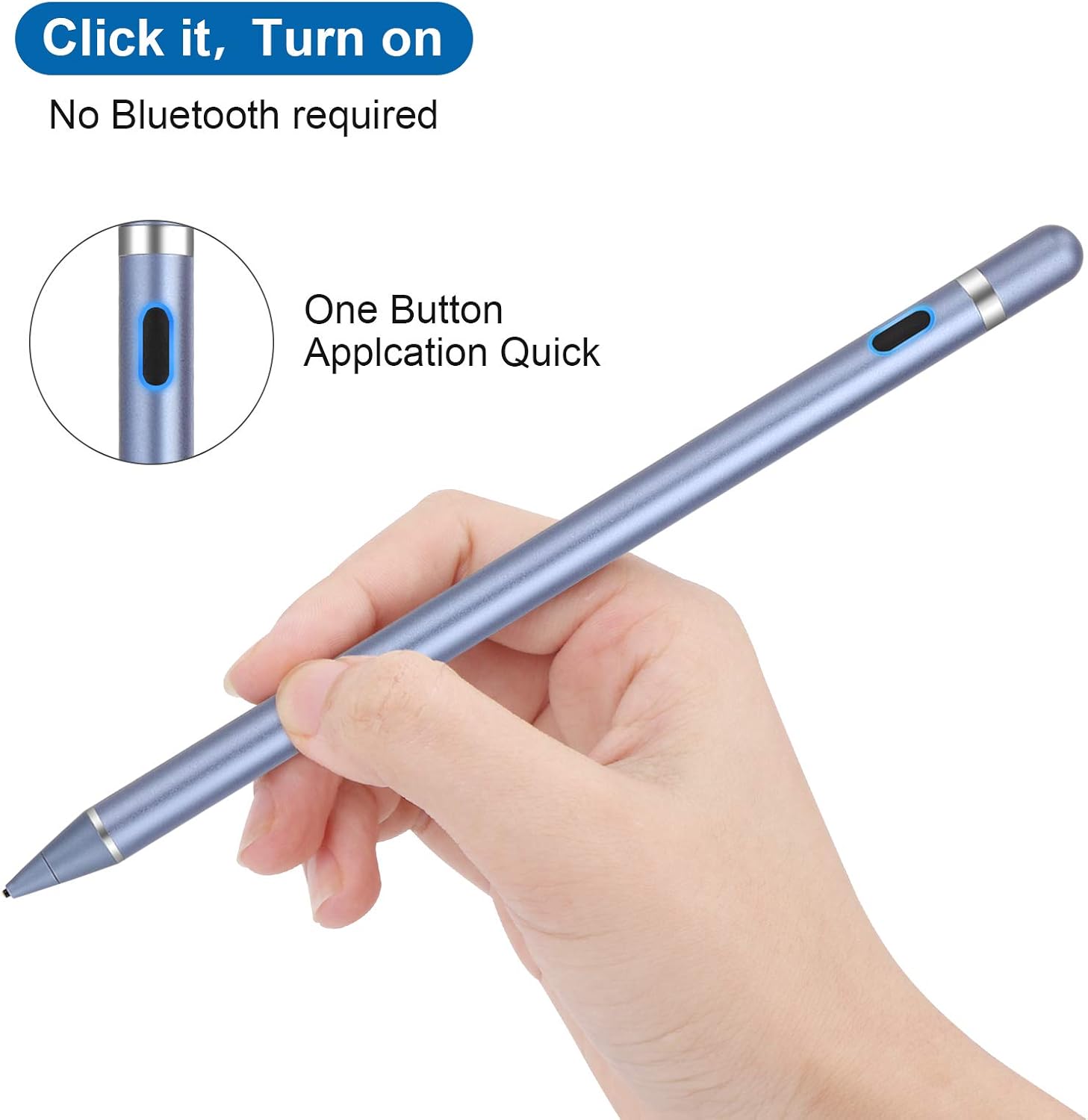
Image 3.2: Power Button Location
4. Istruzioni per l'uso
The maylofi Active Stylus Pen does not require Bluetooth pairing or any specific application to function. Simply power it on and begin using it on your touch screen device.
4.1 Utilizzo di base
- Ensure the stylus is charged and powered on.
- Gently touch the stylus tip to your device's screen to navigate, select, write, or draw.
- The 1.5mm fine tip provides enhanced precision for detailed tasks such as drawing, note-taking, and drafting.

Image 4.1: Precision Tip

Image 4.2: Wide Application Examples
4.2 Compatibilità universale
The stylus is compatible with most capacitive touch screen devices, including:
- iPhone models
- iPad models
- Samsung smartphones and tablets
- Other Android smartphones and tablets
Nota: This stylus operates in a universal mode and does not support palm rejection or wireless charging functions. It is not compatible with laptops.

Image 4.3: Universal Compatibility
5. Manutenzione
- Pulizia: Wipe the stylus body with a soft, dry cloth. Do not use harsh chemicals or abrasive materials.
- Cura della punta: Avoid applying excessive pressure to the tip. Do not attempt to remove or replace the tip as it is not designed to be user-replaceable.
- Magazzinaggio: Store the stylus in a cool, dry place away from direct sunlight and extreme temperatures. Ensure the magnetic cap is in place to protect the charging port.
- Batteria: For optimal battery life, avoid fully discharging the stylus frequently. Charge it when the indicator suggests low battery.
6. Risoluzione Dei Problemi
- Lo stilo non risponde:
- Assicurarsi che lo stilo sia acceso.
- Check if the stylus battery is charged. Recharge if necessary.
- Verify that your device's screen is clean and free of debris.
- Restart your touch screen device.
- Inaccurate or skipping input:
- Ensure the stylus tip is clean.
- Confirm that your device's screen is clean.
- Avoid using the stylus on damaged or heavily scratched screens.
- Lo stilo non si carica:
- Ensure the Micro USB cable is securely connected to both the stylus and the power source.
- Prova un cavo Micro USB o un adattatore di alimentazione diverso.
- Check if the charging port on the stylus is free of dust or debris.
7. Specifiche
| Caratteristica | Dettaglio |
|---|---|
| Modello | B08LDT25PK |
| Dimensioni | 7 x 0.39 x 0.39 pollici |
| Peso | 1.06 once (30 grammi) |
| Dimensione punta | 1.5mm |
| Materiale | Copper (tip), Aluminum Alloy (body) |
| Tipo di batteria | 1 ione di litio (incluso) |
| Tempo di ricarica | Circa 60 minuti |
| Orario di lavoro | Fino a 12 ore (uso attivo) |
| Spegnimento automatico | 30 minuti di inattività |
| Tempo di standby | Fino a 720 ore (30 giorni) |
| Compatibilità | Most capacitive touch screen devices (smartphones, tablets) |
8. Garanzia e supporto
For warranty information and details regarding product support, please refer to the documentation included with your purchase or visit the official maylofi website. If you encounter any issues not covered in this manual, please contact maylofi customer service for assistance.