1. Introduzione
This manual provides detailed instructions for the setup, operation, maintenance, and troubleshooting of your NEBULA Cosmos Max 4K UHD Home Theater Projector, Model D2150. Please read this manual thoroughly before using the product to ensure correct operation and to maximize its performance and lifespan.
2. Prodotto finitoview
The NEBULA Cosmos Max is a 4K UHD home theater projector designed to deliver an immersive viewing experience. It features Android TV 9.0, integrated 360-degree audio, and advanced image processing capabilities.
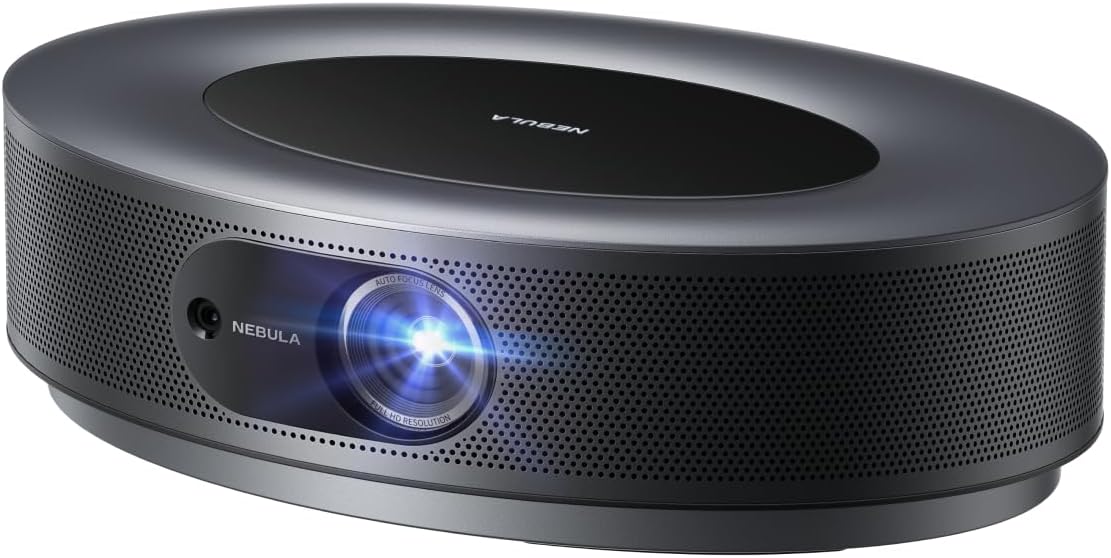
Immagine 2.1: anteriore view of the NEBULA Cosmos Max projector, showcasing its sleek, oval design and lens.
Caratteristiche principali:
- Qualità dell'immagine 4K UHD: Experience movies, sports, and games with exceptional clarity and detail.
- 360° True 3D Audio: Optimized speakers with Dolby Digital Plus and Sound Dimension provide immersive sound.
- Dimensione immagine regolabile: Project images from a smaller size up to 150 inches.
- HLG Upscaling: Automatically enhances non-HDR content to improve visual quality.
- Android TV 9.0: Access over 5000 applications for endless entertainment.

Immagine 2.2: Un dettaglio view demonstrating the 4K Ultra HD image quality, highlighting fine textures.
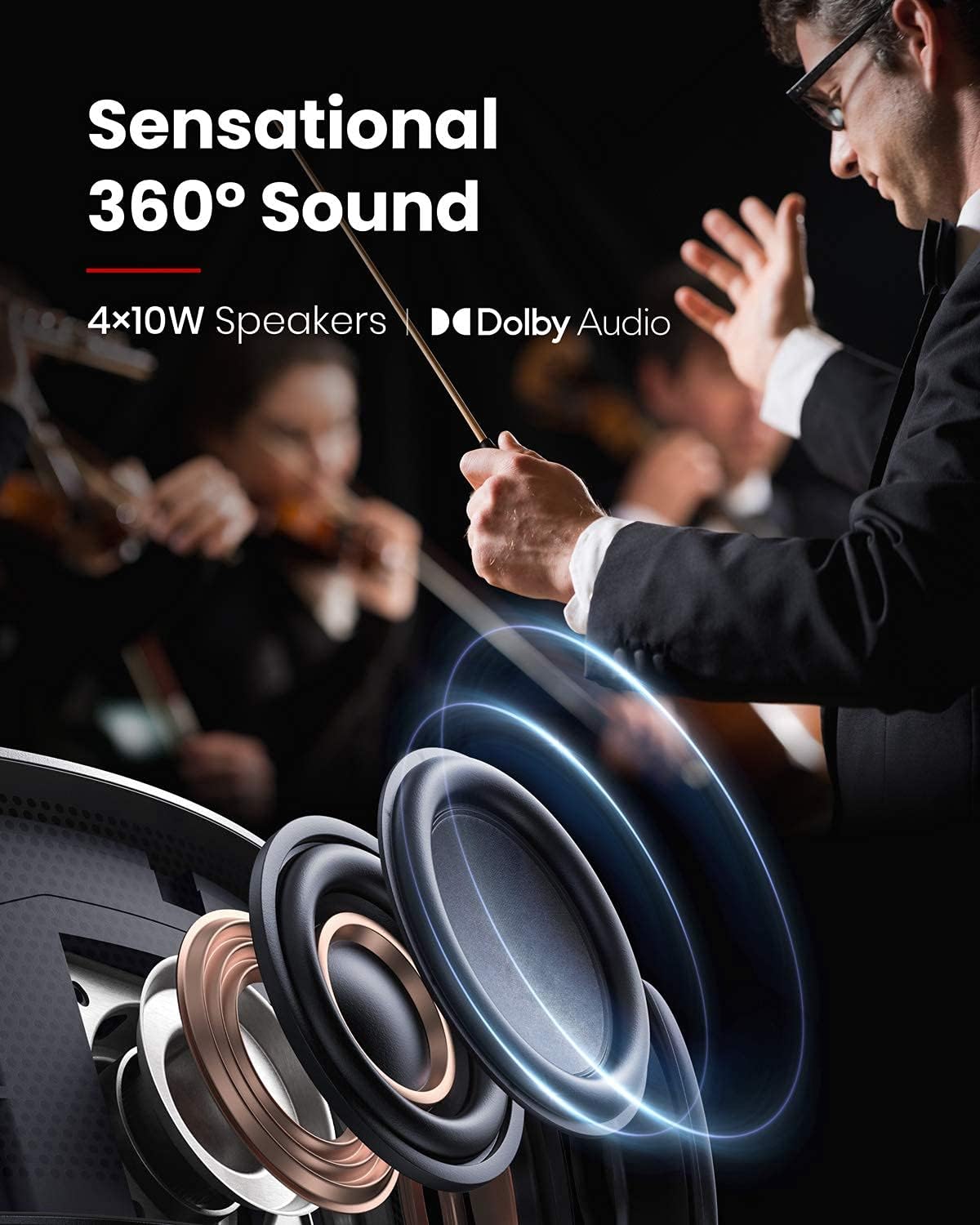
Image 2.3: An illustration depicting the 360-degree sound distribution from the projector's integrated speakers.

Image 2.4: A visual representation of the projector displaying a large image, up to 150 inches, in a living room setting.
3. Impostazione
3.1 Cosa c'è nella scatola
- Proiettore NEBULA Cosmos Max
- Telecomando
- Guida rapida
- Adattatore di alimentazione
3.2 Posizionamento iniziale
Place the projector on a stable, flat surface. Ensure there is adequate ventilation around the device. For optimal image quality, position the projector perpendicular to the projection surface.
3.3 Collegamento di alimentazione
- Collegare l'adattatore di alimentazione alla porta di ingresso dell'alimentazione del proiettore.
- Collegare l'alimentatore a una presa elettrica adeguata.
- Premere il pulsante di accensione sul proiettore o sul telecomando per accendere il dispositivo.
3.4 Collegamento di dispositivi esterni
The Cosmos Max features multiple ports for connecting external devices:
- HDMI (x2): Collega lettori Blu-ray, console di gioco o altri dispositivi abilitati HDMI.
- USB-A (x1): Collegare unità flash USB per la riproduzione multimediale.
- Ottico (x1): Connect to external audio systems.
4. Istruzioni per l'uso
Interfaccia Android TV 9.0 4.1
The projector runs on Android TV 9.0, providing access to a wide range of applications and streaming services. Navigate the interface using the provided remote control.

Image 4.1: The Android TV home screen displaying available applications and content.
4.2 Installazione dell'app
- Google Play Store: Access and install thousands of apps directly from the Google Play Store.
- Netflix: To install Netflix, first install the "Nebula Manager" app from the Google Play Store. Then, install Netflix through "Nebula Manager." For optimal control, use the "Nebula Connect" app on your smartphone in mouse mode.
4.3 Mirroring dello schermo (dispositivi iOS)
To connect with an iPhone, iPad, or MacBook:
- Install the "AirScreen" app from the Google Play Store on your projector.
- Ensure both your NEBULA Cosmos Max and your iOS device are connected to the same Wi-Fi network.
- Use the screen mirroring function on your iOS device to connect to the projector.
4.4 Riproduzione multimediale da USB
To play movies or other media from a USB flash drive:
- Installare un file app di gestione (ad esempio, File Esploratore, File Manager) from the Google Play Store.
- Install a video player app from the Google Play Store.
- Insert your USB flash drive into the USB-A port on the projector.
- Utilizzare il file management app to browse and play content from your USB drive.
4.5 Regolazione dell'immagine
- Messa a fuoco automatica: The projector features 3-second autofocus. Slightly move the device or press the "focus" button on the remote control to trigger autofocus.
- Correzione trapezoidale: Supports Auto (vertical ±40°) and Manual (horizontal ±40°) keystone correction. If the projected image appears tilted, navigate to "Settings" > "Projector Settings" > "Keystone Correction" to adjust. You may need to turn off auto keystone correction for manual adjustments.
5. Manutenzione
5.1 Pulizia
- Per pulire la parte esterna del proiettore, utilizzare un panno morbido e asciutto.
- For the lens, use a lens cleaning cloth and specialized lens cleaning solution. Avoid harsh chemicals.
- Ensure ventilation ports are clear of dust and debris to prevent overheating.
5.2 Aggiornamenti firmware
For optimal performance and access to the latest features, regularly check for and install firmware updates via the projector's settings menu.
6. Risoluzione Dei Problemi
Problemi comuni e soluzioni:
- Netflix Not Installing: Install "Nebula Manager" from Google Play Store, then install Netflix through Nebula Manager. Use "Nebula Connect" app on your phone in mouse mode for control.
- Cannot Connect to iOS Device: Ensure "AirScreen" app is installed on the projector and both devices are on the same Wi-Fi network.
- Supporto USB non in riproduzione: Installare un file management app and a video player app from Google Play Store.
- Tilted Image / Keystone Correction Issues: If auto keystone correction is not sufficient, turn it off via "Settings" > "Projector Settings" > "Keystone Correction" and manually adjust both vertical and horizontal keystone.
- Autofocus non attivato: Slightly move the projector or press the dedicated "focus" button on the remote control.
- Image Appears Dark: Brightness (light output) can diminish over time due to usage. Ensure the projector is in an environment with minimal ambient light for best results. Adjust picture settings (e.g., Brightness, Gamma, Picture Mode) in "Projector Settings" > "Picture Settings" for your viewambiente di lavoro.
7. Specifiche
| Caratteristica | Dettaglio |
|---|---|
| Numero di modello | D2150 |
| Tecnologia di visualizzazione | 0.47DMD in 4K DLP |
| Risoluzione | 3840x2160 (4K UHD) |
| Luminosità | 1,500 lumen ANSI |
| Durata del LED | 30,000 ore |
| Rapporto di lancio | 1.2 |
| Regolazione della messa a fuoco | Messa a fuoco automatica in 3 secondi |
| Correzione Keystone | Auto (verticale ±40°), Manuale (orizzontale ±40°) |
| Porte HDMI | ogni 2 |
| Porte USB-A | ogni 1 |
| Uscita audio ottica | ogni 1 |
| Memoria RAM | 2GB DDR |
| ROM | 16 GB eMMC |
| Uscita altoparlante | 40W |
| Wifi | Doppia frequenza 2.4/5 GHz |
| Bluetooth | Modello BT4.2 |
| Rumore della ventola | <32dB |
| Sistema operativo | TV Android 9.0 |
| Cromocast | Supportato |
| Negozio di applicazioni | Giocare a Google |
| Decodifica audio | Supporto Dolby |
| Decodifica video | L'HDR10 |
| Dimensioni del prodotto | 13.78 x 9.84 x 3.94 pollici |
| Peso dell'articolo | 13.18 libbre |
8. Garanzia e supporto
For warranty information and technical support, please refer to the documentation included with your purchase or contact NEBULA customer service. You can also visit the official NEBULA support websito per domande frequenti e ulteriore assistenza.


