Prodotto finitoview
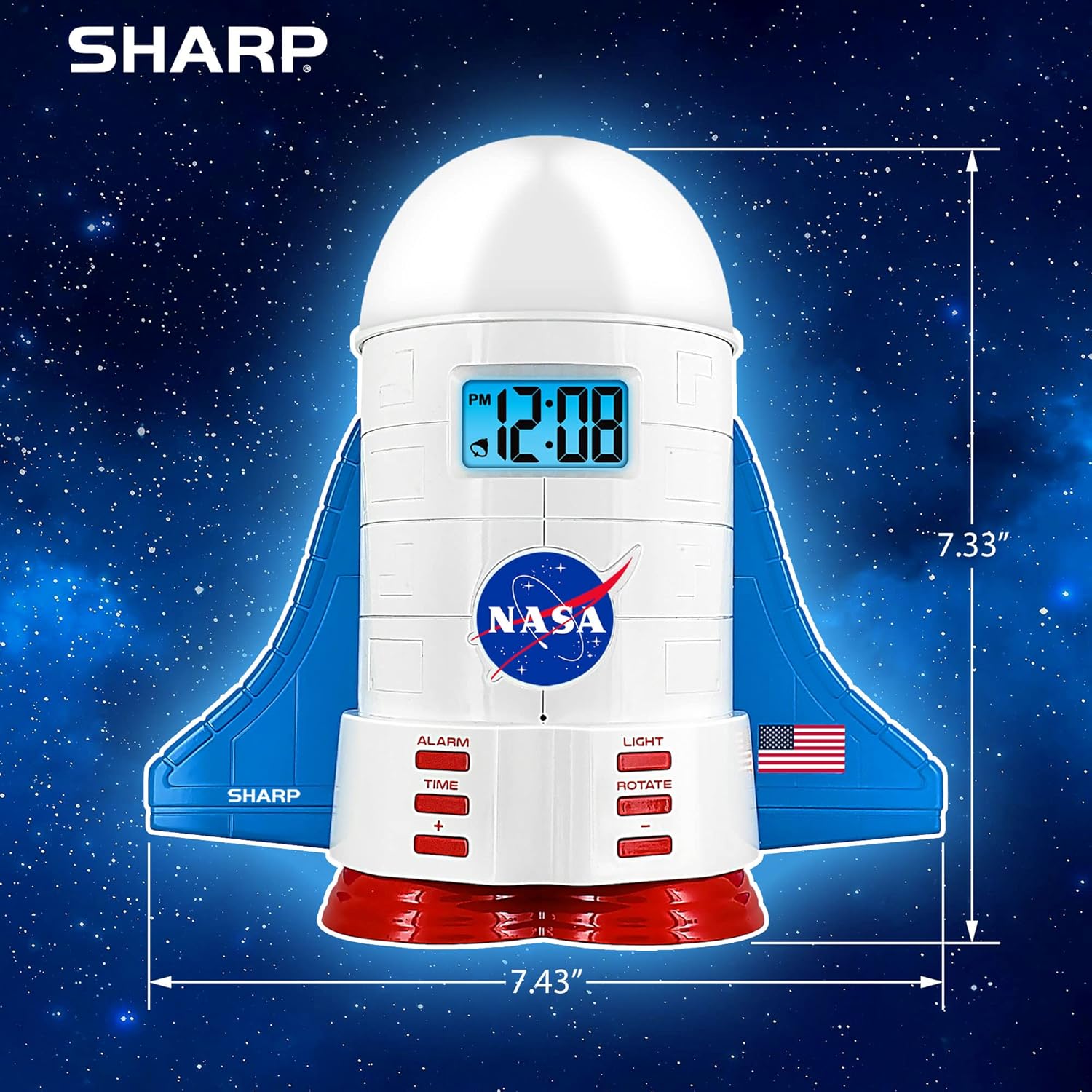
This manual provides instructions for the Sharp NASA Space Shuttle Night Light Alarm Clock. This device combines an alarm clock with a space-themed nightlight and projection feature, designed to enhance a child's bedroom environment.

Impostare
Disimballaggio
- Rimuovere con attenzione tutti i componenti dalla confezione.
- Verificare che tutti gli articoli elencati nella sezione "Contenuto della scatola" siano presenti.
Collegamento di potenza
The alarm clock can be powered via the included electric adapter. For continuous operation of all features, including the nightlight and projection, direct power is recommended.
For battery backup, insert appropriate batteries (not included) into the battery compartment located at the base of the unit. This ensures timekeeping and alarm function during power outages.

Istruzioni per l'uso
Impostazione dell'ora
- Premere il tasto TEMPO pulsante.
- Utilizzare il + E - pulsanti per regolare l'ora e i minuti.
- Premere TEMPO di nuovo per confermare.
Impostazione della sveglia
- Premere il tasto ALLARME pulsante.
- Utilizzare il + E - pulsanti per impostare l'orario desiderato per la sveglia.
- Premere ALLARME again to activate the alarm. An alarm icon will appear on the display.
Funzione snooze
To temporarily silence the alarm, tap the top of the unit. The alarm will sound again after a short interval.
Nightlight and Projection Features
The unit features light-up wings and a rocket booster base, along with a rotating projection cap.

Attivazione delle luci
Premere il tasto LEGGERO button to cycle through the 4 color options for the wings and booster lights.
Projection Caps
The device includes two interchangeable space-themed projection caps and a frosted nightlight cap. Twist counter-clockwise to attach or remove caps.

Proiezione rotante
Premere il tasto RUOTARE button to activate or deactivate the rotation of the projected images.
Manutenzione
- Clean the unit with a soft, dry cloth. Avoid abrasive cleaners or solvents.
- Ensure the projection caps are free from dust or smudges for clear image projection.
- Replace batteries in the backup compartment as needed to maintain time settings during power interruptions.
Risoluzione dei problemi
| Problema | Possibile causa | Soluzione |
|---|---|---|
| Clock not displaying time | Nessun potere | Ensure the electric adapter is securely plugged in. Check battery backup. |
| L'allarme non suona | Alarm not set or deactivated | Verify alarm time is set and activated (alarm icon visible). |
| Projection unclear or dim | Dust on cap or insufficient darkness | Clean the projection cap. Ensure the room is sufficiently dark for optimal projection. |
| Proiezione non rotante | Rotate function off | Premere il tasto RUOTARE button to activate the rotation feature. |
Specifiche
- Marca: Affilato
- Numero modello: Sharp NASA e Shuttle Alarm Clock
- Fonte di energia: Electric Adapter (Battery backup for timekeeping)
- Tipo di sorgente luminosa: GUIDATO
- Nightlight Colors: 4 opzioni
- Projection Themes: 2 interchangeable space scenes
- Display: LCD con retroilluminazione blu
- Dimensioni: 7.43 x 1.5 x 7.43 pollici
- Peso: 1.33 libbre
- Materiale: Plastica
- Caratteristiche speciali: Color Changing, Snooze Function, Rotating Projection
Garanzia e supporto
Per informazioni sulla garanzia o supporto tecnico, fare riferimento al sito ufficiale del produttore websito o contattare il loro servizio clienti.
Produttore: Affilato
Codice UPC: 049353005447
ASIN: B08PL6K2C5


