1. Introduzione
The Insane Audio INSANEASD module is designed to provide control over the automatic Start-Stop function in compatible Jeep vehicles. This unit allows users to manage when the vehicle's engine automatically shuts off and restarts, offering a personalized driving experience. This manual provides detailed instructions for installation, operation, and general care of your INSANEASD module.
This module is specifically compatible with:
- 2018-2021 Jeep Wrangler JL models
- 2018-2021 Jeep Gladiator models
2. Contenuto della confezione
Verificare che tutti gli articoli siano presenti nel pacco:
- 1x InsaneASD Module
If any components are missing or damaged, please contact Insane Audio customer support.
3. Guida all'installazione
The InsaneASD module is designed for a straightforward, plug-and-play installation, typically taking approximately 5 minutes. No special tools are required beyond basic access to the vehicle's wiring harness.
3.1. Precauzioni di sicurezza
- Ensure the vehicle's ignition is OFF and the parking brake is engaged before beginning installation.
- Scollegare il terminale negativo della batteria del veicolo per evitare cortocircuiti durante l'installazione.
- Handle all connectors and wiring carefully to avoid damage.
3.2. Fasi di installazione
- Locate the Auto Start-Stop Wiring Harness: Identify the wiring harness connected to the Auto Start-Stop system in your Jeep Wrangler JL or Gladiator. This is typically found near the battery or under the hood, depending on the specific model year. Consult your vehicle's service manual if you have difficulty locating it.
- Disconnect the Factory Harness: Carefully disconnect the existing factory wiring harness from the Auto Start-Stop component. Press any release tabs or levers as necessary.
- Connect the InsaneASD Module:
- Connect one end of the InsaneASD module's harness to the factory component where you just disconnected the original harness.
- Connect the other end of the InsaneASD module's harness to the factory wiring harness that you previously disconnected.
The InsaneASD module acts as an inline pass-through, integrating seamlessly into the existing wiring.
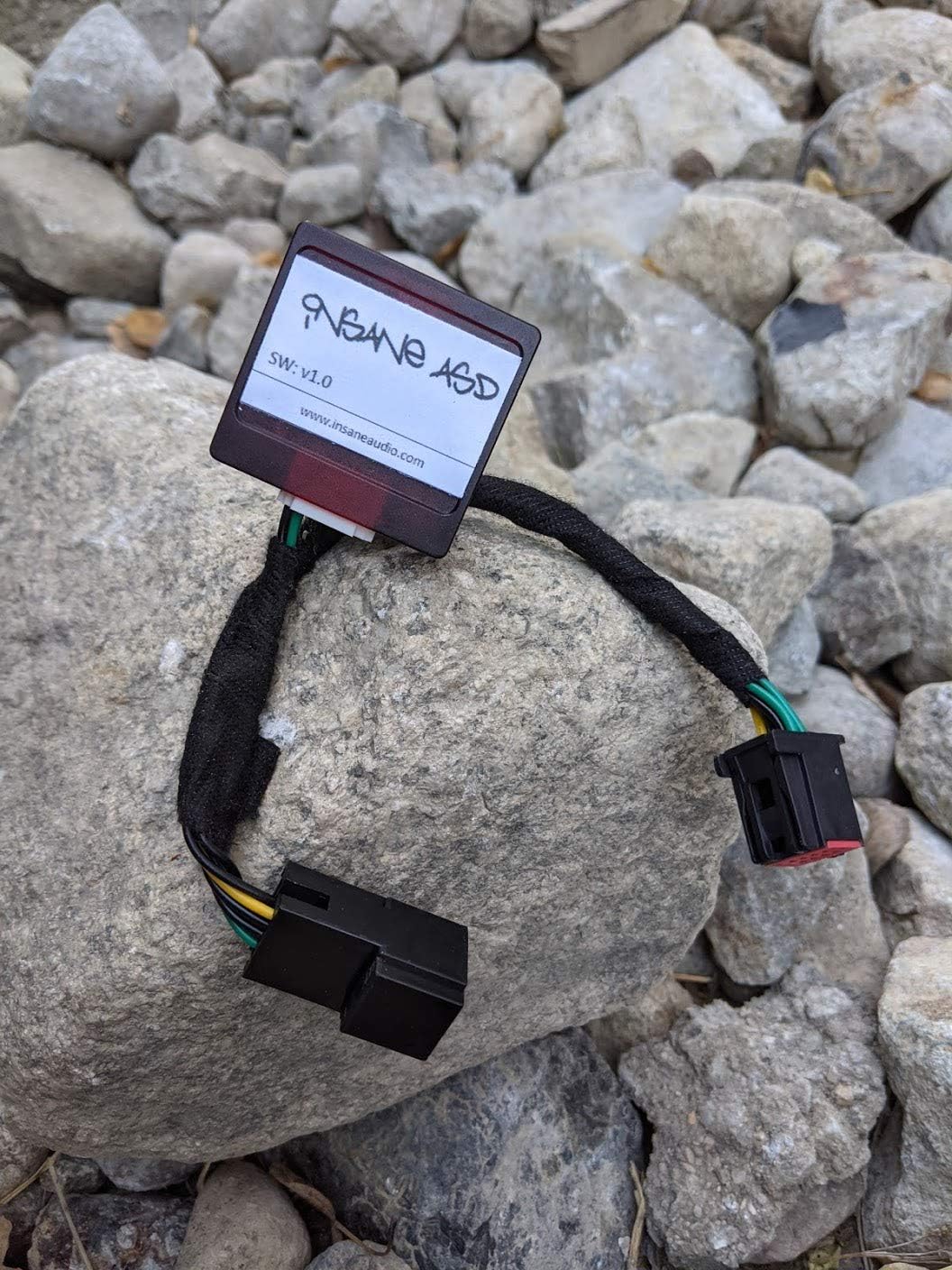
Image 1: The InsaneASD module showing its compact design and two primary connectors for inline installation.
- Proteggere il modulo: Once connected, ensure all connections are secure. Route the wiring and secure the InsaneASD module in a safe location away from moving parts, excessive heat, or moisture using zip ties or other appropriate fasteners.
- Ricollegare la batteria e testare: Reconnect the negative terminal of the vehicle's battery. Start the vehicle and verify the functionality of the Auto Start-Stop system as described in the "Operating Instructions" section.

Image 2: The InsaneASD module's wiring and connectors, ready for installation.

Immagine 3: Un altro view of the InsaneASD module, highlighting its compact size.
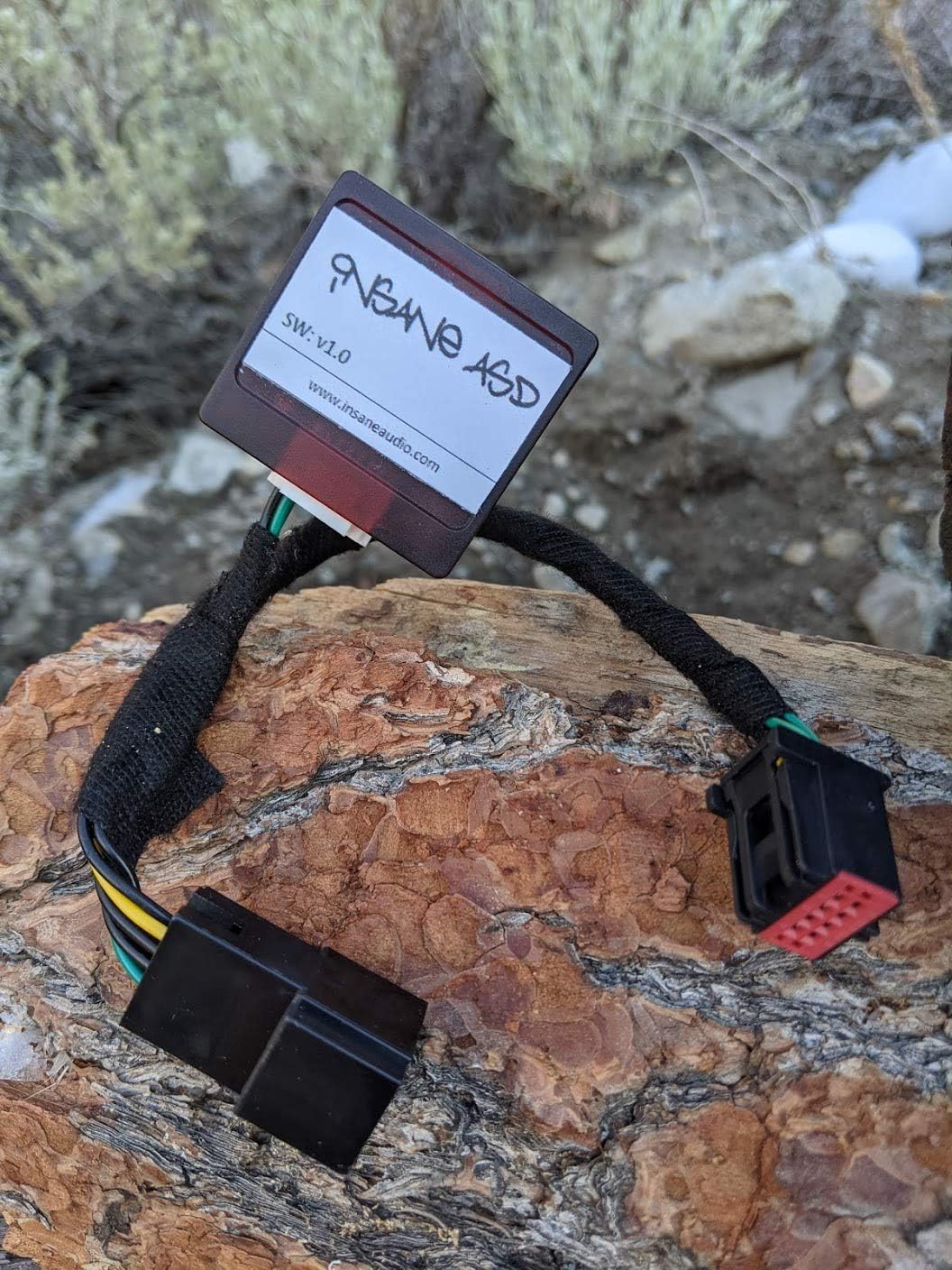
Image 4: The InsaneASD module's connectors, showing the distinct red and black components.
4. Istruzioni per l'uso
The InsaneASD module is designed to modify the default behavior of your vehicle's Auto Start-Stop system. Once installed, the module will automatically manage the system according to its programming.
4.1. Default Behavior Modification
The primary function of the InsaneASD module is to reverse the default state of the Auto Start-Stop system. If your vehicle typically enables Auto Start-Stop upon ignition, the module will ensure it remains disabled. If your vehicle's system allows for manual toggling, the module will maintain the last selected state or default to disabled, depending on its internal logic. This provides the user with consistent control over the feature without needing to manually disable it after each ignition cycle.
4.2. Verifica
After installation, start your vehicle. Observe the Auto Start-Stop indicator light on your dashboard. If the module is functioning correctly, the indicator should reflect the desired state (e.g., off or indicating the system is disabled) without manual intervention.
5. Manutenzione e cura
The InsaneASD module requires minimal maintenance. Follow these guidelines to ensure its longevity and proper function:
- Mantenere asciutto: Evitare di esporre il modulo all'acqua o a umidità eccessiva.
- Temperatura: Do not expose the module to extreme temperatures outside of typical automotive operating conditions.
- Danni fisici: Proteggere il modulo da urti fisici o schiacciamenti.
- Pulizia: If necessary, gently wipe the exterior of the module with a dry, soft cloth. Do not use harsh chemicals or abrasive cleaners.
6. Risoluzione Dei Problemi
If you experience issues with your InsaneASD module, consider the following troubleshooting steps:
- Modulo non funzionante:
- Verify that all connections are secure and fully seated.
- Ensure the vehicle's battery was reconnected properly after installation.
- Check for any blown fuses related to the Auto Start-Stop system (consult your vehicle's manual).
- Funzionamento intermittente:
- Ispezionare il cablaggio per eventuali segni di danni o collegamenti allentati.
- Ensure the module is securely mounted and not subject to excessive vibration.
- Messaggi di errore del veicolo: If your vehicle displays unexpected error messages after installation, double-check all connections. If the issue persists, temporarily remove the InsaneASD module to see if the error resolves. If it does, contact Insane Audio support.
If these steps do not resolve the issue, please contact Insane Audio customer support for further assistance.
7. Specifiche tecniche
| Caratteristica | Specificazione |
|---|---|
| Numero di modello | InsaneASD |
| Compatibilità | 2018-2021 Jeep Wrangler JL, 2018-2021 Jeep Gladiator |
| Dimensioni del pacco | 4.02 x 3.23 x 0.94 pollici |
| Peso dell'articolo | 1.01 libbre |
| Produttore | Audio folle |
| ASIN | B08S46MWSL |
8. Garanzia e supporto
For specific warranty information regarding your InsaneASD module, please refer to the documentation included with your purchase or visit the official Insane Audio websito. I termini e le condizioni della garanzia possono variare.
If you require technical assistance or have questions not covered in this manual, please contact Insane Audio customer support:
- Websito: www.insaneaudio.com
- Fare riferimento alla confezione del prodotto o alle istruzioni del produttore websito per i dettagli di contatto attuali.


