1. Prodotto finitoview
The Retevis EHK008 is a helmet-compatible headset designed for two-way radio communication. It features dual speakers, a boom microphone, and a finger Push-To-Talk (PTT) button, making it suitable for use with open or full-face helmets in various activities such as motorcycling, skiing, climbing, and delivery services. The headset connects to compatible two-way radios via a K-head 2-pin plug.
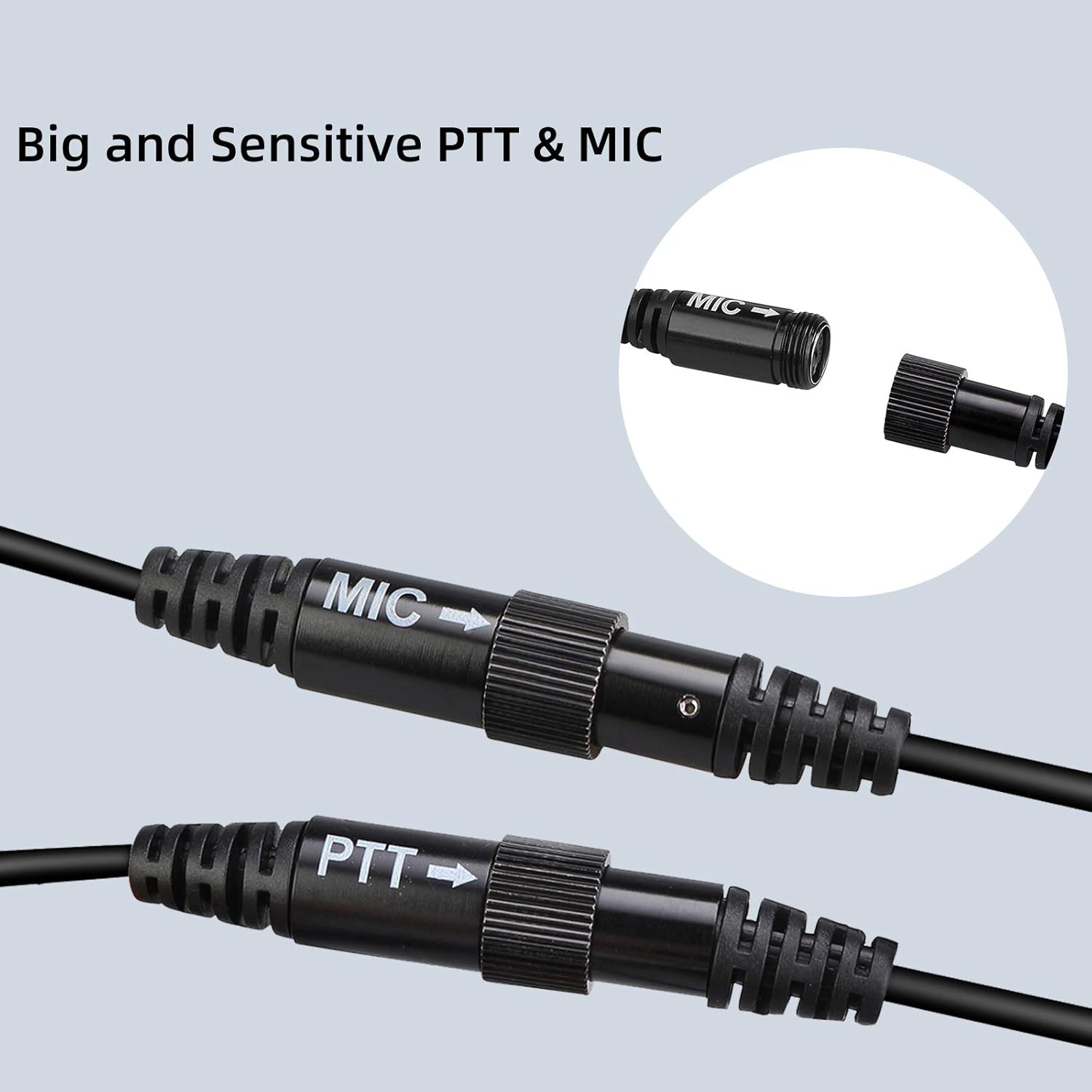
Immagine 1.1: Passoview of the Retevis EHK008 Helmet Headset components.
2. Cosa c'è nella scatola
Your Retevis EHK008 package includes the following items:
- 1 x Retevis Helmet Walkie Talkie Earpiece (EHK008)

Immagine 2.1: Tutti i componenti inclusi nella confezione.
3. Istruzioni per l'installazione
Follow these steps to properly install your Retevis EHK008 helmet headset:
- Preparare il casco: Ensure the inside of your helmet is clean and dry where the speakers and microphone will be placed.
- Installare gli altoparlanti: The headset includes two speakers with adhesive backing. Carefully peel the backing and firmly attach one speaker inside the helmet near each ear. Ensure they are positioned for clear audio reception.
- Installa microfono: Attach the boom microphone inside the helmet, positioning it close to your mouth for optimal voice transmission. The microphone also has an adhesive backing for secure placement.
- Cavi del percorso: Far passare tutti i cavi in modo ordinato all'interno dell'imbottitura del casco per evitare interferenze o fastidi.
- Connettiti alla radio: Plug the K-head 2-pin connector into your compatible two-way radio.
- Attach Finger PTT: The finger PTT (Push-To-Talk) button comes with a Velcro strap. Attach it securely to your finger or handlebar for convenient access during communication.

Image 3.1: Component diagram for installation reference.
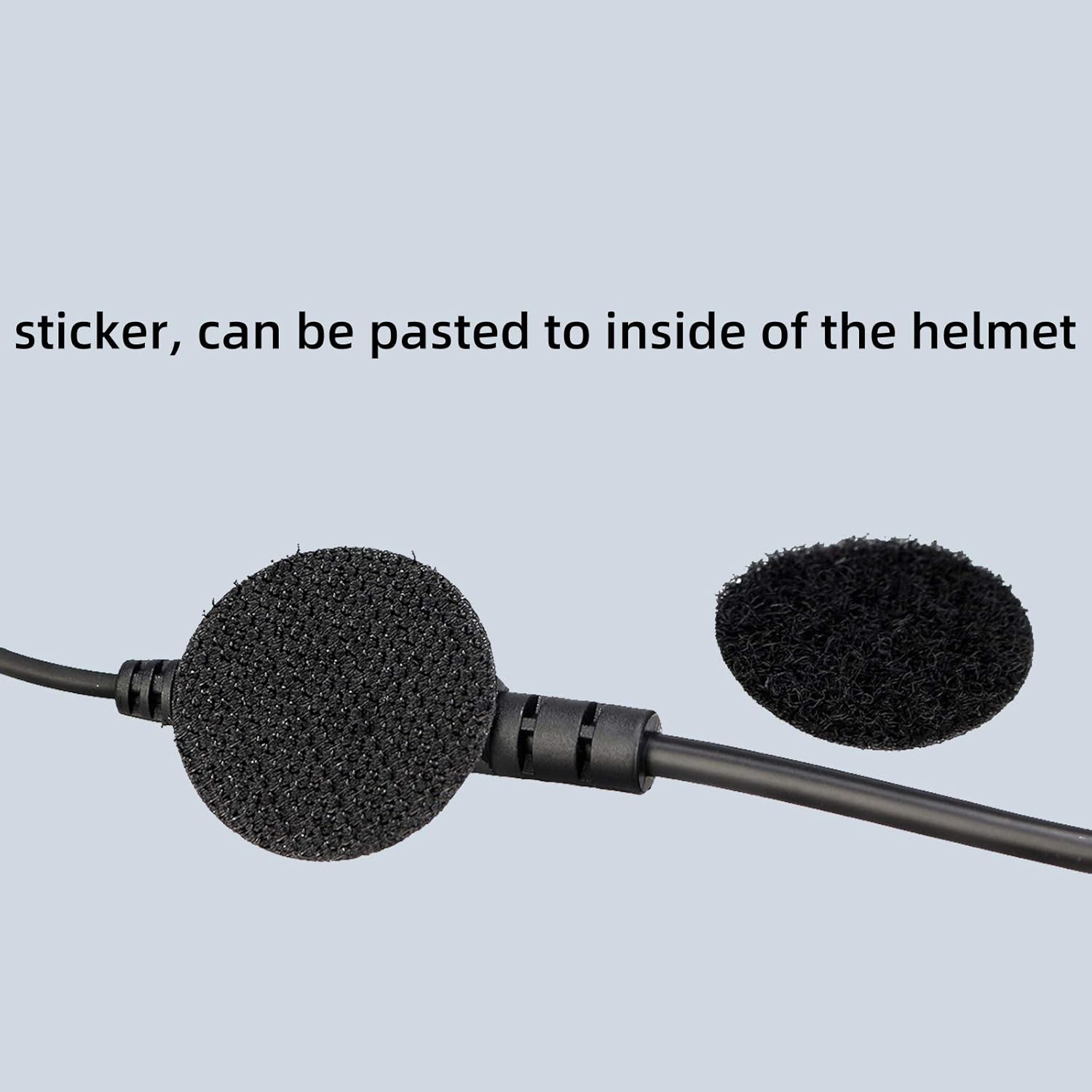
Image 3.2: Microphone with adhesive for secure placement.
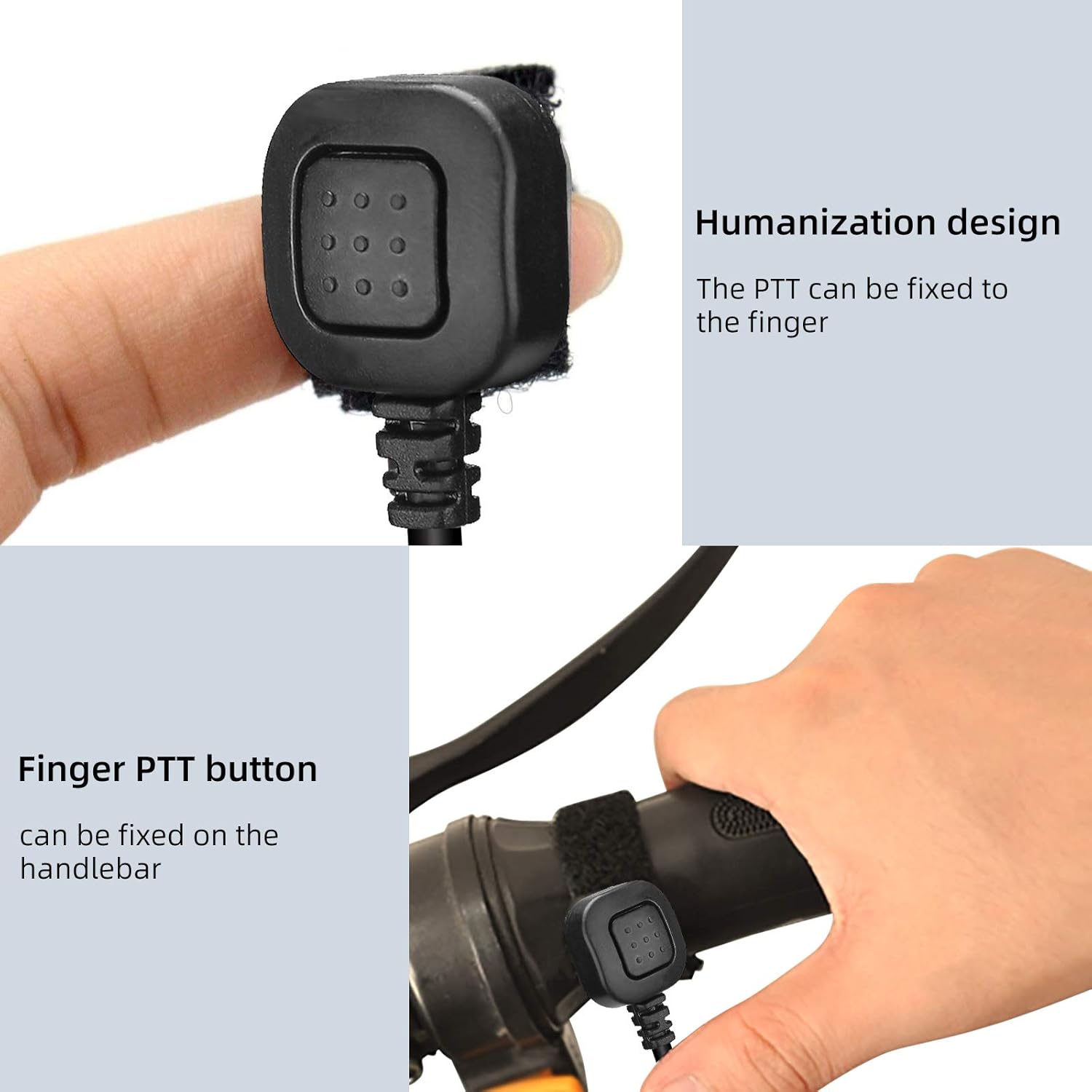
Image 3.3: Finger PTT for convenient operation.
Guida video all'installazione
Video 3.1: Detailed installation guide for the Retevis Helmet Headset.
4. Istruzioni per l'uso
Once the headset is installed and connected to your two-way radio, operating it is straightforward:
- Accensione/spegnimento: Turn on your two-way radio as per its manufacturer's instructions. The headset will automatically be active.
- Ricezione audio: Audio from the radio will be transmitted through the helmet speakers. Adjust the radio's volume for comfortable listening.
- Transmitting Voice (PTT): To speak, press and hold the finger PTT button. Speak clearly into the boom microphone. Release the PTT button when you are finished speaking to return to receive mode.
- Regolazione del microfono: Ensure the boom microphone is positioned correctly near your mouth for clear sound transmission.
Compatibilità
The Retevis EHK008 headset features a K-head 2-pin plug, making it compatible with a wide range of two-way radios, including:
- Retevis: RT22, RT21, H-777, RT68, RT19, RT27, RT28, RT22S, H-777S, RT15, RT18, RT27V, RT21V, RB38V, RT7, RB17V, RB27V, RT5R, RT5RV, RT5, RT85, RT76, RB26, RB17A, RB27, RT84, RT53, RT10, RT43, RT72, RT26, RT1, RT86, RB25, RT81, RT50, RT56, RA16, RB37, RB35, RT67, RT17, RB17, RB17P, RT66, RB27B, RB28, RT69, RT46, RB18, RT3S, RB28B, RB29, RT76P, RA85, RB85, RB87
- Kenwood KPG: KPG27D, KPG29D, KPG48D, KPG49, KPG55D, KPG56D, KPG62D, KPG66D, KPG69D, KPG70D, KPG74D, KPG75D, KPG77D, KPG82D, KPG87D
- Kenwood TH: TH-D7, TH-D7A, TH-D7AG, TH-D7E, TH-F6, TH-F6A, TH-F7, TH-F7E, TH-G71, TH-G71A, TH-G71E, TH-K2, TH-K2A, TH-K2E, TH-K2ET, TH-21, TH-21AT, TH-21BT, TH-22, TH-22A, TH-22AT, TH-22E, TH-25, TH-26, TH-27, TH-28, TH31AT, TH31BT, TH41AT, TH41BT, TH-42, TH-42A, TH-42AT, TH-42E, TH-45, TH-46, TH-47, TH-48, TH-55, TH-75, TH-77, TH-G71, TH-205, TH-215, TH-225, TH-235, TH-235A, TH-235E, TH-315, TH-415
- Kenwood TK: TK-208/308, TK-220/320, TK-240/340, TK-240D/340D, TK-248/348, TK-250/350/353, TK-260/360, TK-260G/360G, TK-270/370, TK-270G/370G, TK-272G/372G/373G, TK-278G/378G/388GPro-Talk, TK-430/431, TK-2100/3100Pro-Talk, TK-2102/3102Pro-Power, TK-2107/3107Pro-Talk, TK2207, TK3207, TK-2160/3160
- BAOFENG: UV5R, BF-480/490/320/V6/V7/V8/658/520/530/999/888/777/666S/777S/888S
5. Manutenzione
To ensure the longevity and optimal performance of your Retevis EHK008 headset, consider the following maintenance tips:
- Pulizia: Wipe the speakers, microphone, and cables with a soft, damp stoffa. Evitare l'uso di prodotti chimici aggressivi o materiali abrasivi.
- Magazzinaggio: Quando non in uso, conservare le cuffie in un luogo asciutto e fresco, lontano dalla luce solare diretta e da temperature estreme.
- Cura del cavo: Evitare di piegare bruscamente o tirare eccessivamente i cavi per evitare danni interni.
- Controllo adesivo: Periodically check the adhesive on the speakers and microphone to ensure they remain securely attached within the helmet. Reapply or replace adhesive if necessary.
6. Risoluzione Dei Problemi
If you encounter issues with your Retevis EHK008 headset, refer to the following common problems and solutions:
| Problema | Possibile causa | Soluzione |
|---|---|---|
| Nessun audio dagli altoparlanti | Loose connection; radio volume too low; radio not powered on. | Ensure the K-head plug is fully inserted. Check radio volume and power. |
| Il microfono non trasmette | PTT button not pressed; microphone not positioned correctly; loose connection. | Press and hold PTT firmly. Adjust microphone closer to mouth. Check all connections. |
| Scarsa qualità audio (disturbo statico, volume basso) | Interference; speakers not positioned correctly; radio signal weak. | Reposition speakers for better alignment with ears. Check radio signal strength. Avoid sources of electromagnetic interference. |
| Finger PTT not staying in place | Adhesive worn out or insufficient. | Clean the surface where PTT is attached. Use stronger adhesive or an alternative mounting method if needed. |
7. Specifiche
| Caratteristica | Dettaglio |
|---|---|
| Nome del modello | EHK008 |
| Numero modello articolo | FC9191A |
| Marca | Retevis |
| Tecnologia di connettività | Cablato |
| Presa per cuffie | Kenwood 2 pin |
| Controllo del rumore | Isolamento acustico |
| Materiale | Gomma |
| Peso dell'articolo | 140 grammi (4.9 once) |
| Dimensioni del prodotto | 10.14 x 7.02 x 3.9 pollici |
| Livello di resistenza all'acqua | Resistente all'acqua |
| Impedenza | 8 Ohm |
8. Garanzia e supporto
Retevis products are designed for reliability and performance. For any questions or support needs, please refer to the following information:
- Politica di ritorno: This product typically includes a 30-day return/replacement policy. Please check your purchase details for specific terms.
- Assistenza clienti: For technical assistance, troubleshooting beyond this manual, or warranty inquiries, please visit the official Retevis Store or contact Retevis customer service directly.
- Risorse online: Additional resources, FAQs, and product updates may be available on the Retevis websito.
Visitare il Negozio Retevis su Amazon per maggiori informazioni e supporto.