Introduzione
Questo manuale fornisce istruzioni dettagliate per l'installazione, il funzionamento, la manutenzione e la risoluzione dei problemi del tuo ViewSonic VB-CAM-002 1080p Full HD Webcam. Please read this manual thoroughly before using the product to ensure proper functionality and to maximize your user experience.
Contenuto della confezione
Verifica che tutti gli articoli siano presenti nella confezione del prodotto:
- ViewSonic VB-CAM-002 Webcamma
- Cavo USB
- Guida rapida
- Copertura per la privacy
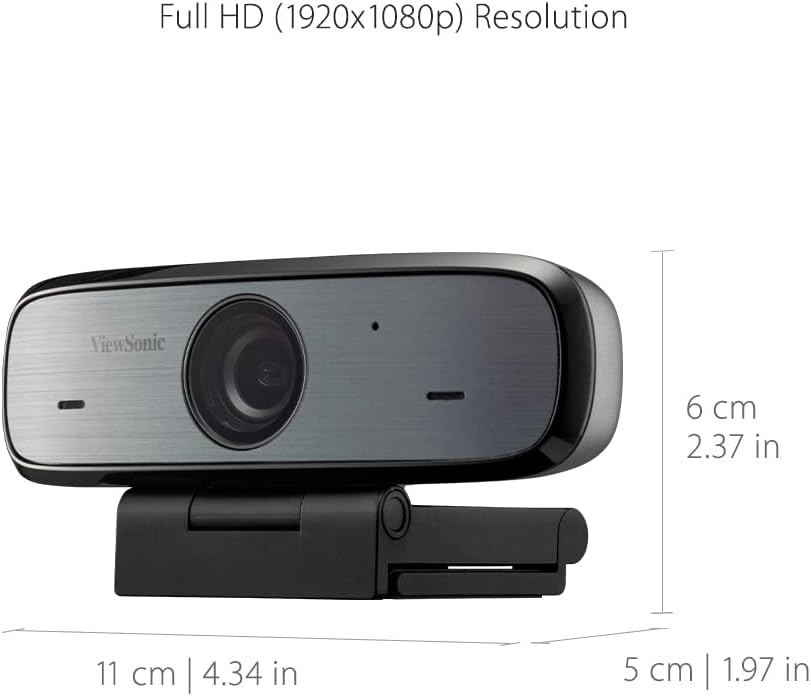
Figure 1: Package Contents - VB-CAM-002 Webcam, USB Cable, and Quick Start Guide.
Prodotto finitoview
IL ViewSonic VB-CAM-002 is a Full HD 1080p webcam designed for high-quality video conferencing. It features a built-in stereo microphone for clear audio and a privacy cover for enhanced security.
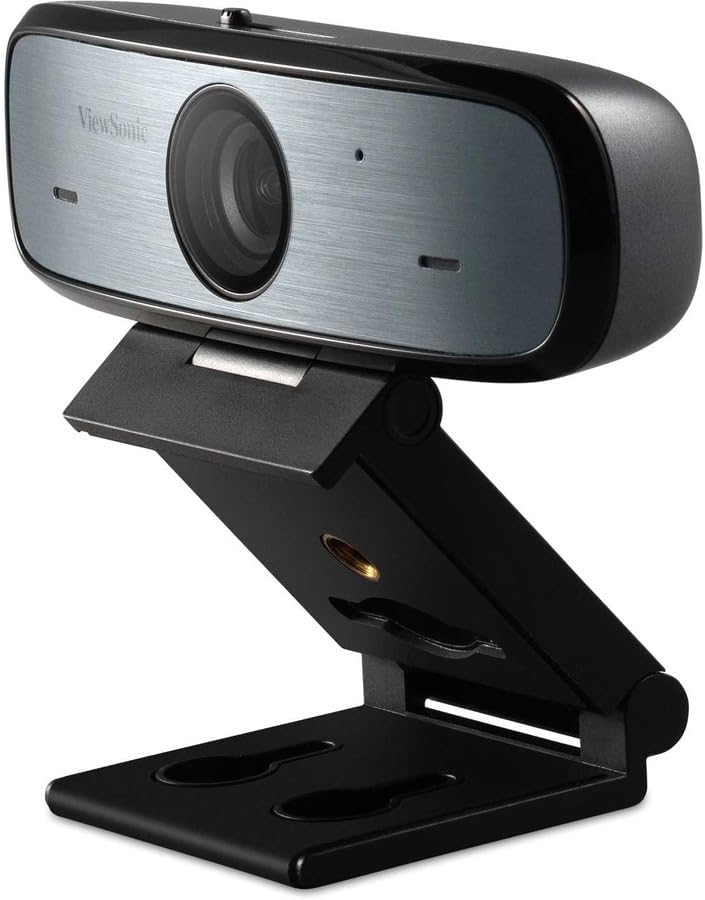
Figura 2: ViewSonic VB-CAM-002 WebCamera.
Caratteristiche principali:
- Risoluzione Full HD 1080p: Delivers clear video quality for calls and recordings.
- Built-in Stereo Microphone: Captures clear audio without the need for an external microphone.
- Copertura privacy: Physically blocks the camera lens when not in use, ensuring privacy.
- Collega e usa: Easy setup with USB connectivity.
- Cross-platform Support: Compatible with Windows, macOS, and Chrome OS.
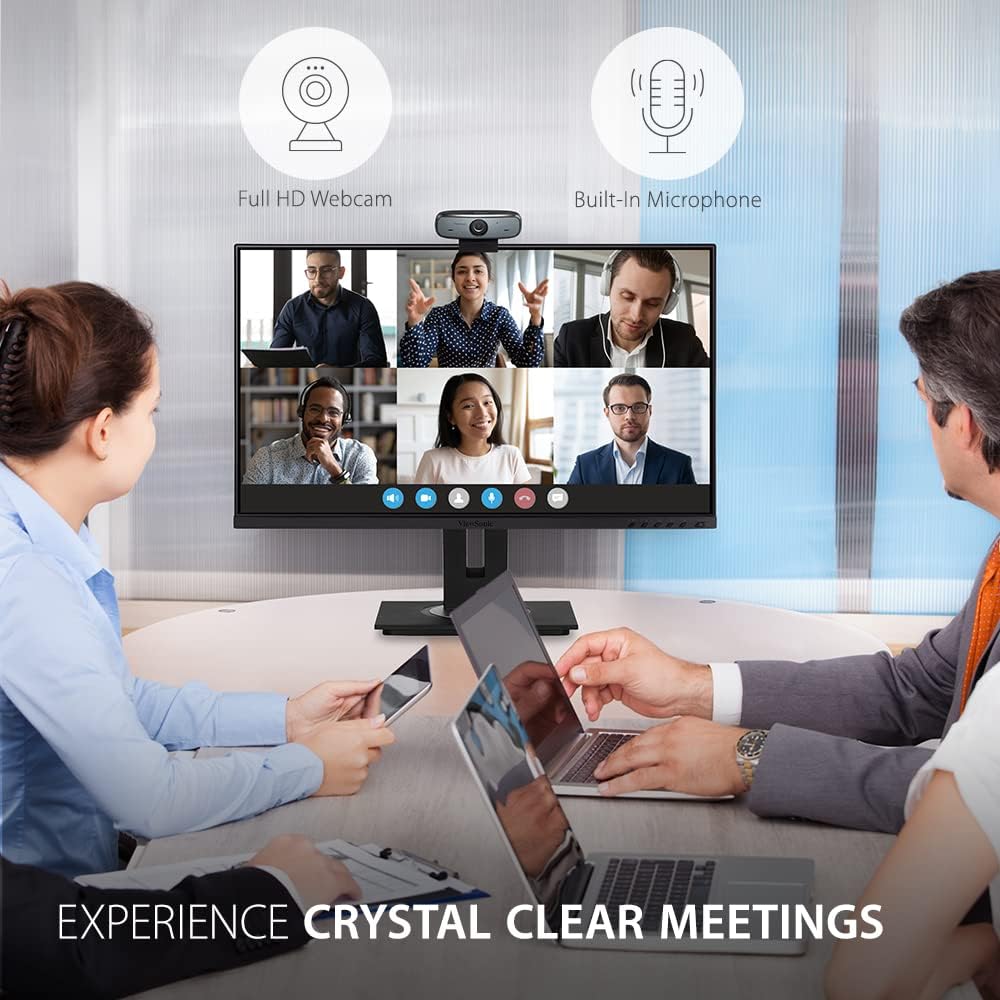
Figura 3: Webcam in use during a video conference, highlighting Full HD and built-in microphone features.
Impostare
Segui questi passaggi per configurare il tuo ViewSonic VB-CAM-002 webCamera:
- Montaggio del WebCamera:
The VB-CAM-002 features a 3-in-1 mounting bracket for flexible installation. You can place it on top of your monitor, laptop screen, or a flat surface. The bracket also supports wall mounting.

Figure 4: Easy Installation options including adjustable angle, flexible bracket, wall mount, and cable management.
- Su un monitor/laptop: Open the bracket and rest the webcam on top of your screen. Adjust the bracket to secure it firmly.
- Su una superficie piana: Fold the bracket to form a stable stand and place the webcam sulla tua scrivania.
- Wall Mount: Use the integrated wall mount holes on the bracket to secure the webcam to a wall (mounting hardware not included).
- Connessione al computer:
Collegare il cavo USB in dotazione al webcam's USB Micro B port and then to an available USB port on your computer. The webcam is plug-and-play, meaning it should be automatically recognized by your operating system (Windows, macOS, Chrome OS) without requiring additional driver installation.

Figura 5: Webcam connected to a laptop, demonstrating plug-and-play functionality for 1080p resolution.
- Gestione cavi integrata:
Utilize the integrated cable bracket to manage the USB cable neatly, preventing clutter.
Istruzioni per l'uso
- Utilizzando il WebCamera:
Una volta connesso, il webcam will be available as a video and audio input device in your video conferencing applications (e.g., Zoom, Microsoft Teams, Google Meet, Skype) or recording software. Select "ViewSonic VB-CAM-002" as your preferred camera and microphone in the application settings.
- Regolazione dell'angolazione della telecamera:
IL webcam's bracket allows for an adjustable camera angle. Tilt the webcam up or down to achieve the desired viewangolo di ing.
- Utilizzo della Privacy Cover:
Per garantire la privacy quando il webcam is not in use, slide the integrated privacy cover over the lens. This physically blocks the camera, preventing unintended video capture.

Figure 6: Activating the privacy cover for enhanced security.
Manutenzione
- Pulizia della lente: Use a soft, lint-free cloth to gently wipe the camera lens. Avoid using harsh chemicals or abrasive materials that could scratch the lens.
- Pulizia generale: Pulisci il corpo del webcamma con un secco o leggermente damp stoffa.
- Magazzinaggio: Quando non viene utilizzato per lunghi periodi, conservare il webcam in a clean, dry place.
Risoluzione dei problemi
| Problema | Possibile causa | Soluzione |
|---|---|---|
| Webcam non rilevata dal computer. | Connessione USB allentata, porta USB difettosa, problema con il sistema operativo. |
|
| Nessuna uscita video. | Privacy cover engaged, incorrect camera selection in application, application permissions. |
|
| No audio input (microphone not working). | Incorrect microphone selection in application, application permissions, microphone muted. |
|
Specifiche
| Caratteristica | Dettaglio |
|---|---|
| Numero di modello | VB-CAM-002 |
| Risoluzione di acquisizione video | 1080p Full HD |
| Microfono | Microfono stereo incorporato |
| Tecnologia di connettività | USB |
| Supporto del sistema operativo | Windows, macOS, ChromeOS |
| Dimensioni articolo (LxPxA) | 5.5 x 4.6 x 2.3 pollici (circa 14 x 11.7 x 5.8 cm) |
| Peso dell'articolo | 8 once (circa 227 grammi) |
| Funzione di privacy | Copertura integrata per la privacy |

Figure 7: Physical dimensions of the VB-CAM-002 webCamera.
Garanzia e supporto
ViewSonic products are manufactured to the highest standards and are designed to deliver reliable performance. For information regarding warranty coverage, technical support, or service, please refer to the Quick Start Guide included in your package or visit the official ViewSonico website. You may also find additional support resources and FAQs online.
Per ulteriore assistenza, contattare ViewAssistenza clienti Sonic.


