1. Prodotto finitoview
The Retevis RB27 is a high-power GMRS two-way radio designed for reliable long-range communication. It features NOAA weather channels, FM radio, USB-C charging, and a range of functions suitable for outdoor activities, hiking, camping, and emergency communications.

Image 1.1: Retevis RB27 GMRS Two Way Radio. This image shows the front view of the Retevis RB27 radio, highlighting its compact design and display.
2. Contenuto della confezione
Before using your Retevis RB27 radio, please check the package contents to ensure all items are present:
- 2 x Retevis RB27 Two Way Radio
- 2 batterie agli ioni di litio da 1500 mAh
- 2 x clip per cintura
- 2 x cordino
- 2 basi di ricarica USB
- 2 adattatore USB
- 2 x Manuale utente in inglese
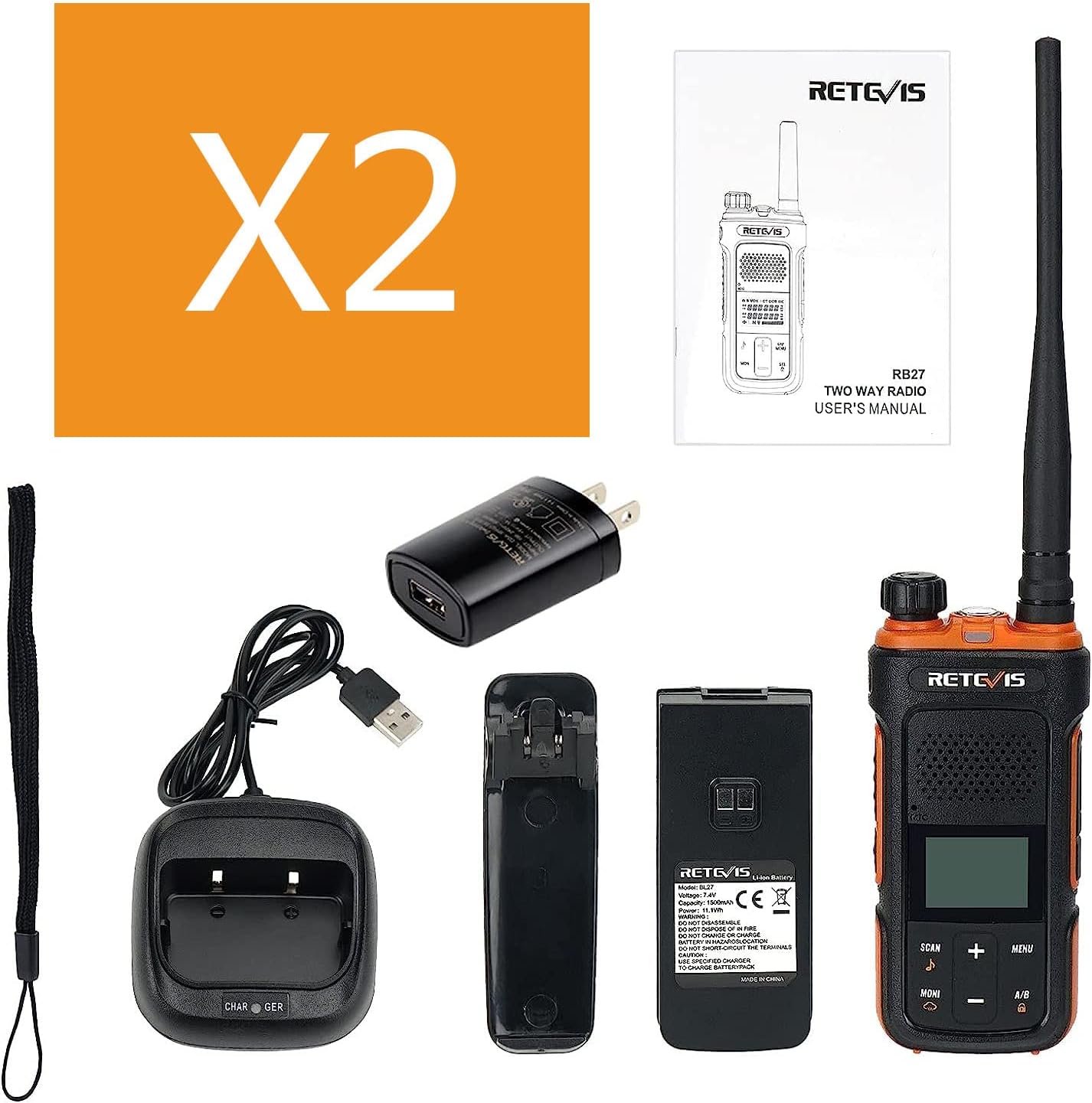
Image 2.1: Retevis RB27 Package Contents. This image displays all the items included in the Retevis RB27 two-way radio package, such as the radios, batteries, charging accessories, and user manual.
Video 2.1: What's in the RB27 GMRS radio box? This video provides a visual unboxing experience, showing each component included with the Retevis RB27 GMRS radio.
3. Impostazione
3.1 Installazione e ricarica della batteria
The RB27 radio uses a 1500mAh Li-ion battery. Ensure the battery is fully charged before first use.
- To install the battery: Align the battery with the back of the radio and slide it into place until it clicks securely.
- To charge the battery: You can charge the battery directly via the USB-C port on the battery itself, or by placing the radio with the battery installed into the USB charging base. Connect the USB adapter to the charging base and a power source. The charging indicator will show the charging status.

Image 3.1: Retevis RB27 USB-C Charging. This image illustrates the USB-C charging port located on the battery of the Retevis RB27 radio, allowing for convenient direct charging.
3.2 Fissaggio della clip da cintura e del cordino
- Clip da cintura: Attach the belt clip to the designated slot on the back of the radio or battery. Ensure it is firmly secured.
- Cordino: Thread the lanyard through the loop on the top side of the radio for easy carrying.
4. Istruzioni per l'uso
4.1 Controlli di base e display
Familiarize yourself with the radio's controls and LCD display for optimal use.

Image 4.1: Retevis RB27 Labeled Controls. This image provides a detailed diagram of the Retevis RB27 radio, labeling all buttons, ports, and the LCD display for easy identification.
4.2 Accensione/spegnimento e controllo del volume
- To power on/off: Rotate the Power Switch/Volume Control knob clockwise to turn on the radio. Rotate counter-clockwise until a click is heard to turn off.
- To adjust volume: Rotate the same knob clockwise to increase volume and counter-clockwise to decrease volume.
4.3 Channel Selection and Transmission
- Selezione canale: Use the Channel +/- buttons on the front panel to navigate through the available GMRS channels. The RB27 has 30 fixed channels.
- Push-to-Talk (PTT): Press and hold the PTT button on the side of the radio to transmit your voice. Release the button to listen.
- CTCSS / DCS: All channels are preset with CTCSS/DCS tones. These can be adjusted via the menu system to ensure compatibility with other radios.
4.4 Funzione Dual Watch
The RB27 features a dual watch function, allowing you to monitor two frequencies simultaneously. This ensures you do not miss any calls on either channel.
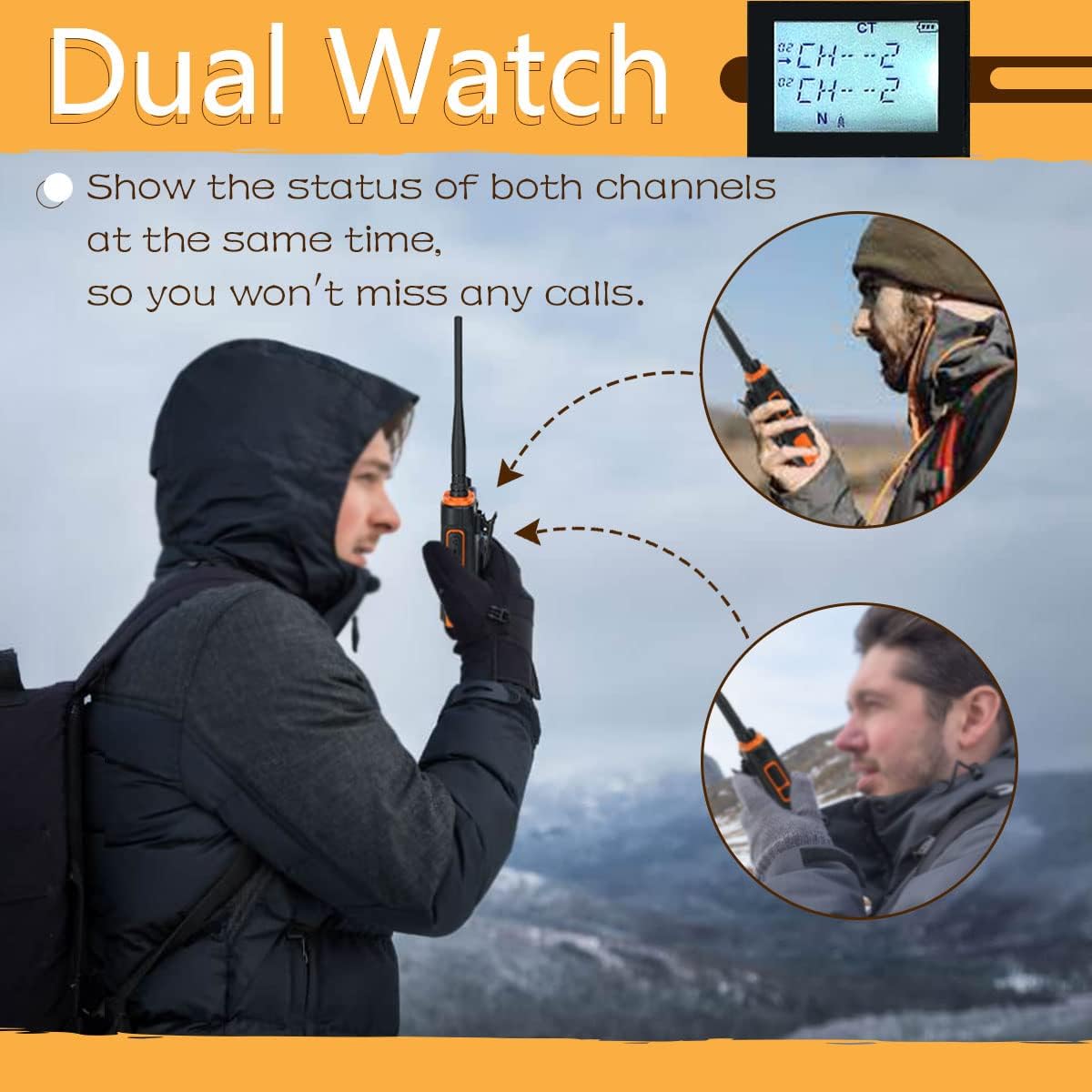
Image 4.2: Retevis RB27 Dual Watch Feature. This image demonstrates the dual watch function of the radio, showing two channels being monitored simultaneously on the display.
4.5 Radio meteorologica NOAA
The RB27 can receive NOAA alerts from NOAA stations, providing crucial weather information. Use the MONI/NOAA Weather button to access these channels.

Image 4.3: Retevis RB27 NOAA Weather Radio. This image highlights the NOAA Weather Radio feature, indicating its ability to receive weather alerts.
4.6 funzioni aggiuntive
- Torcia elettrica: The radio includes a built-in LED flashlight for convenience in low-light conditions.
- Funzione VOX: Voice-activated transmission allows for hands-free operation. Adjust the VOX level through the menu.
- Blocco tastiera: Prevent accidental button presses by activating the keypad lock feature.
- Allarme di emergenza: Activate the emergency alarm function for urgent situations.
- Livello di silenziamento: Regola il livello di silenziamento per filtrare i segnali deboli e il rumore di fondo.
- Scansione: The radio supports scanning through channels to find active transmissions.

Image 4.4: Retevis RB27 Flashlight. This image shows the top of the radio with the flashlight illuminated, useful for dark environments.

Image 4.5: Retevis RB27 VOX Feature. This image displays the radio's screen indicating the VOX function is active, enabling voice-activated transmission.

Image 4.6: Retevis RB27 Keypad Lock. This image shows the radio's display with a lock icon, indicating that the keypad is locked to prevent unintended operations.

Image 4.7: Retevis RB27 Emergency Alert. This image illustrates the emergency alert feature, showing a visual representation of the alarm being activated on the radio.
Video 4.8: Features of RB27. This video demonstrates various features of the Retevis RB27 radio, including its display, buttons, and functions like NOAA weather and FM radio.
Video 4.9: How about RB27 GMRS 2 way radio? This video provides an in-depth look at the Retevis RB27 GMRS radio, discussing its capabilities and ease of use.
5. Range and Repeater Usage
The Retevis RB27 offers long-range communication capabilities, enhanced by its high power output and high-gain antenna. For extended range, especially in challenging terrain, repeaters can be utilized.
- Repeater Compatibility: RB27 GMRS radios with channels 23-30 can be connected to a repeater.
- Range Factors: Radio range is affected by factors such as radio power, signal type, horizon distance, atmospheric conditions, antenna quality, and terrain/obstacles.
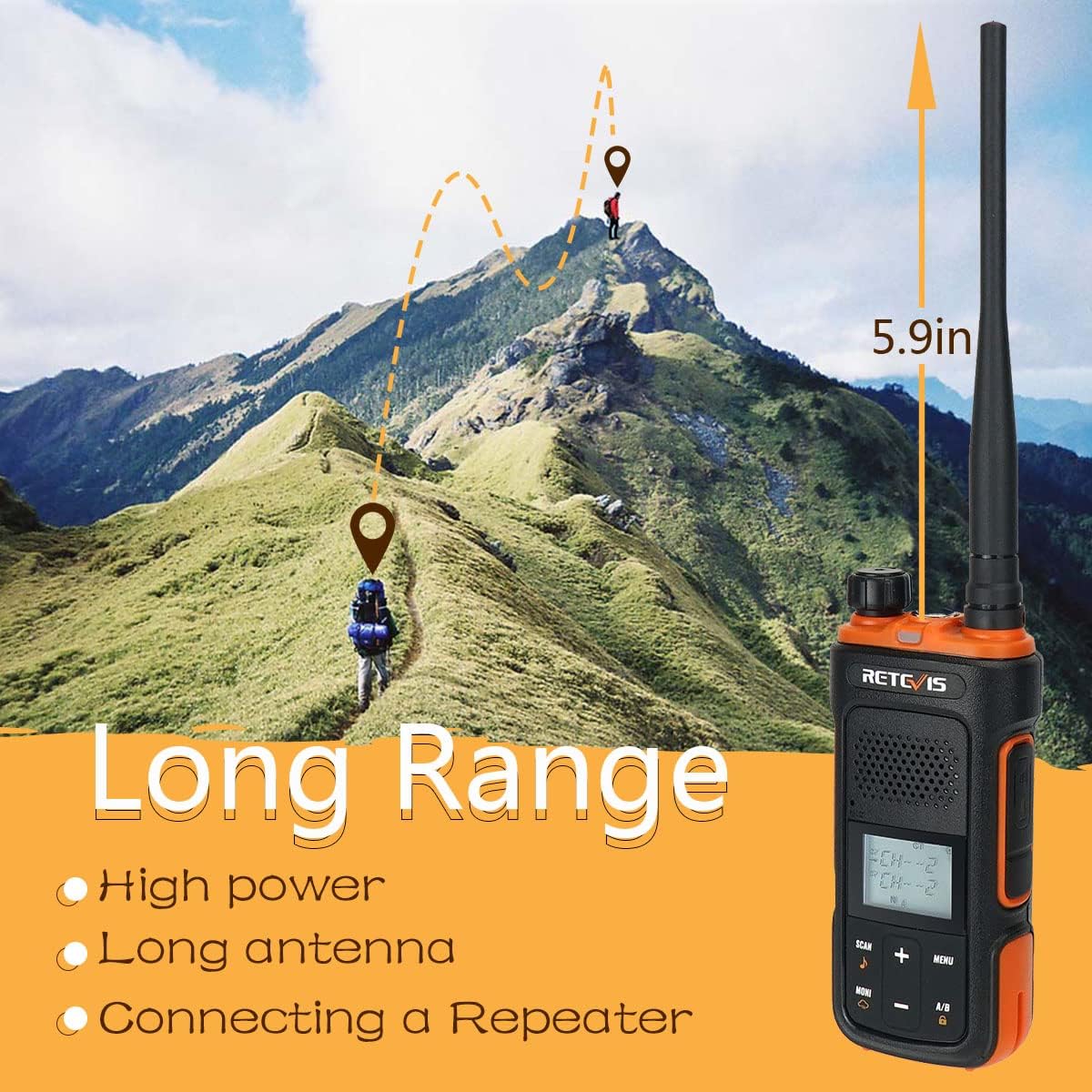
Image 5.1: Retevis RB27 Long Range Communication. This image illustrates the long-range capability of the Retevis RB27 radio in an outdoor, mountainous environment.
Video 5.2: Do you know the truth about two way radio range? This video explains the factors affecting two-way radio range, providing valuable context for understanding the RB27's performance.
Video 5.3: Why choose Retevis RB27 GMRS Radio for outdoor? This video highlights the benefits and features of the Retevis RB27 GMRS radio for outdoor use, emphasizing its reliability and functionality.
Video 5.4: How About RB27 GMRS Long Range Radio. This video discusses the long-range capabilities of the Retevis RB27 GMRS radio, providing insights into its performance.
6. Manutenzione
To ensure the longevity and optimal performance of your Retevis RB27 radio, follow these maintenance guidelines:
- Cura della batteria: Regularly charge the 1500mAh Li-ion battery. Avoid overcharging or completely draining the battery to prolong its lifespan. Store the battery in a cool, dry place when not in use.
- Pulizia: Utilizzare un morbido, damp panno per pulire l'esterno della radio. Evitare l'uso di prodotti chimici aggressivi o detergenti abrasivi.
- Magazzinaggio: Conservare la radio in un ambiente asciutto e privo di polvere, lontano da temperature estreme e dalla luce solare diretta.
- Antenna: The high-gain long antenna is not removable. Handle the radio carefully to avoid damaging the antenna.
7. Risoluzione Dei Problemi
If you encounter issues with your Retevis RB27 radio, refer to the following common troubleshooting tips:
- Nessun potere: Assicurarsi che la batteria sia completamente carica e installata correttamente. Controllare l'interruttore di alimentazione.
- Impossibile trasmettere/ricevere: Verify that you are on the correct channel and that the volume is adjusted appropriately. Check CTCSS/DCS settings for compatibility with other radios. Ensure the PTT button is functioning correctly.
- Scarsa qualità audio: Adjust the squelch level. Ensure the microphone and speaker are clear of obstructions.
- Gamma limitata: Radio range is affected by terrain, obstacles, and atmospheric conditions. Ensure you are in an open area or utilizing a repeater if necessary.
- Problemi di programmazione: While basic settings can be adjusted via the keypad, advanced programming (e.g., wide/narrow band, high/low power) may require programming software like CHIRP and a compatible USB cable.
8. Specifiche
| Caratteristica | Specificazione |
|---|---|
| Peso dell'articolo | 3.52 once |
| Dimensioni del prodotto | 9.92 x 8.18 x 2.36 pollici |
| Numero modello articolo | RB27 |
| Batterie | 1 batterie agli ioni di litio richieste. (incluse) |
| Tipo di visualizzazione | LCD |
| Numero di canali | 30 |
| Caratteristiche speciali | NOAA; Flashlight; USB-C charging; 1500mAh battery; VOX; SOS; Keypad lock |
| Gamma di frequenza | GMRS |
| Voltage | 7.4 Volt (CC) |
| Livello di resistenza all'acqua | Non resistente all'acqua |
9. Garanzia e supporto
Retevis provides a 2-year warranty for the radio body and a 1-year warranty for accessories. We also offer a 30-day no-reason return policy.
Beyond the warranty period, maintenance services are available, with buyers responsible for associated costs. For any support inquiries, please contact Retevis via Amazon, and we will respond within 12 hours.


