1. Introduzione
This manual provides detailed instructions for the operation and maintenance of your QFX R-37-BL 6-Band Bluetooth Solar Radio with LED Flashlight. Please read this manual thoroughly before using the device to ensure proper function and safety. This versatile radio is designed for portability and includes multiple power options, making it suitable for various indoor and outdoor activities.
2. Caratteristiche del prodotto
- Radio a 6 bande: Receives AM, FM, and Shortwave (SW1-SW4) frequencies.
- Connettività Bluetooth: Wirelessly connect your devices for audio playback.
- Torcia LED integrata: Fornisce illuminazione per varie situazioni.
- Ricarica solare: Built-in solar panel for eco-friendly battery recharging.
- Batteria ricaricabile: Includes a removable lithium-ion battery.
- Riproduzione USB e scheda TF: Riproduci audio files directly from USB drives or TF cards.
- Porta di ricarica USB: Output for charging external 5V USB devices.
- Jack per cuffie: Per l'ascolto privato.
- Antenna telescopica: Migliora la ricezione del segnale radio.
- Design compatto e portatile: Lightweight with a carrying strap for easy transport.
2.1 Prodotto finitoview
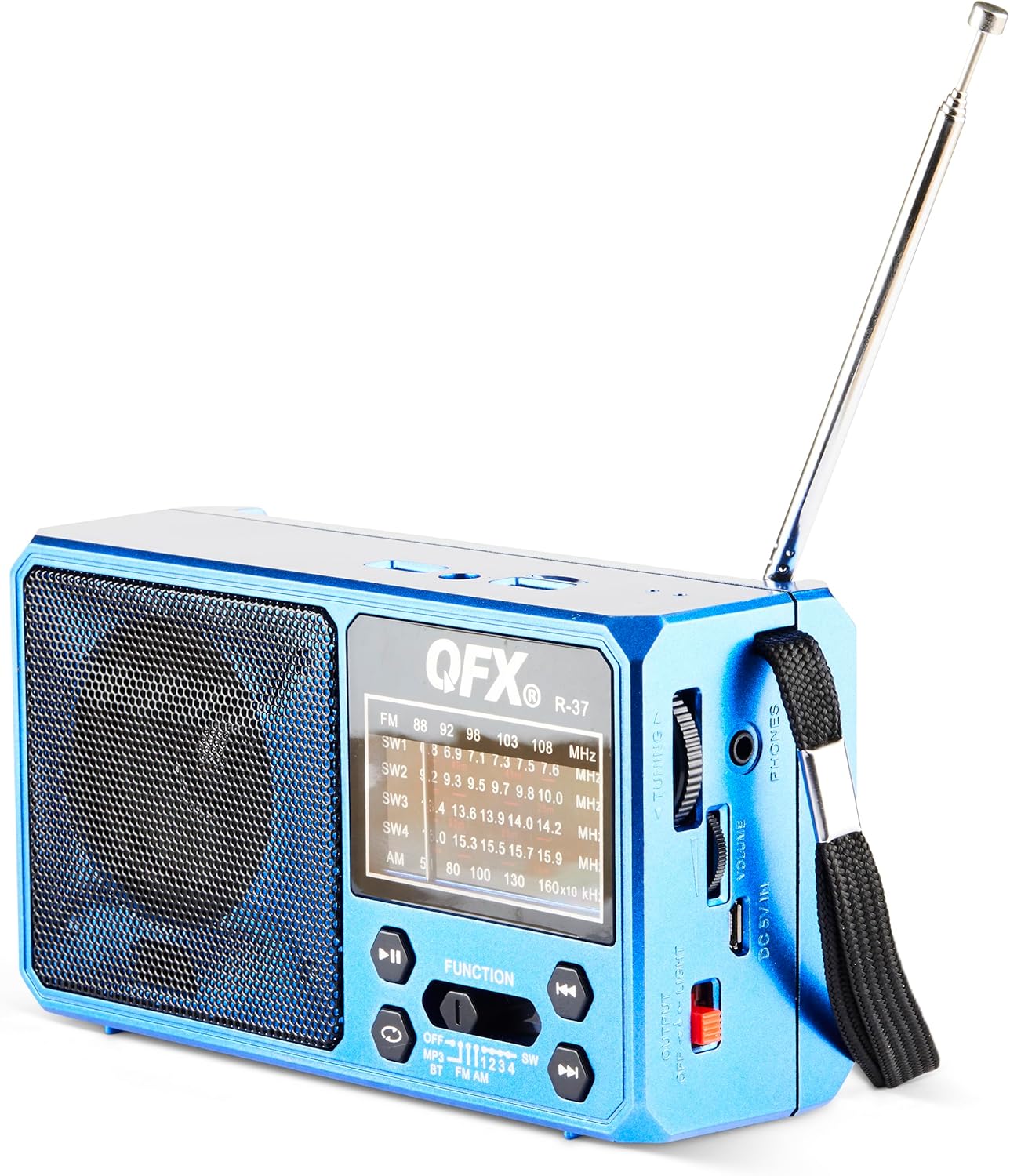
Figura 1: Fronte view of the QFX R-37-BL radio, displaying the speaker, frequency display, and main control buttons.

Figure 2: Detailed diagram highlighting key components of the QFX R-37-BL, including the solar panel, LED flashlight, USB and TF card ports, charging port, and various controls.

Figura 3: lato view of the radio, illustrating the tuning dial, volume control, headphone jack, DC 5V input, and the flashlight power switch.
3. Informazioni sulla sicurezza
- Non esporre il dispositivo a temperature estreme, alla luce solare diretta per periodi prolungati (oltre il periodo di ricarica) o a elevata umidità.
- Tenere il dispositivo lontano dall'acqua e da altri liquidi.
- Non tentare di smontare o modificare il dispositivo. Ciò invaliderà la garanzia e potrebbe causare danni o lesioni.
- Per caricare il dispositivo, utilizzare solo il cavo di ricarica e l'adattatore di alimentazione specificati (se applicabile).
- Smaltire le batterie secondo le normative locali.
- Tenere fuori dalla portata dei bambini.
4. Impostazione
4.1 Installazione della batteria e carica iniziale
- Individuare il vano batteria sul retro della radio.
- Aprire il coperchio del vano.
- Inserire la batteria ricaricabile agli ioni di litio fornita, assicurandosi della corretta polarità.
- Chiudere saldamente il coperchio del vano batterie.
- For first use, fully charge the radio using the included USB charging cord connected to a 5V USB power source. The charging indicator light will illuminate during charging and turn off when fully charged.
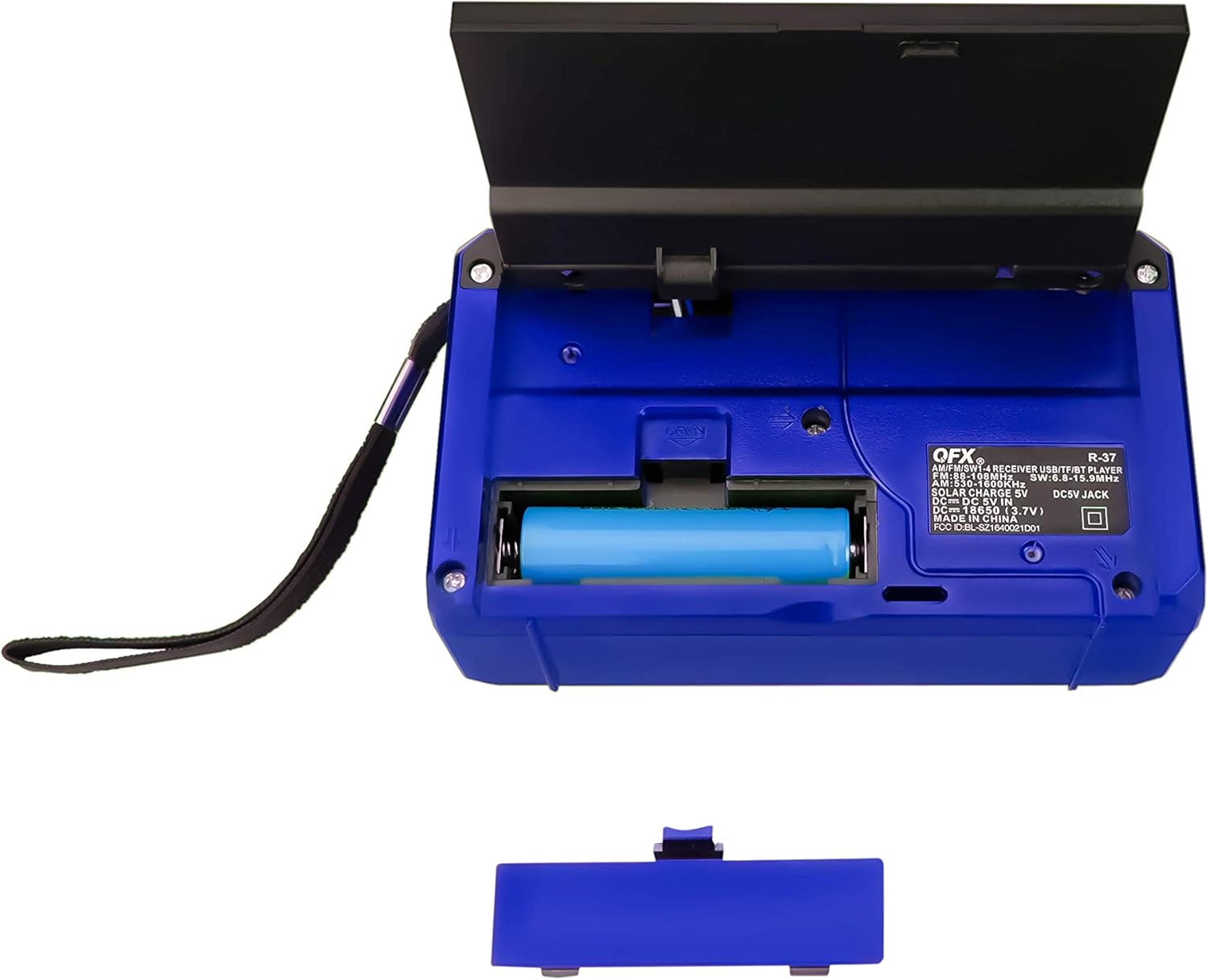
Figura 4: Posteriore view of the radio with the battery compartment open, showing the removable rechargeable battery.
4.2 Ricarica solare
The radio features a built-in solar panel for convenient charging. Place the radio with the solar panel facing direct sunlight. The solar charging indicator will light up. Solar charging is slower than USB charging and is best used for maintaining charge or in emergency situations.
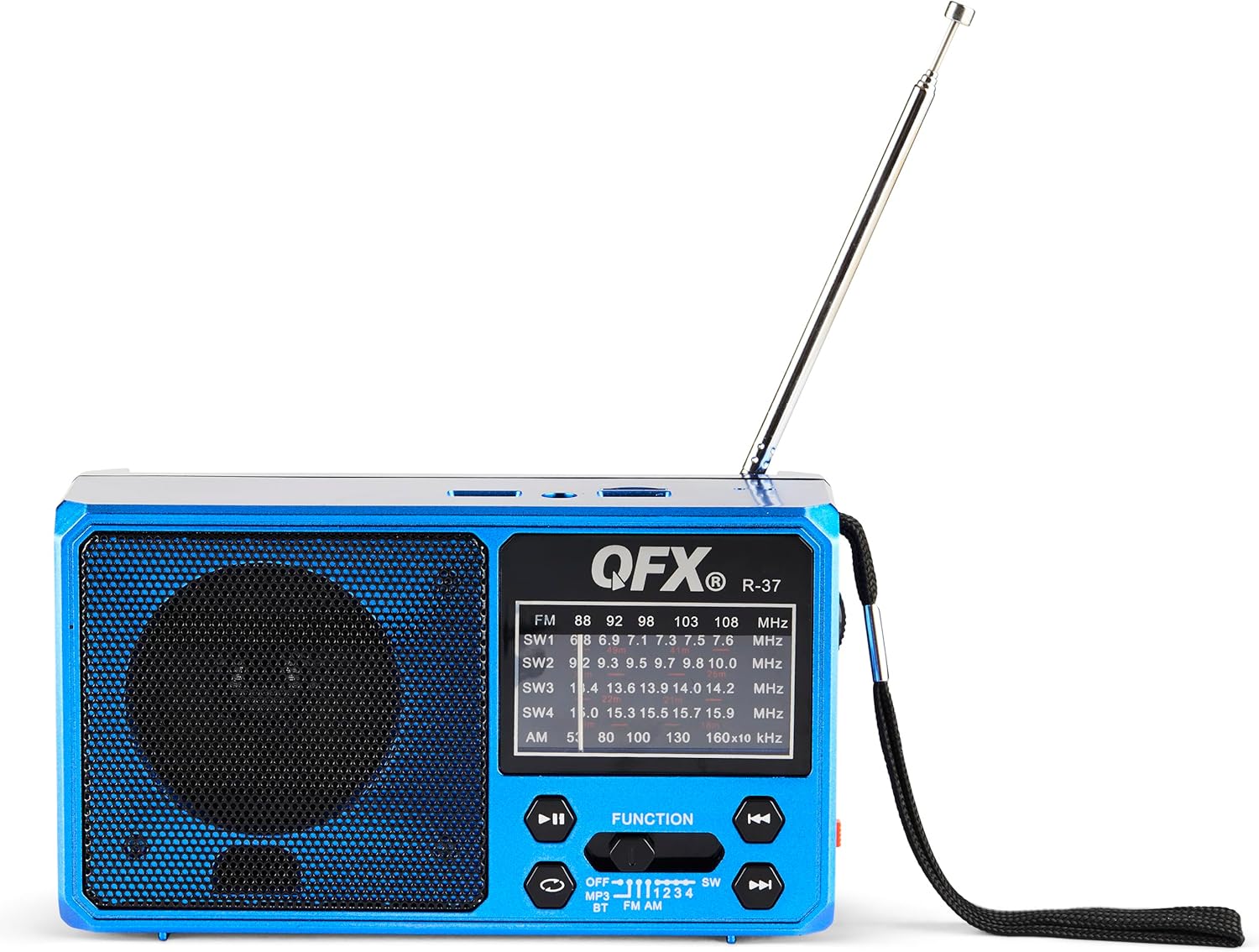
Figure 5: The solar panel on the side of the radio, shown in an extended position for optimal sun exposure.
5. Istruzioni per l'uso
5.1 Accensione/spegnimento
Locate the power switch (usually a slider) on the front or side of the unit. Slide it to the 'ON' position to power on the radio. Slide it to 'OFF' to power off.
5.2 Funzionamento radio (AM/FM/SW)
- Per una migliore ricezione, estendere l'antenna telescopica.
- Use the 'FUNCTION' button or switch to select the desired band: FM, AM, SW1, SW2, SW3, or SW4.
- Rotate the 'TUNING' dial (located on the side) to scan for radio stations.
- Adjust the 'VOLUME' dial to your preferred listening level.
5.3 Connettività Bluetooth
- Switch the radio to Bluetooth mode (often labeled 'BT' or indicated by a Bluetooth icon). The radio will enter pairing mode, usually indicated by a flashing light or an audible prompt.
- Sul tuo dispositivo mobile, attiva il Bluetooth e cerca i dispositivi disponibili.
- Select 'QFX R-37' (or similar name) from the list of devices to pair.
- Una volta effettuato l'abbinamento, puoi riprodurre l'audio dal tuo dispositivo tramite la radio.
5.4 Riproduzione tramite scheda USB/TF
- Insert a USB flash drive or TF card (with compatible audio files) nella rispettiva porta.
- Switch the radio to MP3 mode (often labeled 'MP3' or 'USB/TF'). The radio should automatically begin playing audio files.
- Use the playback control buttons (Play/Pause, Next/Previous Track) on the radio to manage your audio.
5.5 Funzionamento della torcia a LED
Locate the flashlight switch (often a slider or button) on the side of the radio. Slide or press it to turn the LED flashlight on or off.
5.6 Ricarica di dispositivi esterni
The radio features a 5V USB output port. Connect your external device (e.g., smartphone) to this port using its USB charging cable. The radio's internal battery will provide power to charge your device. Note that this will drain the radio's battery.
6. Manutenzione
- Pulire la radio con un panno morbido e asciutto. Non utilizzare detergenti abrasivi o solventi.
- Ensure the solar panel is clean and free of debris for efficient charging.
- If the radio will not be used for an extended period, fully charge the battery and store it in a cool, dry place.
- Periodically check the battery for any signs of damage or leakage.
7. Risoluzione Dei Problemi
| Problema | Possibile causa | Soluzione |
|---|---|---|
| La radio non si accende. | La batteria è scarica o non è installata correttamente. | Ensure battery is correctly installed and fully charged. |
| Ricezione radiofonica scadente. | Antenna non estesa, segnale debole o interferenza. | Estendere completamente l'antenna telescopica. Provare a riposizionare la radio. |
| Il dispositivo Bluetooth non riesce ad associarsi. | Radio not in pairing mode, device too far, or already paired. | Assicurarsi che la radio sia in modalità di associazione Bluetooth. Avvicinare il dispositivo. Scollegarsi dagli altri dispositivi Bluetooth. |
| La scheda USB/TF non funziona. | Modalità errata, non supportata file format, or corrupted card. | Ensure radio is in MP3 mode. Check file formats (e.g., MP3). Try a different USB drive or TF card. |
| La torcia non funziona. | Battery is low or flashlight switch is off. | Charge the radio's battery. Ensure the flashlight switch is in the 'ON' position. |
8. Specifiche
- Modello: R-37-BL
- Dimensioni: 6.1 x 2.28 x 3.43 pollici (15.5 x 5.8 x 8.7 cm)
- Peso: 15.8 once (448 grammi)
- Bande radiofoniche: AM, FM, SW1, SW2, SW3, SW4
- Connettività: Bluetooth, USB, scheda TF
- Fonte di energia: Solar Powered, Rechargeable Lithium-Ion Battery, DC 5V USB Input
- Componenti inclusi: Radio, removable rechargeable battery, USB charging cord
9. Garanzia e supporto
For warranty information, technical support, or service inquiries, please visit the official QFX webo contattare il servizio clienti. Conservare la ricevuta d'acquisto come prova d'acquisto per eventuali reclami in garanzia.


