Introduzione
Thank you for choosing the Joyroom JR-T10 Wireless Bluetooth Earbuds. This manual provides detailed instructions on how to set up, operate, and maintain your new earbuds. Please read this manual carefully before use to ensure optimal performance and longevity of your device.
Contenuto della confezione
Dopo aver disimballato il prodotto, verifica che tutti gli articoli elencati di seguito siano inclusi nella confezione:
- Joyroom JR-T10 Wireless Bluetooth Earbuds (Left and Right)
- Custodia di ricarica wireless
- Cavo di ricarica USB di tipo C.
- Manuale d'uso
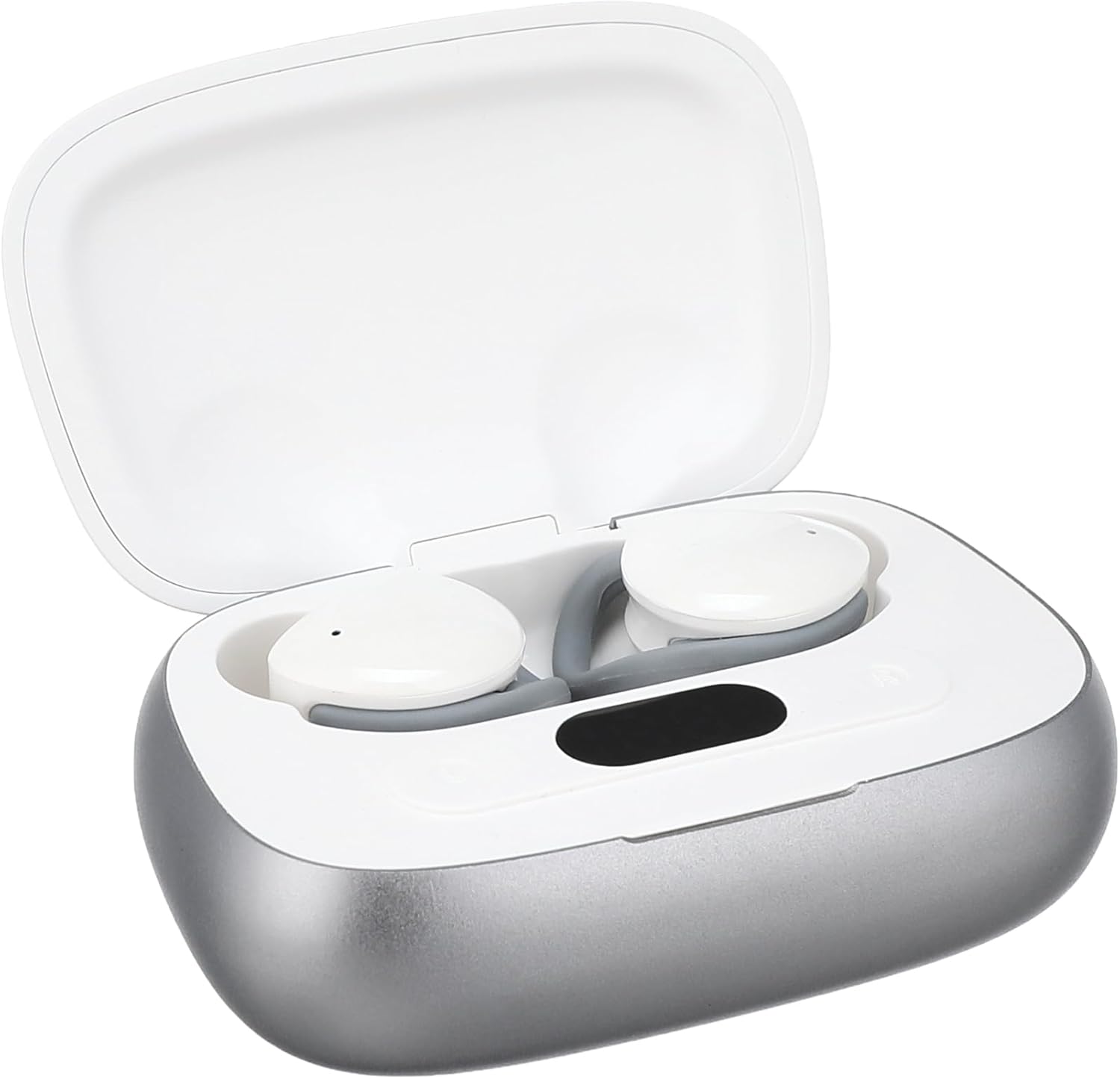
Image: The Joyroom JR-T10 earbuds and their wireless charging case, as found in the package.
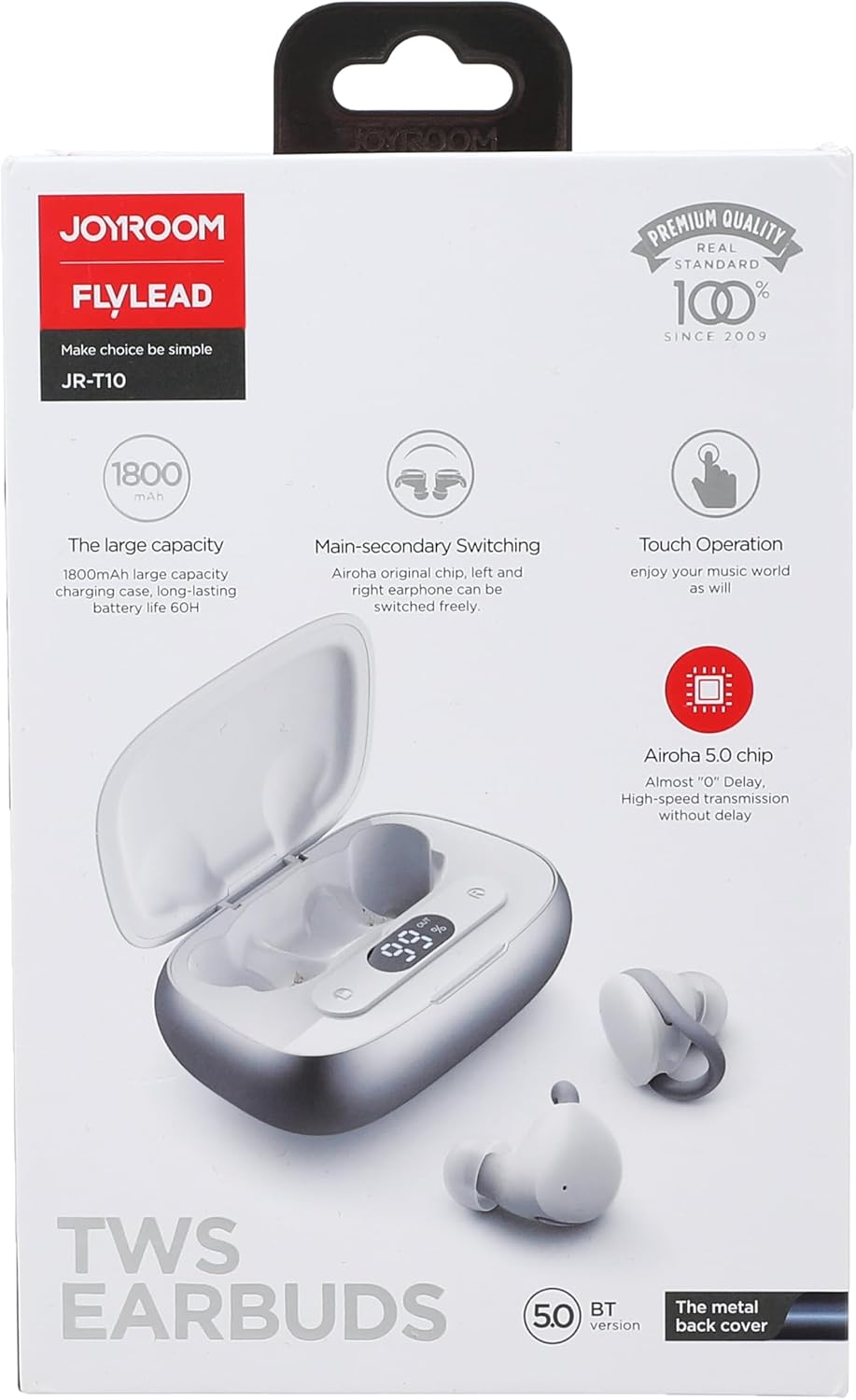
Image: The retail packaging for the Joyroom JR-T10 earbuds, highlighting key features.
Prodotto finitoview
The Joyroom JR-T10 earbuds are designed for a comfortable in-ear fit, offering wireless audio and communication. The compact charging case ensures your earbuds are always ready for use.

Image: The Joyroom JR-T10 earbuds resting inside their open charging case.

Image: The Joyroom JR-T10 charging case in its closed position.
Impostare
Abbinamento iniziale
- Assicurarsi che gli auricolari siano completamente carichi.
- Aprire la custodia di ricarica. Gli auricolari entreranno automaticamente in modalità di associazione.
- Sul tuo dispositivo (smartphone, tablet, ecc.), attiva il Bluetooth.
- Cercare available Bluetooth devices and select "JR-T10" from the list.
- Once connected, a confirmation sound will play, and the indicator light on the earbuds will change.
Indossare gli auricolari
Gently insert each earbud into your ear canal. Adjust for a snug and comfortable fit to ensure optimal sound quality and stability.

Image: A person demonstrating the correct way to wear the Joyroom JR-T10 earbuds for a secure fit.
Istruzioni per l'uso
The Joyroom JR-T10 earbuds feature touch controls for easy management of music and calls.
Riproduzione musicale
- Riproduci/Pausa: Un solo tocco su uno degli auricolari.
- Traccia successiva: Tocca due volte l'auricolare destro.
- Traccia precedente: Tocca due volte l'auricolare sinistro.
Gestione delle chiamate
- Rispondi/Termina chiamata: Un solo tocco su uno degli auricolari.
- Rifiuta chiamata: Tieni premuto uno degli auricolari per 2 secondi.
Assistente vocale
- Attiva l'assistente vocale: Tocca tre volte uno degli auricolari.
Accensione/spegnimento
- Accensione: Open the charging case, or press and hold the touch area for 3 seconds if earbuds are out of case.
- Spegni: Place earbuds back into the charging case and close the lid, or press and hold the touch area for 5 seconds.
Ricarica
The Joyroom JR-T10 earbuds come with a wireless charging case that also supports USB Type-C charging.
Ricarica degli auricolari
Place the earbuds into the charging case. They will automatically begin charging. The indicator lights on the case will show the charging status.
Ricarica della custodia
- Tramite cavo USB-C: Collegare il cavo USB Type-C in dotazione alla porta di ricarica sulla custodia e a una fonte di alimentazione.
- Ricarica wireless: Posizionare la custodia di ricarica su un tappetino di ricarica wireless compatibile.
The charging case has a large capacity of 1800mAh, providing extended battery life for your earbuds.
Manutenzione
- Pulisci regolarmente gli auricolari e la custodia di ricarica con un panno morbido e asciutto.
- Evitare l'uso di prodotti chimici aggressivi o materiali abrasivi.
- Per garantire una ricarica corretta, mantenere puliti i contatti di ricarica sia sugli auricolari che sulla custodia.
- Store the earbuds in their charging case when not in use to protect them and conserve battery.
- Avoid exposing the device to extreme temperatures, humidity, or liquids, as it is not water resistant.
Risoluzione dei problemi
- Gli auricolari non si associano: Assicurati che entrambi gli auricolari siano nella custodia di ricarica, quindi apri il coperchio per attivare la modalità di associazione. Controlla le impostazioni Bluetooth del tuo dispositivo e prova a riconnetterti.
- Funziona solo un auricolare: Riposizionare entrambi gli auricolari nella custodia di ricarica, chiudere il coperchio e riaprirlo. Spesso questa operazione ripristina la connessione tra i due auricolari.
- Nessun suono: Controlla il livello del volume sul dispositivo connesso. Assicurati che gli auricolari siano correttamente associati e connessi.
- Problemi di ricarica: Clean the charging contacts on both the earbuds and the case. Ensure the charging cable is securely connected or the wireless charging pad is functioning correctly.
- Scarsa qualità della chiamata: Assicurati che il microfono non sia ostruito. Avvicinati al dispositivo connesso per migliorare la potenza del segnale.
Specifiche
| Caratteristica | Specificazione |
|---|---|
| Nome del modello | JR-T10 |
| Marca | Stanza della gioia |
| Tecnologia di connettività | Wireless (Bluetooth) |
| Fattore di forma delle cuffie | In-ear (auricolare) |
| Metodo di controllo | Tocco |
| Controllo del rumore | Cancellazione attiva del rumore |
| Sensibilità | 96 dB |
| Impedenza | 140 Ohm |
| Tipo di connettore | USB Type C (for charging case) |
| Tipo di batteria | Lithium Ion (2 batteries included) |
| Capacità della custodia di ricarica | 1800mAh (approximate, derived from product image) |
| Livello di resistenza all'acqua | Non resistente all'acqua |
| Dimensioni del prodotto | Dimensioni: 19.2 x 16.4 x 3 cm |
| Peso dell'articolo | 140 grammi |
| Usi consigliati | Calls, Exercise, Running, Gaming |

Image: A hand holding the charging case, illustrating its compact size and dimensions.
Informazioni sulla sicurezza
- Non smontare, riparare o modificare il prodotto.
- Non esporre il prodotto al fuoco o alle alte temperature.
- Tenere fuori dalla portata dei bambini e degli animali domestici.
- Per evitare danni all'udito, evitare l'ascolto prolungato a volumi elevati.
- Non utilizzare gli auricolari in situazioni in cui l'impossibilità di udire i suoni ambientali potrebbe essere pericolosa (ad esempio, mentre si guida, si va in bicicletta, si cammina nel traffico).
Garanzia e supporto
For warranty information or technical support, please refer to the warranty card included in your package or visit the official Joyroom websito. Conservare la prova d'acquisto per eventuali reclami in garanzia.
Video del prodotto finitoview
Video: Un breve riassuntoview of the Joyroom JR-T10 Wireless Bluetooth Earbuds, showcasing the unboxing and product components.