Introduzione
The Radley London Series 3 Smartwatch is designed to enhance your daily life with its advanced features and stylish design. This manual provides detailed instructions on how to set up, operate, and maintain your smartwatch, ensuring you get the most out of its capabilities.

Image: Radley London Series 03 Smartwatches. This image displays two smartwatches, highlighting the design and color variations available in the Series 03 line.
Key features of your Radley Smartwatch include:
- Color screen with crown navigation.
- Fino a 7 giorni di durata della batteria.
- Call and message notifications.
- Real-time activity tracking (running, walking, cycling, climbing).
- Distance, step, and calorie tracking.
- Live weather updates.
- Selfie camera control.
- "Find Your Phone" function.
- Sleep tracking.
- Alarm and reminder functions.
- Hydration alerts.

Image: Smartwatch Features Overview. This image emphasizes that the Radley smartwatch offers more than just timekeeping, detailing its various tracking and notification capabilities.
Impostare
Carica iniziale
Before first use, fully charge your Radley Smartwatch. The watch comes with a USB charger. Connect the charger to a USB power source and align the magnetic pins with the charging points on the back of your smartwatch.

Image: USB Charging Cable. This image shows the magnetic charging cable, illustrating the connection points for charging the smartwatch.
Downloading the Radley London Active App
To unlock all features and synchronize your smartwatch data, download the free Radley London Active App. The app is compatible with both iOS and Android devices.
- Scan the QR code provided in your watch's packaging or search for "Radley London Active" in the Apple App Store or Google Play Store.
- Scarica e installa l'app sul tuo smartphone.
- Open the app and follow the on-screen instructions to create an account and pair your smartwatch via Bluetooth. Ensure Bluetooth is enabled on your phone.

Image: Radley London Active App Interface. This image shows the Radley London app on a smartphone, indicating where users can download and interact with the application.

Image: Radley London App Download. This image illustrates the availability of the Radley London app on both Google Play and the App Store, guiding users to download it.
Istruzioni per l'uso
Navigazione
Your Radley Smartwatch features a color screen and crown navigation for easy interaction. Rotate the crown to scroll through menus and press it to select options or return to the home screen.

Image: Smartwatch Display with Icons. This image shows the smartwatch's main display, indicating the various functions accessible through its interface.
Notifiche di chiamate e messaggi
Once paired with your smartphone, your smartwatch will display incoming call and message notifications directly on your wrist. You can manage notification settings within the Radley London Active App.

Image: Message Notification on Smartwatch. This image demonstrates how message notifications appear on the smartwatch display.
Monitoraggio delle attività
The smartwatch tracks your daily activities including steps, distance, and calories burned. You can also track specific activities like running, walking, cycling, and climbing in real-time. View detailed statistics in the Radley London Active App.
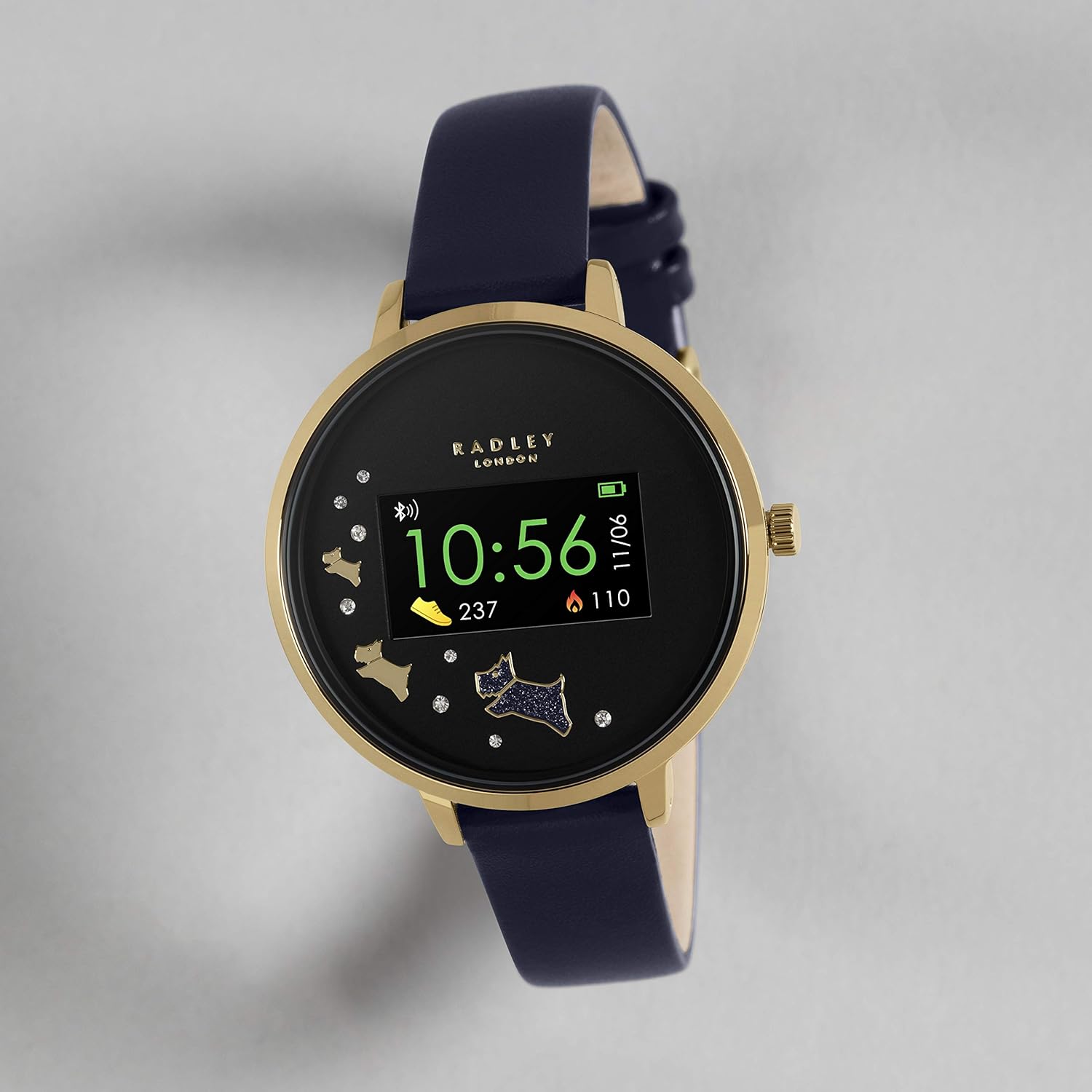
Image: Activity Tracking Display. This image shows the smartwatch screen displaying current step count and calories burned.

Image: Smartwatch and App Activity Data. This image illustrates how the smartwatch syncs with the app to provide comprehensive activity data.
Monitoraggio del sonno
Wear your smartwatch to bed to monitor your sleep patterns. The app provides insights into your sleep duration and quality.

Image: Sleep Tracking Feature. This image shows the smartwatch displaying sleep tracking information, including hours and minutes of sleep.
Aggiornamenti meteo
Receive live weather updates directly on your watch when connected to your smartphone.

Image: Weather Update Display. This image shows the smartwatch displaying current weather conditions and temperature.
Controllo della fotocamera selfie
Use your smartwatch as a remote control for your smartphone's camera to take selfies or group photos with ease.

Image: Camera Control Feature. This image illustrates the smartwatch's ability to remotely control a smartphone camera.
Trova il tuo telefono
If you misplace your phone, use the "Find Your Phone" feature on your smartwatch to make your phone ring (even if it's on silent mode).

Image: Find Your Phone Feature. This image visually represents the "Find Your Phone" function, showing a user searching for their device.
Allarmi e promemoria
Set alarms and reminders through the app to receive vibrations on your smartwatch for important events or tasks.
Hydration Alerts
Configure hydration reminders in the app to ensure you stay adequately hydrated throughout the day.

Image: Hydration Alerts. This image shows the smartwatch displaying a hydration reminder, encouraging users to drink water.
Manutenzione
Pulizia dello smartwatch
To keep your smartwatch in optimal condition, regularly clean the screen and strap. Use a soft, lint-free cloth. For stubborn marks, slightly dampLavare il panno con acqua. Evitare l'uso di prodotti chimici aggressivi o materiali abrasivi.
Cura della batteria
- Caricare completamente la batteria prima del primo utilizzo.
- Avoid exposing the watch to extreme temperatures, as this can affect battery life.
- If the watch will not be used for an extended period, charge it periodically to maintain battery health.
Risoluzione dei problemi
If you encounter issues with your Radley Smartwatch, refer to the table below for common problems and their solutions.
| Problema | Soluzione |
|---|---|
| L'orologio non si accende. | Assicurati che l'orologio sia completamente carico. Collegalo al caricabatterie e attendi qualche minuto. |
| Impossibile effettuare l'associazione con lo smartphone. |
|
| Le notifiche non vengono visualizzate. |
|
| Monitoraggio impreciso delle attività. | Ensure the watch is worn snugly on your wrist. Calibrate settings within the Radley London Active App if available. |
For further assistance, refer to the Radley London Active App or contact customer support.
Specifiche
Below are the technical specifications for the Radley Smartwatch RYS03-2004 - Amazon Only:
| Caratteristica | Dettaglio |
|---|---|
| Marca | RADLEY |
| Modello | RYS03-2004 - Amazon Only |
| Sistema operativo | iOS, Android |
| Dispositivi compatibili | Smartphone |
| Caratteristiche speciali | USB, Android, Alarm, iOS, Camera Control, Activity Tracking, Sleep Tracking, Weather Updates, Find Your Phone, Hydration Alerts |
| Tipo di visualizzazione | Digitale |
| Composizione della batteria | Agli ioni di litio |
| Tipo senza fili | Bluetooth |
| Tipo di connettore | USB |
| Dispositivo di input | Dial (Crown) |
| Pubblico di destinazione | Unisex Adulti |
| Forma | Girare |
| Colore | Blu navy |
| Stile | Cinghia |
| Dimensioni del pacco | 10.2 x 8.7 x 7 cm; 30 g |
Garanzia e supporto
Garanzia del produttore
Each Radley Smartwatch is covered by a Garanzia del produttore di 1 anni dalla data di acquisto. Si prega di conservare la prova d'acquisto per eventuali reclami in garanzia. La garanzia copre i difetti di fabbricazione, ma non copre i danni causati da uso improprio, incidenti o riparazioni non autorizzate.
Assistenza clienti
For further assistance, detailed FAQs, or to explore more features, download the free Radley London Active App. The app provides comprehensive support and resources for your smartwatch.
You can also visit the official Radley London website for support information or contact their customer service directly.