1. Introduzione
The Autel MaxiPRO MP900E KIT is an advanced automotive diagnostic scanner designed for comprehensive vehicle analysis and maintenance. This device combines powerful hardware with extensive software capabilities to provide professional-grade diagnostics for a wide range of vehicles. It offers OE-level functionality, including advanced service functions, ECU coding, and bi-directional control, making it an essential tool for technicians and advanced DIY users.
2. Caratteristiche principali
- Oltre 40 funzioni di servizio: Perform essential maintenance and reset procedures.
- Codifica ECU OE: Customize vehicle settings, perform component matching, and flash hidden functions.
- Controllo bidirezionale (test attivi): Send commands to vehicle systems to test component functionality.
- Tutte le diagnosi di sistema: Comprehensive scanning of all available vehicle systems for fault codes and live data.
- CAN FD & DoIP Support: Compatible with newer vehicle communication protocols for faster diagnostics.
- 11 PCS OBD1 Adapters: Extends diagnostic capabilities to older, non-OBD2 compliant vehicles.
- 5X Faster Hardware: Equipped with a 4-Core CPU, Android 11.0 OS, 8-inch touchscreen, 4/64GB memory, and a 7000mAh battery.
- Ampia copertura del veicolo: Supports over 150 vehicle brands from 1996 to 2026, including FCA & Renault SGW.
3. Impostazione
3.1 Disimballaggio e ispezione iniziale
Carefully unpack all items from the carrying case. Verify that all components listed in the packing list are present and undamaged. The kit typically includes the MaxiPRO MP900E tablet, a VCI (Vehicle Communication Interface), an OBD2 main cable, 11 OBD1 adapters, a power adapter, and a USB-C cable.

Figure 3.1: Autel MaxiPRO MP900E KIT and included accessories.
3.2 Collegamento al veicolo
- Locate the vehicle's OBD2 diagnostic port, usually found under the dashboard on the driver's side.
- Connect the OBD2 main cable to the VCI.
- Plug the VCI into the vehicle's OBD2 port. For older vehicles, select the appropriate 11-piece OBD1 adapter and connect it between the VCI and the vehicle's diagnostic port.
- Ensure the vehicle's ignition is turned to the 'ON' position (engine off).
Video 3.2: Unboxing and initial connection of an Autel diagnostic tool. This video demonstrates the physical setup process.
3.3 Accensione iniziale e configurazione
- Press the power button on the tablet to turn it on.
- Follow the on-screen prompts to select your preferred language and connect to a Wi-Fi network for updates.
- Register your device with Autel to activate warranty and access updates.
4. Utilizzo del dispositivo
4.1 Diagnostica
The Diagnostics function allows you to perform comprehensive scans of all available vehicle systems to identify and troubleshoot issues.
- Scansione automatica: Automatically scans all vehicle systems for fault codes.
- AutoVIN: Automatically identifies the vehicle's make, model, and year for quick setup.
- Codici di lettura/cancellazione: Displays Diagnostic Trouble Codes (DTCs) and allows you to clear them after repairs.
- Flusso di dati in tempo reale: View real-time data from various sensors and modules in text, graph, or analog format.
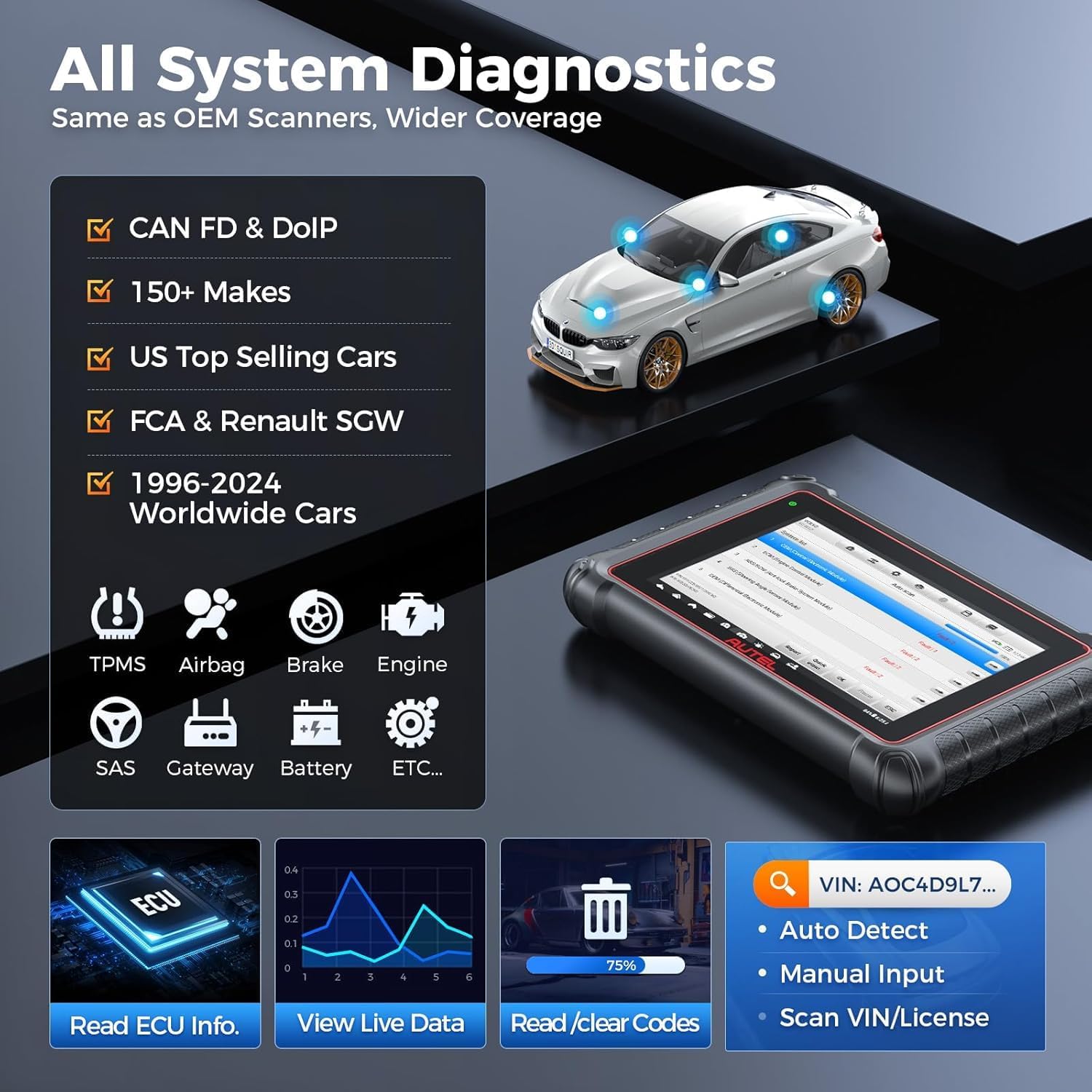
Figure 4.1: All System Diagnostics interface showing various modules being scanned.
4.2 Funzioni di servizio
The MP900E KIT offers over 40 service functions to perform common maintenance and reset procedures. Always verify vehicle compatibility for specific functions before proceeding.
- Ripristino dell'olio: Ripristina il sistema di durata dell'olio dopo un cambio dell'olio.
- Ripristino EPB: Resets the electronic parking brake pad after replacement.
- Ripristino TPMS: Performs TPMS sensor relearn procedures.
- Ripristino BMS: Registers new batteries and resets the battery management system.
- Ripristino SAS: Reimposta il sensore dell'angolo di sterzata.
- Codifica iniettore: Codifica i nuovi numeri degli iniettori nella centralina.
- Codifica ECU: Advanced function for module replacement, personalization, and flashing hidden features.

Figure 4.2: Display of various service functions available on the device.
4.3 Controllo bidirezionale (test attivi)
This function allows you to send commands to vehicle systems and components to test their functionality, aiding in pinpointing problems quickly.
- Examples: Activating cooling fans, testing fuel pump, cycling ABS pump, operating windows/mirrors.

Figure 4.3: Bi-directional control interface demonstrating active test capabilities.
4.4 Codifica ECU
The ECU Coding function allows for advanced vehicle customization and repair tasks, often found in dealership-level tools.
- Codifica online: Access online OEM coding data for specific vehicle brands (e.g., Nissan, Infiniti, VW).
- Corrispondenza dei componenti: Rematch replaced or changed component control modules.
- Personalizzazione: Customize OE settings such as adjusting alarms, lighting, and activating hidden features.

Figura 4.4: Oltreview of OE ECU Coding capabilities.
5. Manutenzione
5.1 Aggiornamenti software
Regular software updates are crucial for maintaining compatibility with new vehicle models and accessing the latest diagnostic functions. Connect the device to a stable Wi-Fi network and navigate to the 'Update' section on the main menu to download and install available updates.
5.2 Gestione della batteria
The device is equipped with a 7000mAh battery for extended operation. Ensure the device is adequately charged before performing critical diagnostic or programming functions to avoid interruptions.
6. Risoluzione Dei Problemi
Se riscontri problemi, tieni presente quanto segue:
- Compatibilità del veicolo: Always verify that the specific function or vehicle model is supported by the device. Contact Autel support with your VIN for compatibility checks.
- Alimentazione elettrica: Ensure the device has sufficient battery charge or is connected to a power source during critical operations. Low battery voltage can cause communication errors or incomplete procedures.
- Connessione: Check all cable connections between the tablet, VCI, and vehicle's diagnostic port. Ensure the VCI is properly paired via Bluetooth.
- Aggiornamenti software: Outdated software can lead to compatibility issues. Ensure your device's software is up-to-date.
Video 6.1: Demonstration of accessing FCA AutoAuth with an Autel scanner, relevant for troubleshooting secure gateway access.
7. Specifiche
| Caratteristica | Dettaglio |
|---|---|
| Modello | Autel MaxiPRO MP900E KIT |
| Sistema operativo | Androide 11.0 |
| Processore | CPU a 4 core |
| Memoria | 4 GB di RAM e 64 GB di ROM |
| Dimensioni dello schermo | 8-inch (1280x800) Touchscreen |
| Batteria | 7000mAh agli ioni di litio |
| Connettività | Wi-Fi (2.4 e 5 GHz), Bluetooth |
| Telecamera | Telecamera posteriore 8MP |
| Dimensioni | 13.78 x 11.02 x 16.93 pollici |
| Peso dell'articolo | 15.75 libbre |
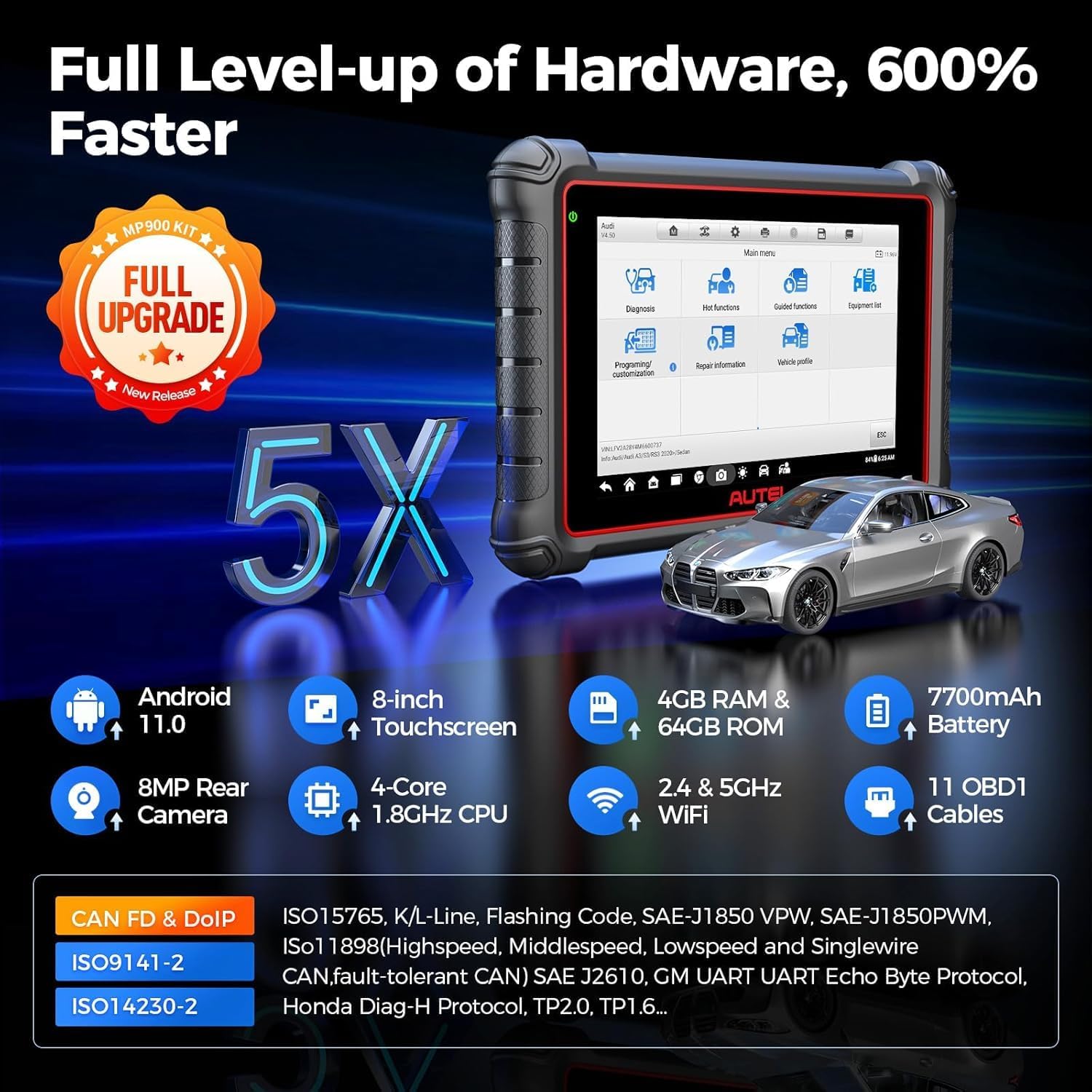
Figure 7.1: Detailed hardware specifications of the MP900E KIT.
8. Cosa c'è nella scatola
- Autel MaxiPRO MP900E Tablet
- VCI (interfaccia di comunicazione del veicolo)
- Cavo principale OBD2
- 11 PCS OBD1 Adapter Kit (Honda-3, Nissan-14, Mitsubishi-12/Hyundai-16, KIA-20, BMW-20, Audi-2, Fiat-3, PSA-2, Benz-38, GM/Daewoo-12, and MS908 CCD Adapter)
- Adattatore di alimentazione
- Cavo USB-C
- Custodia per il trasporto

Figure 8.1: The 11-piece OBD1 adapter kit included with the MP900E KIT.
9. Garanzia e supporto
The Autel MaxiPRO MP900E KIT comes with comprehensive support to ensure optimal performance and user satisfaction.
- 1-Year Updating: Free software updates for one year from the date of purchase.
- 1-Year Undertaking: Standard warranty covering manufacturing defects for one year.
- Online Response & Tech Instruction: Access to online resources and technical guidance.
- 7*24*365 Tech Assistance: Round-the-clock technical support for any issues or questions.


