Introduzione
Thank you for choosing the La Crosse Technology 513-21867-INT Extra-Large Slim Atomic Digital Clock. This clock provides accurate time, indoor temperature, and humidity readings with an easy-to-read display and adjustable backlight. This manual will guide you through the setup, operation, and maintenance of your new atomic clock.
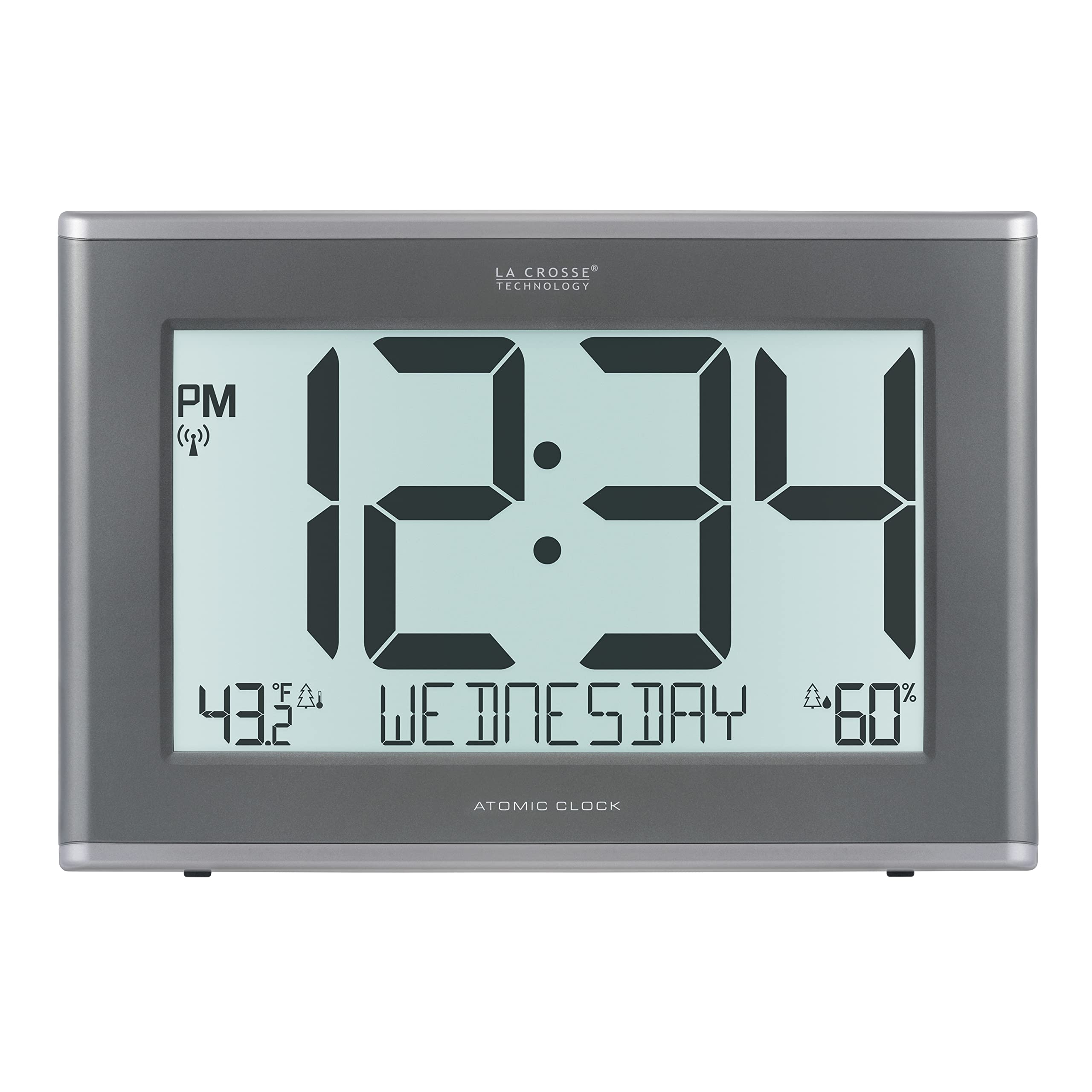
The La Crosse Technology 513-21867-INT Extra-Large Slim Atomic Digital Clock, showcasingrazie al suo ampio display e al design elegante.

Visual representation of the clock's size relative to a person, highlighting its extra-large display for easy readability.
Impostare
Alimentare l'orologio
Your clock can be powered by the included 5.0V AC power adapter or by 6 AA alkaline batteries (not included) for backup. For continuous backlight and optimal performance, it is recommended to use the AC adapter.
- Insert 6 new AA alkaline batteries into the battery compartment, observing the correct polarity (+ and -).
- Plug the 5.0V AC power adapter into a wall outlet and then into the clock's power jack.
- The clock will power on and begin searching for the atomic time signal.
Atomic Time Signal Reception
The clock will automatically attempt to receive the WWVB atomic time signal from Fort Collins, Colorado. This process may take several minutes to several hours, depending on your location and environmental interference. Place the clock near a window for best reception.
Montaggio e posizionamento
The clock can be mounted on a wall or placed on a flat surface using its integrated stand.
- Wall Mount: Use the wall hanging holes on the back of the clock to secure it to a wall.
- Da tavolo: Extend the full-range stand on the back of the clock for stable placement on a desk or shelf.

Dettagliato view of the clock's rear panel, indicating easy access buttons, wall hanging holes, pattern airflow vents, the 6 AA battery backup compartment, and the full-range stand for tabletop use.
Sensore esterno opzionale
This clock supports an optional TX141TH-BV3 wireless remote sensor (sold separately) to display outdoor temperature and humidity. Refer to the sensor's manual for pairing instructions.

The digital clock displayed alongside an optional TX141TH-B Series outdoor sensor, illustrating its capability to track outdoor weather conditions.
Istruzioni per l'uso
Time Display and Settings
The large 5.7-inch digital time can be viewed in either 12-hour or 24-hour format. The clock automatically adjusts for Daylight Saving Time (DST) with AUTO/ON/OFF options.

The clock's display featuring prominent 5.7-inch digits for time, along with indoor temperature, day of the week, and humidity.
Retroilluminazione regolabile
The backlight has four levels of brightness. An auto-dim option is available, and an on-demand backlight feature is active when using batteries.

The clock illuminated by its adjustable backlight, demonstrating the visibility in a low-light environment with multiple brightness level options.
Calendario View and Auto-Scroll
The clock offers adjustable calendar views and an auto-scroll feature that cycles through current time, desired hour, and temperature for hands-free data display.

The clock's display illustrating various custom date viewing options, including Weekday, Month/Date/Year, and Day/Month/Date.
Custom Hour Feature (Time Advance)
Use the custom hour feature to quickly check the time in another time zone.

Two clocks displayed, one with a view of the Statue of Liberty and the other with the Eiffel Tower, demonstrating the Time Advance Feature to view other time zones.
Display temperatura e umidità
Monitor indoor temperature and humidity. The temperature can be displayed in Fahrenheit or Celsius. If an optional outdoor sensor is connected, outdoor readings will also be shown.

The clock displaying temperature and humidity readings, highlighting its function as a large digital thermometer.
Manutenzione
Sostituzione della batteria
If using batteries for backup, replace them when the low battery indicator appears on the display. Always replace all 6 AA batteries at the same time with new alkaline batteries.
Pulizia
Pulisci il display dell'orologio e casing con un morbido, damp cloth. Avoid using abrasive cleaners or chemicals that may damage the surface.
Risoluzione dei problemi
| Problema | Soluzione |
|---|---|
| No time display / Blank screen | Ensure the AC adapter is securely plugged in. If using batteries, check if they are inserted correctly and are not depleted. Replace batteries if necessary. |
| Atomic time signal not received | Place the clock near a window and away from electronic devices that may cause interference. Allow up to 24 hours for signal reception. Perform a manual search for the atomic signal if available (refer to specific button functions on the back of the clock). |
| Letture errate di temperatura/umidità | Ensure the clock is placed in an area with good airflow, away from direct sunlight or heat sources. If using an outdoor sensor, check its battery and placement. |
| Retroilluminazione non funzionante | Ensure the AC adapter is connected for continuous backlight. If running on batteries, the backlight is typically on-demand (press a button to activate) to conserve power. Check backlight settings. |
Specifiche
- Numero modello: 513-21867-INT
- Dimensioni: 17.44"L x 11.73"A
- Tipo di visualizzazione: LCD digitale
- Formato ora: 12 / 24 Ora
- Fonte di energia: 5.0V AC Power Adapter (included) or 6 AA Alkaline Batteries (not included)
- Retroilluminazione: 4 levels of brightness with auto-dim option
- Intervallo di temperatura: Indoor (specific range not provided, typically 32°F to 122°F / 0°C to 50°C)
- Gamma di umidità: Indoor (specific range not provided, typically 10% to 99% RH)
- Materiale: Plastica
- Montaggio: Supporto da parete o da tavolo
- Peso dell'articolo: 3.2 libbre

Technical drawing illustrating the precise dimensions of the clock, including width, height, and depth, along with a view del pannello posteriore.
Garanzia
Questo prodotto La Crosse Technology è coperto da una Garanzia limitata di 1 anno on parts and labor. For detailed warranty information and claims, please refer to the official La Crosse Technology websito o contattare l'assistenza clienti.
Supporto
For further assistance, troubleshooting, or product inquiries, please contact La Crosse Technology customer support. Our USA-based support team is available to provide unmatched support, resources, and video tutorials.
Visit the official La Crosse Technology websito per FAQ e informazioni aggiuntive sul prodotto: www.lacrossetechnology.com


