1. Introduzione
This manual provides essential instructions for setting up, operating, and maintaining your ENHANCE Colmi V23 Smart Watch. Please read this manual thoroughly before using the device to ensure proper function and longevity.

Figure 1.1: ENHANCE Colmi V23 Smart Watch
2. Informazioni sulla sicurezza
Disclaimer: This device is not a medical device and is not intended to replace a Sphygmomanometer (an instrument for measuring blood pressure). Individuals with hypertension or other medical conditions should consult their doctor before using this device for health monitoring purposes.
3. Cosa c'è nella scatola
- 1x ENHANCE Colmi V23 Smart Watch
- 1x Cavo di ricarica
- 1x Manuale utente
4. Impostazione
4.1 Ricarica dello Smart Watch
Before initial use, fully charge your smart watch. Connect the magnetic charging cable to the charging points on the back of the watch and plug the USB end into a power adapter (not included) or a computer's USB port. A full charge typically takes approximately 2 hours.

Figura 4.1: Ricarica dello Smart Watch
4.2 Installazione e associazione dell'app
- Scarica il "Da Fit" application from your device's app store (compatible with iOS 9.0 and above, Android 4.0 and above). You can also scan the QR code provided in the included manual to download the app.
- Apri l'app Da Fit sul tuo smartphone.
- Follow the in-app instructions to add a new device. Select the V23 Smart Watch from the list of available devices to pair.
- Durante il processo di associazione, assicurati che il Bluetooth sia abilitato sullo smartphone.
5. Utilizzo dello Smart Watch
5.1 Navigazione tramite touch screen
The ENHANCE Colmi V23 features a 1.3-inch HD color full touch screen for easy operation. Swipe left, right, up, or down to navigate through menus and functions. Tap to select options.

Figure 5.1: Touch Screen Interface Overview
5.2 Personalizzazione dei quadranti dell'orologio
Personalize your smart watch with over 100 watch faces available through the Da Fit application. You can also create custom watch faces using your own photos.
- Apri l'app Da Fit sul tuo smartphone.
- Navigate to "Add a Device" > "WATCH FACES".
- Select an existing watch face or choose "Edit" to customize with a picture.
- Select your desired picture, adjust its position, and save.
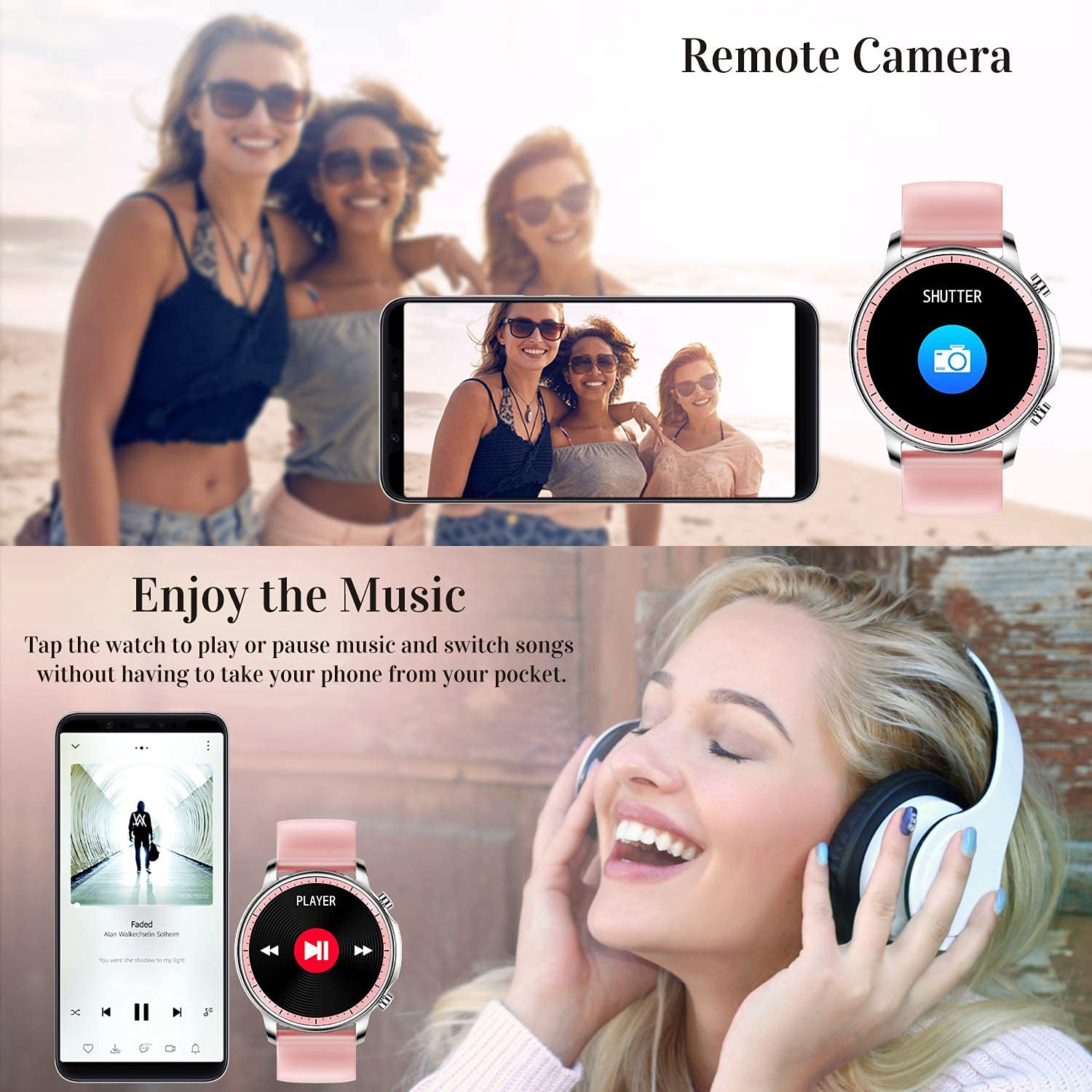
Figure 5.2: Customizing Watch Faces
5.3 Notifiche
Receive call, message, email, and app notifications directly on your smart watch. (Note: The watch cannot answer or make calls.)

Figure 5.3: Call and Message Reminders
5.4 Controllo della musica
Control music playback on your smartphone directly from your watch. Tap to play/pause or switch songs without needing to access your phone.
5.5 Telecamera remota
Use your smart watch as a remote shutter for your smartphone camera. This feature allows you to take photos from a distance.

Figure 5.4: Remote Camera and Music Control
6 Caratteristiche
6.1 Monitoraggio sanitario
- Heart Rate (HR) Monitor: Monitora costantemente la frequenza cardiaca durante il giorno.
- Blood Pressure (BP) Monitor: Provides blood pressure readings. (Refer to safety disclaimer in Section 2).
- Monitoraggio dell'ossigeno nel sangue (SpO2): Misura i livelli di saturazione dell'ossigeno nel sangue.
- Monitoraggio del sonno: Records sleep information, including deep sleep, light sleep, and awake time, to help you understand your sleep patterns.
- Monitoraggio della salute femminile: Offers features for tracking female health cycles.

Figure 6.1: Heart Rate and Blood Pressure Monitoring

Figure 6.2: Smart Sleep Monitoring
6.2 Monitoraggio delle attività
The smart watch offers 7 data record modes to track various sports activities:
- A piedi
- Corsa
- Ciclismo
- Pallacanestro
- Calcio
- Badminton
- Saltare
This feature helps you monitor your exercise data and gain insights into your fitness levels.

Figure 6.3: Smart Watch Functions Overview
6.3 Promemoria intelligenti
- Promemoria sedentario: Reminds you to move and stay active after periods of inactivity.
- Sveglia: Imposta le sveglie direttamente sul tuo orologio.
6.4 Altre funzioni
- Cronometro
- Fun Game
7. Manutenzione
7.1 Resistenza all'acqua
The ENHANCE Colmi V23 Smart Watch is IP68 waterproof, making it resistant to daily wet conditions such as hand washing or light rain. Avoid prolonged submersion in water, hot water, or steam, and do not operate buttons underwater.
7.2 Pulizia
Pulire regolarmente l'orologio e il cinturino con un panno morbido e asciutto. Se necessario, utilizzare un panno leggermenteamp panno e asciugare accuratamente. Evitare l'uso di prodotti chimici aggressivi o materiali abrasivi.
7.3 Cura della batteria
Per prolungare la durata della batteria, evitare di scaricarla completamente frequentemente. Caricare l'orologio quando il livello della batteria è basso. Conservare l'orologio in un luogo fresco e asciutto quando non viene utilizzato per lunghi periodi.
8. Risoluzione Dei Problemi
- L'orologio non si accende: Assicurati che l'orologio sia completamente carico. Collegalo al caricabatterie per almeno 30 minuti.
- L'orologio non si associa al telefono: Assicurati che il Bluetooth sia attivato sul tuo telefono e che l'orologio sia nel raggio d'azione. Riavvia sia l'orologio che il telefono, quindi prova ad associarli di nuovo tramite l'app Da Fit.
- Dati sanitari inesatti: Assicurati che l'orologio sia ben aderente al polso, né troppo stretto né troppo largo. Pulisci il sensore sul retro dell'orologio. Ricorda che questo dispositivo non è uno strumento medico.
- Notifiche non visualizzate: Check notification settings in the Da Fit app and your phone's system settings to ensure permissions are granted for the app to display notifications.
9. Specifiche
| Marca | MIGLIORARE |
| Modello | V23 Smart watch |
| Dimensioni del prodotto | Dimensioni: 1.03 x 2 x 4.15 cm |
| Peso dell'articolo | 42 grammi |
| Dimensioni dello schermo | 1.3 pollici |
| Risoluzione | 240x230 |
| Tipo di visualizzazione | LCD digitale |
| Capacità della batteria | 200 mAh (polimero di litio) |
| Metodo di ricarica | Magnetic Wire Charging |
| Tipo senza fili | Bluetooth |
| Dispositivi compatibili | Mobile Phone (Android 4.0+ & iOS 9.0+) |
| Sistema operativo | Android e iOS |
| Resistenza all'acqua | Grado di protezione IP68 |
| Materiale | Plastica |
10. Garanzia e supporto
For warranty information and customer support, please refer to the documentation included with your product or contact ENHANCE customer service. The included user manual contains details regarding warranty terms and contact information.


