1. Introduzione
This manual provides essential information for setting up, operating, and maintaining your TCL 20 Pro 5G smartphone. Please read this guide thoroughly before using your device to ensure optimal performance and safety.
The TCL 20 Pro 5G is an unlocked smartphone designed for high-speed connectivity and advanced multimedia experiences. It features a stunning AMOLED display, a versatile quad-camera system, and robust performance powered by a Qualcomm Snapdragon 5G processor.

Figura 1: Fronte view of the TCL 20 Pro 5G smartphone.
2. Cosa c'è nella scatola
Your TCL 20 Pro 5G package includes the following items:
- 1 x TCL 20 Pro 5G Mobile Phone
- 1 x TCL 20 Pro 5G Mobile Phone Case
- 1 x SIM Card PIN
- 1 x cavo di tipo C
- 1 x 9V2A Charger
- 1 x Guida rapida
Note: Headphones, SIM Card, and SD Card are not included and must be purchased separately.
3. Dispositivo suview
Familiarize yourself with the physical components of your TCL 20 Pro 5G smartphone.
3.1 Visualizzazione
The device features a 6.67-inch FHD+ NXTVISION AMOLED Dotch Display, offering vivid and true-to-life visuals. AI visual enhancement intelligently adjusts brightness, color, clarity, and contrast based on your environment.
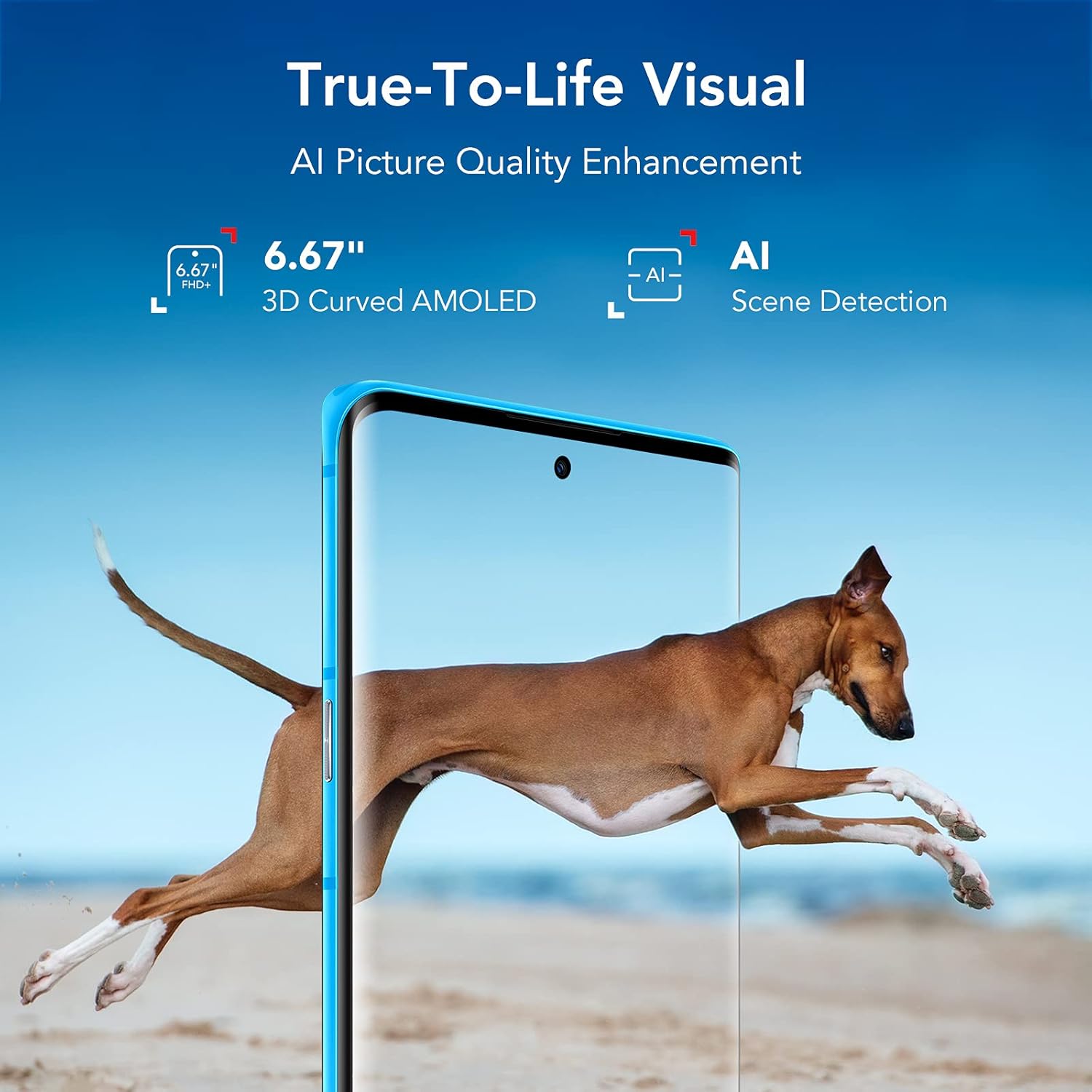
Figure 2: TCL 20 Pro 5G AMOLED Display with NXTVISION technology.
3.2 Sistema di telecamere
The rear of the phone houses a powerful quad-camera setup, while the front features a high-resolution selfie camera.
- Telecamera posteriore: 48MP Optical Image Stabilization (OIS) Main Camera, 16MP Ultra Wide Camera, 5MP Macro Camera, 2MP Depth Camera.
- Fotocamera frontale: 32MP with dedicated RGB sensor for accurate skin tone.

Figura 3: dettagliata view of the Quad Camera System.
3.3 Porte e pulsanti
The device includes a USB Type-C 2.0 port for charging and data transfer. Physical buttons control power, volume, and other functions. An in-display optical fingerprint sensor and Face Key provide secure access.

Figure 4: USB Type-C charging port on the TCL 20 Pro 5G.
4. Impostazione
4.1 Inserimento della scheda SIM e della scheda MicroSD
- Individua il vassoio della scheda SIM sul lato del telefono.
- Insert the provided SIM card PIN into the small hole on the tray to eject it.
- Place your Nano SIM card into the designated slot. If using a MicroSD card for expanded storage (up to 1TB, sold separately), insert it into the MicroSD slot.
- Spingere con cautela il vassoio nel telefono finché non scatta in posizione.
4.2 Accensione iniziale e compatibilità di rete
Press and hold the Power button until the TCL logo appears. Follow the on-screen instructions to complete the initial setup.
Your TCL 20 Pro 5G is compatible with Verizon 5G/LTE, T-Mobile 5G/LTE, and AT&T LTE networks. Nota: It is not compatible with AT&T 5G or CDMA networks such as Spectrum or Xfinity.
If you experience network issues with Verizon, restart your phone. If problems persist, your Verizon account may need to be provisioned to support “CDMA-less” devices. Contact Verizon’s technical support for assistance.
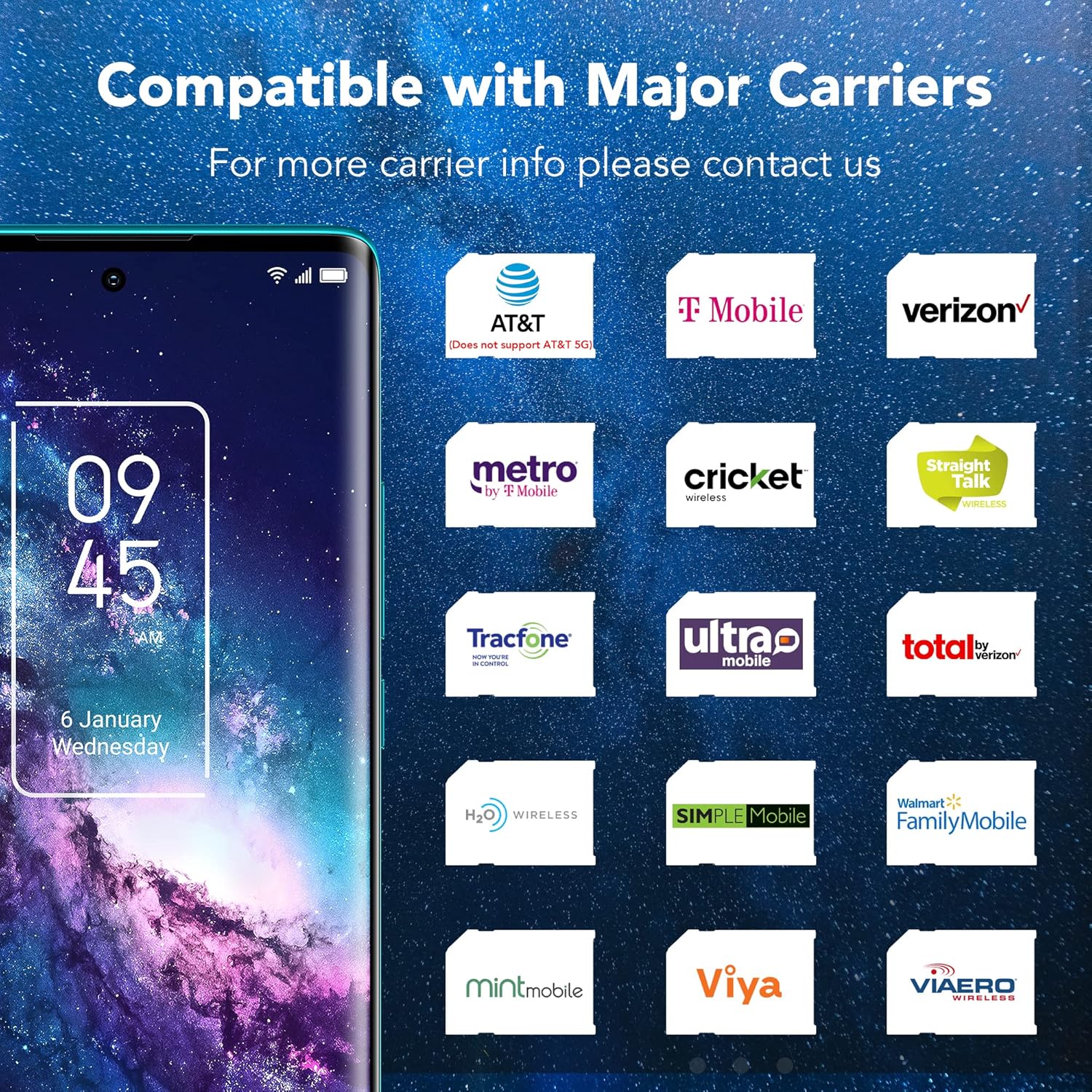
Figure 5: Network compatibility information for the TCL 20 Pro 5G.
5. Funzionamento di base
5.1 Accensione/spegnimento
- Per accendere: Press and hold the Power button until the device vibrates and the TCL logo appears.
- Per spegnere: Tenere premuto il pulsante di accensione finché non viene visualizzato il menu di accensione, quindi selezionare "Spegni".
- Ricominciare: Tenere premuto il pulsante di accensione finché non viene visualizzato il menu di accensione, quindi selezionare "Riavvia".
5.2 Funzionalità di sicurezza
- In-display Optical Fingerprint Sensor: Register your fingerprints in the device settings for quick and secure unlocking.
- Chiave facciale: Imposta il riconoscimento facciale per uno sblocco comodo.
6. Caratteristiche della fotocamera
The TCL 20 Pro 5G offers a versatile camera experience for capturing high-quality photos and videos.
6.1 Rear Camera Modes
- 48MP OIS Main Camera: For sharp, detailed photos, especially in challenging lighting conditions due to Optical Image Stabilization.
- 16MP Ultra Wide Camera: Cattura paesaggi ampi e foto di gruppo con un campo visivo più ampio view.
- Fotocamera macro da 5 MP: Focus on small details and close-up subjects.
- Fotocamera di profondità da 2 MP: Enhances portrait mode with professional-looking bokeh effects.
Videocamera frontale 6.2
The 32MP front camera with a dedicated RGB sensor ensures accurate skin tones and natural lighting for high-quality selfies and video calls.
7. Connettività
Il tuo dispositivo supporta un'ampia gamma di opzioni di connettività:
- Rete 5G: Experience revolutionary speeds for faster streaming and downloads.
- Wifi: Supports 802.11 a/b/g/n/ac for both 2.4GHz and 5GHz bands, Wi-Fi Direct, and Wi-Fi casting.
- Bluetooth 5.1: Per collegare accessori wireless come cuffie e altoparlanti.
- NFC: Per pagamenti contactless e associazione rapida con dispositivi compatibili.
- Hotspot mobile: Share your 5G/4G data connection with other devices.
- VoLTE/VoWiFi: Voice over LTE and Voice over Wi-Fi (optional, carrier dependent).
8. Batteria e ricarica
The TCL 20 Pro 5G is equipped with a 4500mAh Lithium Polymer battery. Use the provided 9V2A charger and Type-C cable for optimal charging. The typical charging time is approximately 2 hours.
9. Specifiche
| Caratteristica | Specificazione |
|---|---|
| Nome del modello | 20 Pro 5G |
| Numero modello articolo | T810S |
| Marca | TCL |
| Sistema operativo | Androide 11.0 |
| Modello CPU | Snapdragon 750G |
| Velocità della CPU | 2.4 GHz |
| Dimensioni di visualizzazione dello schermo in piedi | 6.67 pollici |
| Risoluzione | Formato: 1080p |
| Frequenza di aggiornamento | Frequenza 60 Hz |
| Dimensione della memoria RAM installata | 6 GB |
| Capacità di archiviazione della memoria | 256 GB (expandable up to 1TB with microSDXC) |
| Capacità della batteria | 4500 milioneamp Ore |
| Tempo di ricarica | 2 ore |
| Peso dell'articolo | 0.42 lb (0.176 ounces in some data, using 0.42lb from description) |
| Dimensioni del pacco | 7.48 x 3.66 x 2.44 pollici |
| Connettività | 5G, 4G LTE, 3G, 2G, Wi-Fi (802.11 a/b/g/n/ac), Bluetooth 5.1, NFC, USB Type-C 2.0 |
| Sicurezza | In-display optical fingerprint sensor, Face Key |
10. Risoluzione Dei Problemi
If you encounter issues with your TCL 20 Pro 5G, try the following common solutions:
- Il dispositivo non risponde: Per forzare il riavvio, tenere premuto il pulsante di accensione per circa 10 secondi.
- Problemi di connettività di rete: Ensure your SIM card is correctly inserted. Check your network settings. If on Verizon, contact your carrier to confirm account provisioning for “CDMA-less” devices.
- La batteria si scarica rapidamente: Reduce screen brightness, close unused apps, disable unnecessary background processes, and check for app updates.
- App che si bloccano: Cancella la cache e i dati dell'app problematica in Impostazioni > App. Se il problema persiste, reinstalla l'app.
- Fingerprint Sensor/Face Unlock Not Working: Ensure your fingers are clean and dry for the fingerprint sensor. For Face Key, ensure adequate lighting and that your face is clearly visible. Re-register your biometrics if necessary.
For more complex issues, refer to the full user manual available on the TCL support websito o contattare l'assistenza clienti.
11. Informazioni sulla sicurezza
To prevent injury, damage to your device, or damage to other property, observe the following safety precautions:
- Non tentare di smontare, riparare o modificare il dispositivo.
- Utilizzare solo caricabatterie e accessori approvati da TCL.
- Evitare di esporre il dispositivo a temperature estreme, alla luce solare diretta o a umidità eccessiva.
- Tenere il dispositivo lontano da dispositivi medici, poiché potrebbe interferire con il loro funzionamento.
- Smaltire il dispositivo e la batteria in modo responsabile, nel rispetto delle normative locali.
12. Garanzia e supporto
Your TCL 20 Pro 5G smartphone comes with a one-year US warranty. For warranty claims, technical support, or further assistance, please visit the official TCL support websito o contattare il servizio clienti. Conservare la prova d'acquisto per la convalida della garanzia.
Supporto TCL Websito: www.tcl.com/us/en/support


