1. Introduzione
This manual provides essential information for the proper setup, operation, and maintenance of your Monster S320 Bluetooth Speaker. Please read this manual thoroughly before using the product to ensure optimal performance and longevity.
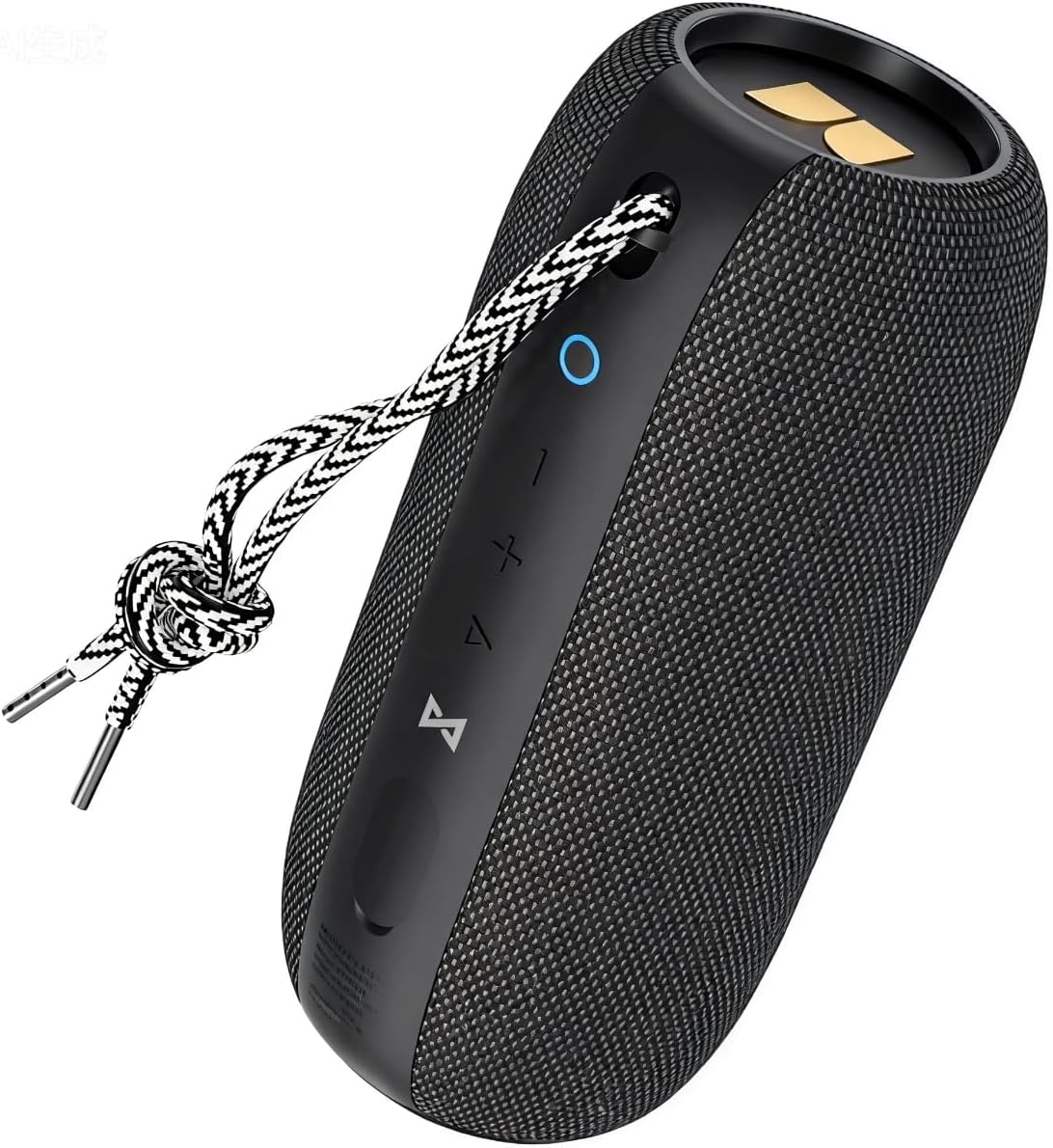
Image 1.1: The Monster S320 Bluetooth Speaker, featuring its compact design and control panel.
2. Informazioni sulla sicurezza
- Non esporre l'altoparlante a temperature estreme o alla luce solare diretta per periodi prolungati.
- Evitare di far cadere o di sottoporre l'altoparlante a forti urti.
- Tenere l'altoparlante lontano da dispositivi medici, poiché contiene magneti.
- Non tentare di smontare, riparare o modificare l'altoparlante. Ciò invaliderà la garanzia.
- Assicurarsi che il coperchio della porta di ricarica sia ben chiuso quando ci si trova vicino all'acqua per mantenere il grado di impermeabilità IPX7.
3. Contenuto della confezione
- 1 x Monster S320 Bluetooth Speaker
- Cavo di ricarica 1 x USB-C
- Cavo 1 x AUX
- 1 x Manuale utente (questo documento)
4. Prodotto finitoview
4.1 Controlli e porte

Image 4.1: Control buttons on the Monster S320 speaker.
- Pulsante di accensione (icona circolare): Tenere premuto per accendere/spegnere. Premere brevemente per controllare lo stato della batteria.
- Pulsante volume giù (-): Premere brevemente per diminuire il volume.
- Pulsante di aumento del volume (+): Premere brevemente per aumentare il volume.
- Play/Pause/Multi-function Button (Triangle Icon): Short press to play/pause music. Press and hold to activate voice assistant. Short press to answer/end calls. Long press to reject calls.
- Bluetooth Pairing Button (Infinity Symbol): Press and hold to enter Bluetooth pairing mode. Short press to disconnect current Bluetooth device.
- TWS Pairing Button (Hourglass Symbol): Press to initiate True Wireless Stereo pairing with another S320 speaker.

Image 4.2: AUX and DC-5V (USB-C) ports located under a protective flap.
- Ingresso AUX: Per collegare dispositivi tramite un cavo audio da 3.5 mm.
- DC-5V (USB-C) Charging Port: For charging the speaker using the provided USB-C cable.
5. Impostazione
5.1 Ricarica dell'altoparlante
- Open the protective rubber flap on the side of the speaker to expose the charging port.
- Connect the USB-C charging cable to the speaker's DC-5V port.
- Collegare l'altra estremità del cavo USB-C a un adattatore di alimentazione USB compatibile (non incluso).
- The LED indicator will show charging status. A full charge provides approximately 32 hours of playtime at medium volume.
- Una volta completata la carica, scollegare il cavo e chiudere saldamente la linguetta di gomma per mantenere l'impermeabilità.
5.2 Accensione/Spegnimento
- Per accendere: Press and hold the Power Button (Circle Icon) for 2-3 seconds until you hear an audible prompt and the LED indicator lights up.
- Per spegnere: Press and hold the Power Button (Circle Icon) for 2-3 seconds until you hear an audible prompt and the LED indicator turns off.
5.3 Accoppiamento Bluetooth (singolo altoparlante)
- Ensure the speaker is powered on and the LED indicator is blinking blue, indicating it is in pairing mode.
- Sul tuo dispositivo mobile, attiva il Bluetooth e cerca i dispositivi disponibili.
- Selezionare "Monster S320" dall'elenco dei dispositivi.
- Una volta effettuata la connessione, l'indicatore LED diventerà blu fisso e verrà emesso un suono di conferma.
5.4 Accoppiamento True Wireless Stereo (TWS) (due altoparlanti)
For an enhanced stereo experience, you can pair two Monster S320 speakers together.
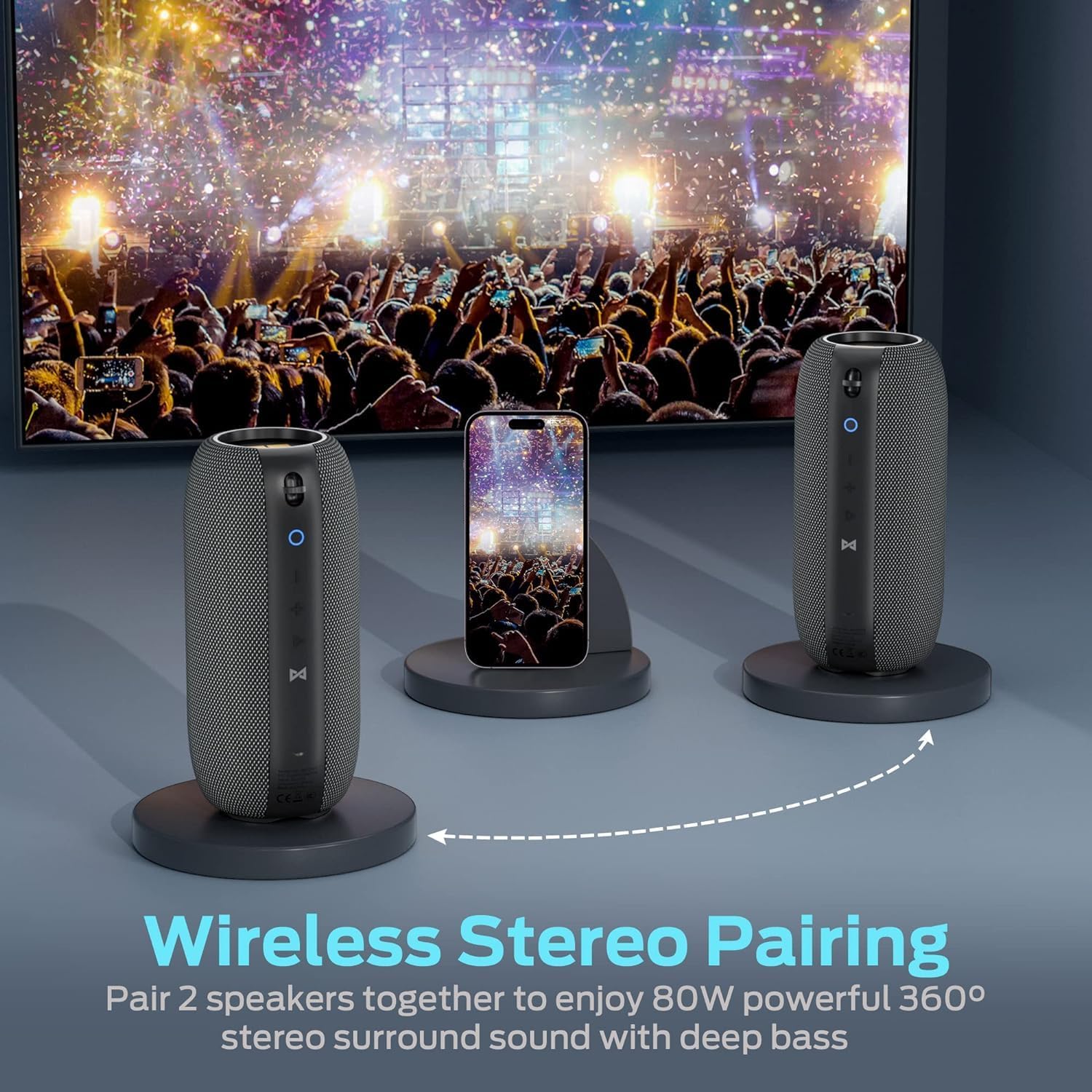
Image 5.1: Two Monster S320 speakers paired for True Wireless Stereo sound.
- Assicurarsi che entrambi gli altoparlanti S320 siano accesi e non connessi ad altri dispositivi Bluetooth.
- On one of the speakers (this will be the primary speaker), short press the TWS Pairing Button (Hourglass Symbol). The speaker will enter TWS pairing mode.
- The primary speaker will automatically search for and connect to the second S320 speaker.
- Once successfully paired, both speakers will emit a confirmation sound, and their LED indicators will show a synchronized status.
- Ora collega il tuo dispositivo mobile all'altoparlante principale tramite Bluetooth come descritto nella sezione 5.3. L'audio verrà riprodotto in stereo da entrambi gli altoparlanti.
6. Istruzioni per l'uso
6.1 Riproduzione di musica
- Riproduci/Pausa: Short press the Play/Pause/Multi-function Button (Triangle Icon).
- Regolazione del volume: Premere brevemente i pulsanti Volume su (+) o Volume giù (-).
- Traccia successiva: Premere a lungo il pulsante Volume su (+).
- Traccia precedente: Premere a lungo il pulsante Volume giù (-).
6.2 Chiamate in vivavoce
The Monster S320 features a built-in microphone for hands-free calls when connected via Bluetooth.

Image 6.1: Hands-free calling with the Monster S320 speaker.
- Rispondi alla chiamata: Short press the Play/Pause/Multi-function Button (Triangle Icon) when a call comes in.
- Termina chiamata: Short press the Play/Pause/Multi-function Button (Triangle Icon) during a call.
- Rifiuta chiamata: Long press the Play/Pause/Multi-function Button (Triangle Icon) when a call comes in.
6.3 Assistente vocale
- Attiva l'assistente vocale: Press and hold the Play/Pause/Multi-function Button (Triangle Icon) for 2 seconds.
6.4 Modalità di ingresso AUX
- Connect a 3.5mm audio cable from your audio source to the AUX input port on the speaker.
- L'altoparlante passerà automaticamente alla modalità AUX.
- Volume control can be adjusted via the speaker's buttons or your audio source. Track control must be done from your audio source in AUX mode.
7. Caratteristiche e punti salienti
- 40W Audio Performance: Offre un suono potente e chiaro.
- 360° Stereo Sound Effect: Provides immersive audio from all directions.
- Stereo senza fili (TWS): Pair two S320 speakers for 80W enhanced stereo surround sound.
- IPX7 impermeabile: Fully waterproof, shockproof, and splash-proof, suitable for outdoor activities and even immersion in water.
- 32-Hour Playing Time: Extended battery life for continuous music playback.
- Bluetooth 5.0: Garantisce una connettività wireless stabile ed efficiente.
- Microfono incorporato: For convenient hands-free calling.

Image 7.1: The Monster S320 speaker demonstrating its IPX7 waterproof capability.

Image 7.2: Enjoying music outdoors with the Monster S320 speaker's long battery life.
8. Manutenzione
- Pulizia: Utilizzare un morbido, damp panno per pulire l'esterno dell'altoparlante. Non utilizzare prodotti chimici aggressivi o detergenti abrasivi.
- Magazzinaggio: Conservare l'altoparlante in un luogo fresco e asciutto, lontano dalla luce solare diretta e da temperature estreme.
- Cura della batteria: Per prolungare la durata della batteria, caricare completamente l'altoparlante prima di lunghi periodi di inattività e ricaricarlo almeno una volta ogni tre mesi.
9. Risoluzione Dei Problemi
| Problema | Soluzione |
|---|---|
| L'altoparlante non si accende. | Assicurati che l'altoparlante sia carico. Collegalo a una fonte di alimentazione tramite il cavo USB-C. |
| Impossibile effettuare l'associazione tramite Bluetooth. | Ensure the speaker is in pairing mode (blinking blue LED). Turn off and on Bluetooth on your device. Forget previous pairings and try again. Ensure no other devices are connected to the speaker. |
| Nessun suono o volume basso. | Check the volume levels on both the speaker and your connected device. Ensure the speaker is properly connected. If using AUX, ensure the cable is fully inserted. |
| L'associazione TWS non riesce. | Ensure both S320 speakers are powered on and not connected to any other Bluetooth device. Place them close to each other and try TWS pairing again. |
| Qualità del suono scadente. | Ensure the speaker is within Bluetooth range of your device. Avoid obstacles between the speaker and device. Check the audio source quality. |
10. Specifiche
| Caratteristica | Dettaglio |
|---|---|
| Nome del modello | S320 |
| Marca | Mostro |
| Potenza massima in uscita dell'altoparlante | 40 Watt |
| Tecnologia di connettività | Bluetooth 5.0 |
| Livello di resistenza all'acqua | IPX7 impermeabile |
| Tempo di gioco | Fino a 32 ore (a volume medio) |
| Modalità di uscita audio | Circondare |
| Tipo di altoparlante | Esterno, portatile |
| Metodo di controllo | Tocco |
| Peso dell'articolo | 0.73 chilogrammi (1.61 libbre) |
| Dimensioni del prodotto | 1 x 1 x 1 inches (Approximate, based on provided data) |
| Materiale | Fabric or Plastic |
| Codice UPC | 810079709236 |
11. Garanzia e supporto
The Monster S320 Bluetooth Speaker comes with a limited warranty. For detailed warranty information, please refer to the warranty card included in your product packaging or visit the official Monster website. If you encounter any issues or require technical assistance, please contact Monster customer support.


