1. Introduzione
Grazie per l'acquistoasing the AUKEY PC-LM3 Webcam. Questo manuale fornisce istruzioni dettagliate per l'installazione, il funzionamento e la manutenzione del tuo webcam. Please read this manual thoroughly before use and retain it for future reference.
2. Informazioni sulla sicurezza
- Mantieni il webcam away from water, moisture, and extreme temperatures.
- Non tentare di smontare o riparare il dispositivo da soli. Per qualsiasi intervento di assistenza, rivolgersi a personale qualificato.
- Evitare di far cadere o sottoporre il webresistere a forti impatti.
- Clean the lens with a soft, dry cloth. Do not use liquid cleaners.
3. Contenuto della confezione
Si prega di verificare che tutti gli articoli siano presenti nel pacco:
- AUKEYPC-LM3 Webcamma
- Manuale d'uso
- Cavo USB (integrato)
Image 1: Contents of the AUKEY PC-LM3 Webcam package, showing the webcam, manual, and packaging.
4. Prodotto finitoview
The AUKEY PC-LM3 is a 1080p USB 2.0 webcam designed for high-quality video communication and recording. It features a CMOS sensor and 5x optical zoom capability, providing clear and detailed visuals.
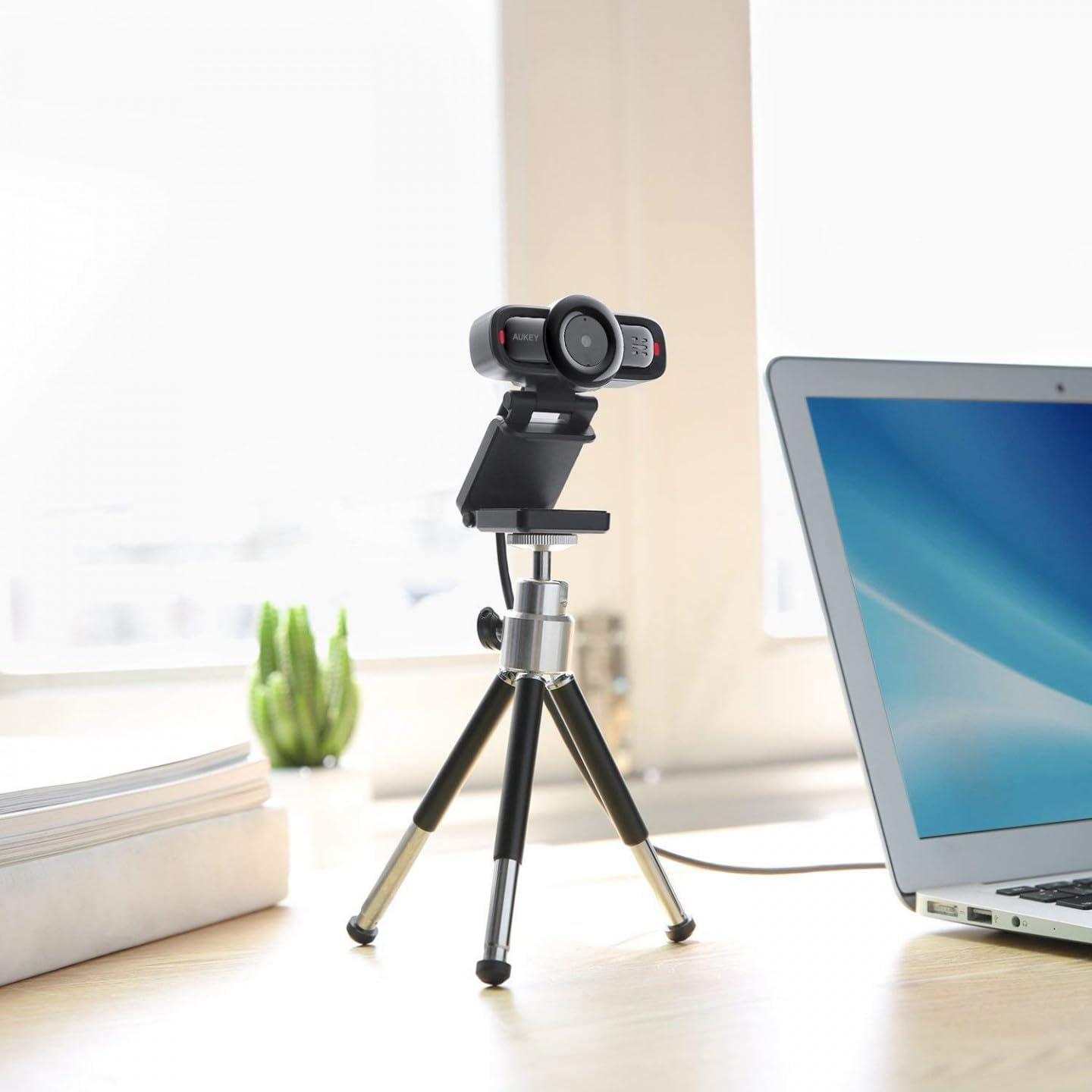
Image 2: AUKEY PC-LM3 Webcam in use, demonstrating its compact design and mounting flexibility on a tripod.
Caratteristiche principali:
- Full HD 1080p video recording
- CMOS sensor for clear images
- USB 2.0 connectivity for universal compatibility
- 5x optical zoom for detailed framing
- Integrated microphone for audio capture
- Adjustable clip for versatile mounting options
5. Impostazione
5.1 Placing the Webcamma
- Su un monitor: Unfold the clip and place the webcam on top of your monitor or laptop screen. Adjust the clip to secure it firmly.
- Su un treppiede: IL webcam features a standard tripod thread. Mount it onto a compatible tripod for more flexible positioning.
- Su una superficie piana: Piegare la clip per formare un supporto stabile e posizionare il webcam su una scrivania o su un'altra superficie piana.
5.2 Connessione al computer
- Collegare il connettore USB del webcam into an available USB 2.0 or 3.0 port on your computer.
- Il computer dovrebbe rilevare e installare automaticamente i driver necessari. Questo processo potrebbe richiedere alcuni istanti.
- Una volta installato, il webcam will be ready for use with video conferencing software or recording applications.
Nota: No additional software or drivers are typically required for Windows, macOS, or Linux operating systems.
6. Funzionamento del Webcamma
6.1 Using with Video Conferencing Software
To use the AUKEY PC-LM3 webcam with applications like Zoom, Skype, Microsoft Teams, or Google Meet:
- Apri la tua applicazione di videoconferenza preferita.
- Accedi alle impostazioni o alle preferenze dell'applicazione (solitamente si trovano in "Audio e video" o "Dispositivi").
- Select "AUKEY PC-LM3" as your video input device.
- Select "AUKEY PC-LM3 Microphone" (or similar) as your audio input device, if applicable.
- Adjust any video settings such as resolution or brightness within the application if available.
6.2 Registrazione video
To record video using the webcam, use your computer's built-in camera application (e.g., Camera app on Windows, Photo Booth on macOS) or third-party recording software. Ensure the AUKEY PC-LM3 is selected as the video source.
6.3 Optical Zoom
IL webcam features 5x optical zoom. This function is typically controlled via software. Check your video conferencing or recording application for zoom controls. If not available, third-party webcam control software may offer this functionality.
7. Manutenzione
7.1 Pulizia del Webcamma
- Assicurare il webla cam sia scollegata dal computer prima di pulirla.
- Use a soft, lint-free cloth to gently wipe the lens and body of the webCamera.
- For stubborn smudges on the lens, slightly dampen the cloth with water or a lens cleaning solution, then wipe gently. Avoid excessive moisture.
- Non utilizzare prodotti chimici aggressivi, detergenti abrasivi o solventi.
7.2 Conservazione
Quando non è in uso, conservare il webcam in a cool, dry place, away from direct sunlight and dust. Consider using a privacy cover (if included or purchased separately) to protect the lens and ensure privacy.
8. Risoluzione Dei Problemi
| Problema | Soluzione |
|---|---|
| Webcam non rilevata dal computer. |
|
| Nessuna uscita video. |
|
| Scarsa qualità video. |
|
9. Specifiche
| Caratteristica | Dettaglio |
|---|---|
| Modello | PC-LM3 |
| Risoluzione video | 1920×1080 pixel (1080p) |
| Tecnologia | CMOS |
| Connettività | USB 2.0 |
| Zoom ottico | 5x |
| Formato di acquisizione video | MP4, AVI |
| Formato audio supportato | AAC, MP3 |
| Dimensioni (L x P x A) | Dimensioni: 7.7 x 7.2 x 4.6 cm |
| Peso | 130 grammi |
| Colore | Nero |
10. Garanzia e assistenza clienti
AUKEY products are covered by a limited warranty from the date of purchase. For specific warranty terms and conditions, please refer to the warranty card included with your product or visit the official AUKEY websito.
If you encounter any issues or have questions regarding your AUKEY PC-LM3 Webcam, please contact AUKEY customer support for assistance. Contact information can typically be found on the official AUKEY websito o sulla scheda di garanzia.


