1. Introduzione
The KODAK Mini 3 Retro 4PASS Portable Photo Printer allows you to print high-quality 3x3 inch photos directly from your smartphone. Utilizing advanced 4PASS dye-sublimation technology, this compact printer produces durable, vibrant prints that are resistant to fingerprints and water, designed to last over 100 years. Its portable design makes it ideal for creating and sharing physical memories anywhere.
2. Cosa c'è nella scatola
Your KODAK Mini 3 Retro Photo Printer package includes the following items:
- KODAK Mini 3 Retro Photo Printer (Model P300R)
- Initial 8-Sheet Cartridge
- Additional 30-Sheet Cartridge
- Photo Album and Photo Case
- Adesivi
- Photo Clips/Strings
- Custodia per il trasporto
- Cavo di ricarica USB-C
- Guida per l'utente
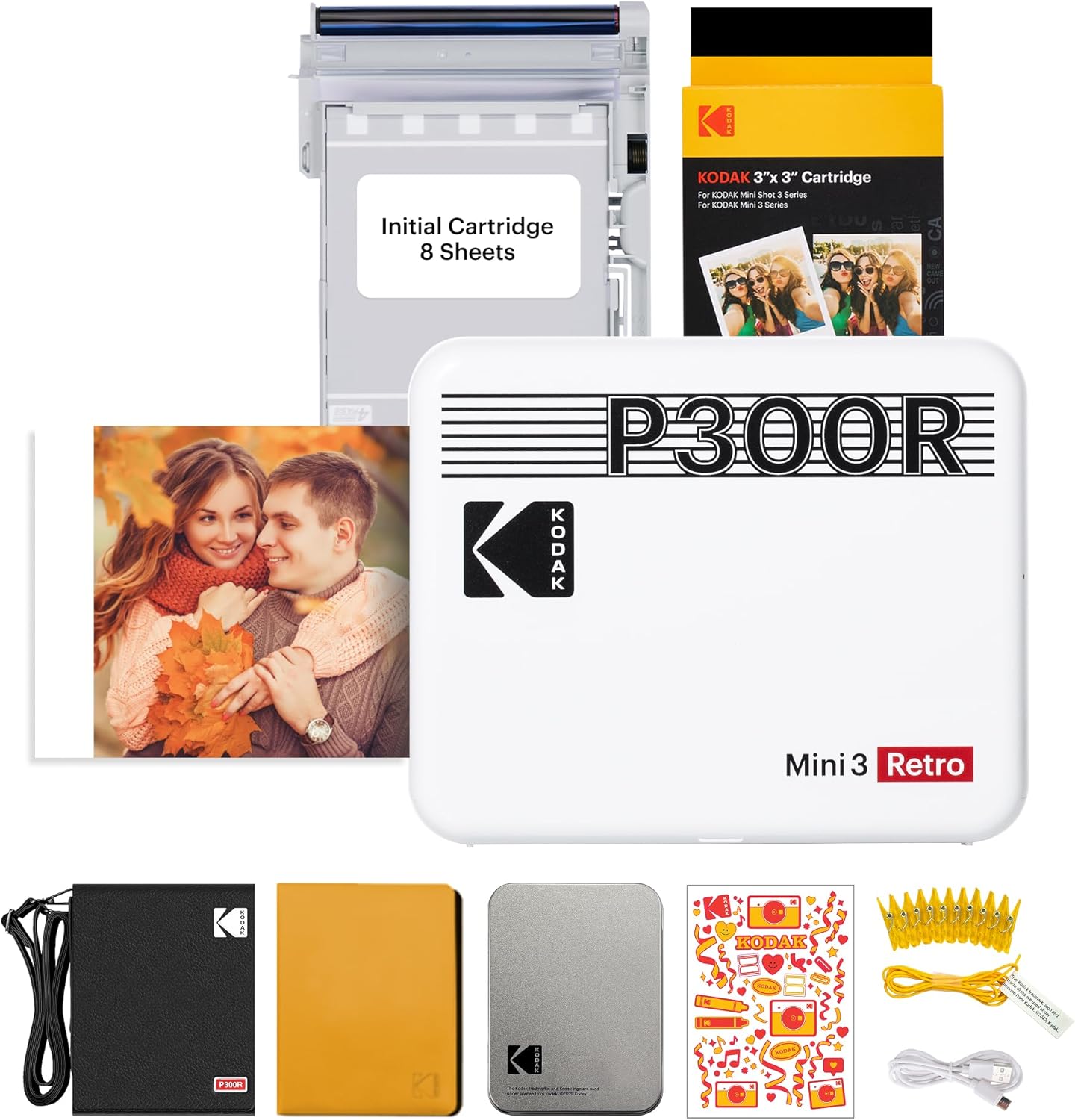
Image: KODAK Mini 3 Retro Printer (P300R) with initial 8 sheets, 30 sheets, photo album, photo case, stickers, photo clips/strings, carrying case, and USB-C cable.
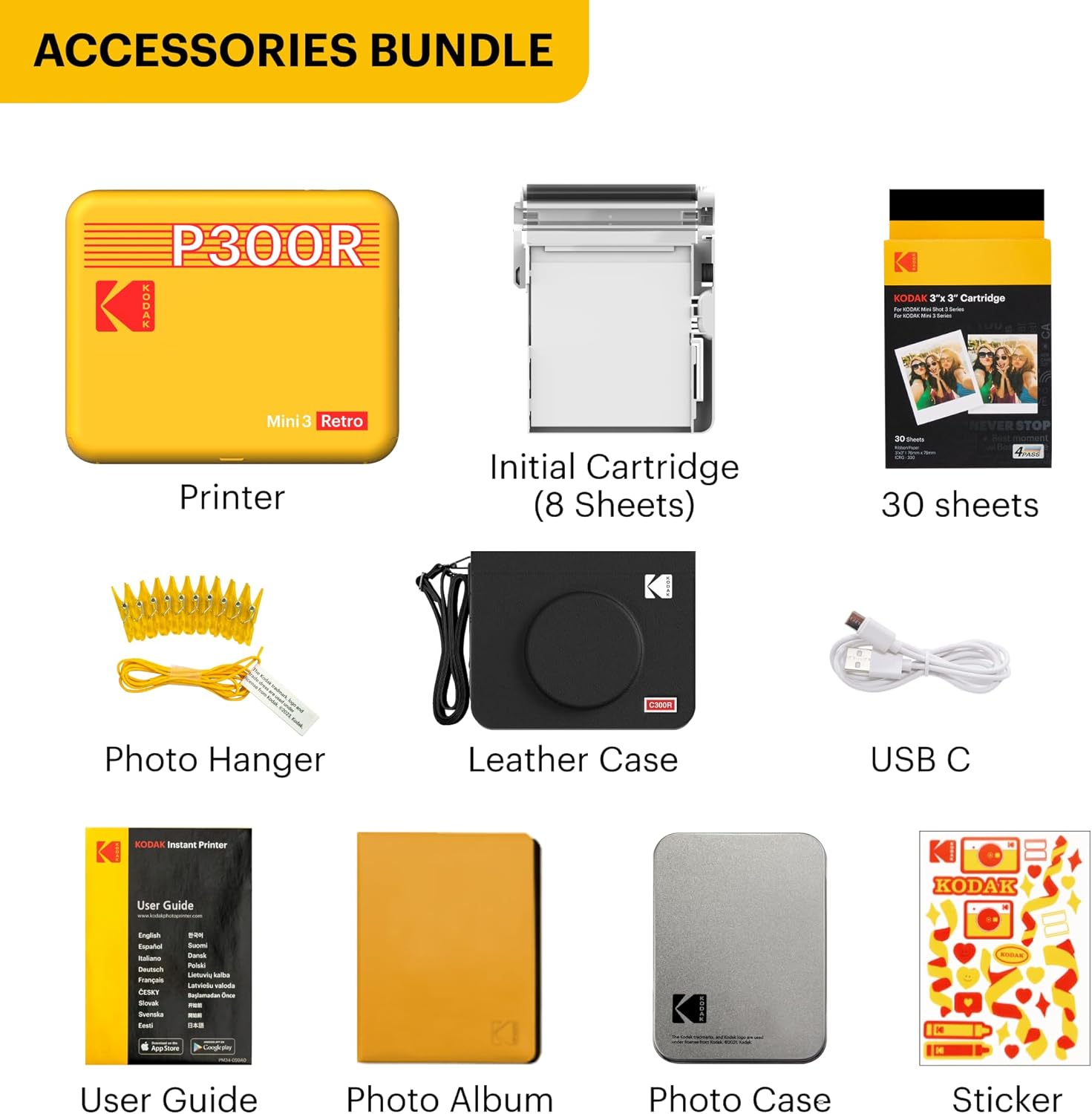
Image: A comprehensive display of all accessories included in the bundle, such as the printer, cartridges, photo album, photo case, stickers, photo hanger, leather case, USB C cable, and user guide.
3. Impostazione
3.1. Caricamento della stampante
Before initial use, ensure your printer is fully charged. Connect the provided USB-C charging cable to the printer's charging port and a compatible USB power adapter (not included). The LED indicator will show charging status.
3.2. Loading the Cartridge and Paper
The KODAK Mini 3 Retro uses an integrated cartridge that contains both the ink ribbon and photo paper. The initial 8-sheet cartridge is typically pre-installed. To replace or install a new cartridge:
- Aprire il coperchio della cartuccia sul lato della stampante.
- Gently slide the new cartridge into the slot until it clicks into place. Ensure it is inserted correctly.
- Chiudere il coperchio della cartuccia.

Image: A three-step visual guide demonstrating the process of inserting the paper cartridge: 1) Insert the paper, 2) Pull out & Push In, 3) Hear the 'Click' Sound.
3.3. Download dell'app e connessione Bluetooth
Download the official KODAK Photo Printer application from your smartphone's app store (available for iOS and Android). Once installed:
- Turn on your KODAK Mini 3 Retro printer by pressing and holding the power button.
- Abilita il Bluetooth sul tuo smartphone.
- Open the KODAK Photo Printer app and follow the on-screen instructions to pair your device. The printer should connect quickly.

Image: The KODAK Mini 3 Retro printer (P300R) shown next to a smartphone displaying the KODAK Photo Printer app interface, with a Bluetooth symbol indicating connection.
Video: This video demonstrates the simple steps to connect and use the KODAK Mini 3 Retro printer with a smartphone, highlighting the ease of the printing process.
4. Utilizzo della stampante
4.1. Selecting and Editing Photos
Once connected, open the KODAK Photo Printer app. You can browse your phone's gallery to select photos for printing. The app offers various editing features:
- Filtri: Apply different visual effects to your photos.
- Cornici: Add decorative borders to your prints.
- Beauty/Adjustments: Enhance brightness, contrast, saturation, and other photo properties.
- Text/Stickers: Personalize your photos with text or stickers.

Image: A smartphone screen displaying the KODAK Photo Printer app with multiple frame options applied to different photos, illustrating customization possibilities.
4.2. Printing Your Photos
After editing, select the print option within the app. You can choose between bordered or borderless prints. The 4PASS technology prints photos in layers (Yellow, Magenta, Cyan, and a protective coating), with the paper passing through the printer multiple times for each color layer and the final lamination. Avoid touching the paper during the printing process.

Image: A side-by-side comparison of a borderless 3x3 inch photo and a bordered 3x3 inch photo, both printed from the KODAK Mini 3 Retro printer.
5. Caratteristiche principali
- 4PASS Dye-Sublimation Technology: This advanced printing method applies colors (Yellow, Magenta, Cyan) in successive layers, followed by a protective overcoat. This ensures vivid, crystal-clear prints that are durable and long-lasting.
- Superior Photo Quality: Photos are protected against fingerprints, water, and humidity, ensuring they last for over 100 years.
- 3x3 Inch Prints: Produces standard 3x3 inch square photos, perfect for sharing or scrapbooking.
- Bordered and Borderless Options: Choose to print photos with a classic white border for notes or a full-bleed borderless print for a larger image area.
- Applicazione per stampante fotografica KODAK: A user-friendly application for iOS and Android devices that allows seamless photo selection, editing (filters, frames, brightness), and printing via Bluetooth.
- Compatto e portatile: Designed to fit comfortably in your hand or bag, making it easy to carry and print photos on the go.

Image: A visual representation of the 4PASS technology, showing separate layers of yellow, magenta, and cyan being applied to a photo for vivid, crystal-clear prints.

Image: A graphic illustrating the 3x3 inch square photo size (76mm x 76mm) produced by the printer, alongside examples of other KODAK print sizes like credit card, 2 inch, 4 inch, and 6 inch.
6. Manutenzione
The KODAK Mini 3 Retro printer is designed for ease of use and minimal maintenance. The 4PASS technology includes a protective layer that makes prints resistant to fingerprints and water, reducing the need for special handling after printing. Keep the printer clean by wiping its exterior with a soft, dry cloth. Avoid using harsh chemicals or abrasive materials.
7. Risoluzione Dei Problemi
- La stampante non si connette tramite Bluetooth: Ensure Bluetooth is enabled on your smartphone and the printer is powered on. Close and reopen the KODAK Photo Printer app, then try re-pairing. If issues persist, restart both your phone and the printer.
- Paper Jams or Printing Errors: If the printer experiences a paper jam or an error during printing, carefully open the cartridge cover and remove the cartridge. Check for any bent paper or obstructions. Replace the cartridge and ensure it clicks securely into place.
- Scarsa qualità di stampa: Ensure you are using genuine KODAK 4PASS photo paper and cartridges. Check the photo resolution in the app before printing. If the original image is low resolution, the print quality may be affected.
- Printer Shuts Off Automatically/Disconnects: The printer may have an auto-off feature to conserve battery. If it disconnects frequently, ensure it is fully charged. Some users report disconnections after about 5 minutes of inactivity; reconnect via the app if needed.
- App Not Importing Photo Albums: Ensure the KODAK Photo Printer app has necessary permissions to access your photo library in your phone's settings.
8. Specifiche
| Caratteristica | Specificazione |
|---|---|
| Marca | Marchio |
| Nome del modello | Mini 3 Retro (P300R) |
| Tecnologia di stampa | Sublimazione del colore (4 PASS) |
| Uscita della stampante | Colore |
| Dimensione massima del supporto | 3 x 3 pollici |
| Stampa Media | Carta fotografica lucida |
| Risoluzione massima di stampa a colori | 313x400 dpi |
| Tecnologia di connettività | Bluetooth |
| Dispositivi compatibili | Smartphone (iOS, Android) |
| Metodo di controllo | Applicazione |
| Colore dell'inchiostro | Black, White, Yellow (Dye Sublimation process uses CMY colors) |
| Peso dell'articolo | 0.85 grammi (0.03 once) |
| Dimensioni del prodotto | 15.75 x 18.5 x 9.06 pollici |
| Batterie | Sono necessarie 1 batterie CR123A (incluse) |
9. Garanzia
The KODAK Mini 3 Retro 4PASS Portable Photo Printer comes with a limited warranty. Please refer to the warranty information provided in your product packaging or contact KODAK customer support for details.
10. Supporto
For further assistance, please refer to the KODAK Photo Printer application's help section or visit the official KODAK Photo Printer website. The app provides additional decorative features and troubleshooting tips.


