Introduzione
This manual provides detailed instructions for the operation and maintenance of your TOZO G1 Wireless Gaming Earbuds. Please read thoroughly before use to ensure optimal performance and longevity of your device.
Cosa c'è nella scatola
- Auricolari wireless TOZO G1
- Custodia di ricarica wireless
- Eartips (multiple sizes for comfortable fit)
- Cavo di ricarica da USB A a USB C
- Manuale dell'utente (questo documento)
Impostare
1. Ricarica degli auricolari e della custodia
Before first use, fully charge the earbuds and charging case to ensure maximum battery life.
Image: The TOZO G1 charging case connected via a USB-C cable, indicating charging status with an illuminated logo.
- Connect the USB A to USB C charging cable to the charging port on the case.
- Collegare l'altra estremità a una fonte di alimentazione USB compatibile.
- The LED indicator on the case will show the charging status. A full charge provides up to 6 hours of playback for the earbuds and an additional 30 hours with the charging case.
2. Associazione con il tuo dispositivo
Follow these steps to pair your earbuds with a Bluetooth-enabled device.
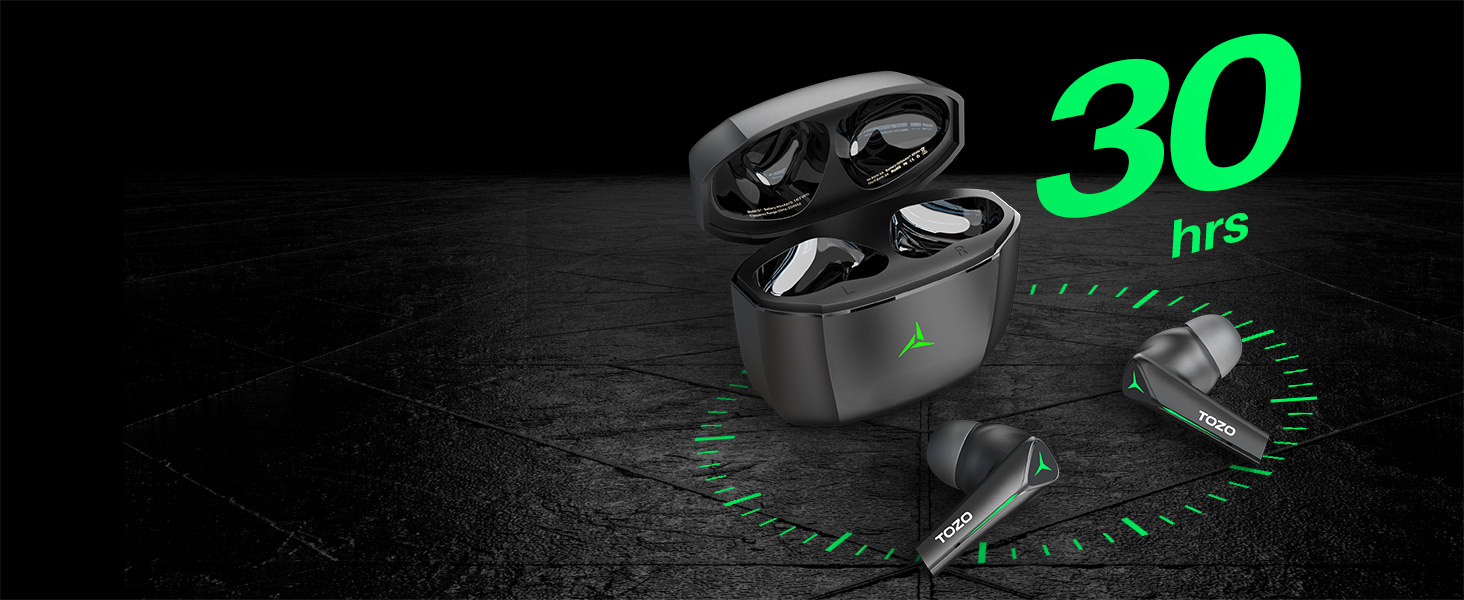
Image: TOZO G1 earbuds shown next to a smartphone displaying Bluetooth pairing options, with the earbuds emitting a green light.
- Aprire la custodia di ricarica. Gli auricolari entreranno automaticamente in modalità di associazione (indicata dalle luci LED lampeggianti).
- Sul tuo dispositivo (smartphone, tablet, laptop, console di gioco), attiva il Bluetooth.
- Cercare "TOZO G1" in the list of available devices and select it to connect.
- Once connected, the earbud LED lights will turn off or show a steady light.
Istruzioni per l'uso
1. Modalità doppia gioco e musica
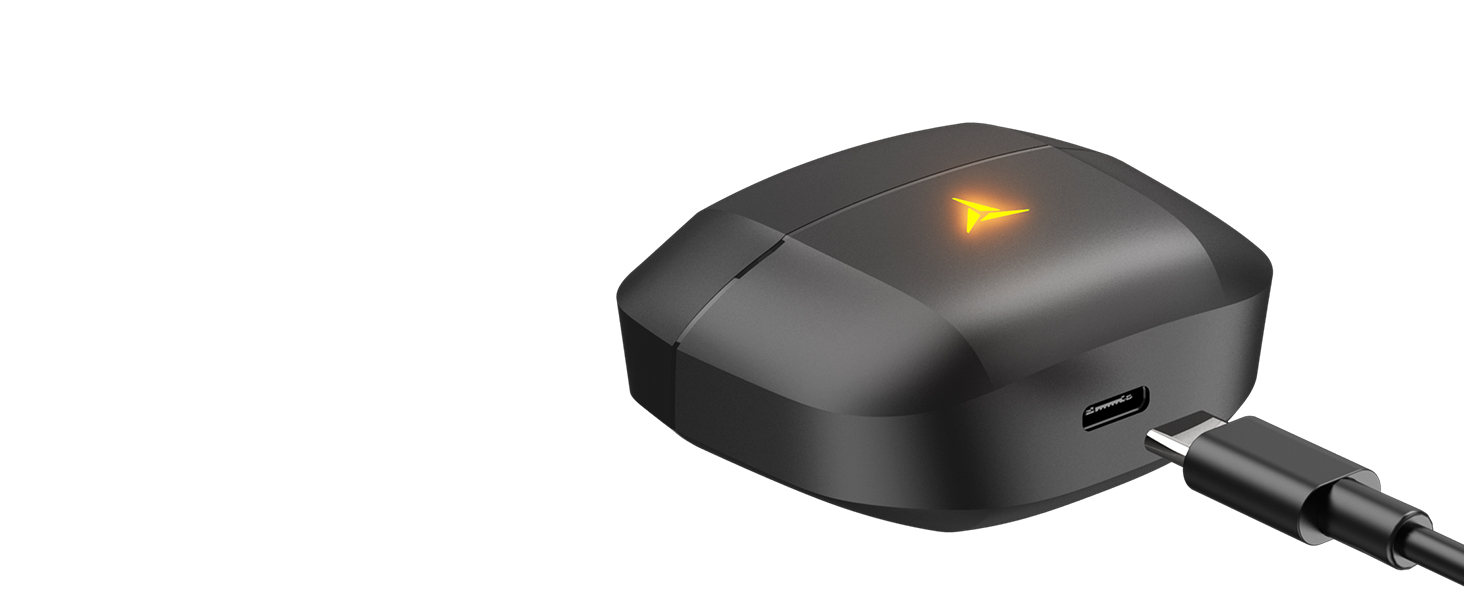
Image: A split image showing the TOZO G1 earbuds in "Game Mode" with a gaming scene and "Music Mode" with a person playing guitar, highlighting the dual functionality.
The TOZO G1 earbuds feature a dual mode for optimized audio performance:
- Modalità di gioco: Provides 45ms ultra-low latency for synchronized audio and video, enhancing gaming with accurate sound detection (footsteps, gunfire).
- Modalità Musica: Delivers high-fidelity sound with powerful bass (16Hz-20kHz), mellow midrange, and clear treble for an immersive listening experience.
2. Controllo touch intelligente

Image: A diagram illustrating the touch control functions for the left and right TOZO G1 earbuds, including play/pause, track skipping, volume control, call management, and voice assistant/game mode activation.
Controlla i tuoi auricolari con semplici gesti touch:
| Azione | Auricolare sinistro | Auricolare destro |
|---|---|---|
| Riproduci/Pausa | Tocco singolo (X1) | Tocco singolo (X1) |
| Canzone precedente / successiva | Double Tap (X2) - Previous | Double Tap (X2) - Next |
| Rispondere/riagganciare la chiamata | Tocco singolo (X1) | Tocco singolo (X1) |
| Rifiuta chiamata | Tenere premuto per 2 secondi | Tenere premuto per 2 secondi |
| Volume giù / su | Hold for 2 seconds - Volume Down | Hold for 2 seconds - Volume Up |
| Voice Assistant/Game Mode | Triple Tap (X3) - Voice Assistant | Triple Tap (X3) - Game Mode |
Manutenzione
- Pulisci regolarmente gli auricolari e la custodia di ricarica con un panno morbido e asciutto.
- Avoid exposing the earbuds to extreme temperatures or liquids. While waterproof, prolonged submersion is not recommended.
- Store in the charging case when not in use to protect and keep them charged.
Risoluzione dei problemi
- Gli auricolari non si associano:
- Ensure both earbuds are in the charging case and the case is open. Check your device's Bluetooth settings and try reconnecting. If issues persist, reset the earbuds (refer to the full user manual for specific reset instructions).
- Nessun suono o volume basso:
- Check the volume levels on both your device and the earbuds. Ensure earbuds are properly seated in your ears. Verify the earbuds are connected to the correct device.
- Problemi di ricarica:
- Assicurati che il cavo di ricarica sia collegato saldamente sia alla custodia che alla fonte di alimentazione. Prova un cavo USB-C o un alimentatore diverso. Pulisci i contatti di ricarica sugli auricolari e all'interno della custodia.
Specifiche
| Caratteristica | Dettaglio |
|---|---|
| Nome del modello | G1 |
| Tecnologia di connettività | Senza fili (Bluetooth 5.3) |
| Latenza audio | 45 millisecondi (modalità gioco) |
| Durata della batteria (auricolari) | Fino a 6 ore |
| Tempo di riproduzione totale (con custodia di ricarica) | Fino a 30 ore |
| Livello di resistenza all'acqua | Impermeabile (IPX5) |
| Metodo di controllo | Tocco |
| Componenti inclusi | TOZO G1 Wireless Earbuds, Wireless Charging Case, Eartips, USB A to USB C Charging Cable, User Manual |
Video ufficiale del prodotto
Video: Un video ufficiale del prodotto mostraasing the TOZO G1 Wireless Gaming Earbuds and their features.
Garanzia e supporto
TOZO products come with a standard manufacturer's warranty. For detailed warranty information, product support, or to contact customer service, please visit the official TOZO websito o fare riferimento alla scheda di garanzia inclusa nella confezione del prodotto.
Ufficiale Websito: www.tozostore.com