1. Introduzione
The JVC HA-A5T Gumy Mini True Wireless Earbuds are designed for convenient, high-quality audio on the go. These compact and lightweight earbuds feature a Neodymium magnet driver for clear sound, Bluetooth 5.1 for stable wireless connection, and an IPX4 rain-proof rating for durability. They offer hands-free calling with voice assistant compatibility and simple one-button control.
Caratteristiche principali:
- Design compatto e leggero
- High sound quality with Neodymium magnet driver
- Bluetooth Version 5.1 for stable wireless connectivity
- Rain Proof (IPX4) for protection against splashes and sweat
- Up to 15 hours of total battery life (including charging case)
- Hands-free microphone with Voice Assistant compatibility
- Controllo con un solo pulsante per un facile utilizzo
- Auto on/off/connect function
- Compatible with iOS, Android, and Windows devices
2. Contenuto della confezione
Si prega di assicurarsi che tutti gli articoli siano presenti nel pacco:
- JVC HA-A5T True Wireless Earbuds (Left and Right)
- Custodia di ricarica
- Regular Silicon Earpieces (S/M/L sizes)
- Cavo di ricarica USB

Image: The retail packaging for the JVC HA-A5T Gumy Mini True Wireless Earbuds, showing the earbuds and charging case.
3. Impostazione
3.1 Ricarica degli auricolari e della custodia
Before first use, fully charge the earbuds and the charging case. The charging case provides additional power to the earbuds, extending their usage time.
- Inserire gli auricolari nei rispettivi alloggiamenti della custodia di ricarica. Assicurarsi che siano posizionati correttamente.
- Connect the supplied USB charging cable to the charging port on the case and to a USB power source (e.g., computer, USB wall adapter).
- The indicator lights on the case will show the charging status. Refer to the indicator light section for details.
- Once fully charged, disconnect the USB cable. The earbuds and case together provide up to 15 hours of playback.

Image: The JVC HA-A5T earbuds placed inside their open charging case, ready for charging.
3.2 Associazione con un dispositivo Bluetooth
The earbuds feature an auto on/off/connect function for seamless pairing.
- Aprire la custodia di ricarica. Gli auricolari si accenderanno automaticamente ed entreranno in modalità di associazione.
- Sul tuo dispositivo Bluetooth (smartphone, tablet, ecc.), attiva il Bluetooth e cerca i dispositivi disponibili.
- Select "JVC HA-A5T" from the list of found devices.
- Once connected, a confirmation sound or indicator will notify you. The earbuds will automatically reconnect to the last paired device when taken out of the case.
3.3 Selecting the Right Earpieces
For optimal sound quality and comfort, choose the silicone earpieces that best fit your ears. The package includes Small (S), Medium (M), and Large (L) sizes.
- Try each size to find the one that creates a snug seal in your ear canal. A good seal enhances bass response and noise isolation.
- Gently insert the earbud into your ear and twist slightly until it feels secure and comfortable.
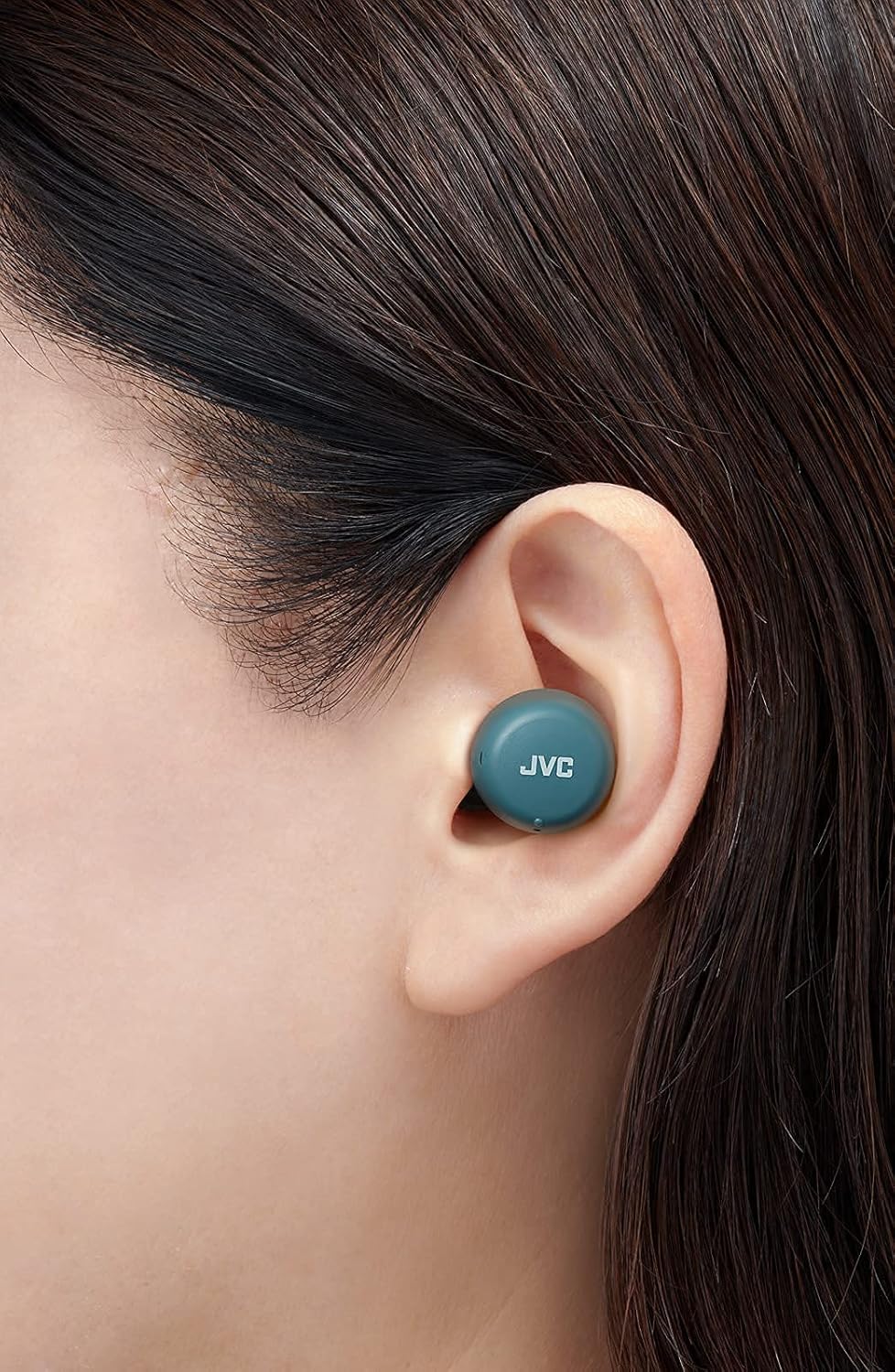
Immagine: un primo piano view of a JVC HA-A5T earbud correctly positioned in a user's ear, demonstrating proper fit.
4. Utilizzo degli auricolari
4.1 Accensione/spegnimento
- Accensione: Open the charging case or press and hold the button on each earbud for approximately 2 seconds.
- Spegni: Place the earbuds back into the charging case and close the lid, or press and hold the button on each earbud for approximately 5 seconds.
4.2 Basic Controls (One-Button Operation)
Each earbud features a multi-function button for controlling playback and calls.
| Funzione | Azione |
|---|---|
| Riproduci/Pausa | Premere una volta il pulsante su uno dei due auricolari. |
| Traccia successiva | Premere due volte il pulsante sull'auricolare destro. |
| Traccia precedente | Premere due volte il pulsante sull'auricolare sinistro. |
| Rispondi/Termina chiamata | Press the button on either earbud once during an incoming call or active call. |
| Rifiuta chiamata | Durante una chiamata in arrivo, tenere premuto il pulsante su uno degli auricolari per circa 2 secondi. |
| Attiva l'Assistente Vocale | Premere tre volte il pulsante su uno degli auricolari. |
4.3 Uso di un singolo auricolare
The JVC HA-A5T earbuds support single earbud use, specifically with the left earbud. This allows you to use one earbud while the other is charging or stored.
- To use only the left earbud, simply take it out of the case. It will automatically connect to your device if previously paired.
- The right earbud cannot be used independently for calls or music playback.
4.4 Assistente vocale
Activate your smartphone's voice assistant (e.g., Siri, Google Assistant) directly from the earbuds.
- Press the multi-function button on either earbud three times to activate the voice assistant.
- Pronuncia il comando dopo il prompt.

Image: A woman wearing JVC HA-A5T earbuds, demonstrating their use for listening to audio.
5. Manutenzione
5.1 Pulizia
Una pulizia regolare aiuta a mantenere le prestazioni e la longevità degli auricolari.
- Pulisci delicatamente gli auricolari e la custodia di ricarica con un panno morbido, asciutto e privo di lanugine.
- Remove the silicone earpieces and clean them with a mild soap solution if necessary. Rinse thoroughly and dry completely before reattaching.
- Do not use harsh chemicals, abrasive materials, or immerse the earbuds or case in water.
5.2 Conservazione
Quando non li usi, riponi gli auricolari nella custodia di ricarica per proteggerli da polvere e danni e mantenerli carichi.
- Conservare in un luogo fresco e asciutto, lontano dalla luce solare diretta e da temperature estreme.
5.3 Resistenza all'acqua (IPX4)
Gli auricolari sono classificati IPX4, ovvero protetti dagli spruzzi d'acqua provenienti da qualsiasi direzione. Questo li rende adatti per l'allenamento e in caso di pioggia leggera.
- Non immergere gli auricolari in acqua.
- Assicurarsi che gli auricolari siano asciutti prima di riporli nella custodia di ricarica per evitare di danneggiare i contatti di ricarica.

Image: A woman engaged in physical activity while wearing the JVC HA-A5T earbuds, highlighting their sweat and rain-proof capabilities.
6. Risoluzione Dei Problemi
If you encounter issues with your JVC HA-A5T earbuds, refer to the following common solutions:
| Problema | Possibile causa | Soluzione |
|---|---|---|
| Gli auricolari non si accendono. | Batteria scarica. | Inserire gli auricolari nella custodia di ricarica e caricarli completamente. |
| Impossibile associare il dispositivo. | Il Bluetooth è disattivato sul dispositivo; gli auricolari non sono in modalità di associazione; il dispositivo precedentemente associato interferisce. | Ensure Bluetooth is enabled on your device. Place earbuds in case, close, then open to re-enter pairing mode. Forget "JVC HA-A5T" from your device's Bluetooth list and try pairing again. |
| Nessun suono o volume basso. | Volume too low on device; earbuds not properly seated; poor earpiece fit. | Increase volume on your connected device. Ensure earbuds are properly inserted. Try different earpiece sizes for a better seal. |
| Connessione intermittente o interruzioni audio. | Distanza dal dispositivo; interferenza; batteria degli auricolari scarica. | Keep earbuds within 10 meters (33 feet) of your device. Avoid areas with strong Wi-Fi or other Bluetooth signals. Charge earbuds fully. |
| Il microfono non funziona. | Microfono bloccato; impostazioni del dispositivo. | Ensure the microphone port is not obstructed. Check your device's audio input settings to confirm "JVC HA-A5T" is selected. |
7. Specifiche
| Caratteristica | Specificazione |
|---|---|
| Nome del modello | HA-A5T |
| Tecnologia di connettività | Bluetooth, senza fili |
| Versione Bluetooth | 5.1 |
| Livello di resistenza all'acqua | IPX4 (Rain Proof) |
| Durata della batteria | Fino a 15 ore (con custodia di ricarica) |
| Fonte di alimentazione | Battery-Powered (2 Lithium Polymer batteries included) |
| Formato del microfono | Incorporato |
| Tipo di controllo | One-button control, Voice Control |
| Materiale | Plastica |
| Fattore di forma | Nell'orecchio |
| Impedenza | 16 Ohm |
| Peso dell'articolo | 90 grammi |
| Dimensioni del prodotto | 40 x 47 x 23 centimetri |
| Componenti inclusi | Regular Silicon Earpieces (S/M/L), USB charging cable, Charging case |
8. Garanzia e supporto
Per informazioni sulla garanzia e sull'assistenza clienti, fare riferimento alla scheda di garanzia inclusa con il prodotto o visitare il sito ufficiale JVC websito. Conservare la prova d'acquisto per eventuali reclami in garanzia.
- Supporto online: Visit the JVC official websito per FAQ, download di driver e informazioni di contatto.
- Informazioni sui contatti: Refer to your product packaging or the JVC websito per i dettagli di contatto del servizio clienti regionale.


