Introduzione
This manual provides detailed instructions for the Jabra Elite 2 True Wireless In-Ear Bluetooth Earbuds. It covers product setup, operation, maintenance, and troubleshooting to ensure optimal performance and user experience. Please read this manual carefully before using your earbuds.
Cosa c'è nella scatola
The Jabra Elite 2 package includes the following components:
- Auricolari Jabra Elite 2 True Wireless
- Custodia di ricarica
- Cavo di ricarica USB-C
- EarGels (three sizes: Small, Medium, Large)
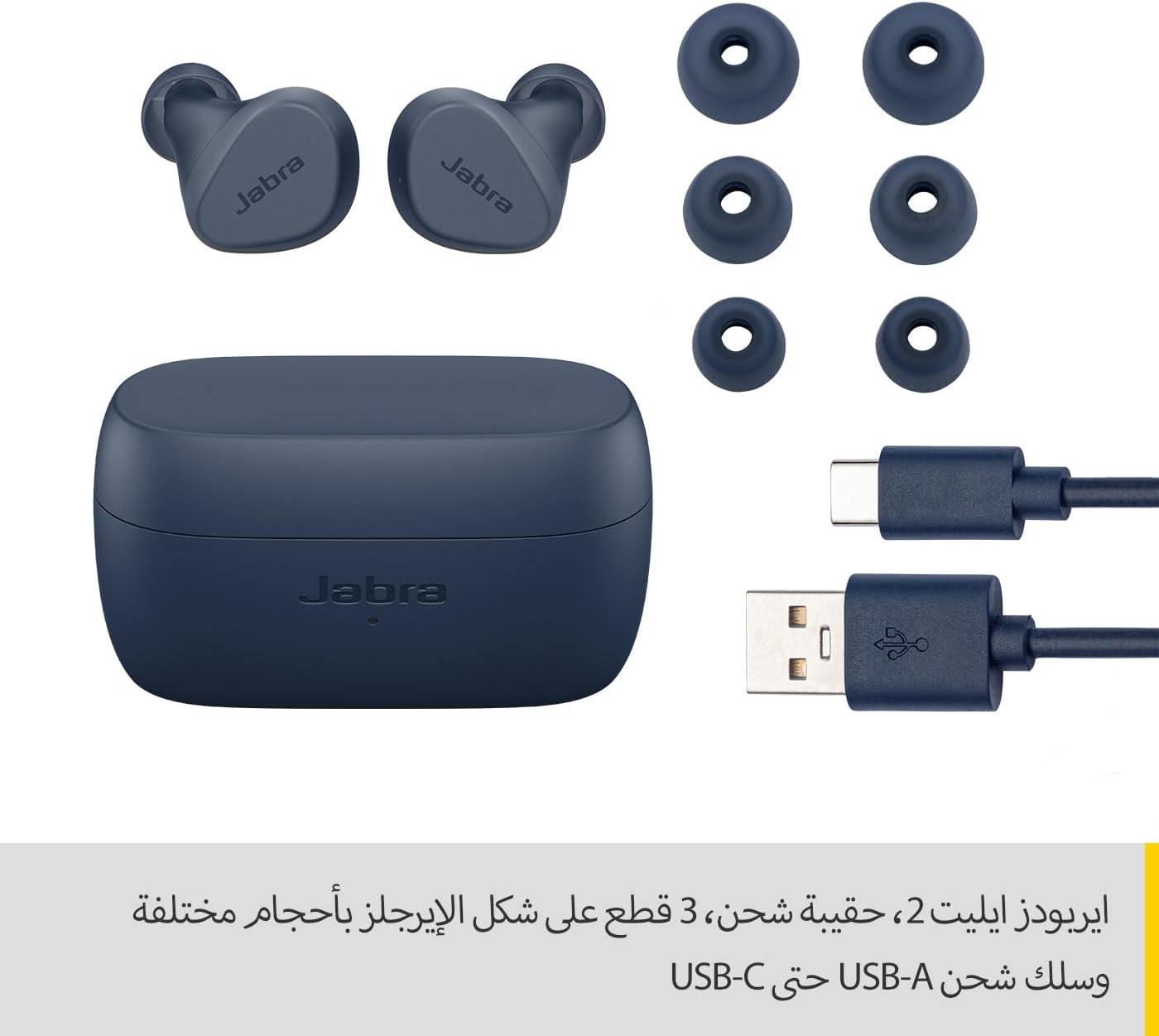
Image: Jabra Elite 2 earbuds, charging case, three sizes of EarGels, and USB-A to USB-C charging cable.
Impostare
1. Ricarica degli auricolari e della custodia
Before first use, fully charge the earbuds and the charging case. Place the earbuds into the charging case and connect the USB-C cable to the charging port on the case and a power source.
- The earbuds provide up to 7 hours of listening time on a single charge.
- The charging case extends the total battery life to up to 21 hours.

Image: Jabra Elite 2 earbuds inside their charging case, ready for charging.
2. Associazione con un dispositivo Bluetooth
- Assicurarsi che gli auricolari siano carichi e inseriti nella custodia di ricarica.
- Aprire la custodia di ricarica. Gli auricolari entreranno automaticamente in modalità di associazione.
- Sul tuo smartphone o altro dispositivo abilitato Bluetooth, vai alle impostazioni Bluetooth.
- Select 'Jabra Elite 2' from the list of available devices.
- Una volta effettuata la connessione, un messaggio vocale confermerà l'avvenuta associazione.
3. Montaggio degli auricolari
For optimal sound quality and comfort, choose the correct size of EarGels. Insert the earbuds into your ears and rotate them slightly to ensure a secure and comfortable fit.
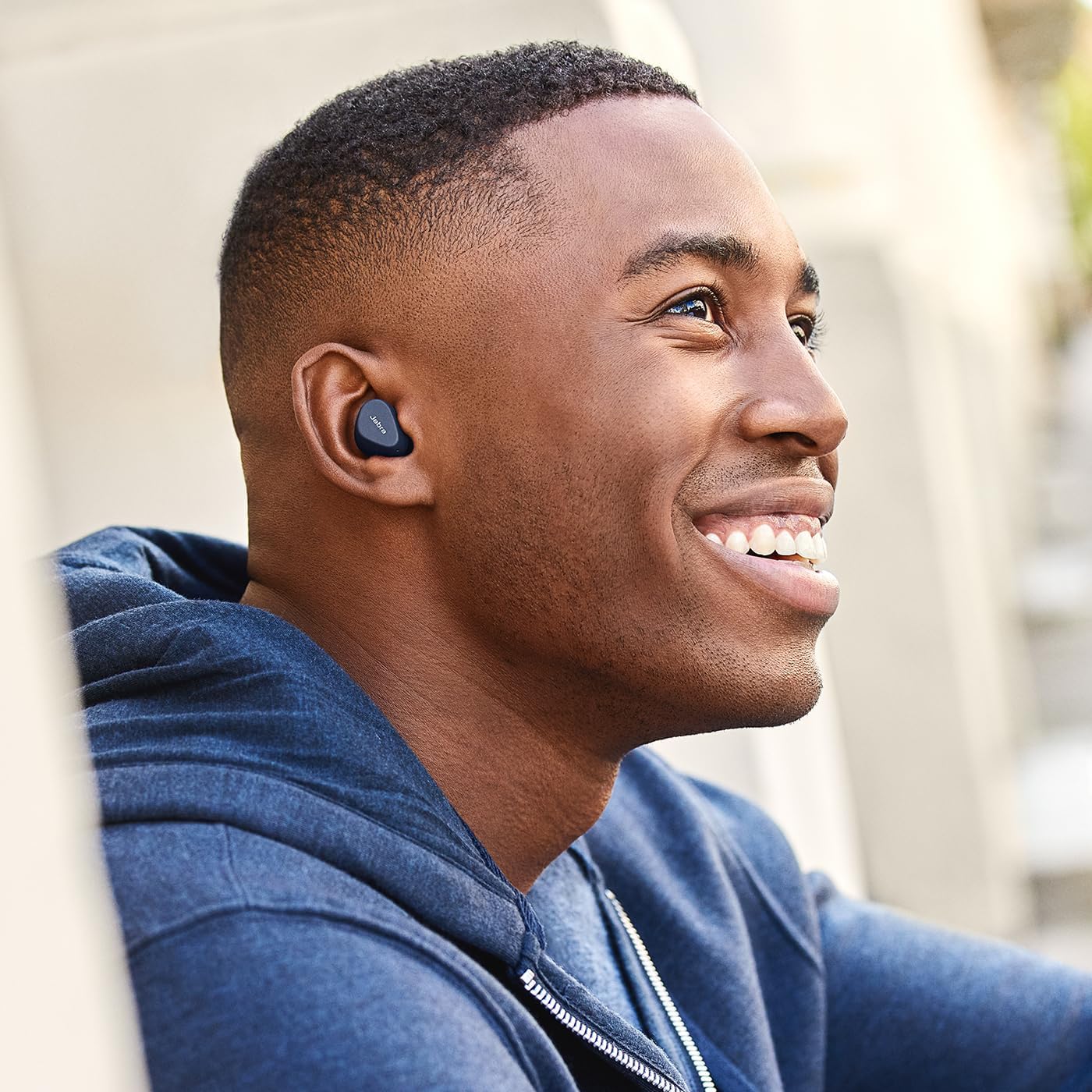
Image: A man wearing Jabra Elite 2 earbuds, demonstrating a proper fit.

Image: A woman wearing Jabra Elite 2 earbuds, demonstrating a proper fit.
Istruzioni per l'uso
The Jabra Elite 2 earbuds feature intuitive controls for managing audio and calls.
Controlli di musica e chiamate
| Azione | Auricolare sinistro | Auricolare destro |
|---|---|---|
| Riproduci/Pausa musica | Stampa singola | Stampa singola |
| Rispondi/Termina chiamata | Stampa singola | Stampa singola |
| Rifiuta chiamata | Doppia pressione | Doppia pressione |
| Traccia successiva | Doppia pressione | N / A |
| Traccia precedente | Pressione tripla | N / A |
| Activate Voice Assistant (Alexa for Android) | N / A | Pressione tripla |

Image: Close-up of Jabra Elite 2 earbuds, highlighting the control surface.
Manutenzione
Proper maintenance ensures the longevity and performance of your Jabra Elite 2 earbuds.
Pulizia
- Pulisci regolarmente gli auricolari e la custodia di ricarica con un panno morbido, asciutto e privo di lanugine.
- Rimuovere gli EarGel e pulirli con acqua e sapone neutro, quindi asciugarli accuratamente prima di riapplicarli.
- Evitare l'uso di prodotti chimici aggressivi o materiali abrasivi.
Resistenza all'acqua
The Jabra Elite 2 earbuds are rated IP55 for resistance against dust and water splashes. This means they are protected against low-pressure water jets from any direction, making them suitable for use during light rain or workouts. They are not designed for submersion in water.

Image: A man wearing Jabra Elite 2 earbuds under an umbrella, illustrating their water resistance.
Magazzinaggio
Quando non li usi, riponi gli auricolari nella custodia di ricarica per proteggerli e mantenerli carichi.
Risoluzione dei problemi
If you encounter issues with your Jabra Elite 2 earbuds, refer to the following common solutions:
- Nessun suono/Volume basso: Ensure earbuds are properly seated in your ears, volume is turned up on both earbuds and connected device, and EarGels are the correct size.
- Problemi di accoppiamento: Assicurati che il Bluetooth sia attivato sul tuo dispositivo e che gli auricolari siano in modalità di associazione. Prova a disaccoppiare e riassociare gli auricolari.
- Connessione intermittente: Keep your device close to the earbuds. Avoid environments with strong Wi-Fi or other wireless interference.
- Gli auricolari non si caricano: Assicurati che il cavo di ricarica sia collegato saldamente e che la custodia di ricarica sia alimentata. Pulisci i contatti di ricarica sia sugli auricolari che sulla custodia.
- Problemi con il microfono: Ensure the microphones are not obstructed. Check the audio input settings on your connected device. The Elite 2 features 2 microphones for clear calls.
Per ulteriore assistenza, visita il supporto ufficiale Jabra websito.
Specifiche
| Caratteristica | Dettaglio |
|---|---|
| Nome del modello | Cuffie Jabra Elite 2 |
| Numero di modello | Numero di telefono: 100-91400003-60 |
| Tecnologia di connettività | Wireless (Bluetooth) |
| Durata della batteria degli auricolari | Fino a 7 ore |
| Durata totale della batteria (con custodia) | Fino a 21 ore |
| Microfoni | 2 microfoni incorporati |
| Controllo del rumore | Isolamento del rumore |
| Valutazione della resistenza all'acqua | IP55 (Rain, Dust, Water Resistant) |
| Usi consigliati | Listening to audio (music, podcasts), phone calls, sports, fitness, travel |
| Dispositivi compatibili | Dispositivi abilitati Bluetooth |
| Tipo di controllo | Media/Volume Control, Remote Control |
| Componenti inclusi | Protective case, USB-C cable, EarGels |
| Colore | Marina Militare |
Garanzia e supporto
Informazioni sulla garanzia
The Jabra Elite 2 earbuds come with a Garanzia di 2 anno. Product registration is required to activate the full warranty period. Please refer to the warranty card included in your package or visit the official Jabra websito per termini e condizioni dettagliati.
Assistenza clienti
For technical support, frequently asked questions, or to register your product, please visit the official Jabra support page:
You may also find additional resources and software updates on the Jabra websito.


