1. Introduzione
The Hombli Smart Water Controller is designed to automate your garden watering, ensuring your plants receive optimal hydration while conserving water. This intelligent system allows you to manage watering schedules, monitor consumption, and utilize smart features like rain delay, all from your smartphone or tablet. The system comprises a controller and a gateway, working together to provide seamless control over your garden's watering needs.

Image 1.1: The Hombli Smart Water Controller main unit, a compact grey device with a black knob at the top and a threaded connector at the bottom, designed for outdoor use.
2. Informazioni sulla sicurezza
- Leggere attentamente tutte le istruzioni prima dell'installazione e del funzionamento.
- This device is designed for outdoor use and is IP54 waterproof, resistant to sunlight and dust. However, it is not intended for submersion.
- Per prevenire danni, remove the Smart Water Controller from the tap in sub-zero temperatures. Store it indoors during winter months.
- Non tentare di smontare o riparare il dispositivo da soli. Rivolgersi a personale qualificato.
- Tenere fuori dalla portata dei bambini e degli animali domestici.
- Assicurarsi che tutti i collegamenti siano ben saldi per evitare perdite.
3. Contenuto della confezione
Verifica che tutti i componenti siano presenti nel tuo pacchetto:
- Hombli Smart Water Controller (main unit)
- Hombli Gateway
- Power Adapter for Gateway
- Manuale dell'utente (questo documento)
4. Caratteristiche del prodotto
- Effortless Garden Maintenance: Manage your garden's watering schedule precisely. Adjust when, how long, and how often your garden is watered so your plants thrive.
- Monitor Water Consumption: Keep track of your water consumption by checking consumption in real-time with the free Hombli app. Adjust consumption through custom schedules or use the pulse function to save water and reduce costs.
- Rain Delay & Timer: Prevent overwatering by setting timers or schedules. The Smart Water Controller automatically turns off at the time you set, configurable via the Hombli app. The rain delay stops watering when rain is detected.
- Controllo da smartphone: Activate or disable your Smart Water Controller, adjust settings, and monitor water consumption from anywhere via the intuitive Hombli app. Enjoy full control of watering your garden.
- Design resistente alle intemperie: The Smart Water Controller is built to withstand the elements. It is IP54 waterproof and resistant to sunlight and dust, ensuring functionality in various conditions.
5. Guida all'installazione
5.1. Download the Hombli App
The Hombli Smart Water Controller requires the Hombli app for full functionality. Download the app from your smartphone's app store:

Image 5.1: The Hombli Smart Water Controller packaging, displaying the product alongside logos for the App Store and Google Play, indicating where to download the companion application.
5.2. Installare il gateway
- Plug the Hombli Gateway into a power outlet indoors, within Wi-Fi range.
- Ensure the gateway is connected to your home Wi-Fi network via the Hombli app. Follow the in-app instructions for pairing.
5.3. Install the Smart Water Controller
- Screw the Smart Water Controller onto any standard outdoor tap. Ensure it is tightened securely to prevent leaks.
- Connect your garden hose to the bottom outlet of the controller.
- Open the tap fully. The controller will regulate the water flow.
- Pair the controller with the gateway using the Hombli app. The app will guide you through the process.

Image 5.2: The Hombli Smart Water Controller securely attached to an outdoor water tap, with a garden hose connected to its lower outlet, ready for operation.
6. Istruzioni per l'uso
6.1. Programmazione dell'irrigazione
Use the Hombli app to create custom watering schedules:
- Open the Hombli app and select your Smart Water Controller.
- Vai alla sezione "Programma".
- Set desired start times, duration, and frequency for each watering zone.
- Save your schedule. The controller will automatically follow these settings.
6.2. Controllo manuale
You can manually start or stop watering at any time via the app:
- From the main controller screen in the app, tap the 'On/Off' button.
- You can also set a temporary manual watering duration.
6.3. Funzione di ritardo pioggia
The rain delay feature prevents unnecessary watering during or after rainfall:
- Enable the rain delay feature in the Hombli app settings for the controller.
- The system uses local weather data to automatically pause watering when rain is detected.
- You can also manually set a rain delay for a specific duration (e.g., 24, 48, 72 hours).
6.4. Monitoraggio del consumo di acqua
Monitor your water usage in real-time through the Hombli app:
- Access the 'Consumption' or 'Statistics' section within the controller's app interface.
- View daily, weekly, or monthly water usage data.
- Use this data to optimize your watering schedules and conserve water.
6.5. Integrazione del controllo vocale
The Hombli Smart Water Controller is compatible with voice assistants like Google Assistant and Amazon Alexa, allowing for convenient voice commands.
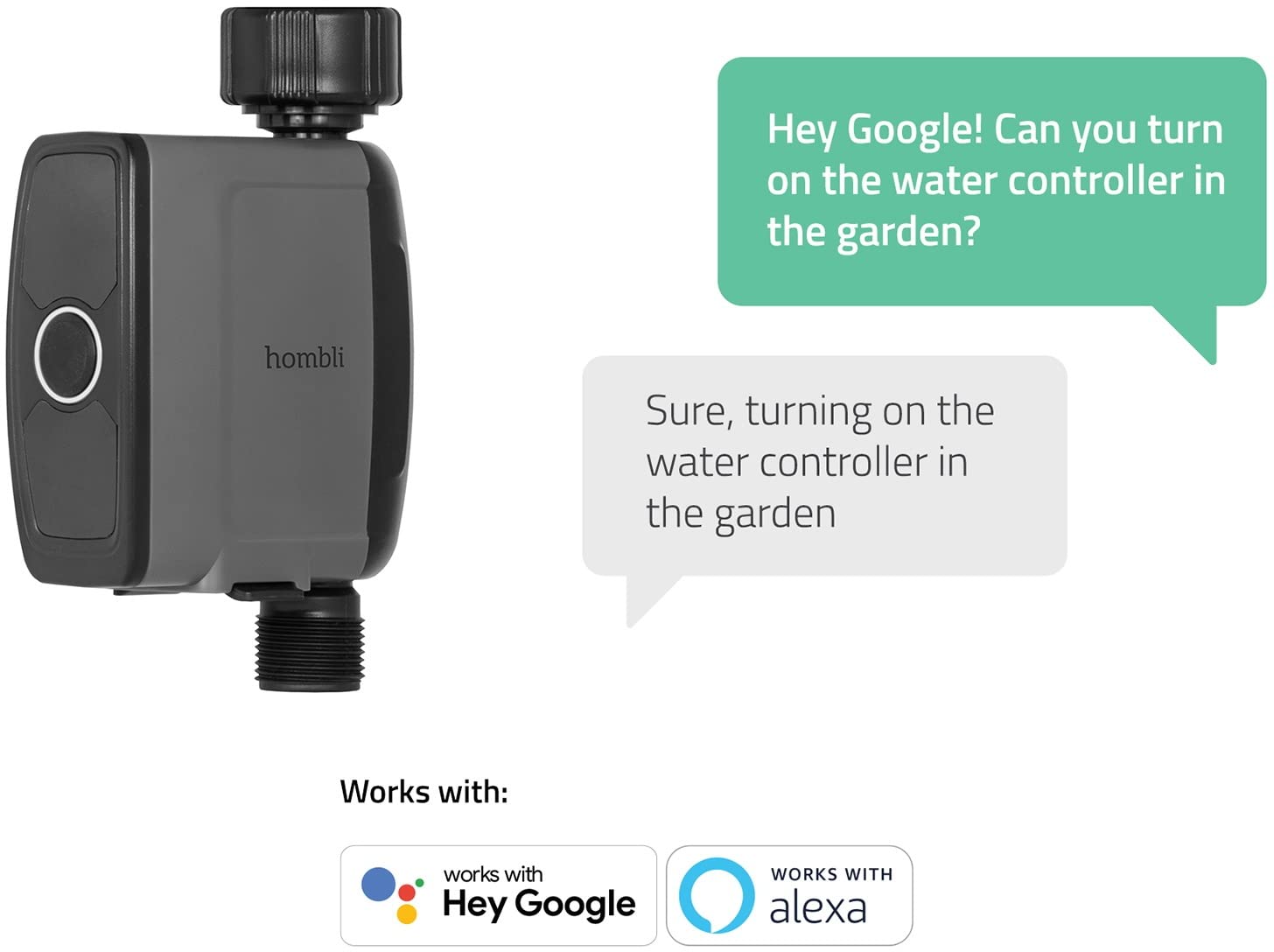
Image 6.1: The Hombli Smart Water Controller shown with speech bubbles illustrating a voice command interaction, demonstrating compatibility with Google Assistant and Amazon Alexa for hands-free control.
7. Manutenzione
- Pulizia: Pulisci l'esterno del controller con un pannoamp panno secondo necessità. Non utilizzare prodotti chimici aggressivi o detergenti abrasivi.
- winterization: Before the first frost, disconnect the Smart Water Controller from the tap. Drain any remaining water and store the unit indoors in a dry, protected area where temperatures will not drop below freezing.
- Sostituzione della batteria: The Smart Water Controller operates on batteries (type and quantity specified in specifications). When the battery indicator in the app shows low power, replace the batteries promptly to ensure continuous operation.
8. Risoluzione Dei Problemi
8.1. Problemi di connettività
- Controller not connecting to Gateway: Ensure the gateway is powered on and within range of the controller. Check the gateway's Wi-Fi connection. Try restarting both the gateway and the controller.
- Il gateway non si connette al Wi-Fi: Verify your Wi-Fi network is 2.4GHz (5GHz networks are often not supported by smart home devices). Check your Wi-Fi password. Move the gateway closer to your router. Some users have reported issues with specific regional power plugs for the gateway; ensure you have the correct adapter for your region.
- L'app non risponde: Close and reopen the Hombli app. Ensure your smartphone has a stable internet connection.
8.2. Watering Issues
- Nessun flusso d'acqua: Ensure the outdoor tap is fully open. Check if the controller's batteries are depleted. Verify that no rain delay is active. Inspect the hose for kinks or blockages.
- Watering not stopping: Check the schedule in the app for correct end times. Ensure the rain delay is not malfunctioning. If issues persist, manually stop watering via the app and contact support.
- Inaccurate water consumption readings: Ensure the controller is installed correctly and there are no leaks before or after the unit.
9. Specifiche
| Attributo | Valore |
|---|---|
| Marca | hombli |
| Numero di modello | HBWC-0100 |
| Dimensioni del prodotto | 6.69 x 4.13 x 1.97 pollici (17 x 10.5 x 5 cm) |
| Peso dell'articolo | 11.39 once (323 grammi) |
| Colore | Nero |
| Grado di impermeabilità | Grado di protezione IP54 |
| Connettività | Wi-Fi (via Gateway) |
| Power Source (Controller) | Batteries (not specified, typically AA or AAA) |
| Power Source (Gateway) | Adattatore di alimentazione CA. |

Image 9.1: The Hombli Smart Water Controller with its key dimensions labeled: 16.5 cm (height), 10 cm (width), and 4 cm (depth), providing a clear understanding of its physical size.
10. Garanzia e supporto
For warranty information, technical support, or service inquiries, please visit the official Hombli website or contact Hombli customer service directly. Keep your proof of purchase for warranty claims.
Official Hombli Websito: www.hombli.com


