Introduzione
This manual provides comprehensive instructions for the operation and maintenance of your HAYLOU GT6 Wireless Earbuds. Please read this manual thoroughly before use to ensure proper functionality and to maximize your listening experience. The HAYLOU GT6 earbuds feature advanced Bluetooth 5.2 technology, ultra-low latency game mode, and smart touch controls, designed for convenience and high-quality audio.
Cosa c'è nella scatola
Verificare che tutti gli articoli siano presenti nel pacco:
- 1x Pair of HAYLOU GT6 Wireless Earbuds
- 1x Custodia di ricarica
- 1x cavo di ricarica USB-C
- 1x Manuale utente

Prodotto finitoview
The HAYLOU GT6 earbuds are designed for comfort and performance. Each earbud is lightweight, weighing approximately 3.9 grams, and features a semi-in-ear design for extended wear. The charging case provides additional battery life and protects the earbuds when not in use.
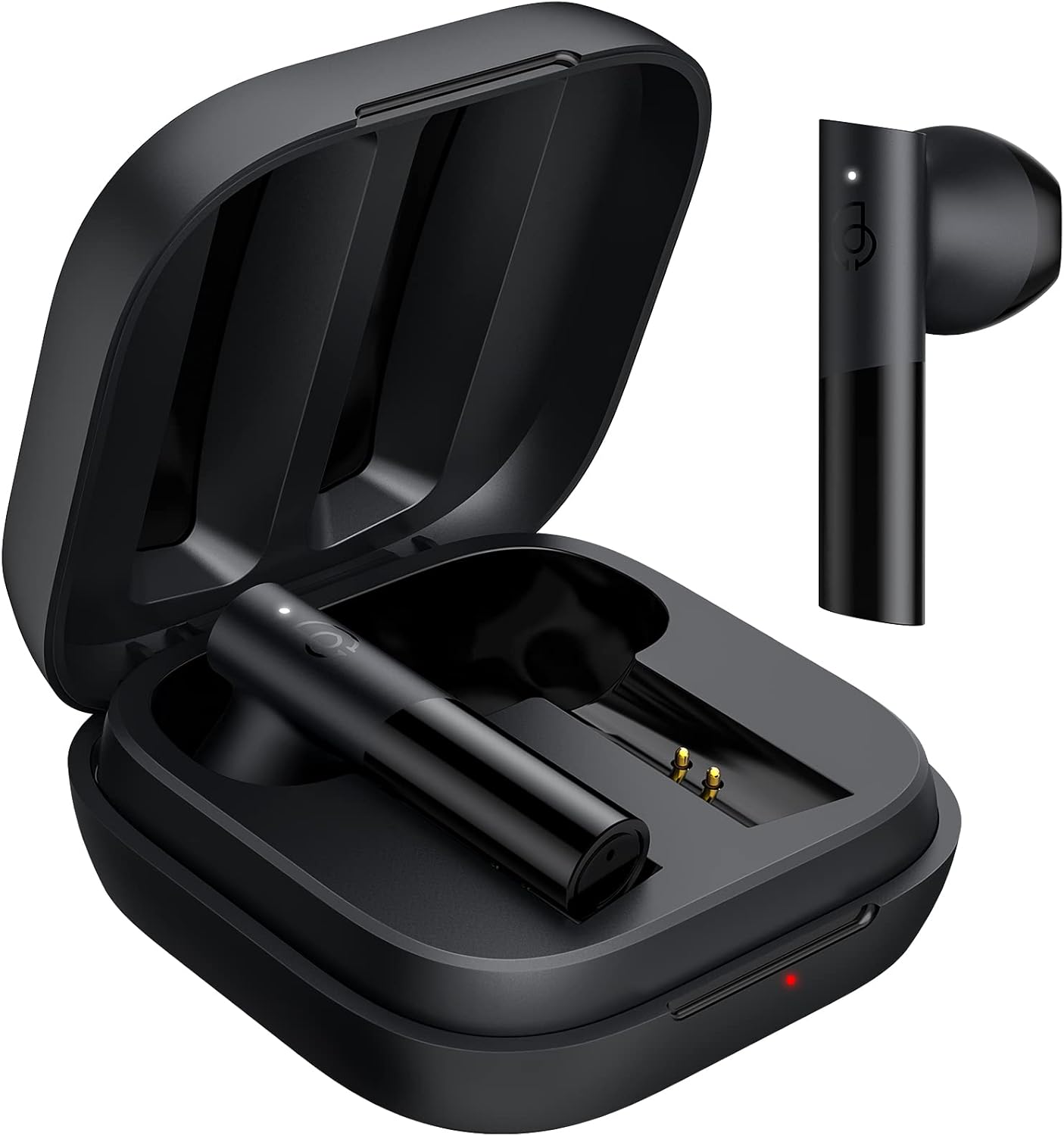
Caratteristiche principali:
- Bluetooth 5.2: Garantisce una connessione stabile e veloce.
- Driver dinamico da 12 mm: Delivers balanced audio with clear bass, midrange, and treble.
- Modalità di gioco a latenza ultra bassa: Reduces audio delay for gaming.
- Controllo touch intelligente: Gestisci musica, chiamate e modalità con semplici tocchi.
- Resistenza all'acqua IPX4: Protegge dagli schizzi e dal sudore.
Impostare
1. Ricarica iniziale
Prima del primo utilizzo, caricare completamente gli auricolari e la custodia di ricarica. Collegare il cavo USB-C in dotazione alla porta di ricarica sulla custodia e a una fonte di alimentazione. La spia luminosa sulla custodia mostrerà lo stato di carica.
2. Associazione con il tuo dispositivo
The HAYLOU GT6 earbuds support Bluetooth 5.2 for a stable connection.
- Assicurati che il Bluetooth del tuo dispositivo sia attivato.
- Open the charging case and take out both earbuds. They will automatically enter pairing mode, indicated by a blinking white light on the earbuds.
- Sul tuo dispositivo, cerca i dispositivi Bluetooth e seleziona "Haylou GT6" dall'elenco.
- Once connected, a sound will confirm successful pairing.

Riconnessione: After initial pairing, the earbuds will automatically reconnect to the last paired device when taken out of the case, provided the device's Bluetooth is active.
Istruzioni per l'uso
The HAYLOU GT6 earbuds feature intuitive touch controls on each earbud.
Controlli touch suview:

- Accensione: Take out from case.
- Spegni: Put back into case.
- Riproduci/Pausa: Single tap (either earbud).
- Rispondi/Riaggancia alla chiamata: Single tap (either earbud).
- Salta la traccia in avanti: Tocca due volte l'auricolare destro.
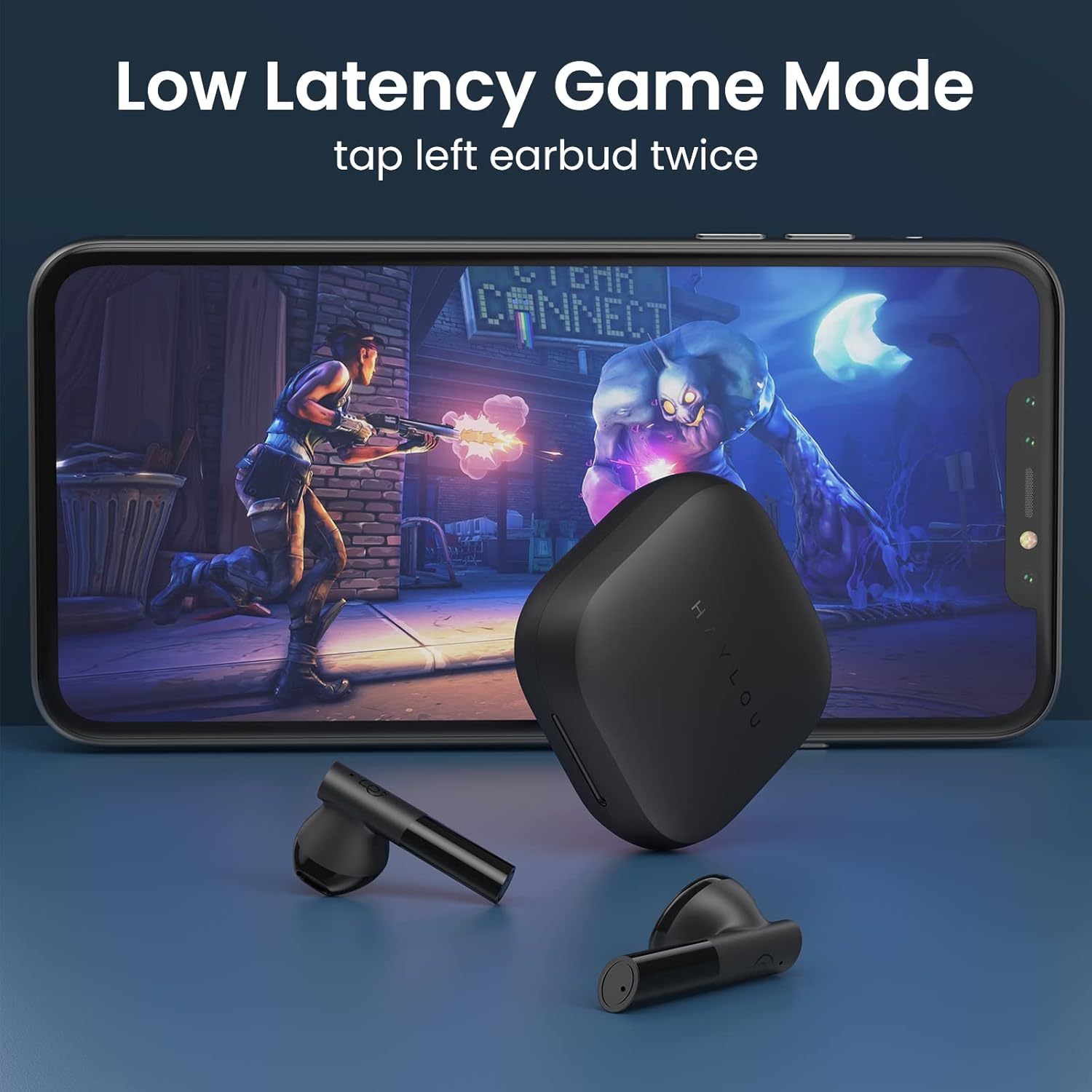
- Low Latency Game Mode On/Off: Tocca due volte l'auricolare sinistro.
- Attiva l'assistente vocale: Triple tap (either earbud).
Modalità di gioco a bassa latenza
For an optimized gaming experience, activate the ultra-low latency mode. This reduces audio delay to approximately 65ms, ensuring synchronized sound with on-screen action.
- To activate/deactivate: Double tap the Sinistra auricolare.
Mono and Stereo Mode Switching
The earbuds support seamless switching between mono and stereo modes. When both earbuds are connected, they operate in stereo mode. To switch to mono mode, simply place one earbud back into the charging case. The remaining earbud will continue to function independently. To return to stereo mode, take the second earbud out of the case.
Official Operation Video Guide
For a visual demonstration of pairing, re-connection, mono/stereo switching, call handling, music control, low latency mode, voice assistant, and factory reset, please refer to the official operation video below:
Manutenzione
- Pulizia: Pulisci regolarmente gli auricolari e la custodia di ricarica con un panno morbido e asciutto. Evita di utilizzare prodotti chimici aggressivi o materiali abrasivi.
- Magazzinaggio: Quando non li usi, conservali nella loro custodia di ricarica per proteggerli da polvere e danni. Conservali in un luogo fresco e asciutto, lontano da temperature estreme.
- Resistenza all'acqua: Gli auricolari sono resistenti all'acqua con certificazione IPX4, ovvero resistono a schizzi e sudore. Non immergerli in acqua né esporli a forti piogge.
Risoluzione dei problemi
| Problema | Soluzione |
|---|---|
| Gli auricolari non si accoppiano | Ensure both earbuds are out of the case and have sufficient charge. Turn off and on your device's Bluetooth. If issues persist, perform a factory reset. |
| Un solo auricolare funzionante | Place both earbuds back into the charging case, then take them out again simultaneously. Ensure both are charged. |
| Basso volume | Adjust the volume on both your connected device and the earbuds. Ensure earbuds are properly seated in your ears. |
| Gli auricolari non si caricano | Check the USB-C cable and power source. Ensure the charging contacts on the earbuds and inside the case are clean and free of debris. |
| Ripristino di fabbrica: |
|
Specifiche
| Caratteristica | Dettaglio |
|---|---|
| Nome del modello | La GT6 |
| Tecnologia di connettività | Wireless (Bluetooth) |
| Versione Bluetooth | 5.2 |
| Portata Bluetooth | 10 metri |
| Tipo di driver audio | Driver dinamico |
| Dimensioni del driver audio | 12 millimetri |
| Latenza audio | 65 millisecondi (modalità gioco) |
| Durata della batteria (auricolari) | 5.5 ore |
| Tempo di riproduzione totale (con custodia) | Fino a 20 ore |
| Metodo di controllo | Tocco |
| Livello di resistenza all'acqua | IPX4 (impermeabile) |
| Peso dell'articolo (ogni auricolare) | 3.9 grammi (circa 0.141 once) |
| Materiale | Metallo, Plastica |
| Colore | Nero |
| Dispositivi compatibili | iPhone, Android, Tablets, Laptops |
Garanzia e supporto
For warranty information and technical support, please refer to the warranty card included in your product packaging or visit the official HAYLOU websito. Conservare la ricevuta d'acquisto come prova d'acquisto per eventuali reclami in garanzia.
For further assistance, you may contact HAYLOU customer service through their official channels.


