PPLEE Extra Loud Vibrating Alarm Clock with Bed Shaker
Model: CR1018I
1. Prodotto finitoview
The PPLEE Extra Loud Vibrating Alarm Clock is designed to provide effective wake-up solutions for deep sleepers, individuals with hearing impairment, and the deaf. It features multiple wake-up modes, a large digital display, dual alarm settings, and convenient charging capabilities.

Image 1.1: The PPLEE Extra Loud Vibrating Alarm Clock with its bed shaker accessory.
Caratteristiche principali:
- Strong Bed Shaker & Loud Alarm Buzzer: Offers three wake-up modes: loud buzzer, strong bed shaker, or a combination of both.
- 8.7" Large Mirror LED Display: Provides clear time visibility and can also function as a makeup mirror.
- Dual Alarms with Snooze Function: Allows setting two independent alarms with a 9-minute snooze option.
- Adjustable Brightness & Volume: Features 8 levels of display brightness and 7 levels of alarm volume.
- Porta di ricarica USB: Conveniently charge your mobile devices directly from the clock.
- Batteria di backup: Mantiene le impostazioni dell'ora e della sveglia durante lo spegnimentotages (CR2032 battery included).
- 12/24H Mode & DST Function: Supports both 12-hour and 24-hour time formats, along with Daylight Saving Time adjustment.
2. Contenuto della confezione
Si prega di selezionare la casella per i seguenti elementi:
- 1 x PPLEE Mirror Alarm Clock
- 1 x Bed Shaker
- 1 x Power Plug with USB Cable
- 1 x Manuale di istruzioni
- 1 x CR2032 Cell Coin Battery (pre-installed or separate)

Immagine 2.1: Tutti i componenti inclusi nella confezione del prodotto.
3. Guida all'installazione
3.1 Collegamento di alimentazione
- Connect the USB cable to the alarm clock's power input port.
- Collegare l'adattatore di alimentazione a una presa elettrica standard. Il display dell'orologio si illuminerà.
- Ensure the CR2032 backup battery is installed in its compartment. This battery preserves time and alarm settings during power interruptions.

Immagine 3.1: posteriore view of the alarm clock showing the AC power input and backup battery compartment.
3.2 Bed Shaker Placement
The bed shaker provides a strong vibration to assist in waking. For optimal effectiveness, place the bed shaker in one of the following locations:
- Under your pillow.
- Under your fitted sheet.
- Between your mattress and box spring.

Image 3.2: Recommended placements for the bed shaker to maximize vibration effectiveness.
4. Istruzioni per l'uso
4.1 Impostazione dell'ora
- Premere e tenere premuto il tasto IMPOSTAZIONE DELL'ORA finché le cifre dell'ora non iniziano a lampeggiare.
- Utilizzare il ORA E MINUTO pulsanti per regolare l'ora.
- Premere IMPOSTAZIONE DELL'ORA nuovamente per confermare e uscire dalla modalità di impostazione dell'ora.
4.2 Impostazione degli allarmi (allarme 1 e allarme 2)
L'orologio supporta due sveglie indipendenti.
- Premere e tenere premuto il tasto ALLARME 1 or ALLARME 2 finché le cifre dell'ora della sveglia non lampeggiano.
- Utilizzare il ORA E MINUTO pulsanti per impostare l'orario desiderato per la sveglia.
- Premere ALLARME 1 or ALLARME 2 di nuovo per confermare l'ora della sveglia.
- Per attivare o disattivare un allarme, premere brevemente il tasto corrispondente ALLARME 1 or ALLARME 2 pulsante. Un'icona di allarme apparirà/scomparirà sul display.

Image 4.1: The dual alarm feature allows setting two separate wake-up times.
4.3 Funzione posticipa
Quando suona un allarme, premere il tasto POSTICIPARE pulsante per silenziare temporaneamente la sveglia per 9 minuti. La sveglia suonerà di nuovo dopo il periodo di ripetizione.
4.4 Disattivazione degli allarmi
- Temporary Turn Off: Premere il tasto SVEGLIA DISATTIVATA button once when the alarm is sounding to stop it for the current day. It will reactivate the next day.
- Permanent Turn Off: Premere e tenere premuto il tasto SVEGLIA DISATTIVATA button to deactivate the alarm permanently. The alarm icon will disappear from the display.
4.5 Regolazione della luminosità del display
The display has 8 levels of brightness. Short press the DIMENSIONATORE button repeatedly to cycle through the brightness levels (OFF, Level 1-7). When in 'OFF' mode, the red indicator on top will remain on.
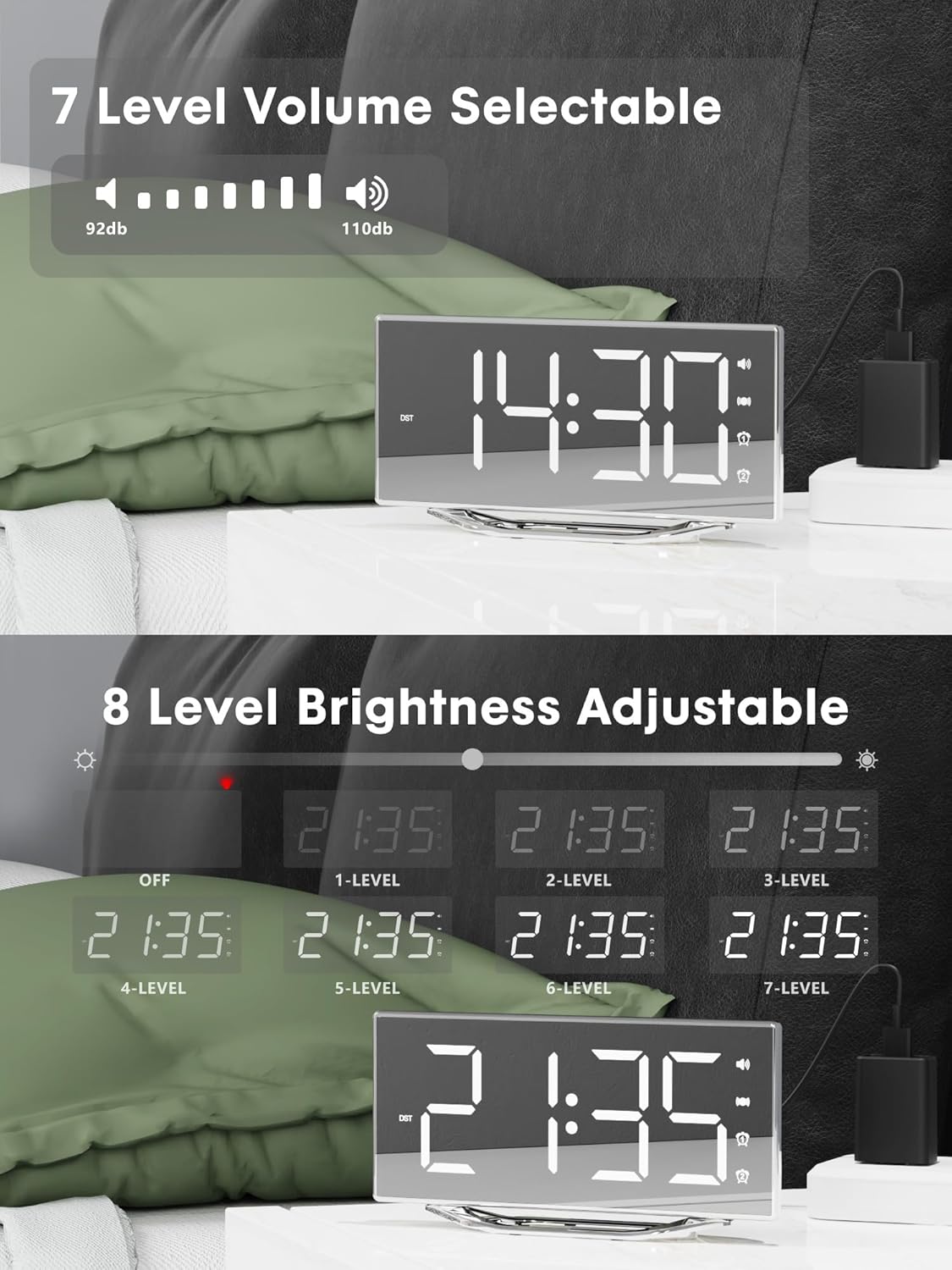
Image 4.2: Visual representation of the 8-level brightness adjustment for the LED display.
4.6 Regolazione del volume della sveglia
The alarm buzzer has 7 adjustable volume levels. Short press the VOLUME button repeatedly to cycle through the volume levels.

Image 4.3: The alarm volume can be adjusted across 7 levels, from 92dB to 110dB.
4.7 Selecting Wake-Up Mode
Premere il tasto BUZZ/VIB button to select your preferred wake-up method:
- Loud Buzzer only
- Strong Bed Shaker only
- Both Buzzer and Shaker

Image 4.4: The alarm clock offers three distinct wake-up modes for personalized use.
4.8 Formato 12/24 ore e ora legale
- Formato 12/24 ore: Premere brevemente il tasto 12/24H button to switch between 12-hour and 24-hour time display.
- Funzione ora legale: Premere brevemente il tasto Ora legale button to activate or deactivate Daylight Saving Time.

Image 4.5: The clock supports both 12-hour and 24-hour time formats, and features a USB charging port.
4.9 porta di ricarica USB
The integrated USB charging port allows you to charge your smartphone or other USB-powered devices directly from the alarm clock. Simply connect your device's USB charging cable to the port on the clock.
5. Manutenzione
- Clean the clock surface with a soft, dry cloth. Avoid using abrasive cleaners or solvents.
- Tenere l'orologio lontano dall'acqua e da umidità elevata.
- Non esporre l'orologio alla luce solare diretta o a temperature estreme.
- If the clock will not be used for an extended period, consider removing the backup battery to prevent leakage.
6. Risoluzione Dei Problemi
| Problema | Possibile causa | Soluzione |
|---|---|---|
| Il display dell'orologio è spento. | No power supply; power cable loose. | Ensure the power adapter is securely plugged into the clock and a working outlet. Check if the dimmer is set to 'OFF'. |
| L'allarme non suona/vibra. | Alarm not activated; volume too low; bed shaker not connected or placed incorrectly. | Verify alarm is activated (icon visible). Increase alarm volume. Ensure bed shaker is securely plugged in and properly placed. |
| Ripristino dell'ora/delle impostazioni dopo lo spegnimentotage. | La batteria di backup è scarica o non è installata. | Replace the CR2032 backup battery. Ensure it is installed correctly. |
| La ricarica USB non funziona. | Device not compatible; cable faulty; clock not powered. | Ensure the clock is powered. Try a different USB cable. Verify your device is compatible with standard USB charging. |
7. Specifiche
| Caratteristica | Dettaglio |
|---|---|
| Marca | PPEE |
| Numero di modello | CR1018I |
| Colore | Silver Surface (with Bed Shaker) |
| Tipo di visualizzazione | LED digitale |
| Dimensioni del prodotto | 8.7"L x 8.7"A (dimensioni dello schermo) |
| Fonte di alimentazione | Elettrico con cavo |
| Batteria di backup | 1 x CR2032 (incluso) |
| Materiale | Plastica |
| Peso dell'articolo | 7 once (0.2 chilogrammi) |
| Modalità di allarme | Buzzer, Vibration, Buzzer + Vibration |
| Luminosità dello schermo | 8 Levels (including OFF) |
| Volume dell'allarme | 7 livelli |
| Formato ora | Selezionabile 12H/24H |
| Caratteristiche speciali | Dual Alarms, Snooze, USB Charging Port, DST Function, Mirror Surface |
8. Garanzia e supporto
PPLEE is committed to providing high-quality products and customer satisfaction.
- Garanzia di 1 anni: Il prodotto è coperto da una garanzia di 1 anno dalla data di acquisto contro i difetti di fabbricazione.
- Garanzia soddisfatti o rimborsati entro 90 giorni: If you are unsatisfied with the product, you may be eligible for a full refund within 90 days of purchase.
- Lifetime Free Support: PPLEE offers free lifetime user support for any questions or concerns regarding the product.
- 24-Hour Response Service: For any inquiries, please contact us via Amazon. We aim to respond within 24 hours.

Image 8.1: Summary of warranty and support offerings.


