1. Prodotto finitoview
The Intel Core i5-12400F is a 12th Generation desktop processor designed for enthusiast gamers and productivity users. It features 6 Performance-cores (P-cores) and 12 threads, with a base clock speed of 2.5 GHz and a maximum turbo frequency of up to 4.4 GHz. This processor supports PCIe Gen 5.0 & 4.0, as well as both DDR5 and DDR4 memory technologies, offering flexibility for various system configurations. It is compatible with 600 series chipset based motherboards and has a Processor Base Power of 65W. The "F" designation indicates that this processor does not include integrated graphics, requiring a discrete graphics card for display output. An Intel Laminar RM1 cooler is included in the box.

Image: Retail packaging for the Intel Core i5-12400F processor, showing the Intel Core i5 12th Gen branding.
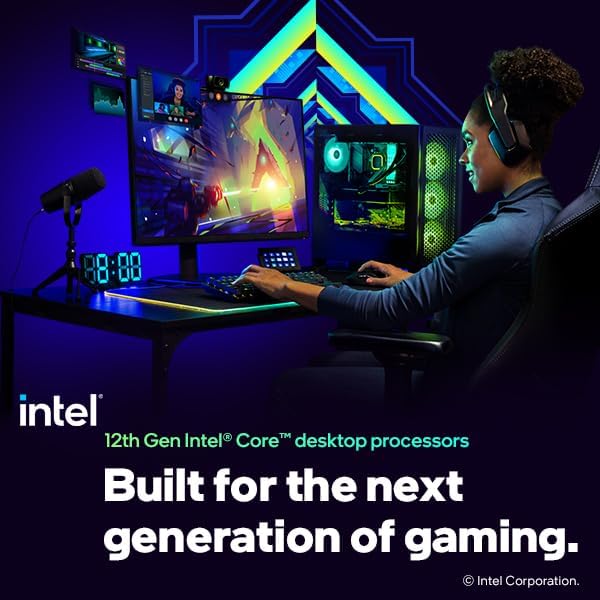
Immagine: Primo piano view of the Intel Core i5 processor chip, highlighting its metallic surface and Intel branding.
2. Installazione e configurazione
Proper installation of your Intel Core i5-12400F processor is crucial for optimal performance and system stability. Please follow these steps carefully. It is recommended to consult your motherboard's manual for specific instructions related to your model.
2.1. Elenco di controllo pre-installazione
- Scheda madre compatibile: Ensure your motherboard has an LGA1700 socket and a 600 series chipset.
- Pasta termica: The included Intel Laminar RM1 cooler comes with pre-applied thermal paste. If using an aftermarket cooler, ensure you have thermal paste.
- Utensili: Cacciavite con testa a croce.
- Protezione statica: Utilizzare un braccialetto antistatico o toccare frequentemente un oggetto metallico collegato a terra per scaricare l'elettricità statica.
- Scheda grafica discreta: Remember, the i5-12400F requires a separate graphics card for video output.
2.2. Passaggi di installazione del processore
- Preparare la scheda madre: Place the motherboard on a non-conductive, flat surface. Locate the CPU socket (LGA1700).
- Aprire il socket della CPU: Gently push down the load lever on the side of the socket and pull it away from the socket to release the retention frame. Lift the load plate.
- Installare il processore: Carefully align the triangular mark on the corner of the processor with the corresponding mark on the CPU socket. Lower the processor straight down into the socket without applying force. Do not touch the gold contacts on the bottom of the CPU.
- Proteggere il processore: Close the load plate over the processor, ensuring it sits correctly. Push the load lever back into its original position until it clicks, securing the processor.
- Installare il dispositivo di raffreddamento:
- Place the Intel Laminar RM1 cooler directly on top of the CPU, aligning the four push-pins with the holes on the motherboard.
- Press down on each push-pin until it clicks into place. Ensure all four pins are securely fastened.
- Connect the cooler's 4-pin power cable to the CPU_FAN header on the motherboard.

Image: A gaming and streaming setup featuring a PC powered by a 12th Gen Intel Core desktop processor, illustrating a typical use case.
3. Utilizzo del processore
The Intel Core i5-12400F processor functions as the central processing unit of your computer system. Once installed, it will manage all computational tasks, from running operating systems and applications to processing complex data for gaming and content creation.
3.1. Caratteristiche delle prestazioni
- Configurazione principale: 6 Performance-cores (P-cores) with 12 threads provide strong multi-threaded performance for demanding applications.
- Velocità di clock: A base clock of 2.5 GHz and a max turbo frequency of 4.4 GHz ensure responsiveness and high performance under load.
- Supporto di memoria: Compatibility with both DDR4 and DDR5 memory allows for flexible system building and future upgrades.
- Supporto PCIe: PCIe Gen 5.0 and 4.0 support enables high-speed connectivity for graphics cards and NVMe SSDs.

Image: Graphic displaying key performance metrics for the Intel Core i5-12400F, including up to 4.4 GHz Max Clock Speed, 6 Cores, and 12 Threads.
3.2. Requisiti di sistema
To ensure proper operation, your system should meet the following requirements:
- Scheda madre: LGA1700 socket, 600 series chipset.
- Memoria RAM: DDR4 or DDR5 memory modules (check motherboard compatibility for specific speeds and capacities).
- Scheda grafica: A discrete graphics card is mandatory for video output.
- Alimentazione elettrica: Adequate wattage to support the CPU, motherboard, graphics card, and other components.
- Sistema operativo: Compatible with modern operating systems such as Windows 10/11 (64-bit).
4. Manutenzione
Maintaining your processor primarily involves ensuring adequate cooling and a clean operating environment for your computer system. The processor itself requires no direct maintenance.
4.1. Manutenzione del sistema di raffreddamento
- Rimozione della polvere: Regularly clean dust from the CPU cooler heatsink and fan, as well as case fans, using compressed air. Dust accumulation can impede airflow and lead to higher temperatures.
- Funzionamento del ventilatore: Ensure the CPU fan is spinning freely and quietly. Unusual noises or lack of rotation may indicate a fan failure.
- Pasta termica: If you remove the CPU cooler for any reason, it is recommended to clean off old thermal paste from both the CPU and cooler base and apply a fresh layer before reinstallation.
4.2. System Environment
- Ventilazione: Ensure your computer case has good airflow and is placed in a well-ventilated area, away from direct heat sources.
- Temperatura: Monitor CPU temperatures using system monitoring software. Sustained high temperatures can reduce processor lifespan.
5. Risoluzione dei problemi comuni
If you encounter issues with your system after installing the Intel Core i5-12400F, consider the following troubleshooting steps:
5.1. Nessuna uscita di visualizzazione
- Scheda grafica discreta: Verify that a discrete graphics card is properly installed and connected to your monitor. The i5-12400F does not have integrated graphics.
- Connessioni di alimentazione: Assicurarsi che tutti i cavi di alimentazione (ATX a 24 pin, CPU a 8 pin, alimentazione PCIe per GPU) siano collegati saldamente.
- Memoria RAM: Reseat your RAM modules. Try booting with only one RAM stick if you have multiple.
- Ingresso monitor: Check that your monitor is set to the correct input source.
5.2. System Not Booting / POST Errors
- Installazione CPU: Recheck the CPU installation to ensure it is seated correctly in the socket and the load lever is secured.
- Dissipatore CPU: Confirm the CPU cooler is properly installed and its fan cable is connected to the CPU_FAN header.
- Compatibilità della scheda madre: Ensure your motherboard BIOS is updated to support 12th Gen Intel processors. Some older 600 series motherboards might require a BIOS update before installing a 12th Gen CPU.
- Cancella CMOS: Refer to your motherboard manual to clear the CMOS settings, which can resolve boot issues.
5.3. Overheating / Thermal Throttling
- Cooler Contact: Ensure the CPU cooler makes full and even contact with the CPU's integrated heat spreader (IHS).
- Pasta termica: Verify that thermal paste was applied correctly. If using the stock cooler, ensure the pre-applied paste was not disturbed.
- Flusso d'aria: Check for adequate case airflow. Ensure intake and exhaust fans are working and not obstructed by dust.
- Velocità della ventola: Confirm CPU fan speed is controlled correctly by the motherboard BIOS/UEFI.
6. Specifiche tecniche
| Caratteristica | Dettaglio |
|---|---|
| Modello del processore | Processore Intel Core i5-12400F |
| Core / Thread | 6 Cores (6 P-cores) / 12 Threads |
| Velocità di clock di base | 2.5 GHz |
| Frequenza Turbo Massima | Fino a 4.4 GHz |
| Tipo di presa | Tipo di elemento: LGA1700 |
| Compatibilità del chipset | Chipset Intel serie 600 |
| Potenza di base del processore | 65W |
| Grafica integrata | Nessuno (è richiesta una scheda grafica dedicata) |
| PCIe Revision | 5.0 e 4.0 |
| Supporto di memoria | DDR5 e DDR4 |
| Frigorifero incluso | Intel Laminar RM1 |
| Peso dell'articolo | Approximately 1.03 pounds (processor only) |
| Dimensioni del prodotto | 5 x 3 x 5 pollici (confezione) |
7. Garanzia e supporto
7.1. Intel Limited Warranty
Intel processors typically come with a limited warranty. The duration and terms of the warranty may vary by region and retailer. Please retain your proof of purchase for warranty claims. For detailed information regarding the warranty policy for your Intel processor, please visit the official Intel websito o contattare l'assistenza clienti Intel.
7.2. Supporto tecnico
For technical assistance, driver downloads, or further product information, please visit the official Intel Support websito:
When contacting support, please have your processor model (i5-12400F) and any relevant system information ready.


