Introduzione
Thank you for choosing the Monster Multicolor Bluetooth Car Interior LED Accent Lights. This product is designed to enhance your vehicle's interior with customizable lighting effects, controlled conveniently via a smartphone application. This manual provides essential information for proper installation, operation, and maintenance to ensure optimal performance and longevity of your LED accent lights.
Informazioni sulla sicurezza
- Ensure your vehicle's engine is off and the parking brake is engaged before installation.
- Do not obstruct any vehicle controls, airbags, or driver's view with the LED strips or wiring.
- Avoid installing the lights in areas exposed to extreme heat or moisture, as the product is not water-resistant.
- Use only the provided 12V DC adapter. Using an incompatible power source may damage the product or your vehicle.
- Keep wiring neatly tucked away to prevent interference with pedals or other moving parts.
Contenuto della confezione
Verifica che tutti gli articoli siano presenti nel tuo pacco:
- 4 x Monster Multicolor Bluetooth Car Interior LED Accent Light Strips (10.5 inches each)
- 1 x 12V Car DC Adapter
- Manuale dell'utente (questo documento)
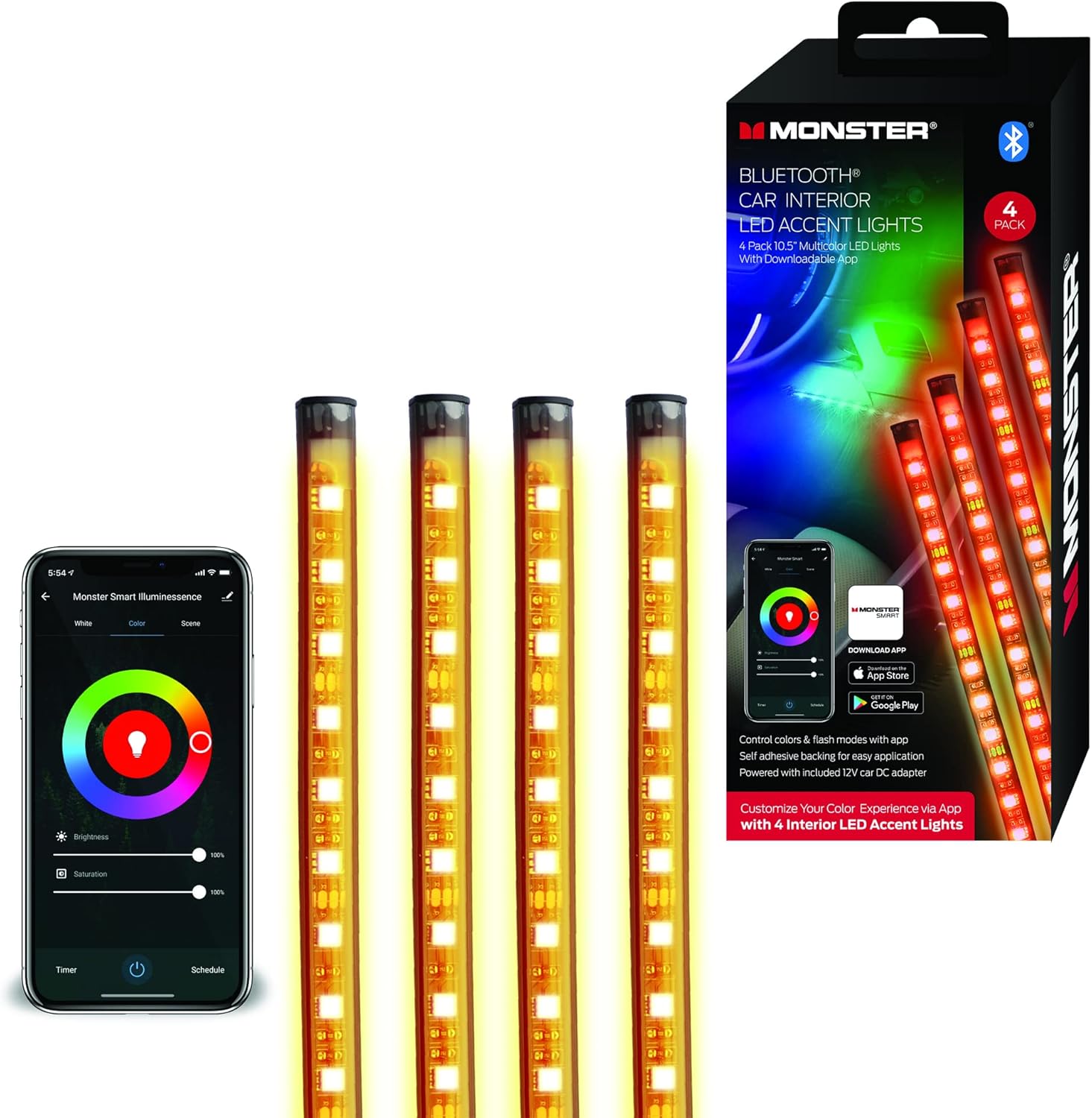
Image: The product packaging and the four LED light strips with the control unit and power adapter.

Image: The retail box for the Monster Bluetooth Car Interior LED Accent Lights, showing product features and app download information.

Immagine: un primo piano view of the four individual LED light strips, highlighting their design and adhesive backing.
Impostare
1. Planning Installation Location
Before peeling the adhesive, plan where you want to place each of the four LED strips. Common locations include under the dashboard, beneath seats, or along the center console. Ensure the chosen surfaces are clean, dry, and smooth for optimal adhesion. Consider cable routing to avoid interference with vehicle operation.
2. Attaching the LED Strips
- Clean the desired installation surface thoroughly with an alcohol wipe and allow it to dry completely.
- Peel off the protective backing from the adhesive strip on the back of each LED light strip.
- Carefully press the LED strip firmly onto the chosen surface for at least 30 seconds to ensure good adhesion.
- Repeat for all four LED strips.

Image: Green LED accent lights installed discreetly under the dashboard on the passenger side of a car, illuminating the footwell.
3. Collegamento all'alimentazione
- Connect the cables from the four LED strips to the main control unit.
- Plug the 12V Car DC Adapter into the control unit.
- Insert the 12V Car DC Adapter into your vehicle's DC power port (cigarette lighter socket).
- Assicurarsi che tutti i collegamenti siano sicuri.
4. Download e connessione dell'app
To unlock the full customization features, download the Monster Smart App:
- Scan the QR code provided in the product packaging or search for "Monster Smart App" on the Apple App Store (for iOS devices) or Google Play Store (for Android devices).
- Installa l'app sul tuo smartphone.
- Assicurati che il Bluetooth del tuo telefono sia abilitato.
- Open the Monster Smart App and follow the on-screen instructions to pair with your LED accent lights.

Image: A smartphone screen showing the Monster Smart App interface with a color wheel, brightness, and saturation controls, alongside logos for downloading the app from the Apple App Store and Google Play.
Istruzioni per l'uso
Using the Monster Smart App
Once paired, the Monster Smart App provides comprehensive control over your LED accent lights:
- Selezione del colore: Scegli tra un'ampia gamma di colori utilizzando la ruota dei colori.
- Regolazione della luminosità: Regola l'intensità delle luci in base alle tue preferenze.
- Controllo della saturazione: Modify the vibrancy of the chosen color.
- Modes and Scenes: Select from various pre-set lighting modes (e.g., flash, fade) or create custom scenes.
- Timer e programma: Set timers for the lights to turn on/off or schedule specific lighting effects.

Image: A car interior illuminated with red LED accent lights, with a hand holding a smartphone showing the Monster Smart App interface for color and brightness control.
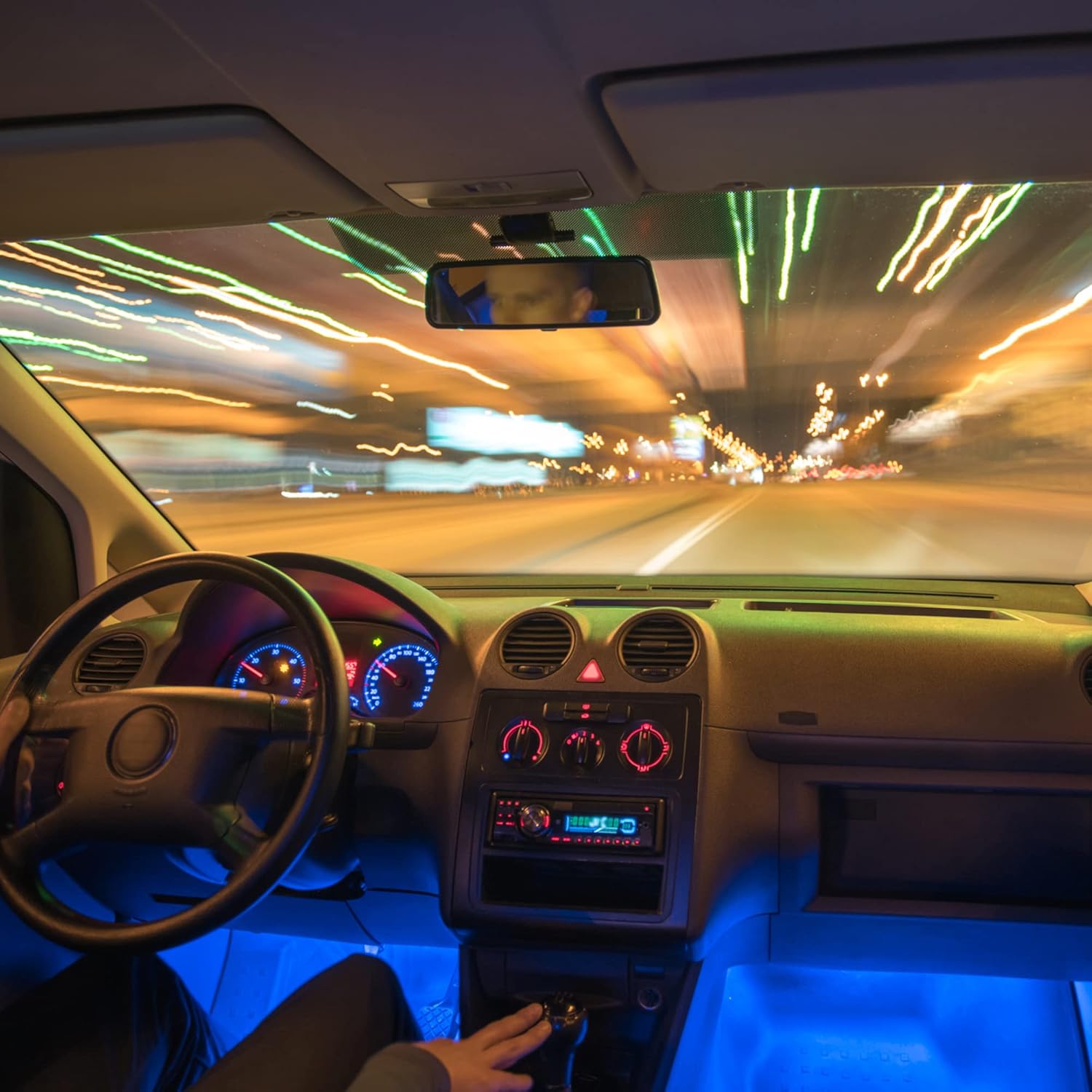
Image: A car interior at night, viewed from the driver's perspective, with blue LED accent lights illuminating the footwells and dashboard area, creating a dynamic atmosphere.
Using the Built-in Control Button
The control unit features a built-in button for basic functions:
- Stampa singola: Cycles through pre-set colors or modes.
- Premere a lungo: Accende o spegne le luci.

Image: A close-up of the black control unit with a single button, integrated into the wiring of the LED accent lights, labeled with the Monster logo.
Manutenzione
- Pulizia: Gently wipe the LED strips with a dry, soft cloth to remove dust. Do not use liquid cleaners directly on the lights.
- Verifica della connessione: Ispezionare periodicamente tutti i collegamenti dei cavi per assicurarsi che siano saldi e privi di danni.
- Adesione: If an LED strip begins to detach, re-secure it with additional automotive-grade double-sided adhesive tape.
Risoluzione dei problemi
| Problema | Possibile causa | Soluzione |
|---|---|---|
| Le luci non si accendono. | No power to the DC adapter; loose connection; faulty adapter. | Ensure the vehicle's DC port is active. Check all connections. Test the adapter in another DC port or with a multimeter if possible. |
| Lights flicker or change colors erratically. | Loose connection; power fluctuation; app interference. | Check all cable connections. Restart the Monster Smart App and re-pair the device. |
| Cannot connect to the Monster Smart App. | Bluetooth is off; app not updated; lights not powered on. | Ensure Bluetooth is enabled on your phone. Verify the lights are powered on. Update the app to the latest version. Try restarting your phone. |
| LED strips are not sticking. | Improper surface preparation; weak adhesive. | Clean the surface thoroughly before re-applying. Use additional automotive-grade double-sided adhesive tape for better hold. |
Specifiche
- Marca: ACCESSORI DIGITALI XTREME PER LO STILE DI VITA
- Numero modello: MLB7-1089-RGB
- Colore: Multicolore
- Fattore di forma: Striscia
- Posizione del ricambio auto: Front (Universal Fit)
- Livello di resistenza all'acqua: Non resistente all'acqua
- Telecomando incluso?: No (controllato dall'app)
- Numero di pezzi: 4 Strisce luminose a LED
- Fonte di energia: 12V Car DC Adapter
- Peso dell'articolo: 10.2 once
- Dimensioni della confezione: 13.15 x 5.75 x 1.61 pollici
- Codice UPC: 805106893682
Garanzia e supporto
This product is subject to the retailer's return policy, typically offering a 30-day refund/replacement period from the date of purchase. For technical support or warranty inquiries beyond this period, please contact XTREME DIGITAL LIFESTYLE ACCESSORIES customer service through their official channels or the retailer where the product was purchased.


