1. Introduzione
This manual provides detailed instructions for the installation, operation, and maintenance of your Vivotek IB9380-H 5MP IR Outdoor Network Bullet Camera. Please read this manual thoroughly before using the product to ensure proper setup and optimal performance. This camera is designed for outdoor security surveillance, offering high-resolution imaging and infrared capabilities for reliable monitoring.
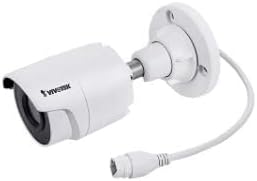
Image 1.1: Vivotek IB9380-H 5MP IR Outdoor Network Bullet Camera overview.
2. Informazioni sulla sicurezza
- Fonte di energia: Use only the specified AC/DC power adapter. Ensure the power supply is stable and meets the camera's requirements (3.5 watts).
- Ambiente di installazione: This camera is rated for outdoor use (IP9380). Avoid installing in locations with extreme temperatures, high humidity, or corrosive substances beyond its operating specifications.
- Gestione: Do not drop or subject the camera to severe shock. Avoid touching the lens directly.
- Smontaggio: Non tentare di smontare o modificare la fotocamera. Ciò potrebbe invalidare la garanzia e causare danni.
- cablaggio: Ensure all cables are properly secured and protected from environmental damage or tampring.
3. Contenuto della confezione
Verificare che tutti gli articoli siano presenti nel pacco:
- Vivotek IB9380-H 5MP IR Outdoor Network Bullet Camera
- Kit di montaggio (viti, tasselli a muro)
- Guida di installazione rapida
- Connettore impermeabile per cavo Ethernet
4. Impostazione
4.1 Installazione fisica e montaggio
The Vivotek IB9380-H camera is designed for wall mount installation. Choose a suitable location that provides the desired field of view ed è raggiungibile tramite collegamenti di alimentazione e di rete.
- Preparare la superficie di montaggio: Mark the drilling points on the wall using the mounting template (if provided) or by holding the camera's base against the surface.
- Fori di perforazione: Praticare dei fori pilota nelle posizioni contrassegnate. Inserire i tasselli a muro in caso di montaggio su cartongesso o muratura.
- Fissare la fotocamera: Attach the camera's mounting base to the wall using the provided screws. Ensure it is firmly secured.
- Regola l'angolo: Allentare le viti di regolazione sul corpo della fotocamera per impostare l'impostazione desiderata viewing angle. Tighten the screws once the angle is satisfactory.

Image 4.1: Camera dimensions and mounting diagram for installation planning.
4.2. Collegamento del cavo
Connect the necessary cables to the camera:
- Cavo Ethernet: Connect a standard Ethernet cable (RJ45) to the camera's network port. Use the waterproof connector to protect the connection if exposed to weather.
- Cavo di alimentazione: Connect the power adapter to the camera's power input. Ensure the connection is secure.

Image 4.2: Close-up of an Ethernet cable connector, similar to what is used for the camera's network connection.
4.3. Accensione iniziale
Once all cables are connected, plug the power adapter into an electrical outlet. The camera will power on and initiate its startup sequence. Observe any indicator lights for status.
5. Istruzioni per l'uso
5.1. Network Configuration and Access
The Vivotek IB9380-H supports Wi-Fi connectivity. For initial setup, it is recommended to connect via Ethernet to configure network settings.
- Scopri la fotocamera: Use the Vivotek IP Search utility or your network router's client list to find the camera's assigned IP address.
- Accesso Web Interfaccia: Aprire un web browser and enter the camera's IP address. Log in using the default credentials (refer to the Quick Installation Guide for details).
- Configurare il Wi-Fi: Navigate to the network settings within the web interface. Select your Wi-Fi network, enter the password, and save the settings. Once configured, you may disconnect the Ethernet cable if desired.
5.2. Vivere View e Registrazione
After network setup, you can access the camera's live feed and configure recording options.
- Vivere View: Dal web interface or a compatible mobile application, select the camera to view il suo feed live.
- Configurazione della registrazione: Configure recording schedules, continuous recording, or event-triggered recording (e.g., motion detection). Recordings can be stored on a network video recorder (NVR) or a local storage device if supported.
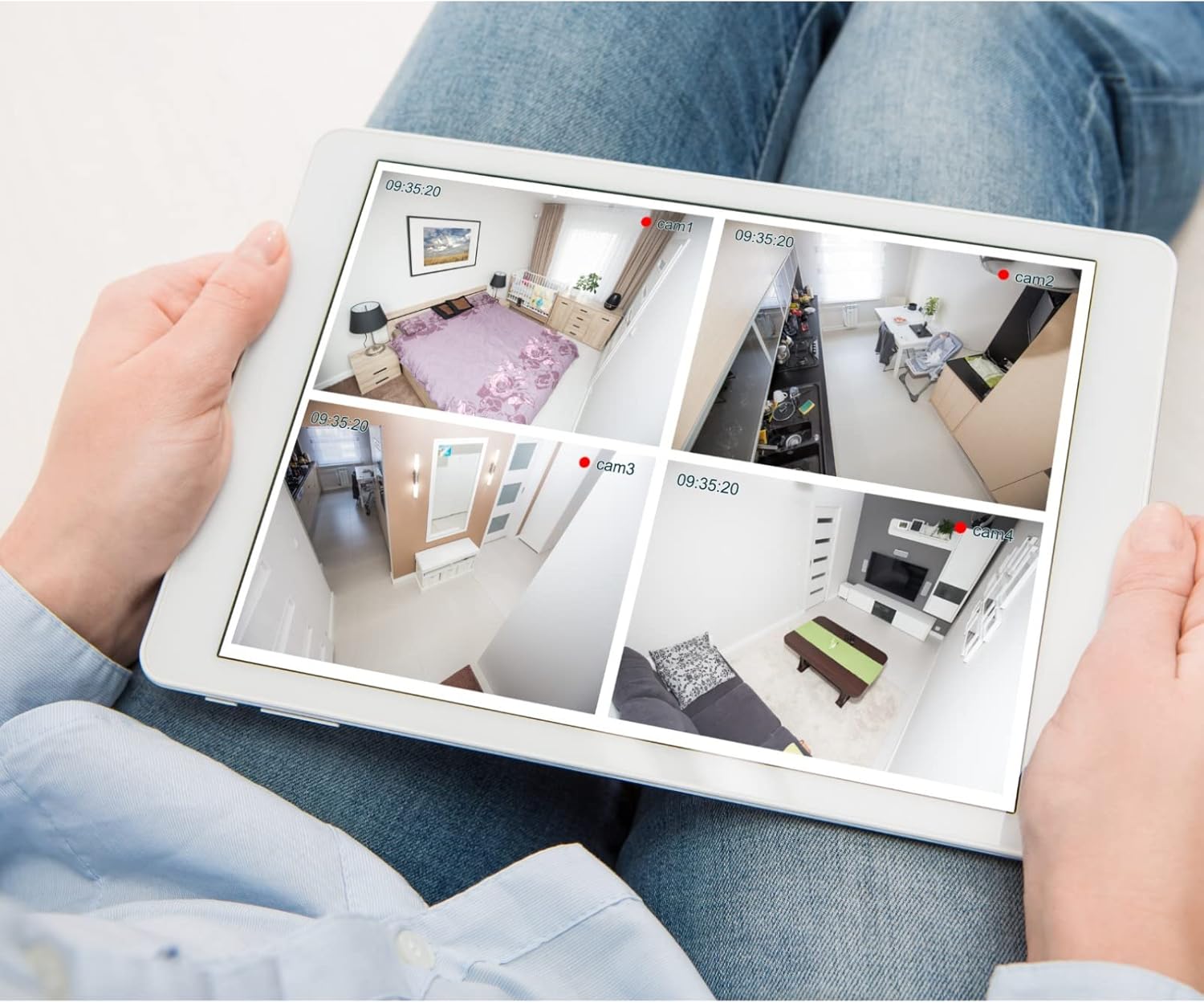
Immagine 5.1: Es.ample of a tablet displaying multiple camera feeds, illustrating remote monitoring capabilities.
5.3. Motion Detection Setup
The camera supports motion-only alerts.
- Access Alert Settings: In the camera's web interface, navigate to the event or alert settings section.
- Configure Motion Detection: Enable motion detection and define the detection zones and sensitivity levels.
- Imposta azioni: Specify actions to be taken upon motion detection, such as recording, sending email notifications, or triggering alarms.
5.4. Visione notturna
The camera features IR (Infrared) and Night Color low light technology for clear imaging in various lighting conditions. These features typically activate automatically based on ambient light levels.
6. Manutenzione
- Pulizia della lente: Pulisci delicatamente l'obiettivo della fotocamera con un panno morbido e pulito. Per lo sporco ostinato, utilizza una soluzione detergente per lenti specifica per superfici ottiche. Non utilizzare detergenti abrasivi.
- Aggiornamenti del firmware: Controllare periodicamente il Vivotek websito per gli aggiornamenti del firmware. Mantenere il firmware aggiornato garantisce prestazioni ottimali, sicurezza e accesso a nuove funzionalità.
- Controllo ambientale: Regularly inspect the camera and its mounting for any signs of wear, damage, or loose connections, especially after severe weather conditions.
- Ciclo di alimentazione: If the camera experiences minor issues, try power cycling it by disconnecting and reconnecting the power supply.
7. Risoluzione Dei Problemi
| Problema | Possibile causa | Soluzione |
|---|---|---|
| Nessun potere | Adattatore di alimentazione scollegato o difettoso; problema con la presa di corrente. | Check power connections. Test the outlet with another device. Try a different power adapter if available. |
| Nessun feed video | Network connection issue; incorrect IP address; camera not configured. | Verify network cable connection or Wi-Fi settings. Confirm camera's IP address. Ensure camera is properly configured in your viewsoftware. |
| Scarsa qualità dell'immagine | Lente sporca; condizioni di scarsa illuminazione; impostazioni di risoluzione errate. | Clean the camera lens. Ensure sufficient lighting or verify night vision is active. Check video resolution settings in the camera's interface. |
| Il rilevamento del movimento non funziona | Motion detection disabled; incorrect sensitivity; detection zones not set. | Enable motion detection in settings. Adjust sensitivity and define detection zones. |
8. Specifiche
| Caratteristica | Dettaglio |
|---|---|
| Modello | IB9380-H |
| Risoluzione fissa efficace | 5 MP |
| Risoluzione di acquisizione video | Formato: 1080p |
| Frequenza dei fotogrammi | 20 fotogrammi al secondo |
| Tecnologia a bassa luminosità | Colore notturno |
| Fattore di forma | Proiettile |
| Uso interno/esterno | All'aperto |
| Tipo di montaggio | Montaggio a parete |
| Comunicazione senza fili | Wifi |
| Protocollo di connettività | Wifi |
| Fonte di alimentazione | Corrente alternata/corrente continua |
| Cosatage | 3.5 watt |
| Tipo di avviso | Solo movimento |
| Metodo di controllo | Remoto |
| Dimensioni (L x P x A) | 3.59 x 3.59 x 6.96 pollici |
| Valutazione internazionale di protezione | Grado di protezione IP9380 |
| Codice UPC | 655255870887, 681541834035 |
9. Informazioni sulla garanzia
This Vivotek product is covered by a manufacturer's limited warranty. Please refer to the warranty card included in your package or visit the official Vivotek webPer termini e condizioni dettagliati relativi alla copertura della garanzia, alla sua durata e alle procedure di reclamo, consultare il sito. Conservare la prova d'acquisto per l'assistenza in garanzia.
10. Assistenza clienti
For technical assistance, troubleshooting beyond this manual, or warranty inquiries, please contact Vivotek customer support. You can typically find contact information (phone, email, support portal) on the official Vivotek websito o nella documentazione fornita con il prodotto.
Risorse online: www.vivotek.com


