Introduzione
This manual provides detailed instructions for the installation, operation, and maintenance of the 3nStar LDT114 Direct Thermal Label Printer. The LDT114 is designed for various labeling applications, offering reliable performance with its dual-wall framed construction and all-metal print head. Please read this manual thoroughly before using the printer to ensure proper setup and optimal functionality.
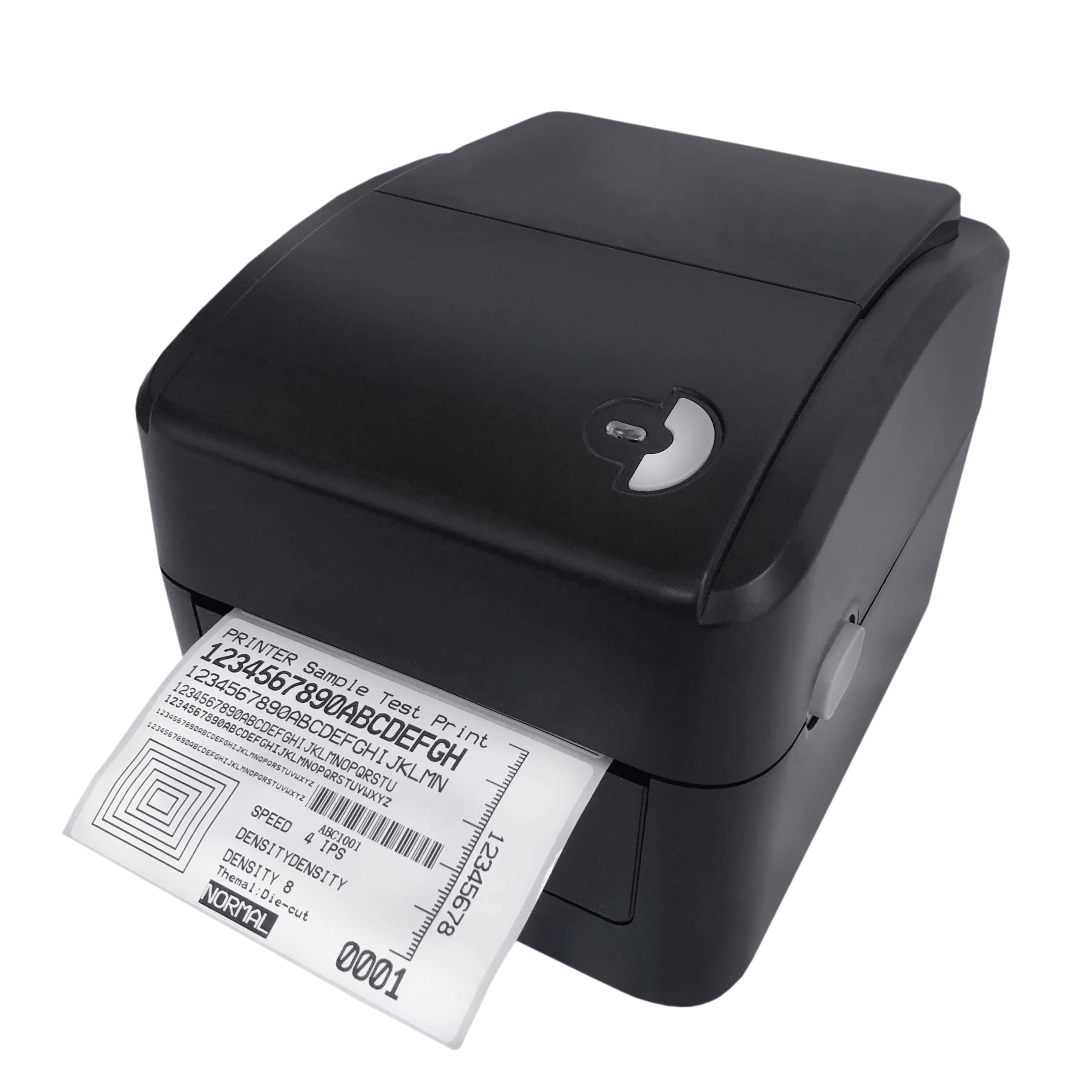
Image: The 3nStar LDT114 Direct Thermal Label Printer in operation, showing a sampl'etichetta in fase di stampa.
1. Impostazione
1.1 Disimballaggio e ispezione
- Estrarre con attenzione la stampante dall'imballaggio.
- Verify that all included components are present: printer unit, power adapter, power cord, USB cable, quick start guide, and Windows labeling software driver CD.
- Inspect the printer for any visible damage. If damage is found, contact your vendor immediately.
1.2 Collegamento della stampante
- Collegamento elettrico: Connect the external switching power adapter to the printer's power input port. Plug the power cord into the adapter and then into a suitable electrical outlet.
- Connessione dati:
- Interfaccia USB: Collegare un'estremità del cavo USB in dotazione alla porta USB della stampante e l'altra estremità a una porta USB disponibile del computer.
- LAN (Ethernet) Interface: Connect an Ethernet cable to the LAN port on the printer and to your network router or switch.

Image: Rear panel of the LDT114 printer, highlighting the power, USB, and Ethernet connectivity ports.
1.3 Installazione di driver e software
- Insert the provided Windows labeling software driver CD into your computer's CD/DVD drive.
- Follow the on-screen instructions to install the printer drivers and the Bartender Label Printing Software.
- For network setup, refer to the software documentation for configuring the printer on your LAN.
1.4 Caricamento delle etichette
- Assicurarsi che la stampante sia spenta.
- Aprire il coperchio superiore della stampante.
- Place the label roll onto the media holder, ensuring the labels feed from the bottom of the roll.
- Adjust the media guides to fit the width of your labels snugly, without pinching.
- Feed the leading edge of the labels through the print mechanism until it extends slightly past the print head.
- Chiudere saldamente il coperchio superiore.

Image: The LDT114 printer with its top cover open, illustrating the internal mechanism for loading label rolls.
2. Istruzioni per l'uso
2.1 Accensione/Spegnimento
- To power on, ensure the power cord is connected and flip the power switch located at the rear of the printer to the 'ON' position.
- Per spegnere, portare l'interruttore di alimentazione in posizione "OFF".
2.2 Stampa di base
- Assicurarsi che la stampante sia collegata al computer e accesa.
- Open your label design software (e.g., Bartender) or any application from which you wish to print.
- Select the 3nStar LDT114 printer from the list of available printers.
- Configure your print settings, such as label size, orientation, and number of copies.
- Initiate the print command. The printer will begin printing labels at a speed of up to 6 IPS.
2.3 Label Calibration
For accurate label printing, especially when changing label sizes or types, calibration may be necessary. Refer to the Bartender Label Printing Software manual or the printer driver settings for specific calibration procedures. Typically, this involves a sensor adjustment to correctly detect the gaps between labels.
3. Manutenzione
3.1 Pulizia della testina di stampa
Regular cleaning of the print head ensures optimal print quality and extends the life of the printer. It is recommended to clean the print head after every few label roll changes or if print quality degrades.
- Spegnere la stampante e scollegare il cavo di alimentazione.
- Aprire il coperchio superiore.
- Using a cotton swab lightly moistened with 100% alcohol, gently wipe the print head surface from the center outwards. Avoid touching the print head with bare hands.
- Lasciare asciugare completamente la testina di stampa prima di chiudere il coperchio e ricollegare l'alimentazione.
3.2 Pulizia del rullo di stampa
The platen roller helps feed the labels smoothly. Clean it regularly to prevent label jams and ensure consistent feeding.
- Spegnere la stampante e scollegare il cavo di alimentazione.
- Aprire il coperchio superiore.
- Rotate the platen roller and wipe its surface with a cotton swab lightly moistened with 100% alcohol.
- Lasciare asciugare completamente prima di chiudere il coperchio e ricollegare l'alimentazione.
4. Risoluzione Dei Problemi
| Problema | Possibile causa | Soluzione |
|---|---|---|
| La stampante non si accende. | Cavo di alimentazione non collegato; presa di corrente difettosa. | Controllare i collegamenti elettrici; provare una presa diversa. |
| Nessuna etichetta viene stampata. | Labels not loaded correctly; printer offline; driver issue. | Reload labels; check printer status; reinstall drivers. |
| Scarsa qualità di stampa (sbiadita, linee). | Dirty print head; low-quality labels; incorrect print settings. | Clean print head; use recommended labels; adjust print density. |
| Labels are jamming. | Incorrect label loading; media guides too tight/loose; dirty platen roller. | Reload labels correctly; adjust media guides; clean platen roller. |
| Stampante non riconosciuta dal computer. | USB/LAN cable disconnected; driver not installed or corrupted. | Check cable connections; reinstall printer drivers. |
5. Specifiche
| Caratteristica | Dettaglio |
|---|---|
| Modello | LDT114 |
| Tecnologia di stampa | Termico diretto |
| Risoluzione di stampa | 203 DPI (punti per pollice) |
| Velocità massima di stampa | 6 IPS (Inches Per Second) |
| Stampa a colori | Monocromatico (nero) |
| Connettività | USB, Ethernet (LAN) |
| Memoria | 8 MB SDRAM, 8 MB Flash (Micro SD Card Reader for expansion) |
| Emulazione | TSPL (EPL, ZPL, DPL compatible) |
| Larghezza massima del supporto | 4.5 pollici |
| Lunghezza massima di stampa | 70 pollici |
| Dimensioni del prodotto (P x L x A) | 17.8 x 20.3 x 15.2 centimetri |
| Peso dell'articolo | 2 chilogrammi |
| Consumo energetico | 44 Watt (in funzione) |
| Caratteristiche speciali | Network-Ready, Double-walled clamshell design |
| Componenti inclusi | Printer, Power Adapter, Power Cord, USB Cable, Quick Start Guide, Windows Labeling Software Driver CD |
6. Informazioni sulla garanzia
The 3nStar LDT114 Direct Thermal Label Printer comes with a Garanzia limitata di 1 anno dalla data di acquisto. La presente garanzia copre i difetti di materiali e fabbricazione in condizioni di normale utilizzo. Non copre i danni causati da uso improprio, incidenti, modifiche non autorizzate o installazione non corretta. Si prega di conservare la prova d'acquisto per eventuali reclami in garanzia.
7. Supporto
For technical assistance, troubleshooting beyond this manual, or warranty inquiries, please contact 3nStar customer support. Refer to the contact information provided with your product packaging or visit the official 3nStar websito per i dettagli di supporto più aggiornati.
- Risorse online: Check the 3nStar website for FAQs, updated drivers, and additional documentation.
- Contatto: Refer to your product's quick start guide or packaging for specific customer service contact numbers or email addresses.


