
Introduzione
This manual provides detailed instructions for the setup, operation, and maintenance of your COOAU M26 1080P FHD Dash Cam. This smart dash camera is designed for cars, featuring 360-degree rotation, infrared night vision, a supercapacitor, G-Sensor, WDR, loop-recording, and parking mode to ensure comprehensive recording of your driving experiences.
Cosa c'è nella scatola
- COOAU M26 Dash Cam (1 unit)
- 11.81ft USB Data Cable (1 unit)
- M26 Dash Cam User Manual (1 unit)
- Caricabatteria per auto (1 unità)
- 3M Adhesive Bracket (1 unit)
- Electrostatic Sticker (2 units)
- Spare 3M Adhesive (2 units)
Impostare
1. Installazione della scheda SD
Before using the dash cam, please format the SD card to exFAT or FAT32. We recommend using Samsung or Toshiba SD cards (Class 10 or above) instead of SanDisk for optimal performance. Insert the SD card into the designated slot on the dash cam. Ensure the SD card is inserted first, then connect the USB cable.
Descrizione del video: This video demonstrates the process of inserting an SD card into the COOAU M26 Dash Cam and connecting the USB cable. It highlights the importance of formatting the SD card and recommends specific brands for best performance.
2. App Connection (Ficam)
The COOAU M26 Dash Cam features built-in Wi-Fi for seamless connection to your smartphone via the Ficam app. Download and install the "Ficam" app from your app store. Agree to the necessary authorizations for the app. Connect to the dash cam's Wi-Fi hotspot (password: 12345678). Once connected, you can view pippotage, change settings, and download filedirettamente dall'app.

Descrizione dell'immagine: A QR code for downloading the Ficam app. Scanning this code will direct Android users to the app download page. The Ficam app is regularly maintained and upgraded.
Link per il download diretto: https://www.pgyer.com/leMw
Descrizione del video: This video provides a step-by-step guide on how to connect the COOAU M26 Dash Cam to the Ficam app on a smartphone, including Wi-Fi connection details and initial setup.
Descrizione dell'immagine: A smartphone screen displaying the Ficam app interface, showing a live view from the dash cam and a map with location data. This illustrates the app's connectivity and control features.
3. Montaggio della Dash Cam
Clean the desired area on your windshield. Apply an electrostatic sticker to the windshield first, then attach the 3M adhesive bracket to the sticker. This allows for easier removal without leaving residue. Attach the dash cam to the bracket. The lens can be rotated 360 degrees to capture the desired view.

Descrizione dell'immagine: A compact dash cam being held, illustrating its mini body and 360-degree rotatable lens. This feature allows flexible positioning and angle adjustment within the vehicle.
Istruzioni per l'uso
1. Accensione/spegnimento e registrazione
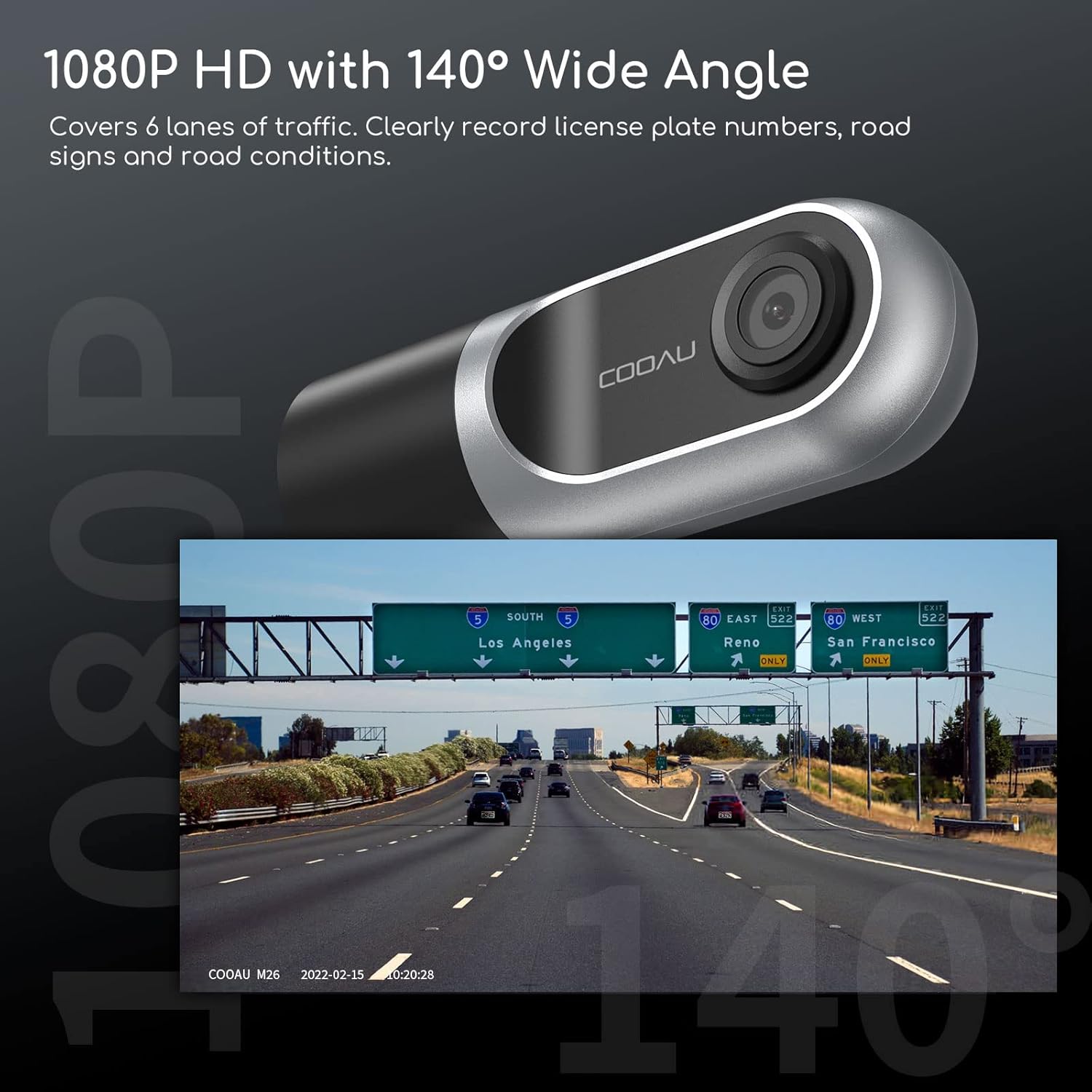
The dash cam automatically powers on and begins recording when connected to your car's power supply. It will power off when the car is turned off. The dash cam records in 1080p Full HD resolution with a 140-degree wide-angle lens, covering up to 6 lanes of traffic.

Descrizione dell'immagine: A dash cam's view of a multi-lane highway, demonstrating its 1080P HD resolution and 140-degree wide-angle capability for clear recording of road conditions and license plates.
2. Registrazione in loop
The dash cam supports loop recording, which means it continuously records and overwrites the oldest footage when the SD card is full. This ensures you always have the most recent recordings available.
3. G-Sensor and Emergency Lockout
The built-in G-Sensor automatically detects sudden shakes or collisions. When such an event occurs, the dash cam will lock the current video segment to prevent it from being overwritten, preserving it as crucial evidence.

Descrizione dell'immagine: This image illustrates two key features: the G-Sensor's emergency lockout function, shown by a lock icon over a car accident scene, and the 24-hour parking mode, depicted by a dash cam monitoring a car with a masked figure nearby.
4. Parking Mode (24/7 Protection)
For 24/7 parking protection, connect the dash cam to your car battery using a hardwire kit (not included). In parking mode, the camera will turn on and record when a sudden shake or collision is detected, then turn off automatically to save battery. This feature provides continuous surveillance even when your vehicle is parked.
5. Ampia gamma dinamica (WDR)
WDR technology automatically adjusts exposure to eliminate brightness differences, ensuring clear recording of images even in challenging lighting conditions such as tunnel entrances/exits or at night.

Descrizione dell'immagine: A split image showing the difference between WDR ON and WDR OFF. The WDR ON side clearly captures details inside and outside a tunnel, while the WDR OFF side shows overexposed and underexposed areas, highlighting the benefit of WDR for balanced exposure.
6. Intelligent Voice Prompts
The dash cam provides intelligent voice prompts to keep you informed without distracting you from driving. For example, it may remind you to take a rest after driving for a certain period.
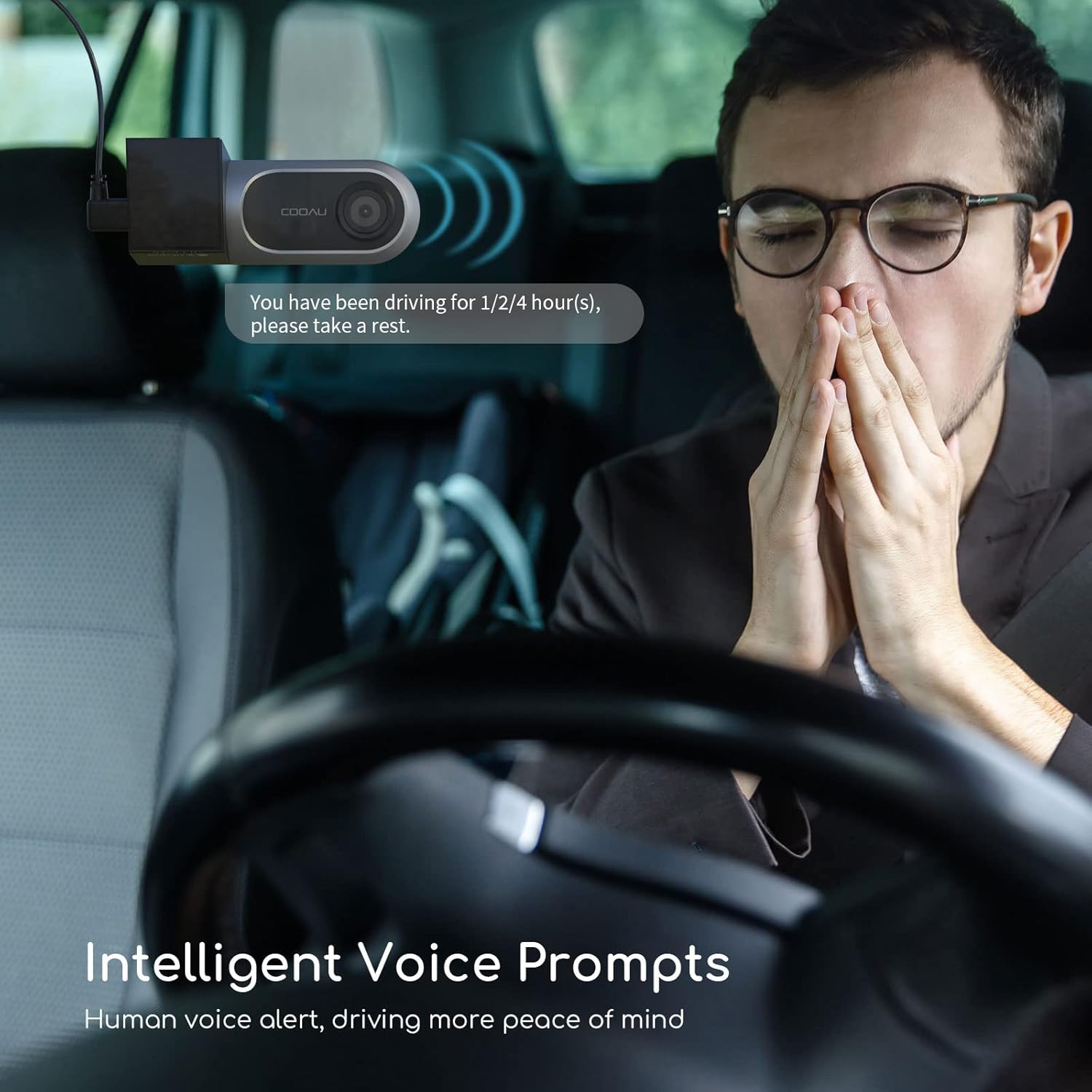
Descrizione dell'immagine: A driver in a car receiving a voice prompt from the dash cam, which is mounted on the windshield. The prompt suggests taking a rest after driving for a specified duration, emphasizing safety and convenience.
7. Supercondensatore
For enhanced driving safety and durability, the M26 dash cam uses a supercapacitor instead of a lithium battery. This allows it to withstand extreme temperatures (-4°F to 158°F), offers fast charging and discharging, and ensures the last video is saved before power loss.

Descrizione dell'immagine: An illustration of the dash cam's internal supercapacitor, highlighting its ability to withstand extreme temperatures ranging from -4°F to 158°F, which contributes to longer product life and safety.
Manutenzione
- Regularly check the SD card for errors and format it periodically through the Ficam app to ensure optimal performance and prevent data corruption.
- Keep the dash cam lens clean to ensure clear video recordings. Use a soft, lint-free cloth.
- Ensure the dash cam is securely mounted to prevent vibrations from affecting video quality.
Risoluzione dei problemi
| Problema | Possibile causa | Soluzione |
|---|---|---|
| "Please format the memory card" prompt | SD card needs formatting. | Format the SD card via the Ficam app settings. |
| "Please replace the memory card" prompt | SD card is faulty or incompatible. | Replace the SD card with a recommended brand (Samsung or Toshiba, Class 10 or above) and reconnect power. |
| Cannot connect to Ficam app | Incorrect Wi-Fi password or app authorization issues. | Ensure correct Wi-Fi password (12345678) and grant all necessary app permissions (network and location). |
| Camera turns off automatically during driving | Motion detection is enabled. | Turn off motion detection in the app settings when driving. |
Specifiche
- Marca: COOAU
- Nome modello: COOAU M26 dash cam
- Risoluzione di acquisizione video: Formato: 1080p
- Angolo reale di View: 360 gradi
- Tecnologia di connettività: Wifi
- Caratteristiche speciali: 1080P FULL HD, 140° Wide Angle, Night Vision, Supercapacitor, G-Sensor, WDR, Loop-Recording, Parking Mode, App Control
- Tipo di montaggio: Supporto adesivo
- Colore: Nero e argento
- Dimensioni dell'articolo (P x L x A): 1.49"P x 3.81"L x 1.94"A
- Peso dell'articolo: 0.62 libbre
- Standard supportati: Commissione federale delle comunicazioni
Garanzia e supporto
The COOAU M26 Dash Cam comes with a 1-month free return and exchange policy, a 1-year warranty, and 24/7 after-sales service. For any inquiries or support, please contact support-us@cooau.com.