1. Introduzione
This manual provides essential information for the setup, operation, and maintenance of your Fastrack Reflex Vox Smartwatch. Please read it carefully to ensure proper use and to maximize the device's features.

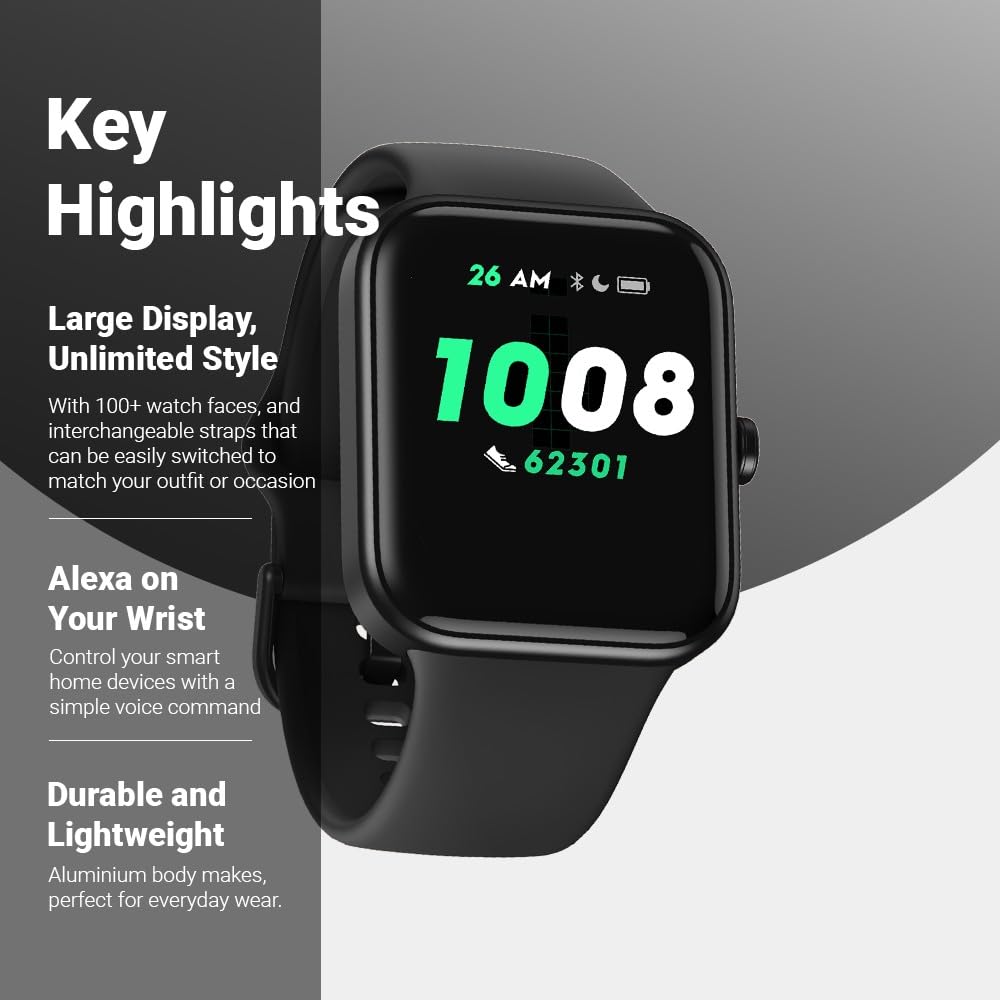
Davanti view of the Fastrack Reflex Vox Smartwatch.
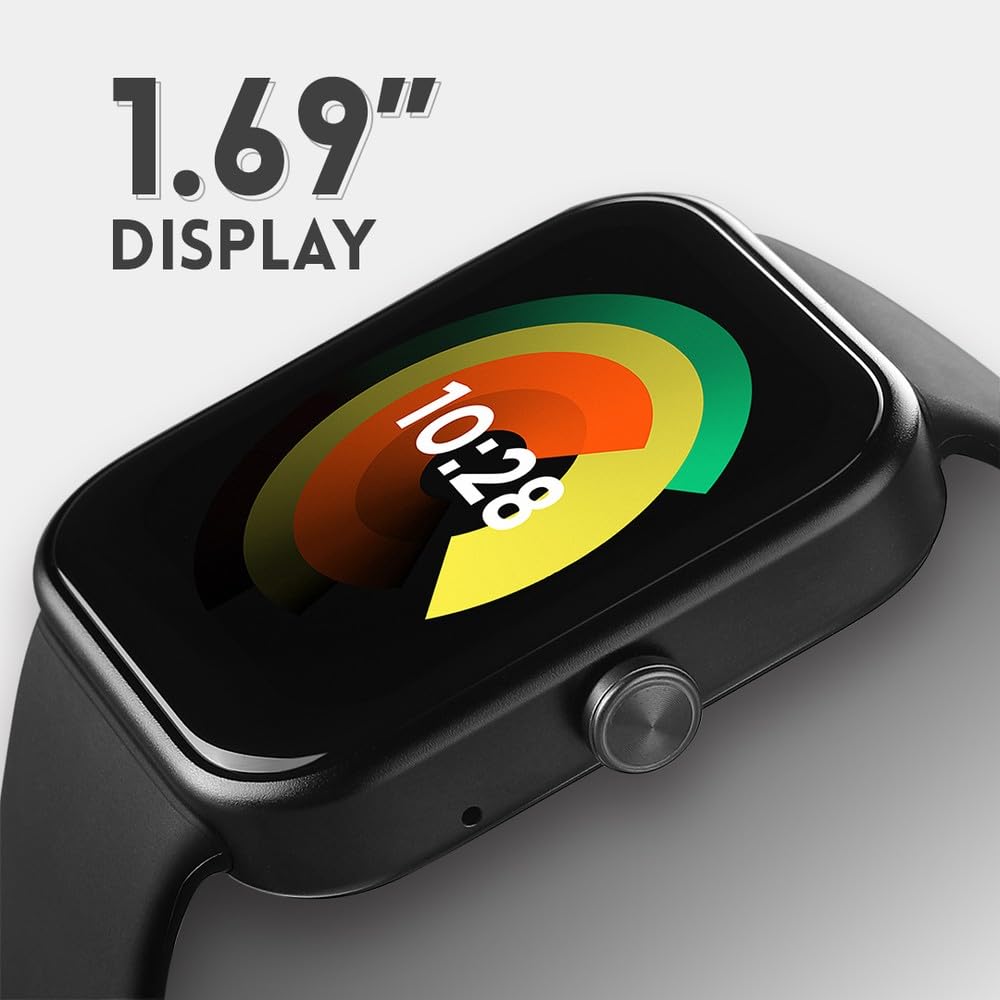
Lato view of the Fastrack Reflex Vox Smartwatch, showing the button.

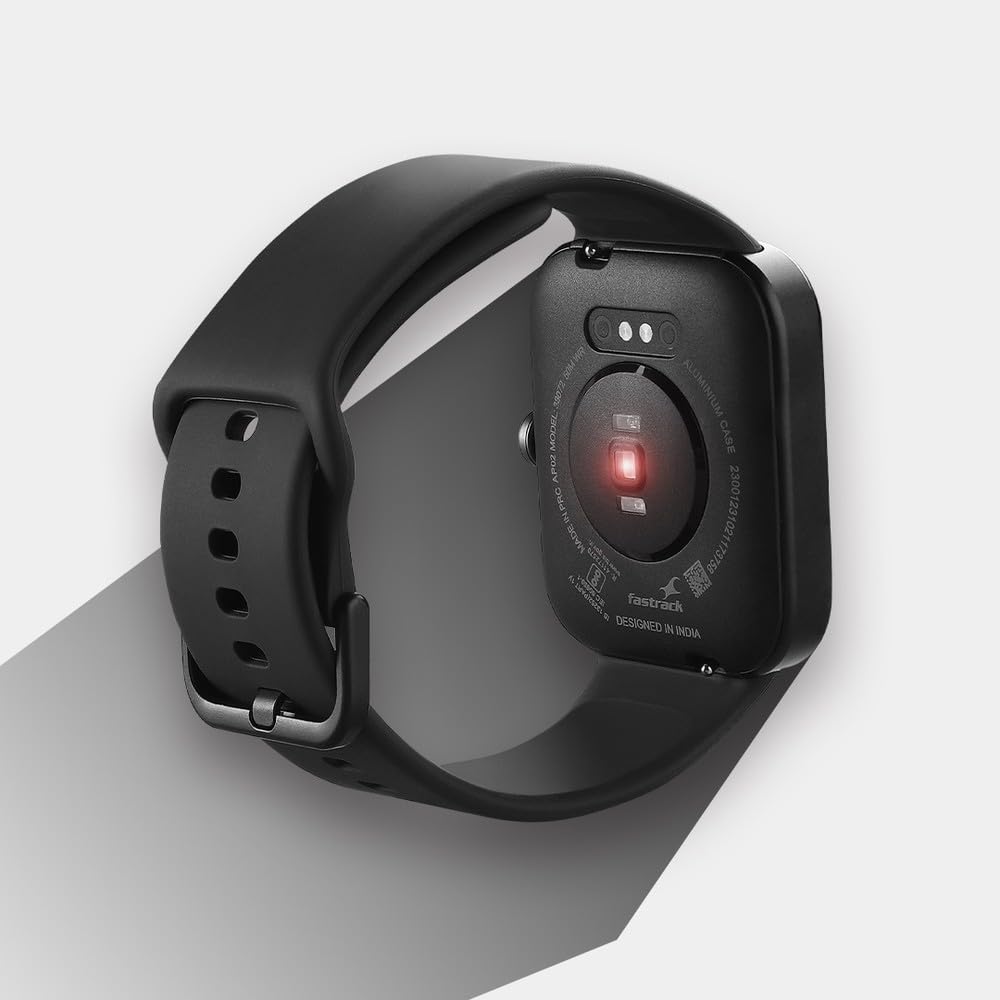
Indietro view of the Fastrack Reflex Vox Smartwatch, highlighting the health sensors.
2. Impostazione
2.1 Unboxing e carica iniziale
Upon unboxing, ensure all components are present: the Fastrack Reflex Vox Smartwatch, charging cable, Quick Start Guide, and this product manual. Before first use, fully charge the smartwatch using the provided charging cable. Connect the magnetic end of the cable to the charging pins on the back of the watch and the USB end to a compatible power adapter (not included).
2.2 Associazione con lo smartphone
- Download the official Fastrack Reflex app from your smartphone's app store (available for Android and iOS).
- Assicurati che il Bluetooth sia abilitato sul tuo smartphone.
- Open the Fastrack Reflex app and follow the on-screen instructions to create an account or log in.
- Selezionare "Aggiungi dispositivo" o "Associa nuovo dispositivo" all'interno dell'app.
- The app will search for your Fastrack Reflex Vox. Select it from the list of available devices.
- Conferma la richiesta di associazione sia sullo smartphone che sullo smartwatch.
2.3 Configurazione Alexa
The Fastrack Reflex Vox features Alexa Built-in. To activate and use Alexa:
- Ensure your smartwatch is successfully paired with your smartphone and has an active internet connection.
- Open the Fastrack Reflex app on your smartphone.
- Navigate to the Alexa settings within the app.
- Log in to your Amazon account when prompted. This links your watch to your Alexa services.
- Once logged in, you can use voice commands on your watch to set reminders, alarms, add items to shopping lists, and control smart home devices.
The Alexa setup screen on the Fastrack Reflex Vox Smartwatch.
3. Istruzioni per l'uso
3.1 Display e quadranti dell'orologio
The smartwatch features a 1.69-inch Ultravu display. You can customize the watch face from over 100 available options through the Fastrack Reflex app. To change watch faces directly on the watch, long-press the current watch face and swipe to select a new one.

The Fastrack Reflex Vox Smartwatch showcasing vari quadranti personalizzabili.
3.2 modalità sportive
The Fastrack Reflex Vox supports over 14 multisport modes to track your physical activities. To access sports modes, swipe on the watch screen or use the side button to navigate to the sports menu. Select your desired activity to begin tracking.

The Fastrack Reflex Vox Smartwatch displaying the 'Outdoor Run' sports mode.
3.3 Monitoraggio sanitario
- Cardiofrequenzimetro (HRM) 24 ore su 24, 7 giorni su 7: L'orologio monitora costantemente la frequenza cardiaca. View your current and historical heart rate data on the watch or in the app.
- SpO2 (Blood Oxygen Level) Tracker: Misura i livelli di saturazione dell'ossigeno nel sangue. Assicurati che l'orologio sia ben aderente al polso per ottenere letture accurate.
- Monitoraggio dello stress: The watch monitors your stress levels throughout the day.
- Monitoraggio del sonno: Tiene traccia automaticamente dei tuoi ritmi del sonno, inclusi sonno profondo, sonno leggero e orari di veglia.
- Salute delle donne: Track your menstrual cycle and predict ovulation periods through the app.
3.4 Resistenza all'acqua
The Fastrack Reflex Vox is 5 ATM water-resistant, meaning it can withstand pressures equivalent to a depth of 50 meters. This makes it suitable for swimming and showering, but it is not recommended for diving or high-pressure water activities.
The Fastrack Reflex Vox Smartwatch demonstrating its 5 ATM water resistance.
4. Manutenzione
4.1 Pulizia
Pulisci regolarmente lo smartwatch e il cinturino per prevenire irritazioni cutanee e mantenerne la funzionalità. Utilizza un panno morbido e privo di lanugine. Se necessario, dampen the cloth with a small amount of water. Avoid using harsh chemicals, abrasive cleaners, or solvents.
4.2 Cura del cinturino
The watch features changeable straps. Ensure straps are securely attached. If you experience skin irritation, try cleaning the strap thoroughly or consider replacing it with a different material.
4.3 Durata della batteria
The Fastrack Reflex Vox offers an average battery life of up to 7 days under typical usage. Actual battery life may vary based on usage patterns, notification frequency, and feature activation (e.g., continuous heart rate monitoring, Alexa use). Charge the device when the battery level is low to ensure uninterrupted use.
5. Risoluzione Dei Problemi
5.1 L'orologio non si accende
Ensure the watch is fully charged. Connect it to the charging cable and a power source for at least 30 minutes before attempting to turn it on.
5.2 Problemi di associazione
- Assicurati che il Bluetooth sia attivato sullo smartphone e che l'orologio si trovi nel raggio d'azione.
- Riavvia sia lo smartphone che lo smartwatch.
- Cancella la cache Bluetooth sullo smartphone (se applicabile).
- Try unpairing and re-pairing the device through the Fastrack Reflex app.
5.3 Letture sanitarie imprecise
For accurate heart rate and SpO2 readings, ensure the watch is worn snugly on your wrist, about one finger's width above your wrist bone. Avoid excessive movement during measurements. Readings may be affected by skin tone, tattoos, and environmental factors.
5.4 Durata breve della batteria
- Ridurre la frequenza delle notifiche.
- Decrease screen brightness or shorten screen-on time.
- Limit continuous heart rate monitoring if not essential.
- Assicurati che nessuna app in background consumi eccessivamente energia.
6. Specifiche
| Marca | Fasttrack |
| Modello | 38072AP01 |
| Dimensioni dello schermo | 1.69 pollici |
| Tipo di visualizzazione | LCD |
| Sistema operativo | Sistema operativo per smartwatch |
| Capacità di archiviazione della memoria | 512 MB |
| Tecnologia di connettività | Bluetooth |
| Caratteristiche speciali | Built-in Alexa, Multiple Sports Modes, Stress Monitor, Sleep Tracker, SpO2 Tracker, Touch Screen, Heart Rate Monitor, Menstrual Tracker, Water Resistant, Changeable Straps |
| Resistenza all'acqua | 5 bancomat |
| Tipo di batteria | Polimero di litio |
| Durata media della batteria | 7 giorni |
| Dimensioni del prodotto | Dimensioni: 4.4 x 3.7 x 1.3 cm |
| Peso dell'articolo | 90 grammi |
7. Garanzia e supporto
7.1 Informazioni sulla garanzia
Your Fastrack Reflex Vox Smartwatch comes with a 12-month warranty from the date of purchase. This warranty covers manufacturing defects. Please retain your purchase receipt as proof of purchase.
7.2 Assistenza clienti
For any queries, technical assistance, or warranty claims, please contact Fastrack customer care:
- Telefono: Numero di telefono: 1800-266-0123
- E-mail: customercare@titan.co.in
- Indirizzo del produttore: Titan Company Ltd, 3 Sipcot Industrial Complex, Hosur - 635126