1. Introduzione
Thank you for choosing the cellularline Power Bank Thunder 20000. This portable power bank is designed to provide reliable and fast charging for your mobile devices, including the latest iPhone models, thanks to its Power Delivery 20W technology. Its compact design, enabled by 21700 cylindrical cells, ensures excellent portability. Please read this manual carefully before using the product to ensure safe and optimal performance.
2. Informazioni sulla sicurezza
Per evitare danni al dispositivo o lesioni a se stessi o ad altri, osservare le seguenti precauzioni di sicurezza:
- Non esporre il power bank a temperature estreme (superiori a 45°C o inferiori a 0°C), alla luce solare diretta o a elevata umidità.
- Do not disassemble, modify, or attempt to repair the device. This will void the warranty and may cause damage.
- Tenere il power bank lontano dall'acqua e da altri liquidi.
- Do not drop, puncture, or apply excessive force to the device.
- Per caricare il power bank e i tuoi dispositivi, utilizza solo cavi e caricabatterie certificati.
- Tenere fuori dalla portata dei bambini.
- Smaltire il power bank in modo responsabile, secondo le normative locali. Non smaltirlo tra i rifiuti domestici.
3. Contenuto della confezione
The cellularline Power Bank Thunder 20000 package includes:
- 1 x cellularline Power Bank Thunder 20000 (Portable Charger)
- 1 cavo da USB-C a USB-C
- 1 x Manuale di istruzioni
4. Prodotto finitoview
Familiarize yourself with the components of your Power Bank Thunder 20000:

Figura 4.1: Davanti view of the cellularline Power Bank Thunder 20000, showcasing its sleek blue design and LED indicator strip.
- USB-C Input/Output Port (20W PD): Located at one end of the power bank, this versatile port supports Power Delivery for fast charging both the power bank itself and compatible devices.
- USB Output Port (18W): Located on the side, this standard USB-A port provides 18W output for charging a wide range of devices.
- LED Charge Indicator Lights: A series of small LED lights on the top surface indicate the remaining battery level and charging status.
- Pulsante di accensione: A small button near the LED indicators, used to check battery status or initiate charging.

Figura 4.2: Avvicinamento view highlighting the 20W PD USB-C input/output port and the 18W USB output port, demonstrating the ability to charge two devices simultaneously.

Figura 4.3: Illustration of the LED charge indicator lights, showing how 1 to 4 illuminated dots correspond to battery levels from 1%-25% up to 76%-100%.

Figura 4.4: Image emphasizing the soft-touch material of the power bank's casing, providing a comfortable grip.
5. Impostazione
Prima del primo utilizzo, si consiglia di caricare completamente il power bank.
- Collegare il cavo USB-C-USB-C in dotazione alla porta USB-C del power bank.
- Connect the other end of the USB-C cable to a compatible USB-C wall charger (not included) or a computer's USB-C port. For fastest charging, use a Power Delivery compatible charger.
- The LED indicator lights will illuminate and blink to show the charging progress. All four lights will be solid when the power bank is fully charged.
6. Istruzioni per l'uso
The Power Bank Thunder 20000 can charge two devices simultaneously.
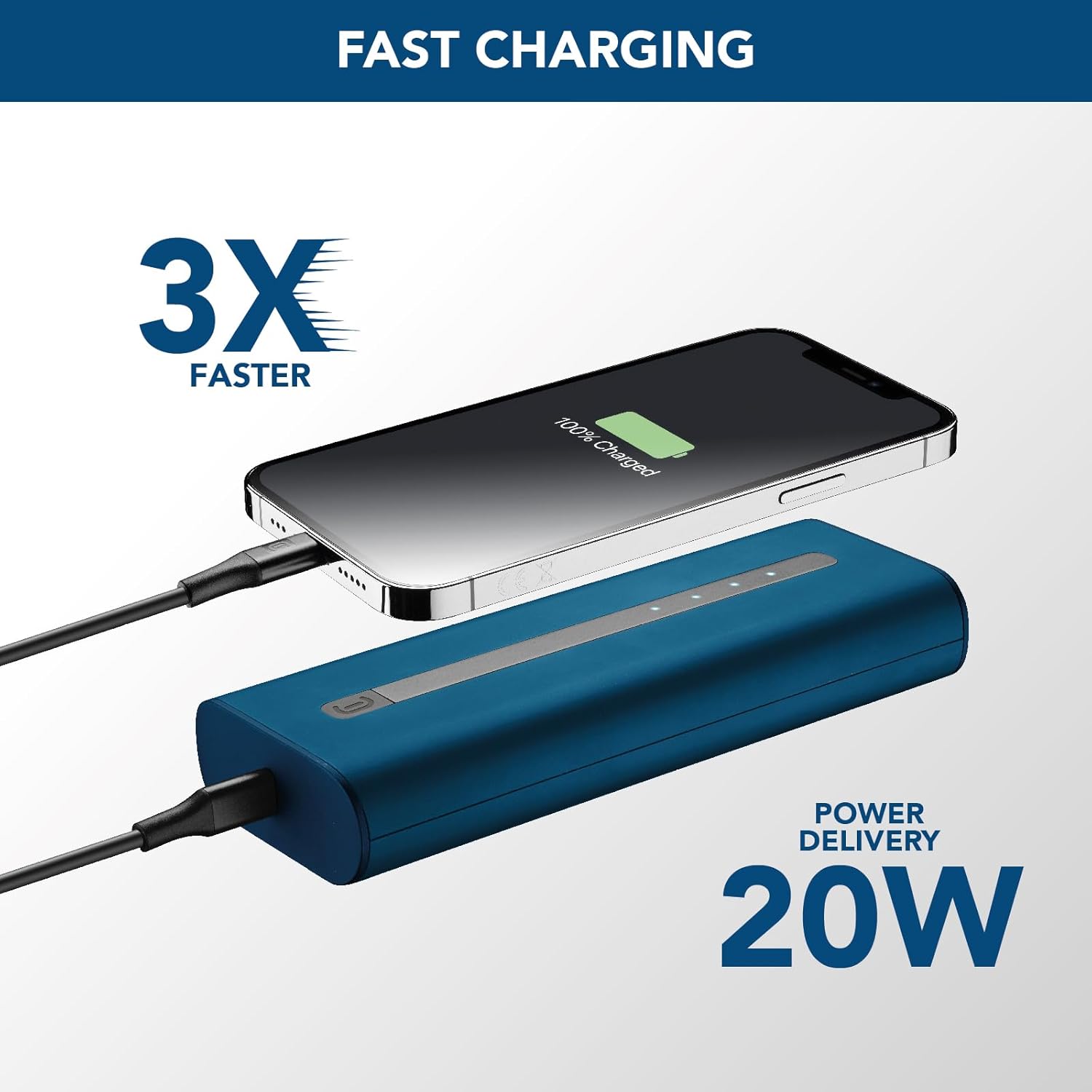
Figura 6.1: The power bank connected to an iPhone via USB-C, illustrating the 20W Power Delivery fast charging capability.
6.1 Charging a Single Device
- Connect your device's charging cable to either the USB-C port or the USB-A port on the power bank.
- Collega l'altra estremità del cavo al tuo dispositivo.
- The power bank will automatically begin charging your device. The LED indicators will show the power bank's remaining battery level.
6.2 Charging Two Devices Simultaneously
- Connect the first device's charging cable to the USB-C port on the power bank.
- Connect the second device's charging cable to the USB-A port on the power bank.
- Connect the other ends of both cables to your respective devices.
- Both devices will charge simultaneously. Note that the total output power will be shared between the two ports.
6.3 Controllo del livello della batteria
Press the power button once to check the remaining battery level of the power bank. The LED indicators will light up to show the current charge:
- 1 LED: 1% - 25%
- 2 LED: 26% - 50%
- 3 LED: 51% - 75%
- 4 LED: 76% - 100%
7. Manutenzione
Una cura adeguata prolungherà la durata del tuo power bank:
- Pulisci il power bank con un panno morbido e asciutto. Non utilizzare detergenti abrasivi o solventi.
- Conservare il power bank in un luogo fresco e asciutto quando non viene utilizzato.
- Avoid fully discharging the power bank for extended periods. Recharge it at least once every three months to maintain battery health.
- Non esporre il power bank a temperature estreme o alla luce solare diretta.
8. Risoluzione Dei Problemi
If you encounter issues with your power bank, refer to the table below:
| Problema | Possibile causa | Soluzione |
|---|---|---|
| La power bank non si ricarica | Cable is faulty or not properly connected. Charger is not powerful enough. | Ensure cable is securely connected. Try a different USB-C cable. Use a wall charger with sufficient output (e.g., 20W PD charger). |
| Il dispositivo non si ricarica dal power bank | Power bank is depleted. Cable is faulty or not properly connected. Device is incompatible. | Recharge the power bank. Ensure cable is securely connected to both power bank and device. Try a different charging cable. Verify device compatibility. |
| Ricarica lenta | Using a non-fast charging port/cable. Device does not support fast charging. | Ensure you are using the USB-C PD port for fast charging compatible devices. Use a high-quality, fast-charging cable. |
| Gli indicatori LED non funzionano | Power bank is completely discharged. Malfunction. | Charge the power bank for a few hours. If problem persists, contact customer support. |
9. Specifiche
| Caratteristica | Specificazione |
|---|---|
| Nome del modello | PBNEWTANK20000B |
| Marca | linea cellulare |
| Capacità della batteria | 20000 milioneampore (mAh) |
| Composizione della batteria | Agli ioni di litio |
| Tipo di connettore | USB (USB-C, USB-A) |
| Caratteristica speciale | Compatto |
| Colore | Blu |
| Voltage | 12 Volt (uscita) |
| Usi consigliati | iPhone, Smartphones, Tablets, other USB-powered devices |
| Fonte di alimentazione | Cavo elettrico |
10. Garanzia e supporto
For information regarding warranty coverage, technical support, or service, please refer to the warranty card included in your product packaging or visit the official cellularline websito. Conservare la prova d'acquisto per eventuali reclami in garanzia.
Official cellularline websito: www.cellularline.com


