1. Introduzione
This manual provides essential instructions for setting up, operating, and maintaining your Amazfit GTS 2 Mini New Version Smart Watch. Please read this manual thoroughly before using your device to ensure proper functionality and safety.

The Amazfit GTS 2 Mini New Version Smart Watch.
2. Cosa c'è nella scatola
The Amazfit GTS 2 Mini New Version Smart Watch package includes the following items:
- Amazfit GTS 2 Mini New Version Smart Watch
- Cavo di ricarica
- Manuale d'uso
3. Prodotto finitoview
The Amazfit GTS 2 Mini New Version Smart Watch combines a sleek design with comprehensive health and fitness tracking capabilities. It features a 1.55-inch AMOLED display and a lightweight, skin-friendly silicone strap.
Caratteristiche principali:
- 1.55-inch Always-On AMOLED Display: Provides vibrant colors and clear visibility.
- Durata della batteria di 14 giorni: Utilizzo prolungato con una singola carica.
- Alexa integrato: Voice assistant for queries, translations, and weather updates.
- Monitoraggio della salute: Blood Oxygen Saturation (SpO2), Heart Rate, Sleep, and Stress Level monitoring.
- Oltre 68 modalità sportive: Tracks various indoor and outdoor activities.
- GPS integrato: For accurate outdoor activity tracking.
- Resistenza all'acqua 5 ATM: Adatto al nuoto e all'uso quotidiano.
- Monitoraggio del ciclo femminile: Provides insights into menstrual cycles.
- Bluetooth Camera Control: Controlla da remoto la fotocamera del tuo telefono.
4. Impostazione
4.1 Ricarica del dispositivo
Before initial use, fully charge your Amazfit GTS 2 Mini. Connect the charging cable to the charging port on the back of the watch and plug the USB end into a power adapter or computer USB port.
4.2 Associazione con l'app Zepp
- Scarica il Applicazione Zepp dall'App Store (iOS) o dal Google Play Store (Android).
- Apri l'app Zepp e crea un account o accedi.
- Tocca l'icona "+" nell'app per aggiungere un nuovo dispositivo.
- Select "Watch" and then choose "Amazfit GTS 2 Mini".
- Follow the on-screen instructions to scan the QR code displayed on your watch or search for your device via Bluetooth.
- Conferma la richiesta di associazione sia sul telefono che sull'orologio.
5. Istruzioni per l'uso
5.1 Navigazione di base
- Schermo tattile: Scorri verso l'alto, verso il basso, verso sinistra o verso destra per navigare tra i menu e le notifiche. Tocca per selezionare.
- Pulsante laterale: Press to return to the watch face or access the app list. Press and hold for quick access to a customizable function.
5.2 Alexa integrata
To use Alexa, ensure your watch is connected to your phone and the Zepp App. Swipe right on the watch face to access the Alexa screen. Speak your commands or questions directly to the watch.

Interact with Alexa directly from your watch.
5.3 Monitoraggio sanitario
L'orologio offre funzionalità complete di monitoraggio della salute:
- Monitoraggio della frequenza cardiaca: L'orologio monitora costantemente la frequenza cardiaca. View your current heart rate and historical data in the Heart Rate app on the watch or in the Zepp App.
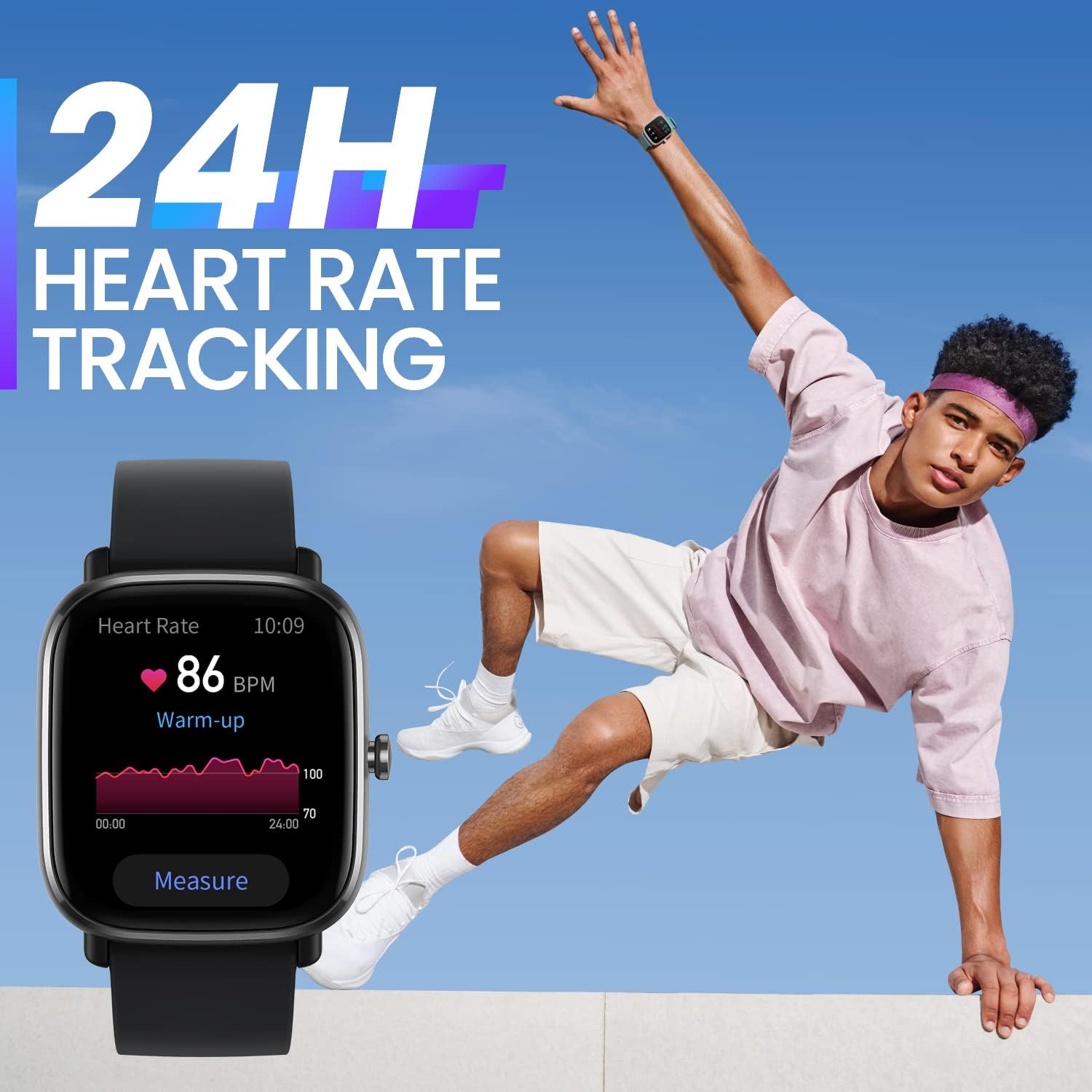
Monitoraggio della frequenza cardiaca in tempo reale.
- Misurazione della saturazione di ossigeno nel sangue (SpO2): Access the SpO2 app on your watch to take a measurement. Ensure your arm is still and the watch is snug on your wrist for accurate results.

Monitora i livelli di ossigeno nel sangue.
- Monitoraggio del sonno: L'orologio tiene traccia automaticamente dei tuoi schemi di sonno, inclusi i momenti del sonnotages (light, deep, REM) and duration. View detailed sleep analysis in the Zepp App.

Automatic sleep quality monitoring.
- Monitoraggio del livello di stress: The watch can estimate your stress levels throughout the day. Access the Stress app for current readings and trends.
- Monitoraggio del ciclo femminile: Record your menstrual cycle information in the Zepp App to receive predictions and reminders on your watch.

Track your female cycle with ease.
5.4 Sport Modes and GPS
The watch supports over 68 sport modes. Select your desired activity from the Sport Modes list to start tracking. The built-in GPS will record your route and distance for outdoor activities.

High precision GPS for accurate tracking.

Engage in over 68 sports modes.
5.5 Notifications and Other Features
- Notifiche: Receive real-time alerts for incoming calls, text messages, and app pushes.
- Always-On AMOLED Display: Keep essential information visible at all times.
Always-On AMOLED Display for constant visibility.
- Volti dell'orologio: Choose from over 80 watch faces or customize with your own photos via the Zepp App.

Customize your watch with numerous watch faces.
- Fotocamera Bluetooth: Utilizza il tuo orologio come otturatore remoto per la fotocamera del tuo telefono.

Controlla la fotocamera del tuo telefono da remoto.
6. Manutenzione
6.1 Pulizia dell'orologio
Pulisci regolarmente l'orologio e il cinturino per prevenire irritazioni cutanee e mantenerne la funzionalità. Usa un panno morbido eamp panno per pulire la cassa e il cinturino dell'orologio. Evitare l'uso di prodotti chimici aggressivi o materiali abrasivi.
6.2 Resistenza all'acqua
The Amazfit GTS 2 Mini has a water resistance rating of 5 ATM, meaning it can withstand pressures equivalent to a depth of 50 meters. It is suitable for showering, swimming, and other shallow-water activities. However, it is not recommended for diving or high-pressure water activities.
6.3 Cura della batteria
To prolong battery life, avoid exposing the watch to extreme temperatures. Charge the watch regularly, but avoid overcharging. If the watch will not be used for an extended period, charge it to about 50% before storing.

Enjoy up to 14 days of battery life.
7. Risoluzione Dei Problemi
7.1 L'orologio non si accende
Ensure the watch is fully charged. Connect it to the charging cable and a power source for at least 30 minutes. If it still doesn't turn on, try performing a force restart by pressing and holding the side button for 10-15 seconds.
7.2 Impossibile associare il telefono
- Assicurati che il Bluetooth sia abilitato sul tuo telefono.
- Assicurati che l'orologio si trovi nel raggio d'azione del tuo telefono.
- Riavvia sia il telefono che l'orologio.
- Svuota la cache Bluetooth sul tuo telefono (Android) o dimentica il dispositivo nelle impostazioni Bluetooth (iOS) e prova ad associarlo di nuovo.
- Ensure the Zepp App is updated to the latest version.
7.3 Dati sanitari inesatti
- Assicurati che l'orologio sia indossato comodamente al polso, a circa un dito di distanza dall'osso del polso.
- Keep your arm still during measurements (e.g., SpO2).
- Pulisci il sensore della frequenza cardiaca sul retro dell'orologio.
8. Specifiche
| Caratteristica | Specificazione |
|---|---|
| Numero di modello | 850030107886 |
| Display | AMOLED da 1.55 pollici |
| Resistenza all'acqua | 5 bancomat |
| Durata della batteria (uso tipico) | Fino a 14 giorni |
| Connettività | Bluetooth, GPS integrato |
| Sensori | Heart Rate, Blood Oxygen, Accelerometer, Gyroscope |
| Dimensioni | 1.38 x 0.31 x 1.57 pollici |
| Peso | 1.09 once |
9. Garanzia e supporto
Per informazioni sulla garanzia e sull'assistenza clienti, fare riferimento al sito ufficiale Amazfit webo contattare il rivenditore locale. Conservare la ricevuta d'acquisto per eventuali reclami in garanzia.
Puoi trovare risorse aggiuntive e FAQ su Amazfit official websito.


