1. Prodotto finitoview
The tectake Zola Electric Height-Adjustable Desk is designed to provide a dynamic and ergonomic workspace. Featuring continuous electric height adjustment, a robust particle board tabletop, and a solid steel frame, this desk offers stability and comfort. Its powerful motor ensures smooth transitions between sitting and standing positions, while the flexible frame design maximizes legroom. The integrated touchpad allows for easy height adjustments and memory function for preferred settings. An anti-collision system enhances safety during operation.

Image 1.1: The tectake Zola Electric Height-Adjustable Desk, showcasing its sleek black design and sturdy construction.
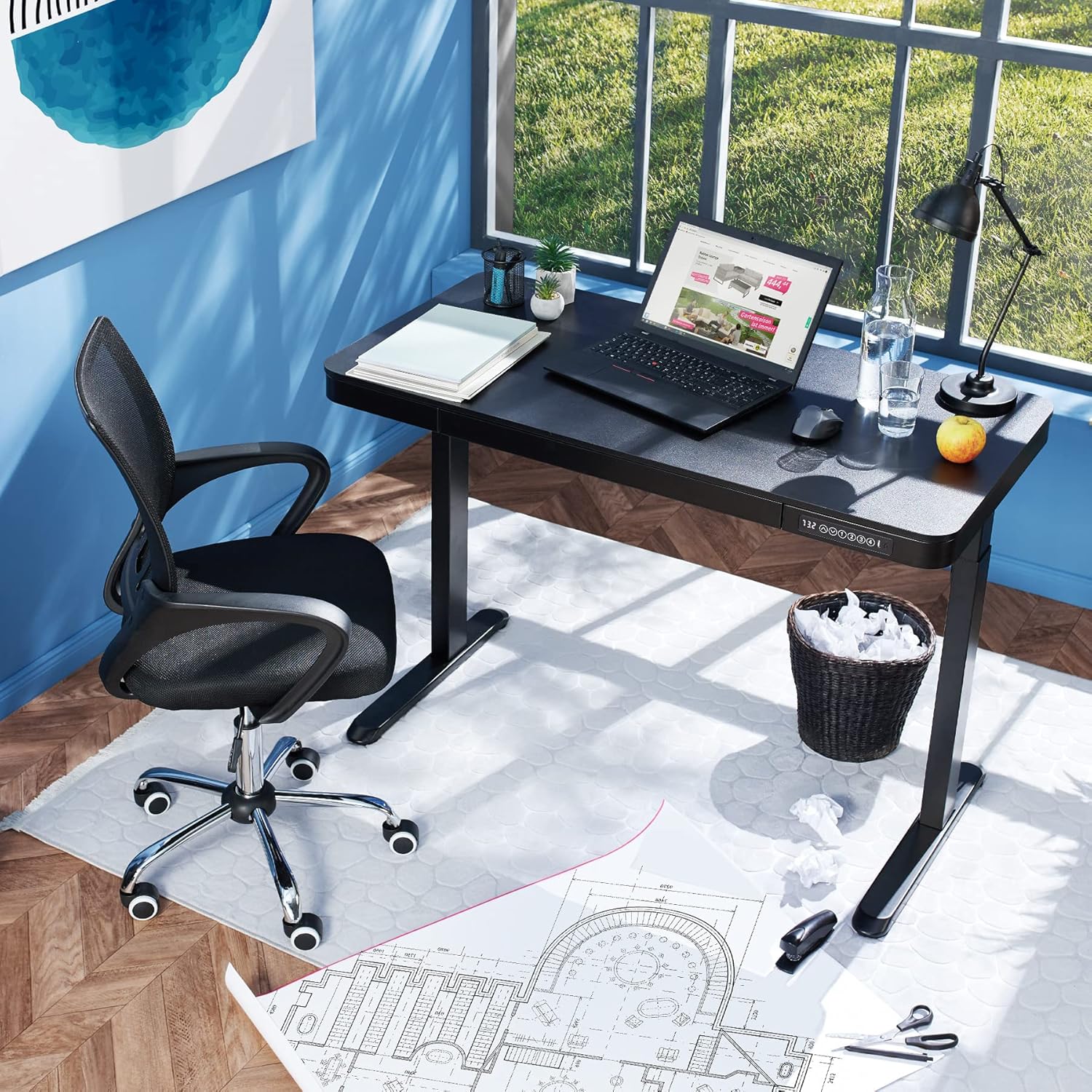
Image 1.2: The desk integrated into a modern office environment, demonstrating its practical use.
2. Istruzioni di sicurezza
- Leggere attentamente tutte le istruzioni prima del montaggio e dell'uso.
- Tenere bambini e animali domestici lontani dalla scrivania durante il funzionamento.
- Assicurarsi che tutte le viti e i bulloni siano ben serrati prima dell'uso. Controllare periodicamente e serrare nuovamente se necessario.
- Non sovraccaricare la scrivania. La portata massima è di 45 kg.
- Keep hands and fingers clear of moving parts during height adjustment. The desk is equipped with an anti-collision system, but caution is still advised.
- Utilizzare solo l'alimentatore fornito.
- Do not disassemble or modify the motor or control unit. Contact qualified personnel for repairs.
- Place the desk on a level surface. Adjustable feet can compensate for minor unevenness.
3. Contenuto della confezione
Verificare che tutti i componenti siano presenti e integri prima di iniziare il montaggio. Se qualche componente risulta mancante o danneggiato, contattare l'assistenza clienti.
- Tabletop with integrated drawer and control panel
- Assemblaggio della gamba sinistra
- Assemblaggio gamba destra
- Piedi (2x)
- Adattatore di alimentazione e cavo
- Assembly Hardware (screws, Allen key, etc.)
- Manuale di istruzioni (questo documento)
4. Guida all'assemblaggio
Assembly is required for this product. It is recommended to have two people for easier and safer assembly. Clear a spacious area for assembly and lay out all components.
Assemblaggio passo dopo passo:
- Attach Leg Assemblies to Tabletop: Carefully place the tabletop upside down on a soft, clean surface to prevent scratches. Align the left and right leg assemblies with the pre-drilled holes on the underside of the tabletop. Secure them using the provided screws and Allen key. Ensure the motor cables are not pinched.
- Attach Feet to Leg Assemblies: Slide the feet onto the bottom of each leg assembly. Secure them with the appropriate screws.
- Collegare il cavo di alimentazione: Locate the power input port on the control unit (usually on the underside of the tabletop near the control panel). Connect the power cable firmly.
- Posizionare la scrivania: With assistance, carefully flip the desk upright and move it to its desired location. Adjust the plastic feet at the bottom of the legs to ensure the desk is stable and level on uneven floors.
- Accensione iniziale: Plug the power adapter into a wall outlet. The control panel display should light up.

Image 4.1: Dimensional drawing of the desk, useful for planning space and assembly.

Immagine 4.2: Lato view illustrating the robust leg structure and height adjustment mechanism.
5. Guida operativa
The tectake Zola desk features an intuitive control panel for easy height adjustment and memory functions.
Funzioni del pannello di controllo:

Image 5.1: The control panel, showing the digital height display and control buttons.
- Display digitale: Mostra l'altezza attuale della scrivania in centimetri.
- Up/Down Arrows (↑ / ↓): Tenere premuto per regolare l'altezza della scrivania verso l'alto o verso il basso in modo continuo. Rilasciare il pulsante per fermarsi all'altezza desiderata.
- Pulsanti di memoria (1, 2, 3, 4): Questi pulsanti consentono di salvare e richiamare fino a quattro impostazioni di altezza preferite.
- Per salvare un'altezza: Adjust the desk to your desired height using the up/down arrows. Press and hold one of the memory buttons (1-4) until the display flashes or beeps, indicating the height has been saved.
- Per richiamare un'altezza: Simply press the corresponding memory button (1-4). The desk will automatically move to the saved height.
- Sistema anticollisione: The desk is equipped with a sensitive anti-collision system. If the desk encounters an obstruction during height adjustment, it will stop and slightly reverse direction to prevent damage.
- USB-A and USB-C Ports: Located on the control panel, these ports can be used to charge small electronic devices.

Image 5.2: Detail of the USB-A and USB-C charging ports for convenient device charging.

Image 5.3: Visual representation of the desk's adjustable height range.
Cassetto integrato:
The desk includes a convenient integrated drawer for storing small office supplies, helping to keep your workspace tidy.

Image 5.4: The desk's integrated drawer, providing discreet storage.

Image 5.5: Detail of the drawer's smooth-gliding mechanism.
6. Manutenzione e cura
- Pulizia: Pulisci la superficie e le gambe della scrivania con un panno morbido e asciutto.amp panno. Evitare l'uso di prodotti chimici aggressivi o detergenti abrasivi, poiché potrebbero danneggiare la finitura.
- Controlli regolari: Controllare periodicamente tutte le viti e i collegamenti per assicurarsi che siano ben serrati. Serrare nuovamente se necessario.
- Gestione dei cavi: Ensure power cables are not tangled or pinched, which could lead to damage or malfunction.
7. Risoluzione Dei Problemi
| Problema | Possibile causa | Soluzione |
|---|---|---|
| La scrivania non si muove. | No power; cable disconnected; motor error. | Check power connection to wall outlet and desk. Ensure all cables are securely connected. Unplug and replug the power cable to reset the system. |
| La scrivania si muove in modo irregolare o produce rumori insoliti. | Loose connections; obstruction; uneven load. | Check all assembly screws for tightness. Ensure there are no obstructions under or around the desk. Distribute weight evenly on the tabletop. |
| Il sistema anticollisione si attiva frequentemente. | Ostruzione; impostazione sensibile. | Ensure the path of movement is clear. If the issue persists without clear obstruction, consult customer support. |
| La funzione di memoria non funziona. | Procedura di salvataggio non corretta. | Refer to 'Operation Guide' section 5 for correct saving procedure (press and hold memory button until confirmation). |
8. Specifiche tecniche
| Caratteristica | Specificazione |
|---|---|
| Numero di modello | 404316 |
| Dimensioni complessive (L x P x A) | Approx. 1204 x 604 x 720 - 1220 mm |
| Dimensioni del tavolo (L x P x A) | ca. 1204 x 604 x 64.5 mm |
| Dimensioni del cassetto interno (L x P x A) | Circa. 60 x 29 x 5 cm |
| Colonne di sollevamento per lato | 2 main columns (approx. 4.5 x 7.5 cm) |
| Adjustable Feet Range | Circa 1.2 cm |
| Livello di rumore del motore | <50 dB |
| Velocità di sollevamento | 25 millimetri/secondo |
| Potenza del motore | 52.2 L |
| Ingresso volumetage | 100-240 V |
| Lunghezza del cavo | Circa 310 cm |
| Capacità di carico | 45 kg |
| Peso del prodotto | Circa 32 kg |
| Materiali | Acciaio verniciato a polvere, pannello truciolare, policloruro, plastica ABS |
9. Garanzia e supporto
For information regarding warranty terms and conditions, please refer to the purchase documentation or contact your retailer. For technical support or inquiries about replacement parts, please visit the official tectake websito o contattare il servizio clienti. Conservare la ricevuta d'acquisto come prova d'acquisto.
Produttore: TecTake
Marca: TecTake


