FLITI Galaxy Projector Instruction Manual
Model: galaxy projector-1
Informazioni importanti sulla sicurezza
Please read all safety instructions carefully before operating this product. Failure to follow these instructions may result in injury or damage to the product.
- Supervisione degli adulti: Do not allow children to operate this product alone.
- Uso previsto: This product is designed for indoor use in night or dark environments. Outdoor use, or use in daylight or strong light conditions, will significantly affect the projection effect.
- Resistenza all'acqua: The product has an IP20 waterproof rating, meaning it is suitable for dry environments only. Avoid exposure to water or damp condizioni.
- Temperatura di esercizio: The recommended operating temperature range is 0-45°C (32-113°F). Operation outside this range, especially in excessively high or low temperatures, may cause the product to malfunction or the laser to not illuminate.
- Adattatore di alimentazione: Use only a DC5V/2A power adapter with this product. Using an adapter with incorrect voltage or current may damage the laser module and shorten the product's service life.
- Movimentazione fisica: Avoid dropping or subjecting the device to strong impacts, as this may damage the internal laser module.
- Normal Operation Noise: A slight noise may be heard when the internal motor rotates. This is normal and does not indicate a quality defect.

Prodotto finitoview
The FLITI Galaxy Projector creates a captivating visual experience with its nebula and galaxy projections. It features a wide coverage area, integrated Bluetooth speaker, white noise functions, and various lighting modes to enhance any room.

Caratteristiche principali:
- Dynamic Galaxy & Nebula Projections: Projects sci-fi nebula shapes and dreamy galaxy patterns.
- Ampia copertura: Designed to illuminate an entire room, not just the ceiling.
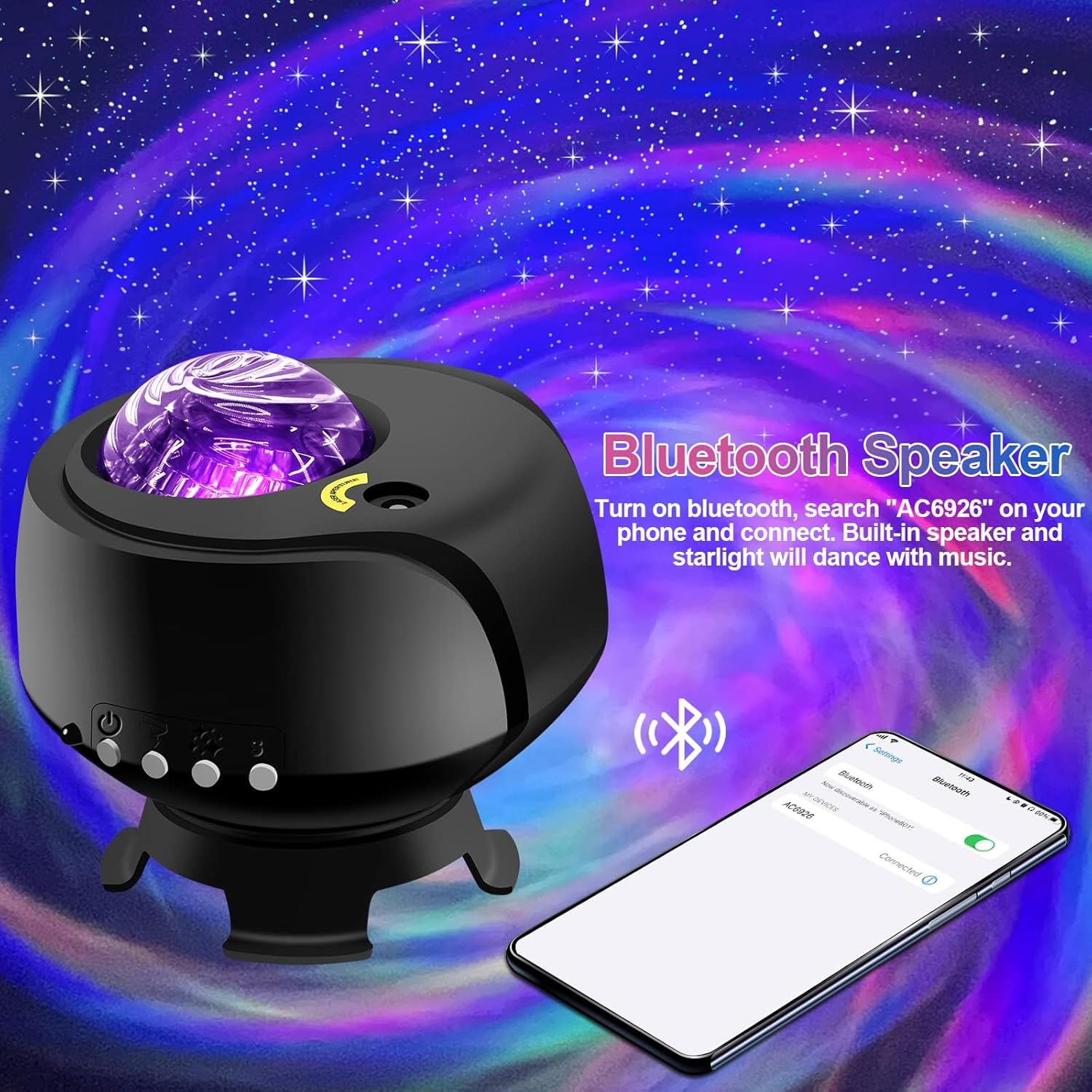
- Altoparlante Bluetooth integrato: Collega il tuo dispositivo per riprodurre la musica.
- White Noise Functionality: Provides soothing sounds for relaxation.
- Impostazioni regolabili: Includes timing, brightness adjustment, and various lighting modes.
- Telecomando: Comodo funzionamento a distanza.

Impostare
- Disimballaggio: Carefully remove the galaxy projector and its accessories from the packaging. Ensure all components, including the projection lamp and base, are present.
- Posizionamento: Place the projector on a stable, flat surface. For optimal projection, position it in the center of the room or at a desired angle to cover the intended area. The projector's base allows for adjustable light direction.
- Collegamento elettrico: Connect the provided DC5V/2A power adapter to the projector's power input port. Plug the adapter into a standard electrical outlet.
- Accensione iniziale: Premere il pulsante di accensione sul proiettore o sul telecomando per accendere il dispositivo.
Istruzioni per l'uso
Basic Controls (via Projector Buttons or Remote Control):
- Accensione/spegnimento: Premere il pulsante di accensione per accendere o spegnere il proiettore.
- Modalità luce: Cycle through various galaxy and nebula projection modes.
- Regolazione della luminosità: Regola l'intensità della luce proiettata.
- Velocità di rotazione: Control the speed of the galaxy/nebula rotation.
- Funzione timer: Set an automatic shut-off timer (e.g., 1H/2H/4H options may be available).

Funzione altoparlante Bluetooth:
- Assicurarsi che il proiettore sia acceso.
- Sul tuo dispositivo mobile, attiva il Bluetooth e cerca i dispositivi disponibili.
- Select the device named "AC6926" to pair.
- Once connected, you can play audio through the projector's built-in speaker. The projected starlight can synchronize with the music.
Funzione rumore bianco:
The projector includes a white noise feature to aid relaxation or sleep. Refer to the remote control or projector buttons for specific controls to activate and select white noise sounds.
Manutenzione
- Pulizia: Disconnect the power before cleaning. Use a soft, dry cloth to wipe the exterior of the projector. Do not use abrasive cleaners, solvents, or excessive moisture, as these can damage the finish or internal components.
- Cura delle lenti: Gently wipe the projection lens with a soft, lint-free cloth to ensure clear projection.
- Magazzinaggio: When not in use for extended periods, store the projector in a cool, dry place, away from direct sunlight and extreme temperatures. Keep it in its original packaging if possible to protect it from dust and impacts.
Risoluzione dei problemi
- Projector Does Not Turn On:
- Assicurarsi che l'adattatore di alimentazione sia collegato saldamente sia al proiettore sia a una presa elettrica funzionante.
- Verify that you are using the correct DC5V/2A power adapter.
- Check if the power button on the projector or remote control is functioning.
- No Projection / Dim Projection:
- Ensure the room is sufficiently dark. The product is designed for optimal performance in low-light conditions.
- Adjust the brightness settings using the remote control or projector buttons.
- Check if the projection lens is clean and free from obstructions.
- Verify the ambient temperature is within the recommended 0-45°C range.
- Problemi di connessione Bluetooth:
- Ensure the projector is powered on and in Bluetooth pairing mode.
- Assicurati che il Bluetooth del tuo dispositivo mobile sia attivato e nel raggio d'azione.
- Prova a disaccoppiare e riassociare il dispositivo.
- Riavviare sia il proiettore che il dispositivo mobile.
- Rumore del motore:
- A slight noise during motor rotation is normal and not a defect. If the noise is excessive or unusual, contact customer support.
Specifiche
| Caratteristica | Specificazione |
|---|---|
| Numero di modello | proiettore galattico-1 |
| Marca | FLITTI |
| Colore | Nero |
| Forma | Stella |
| Materiale | Plastica |
| Tipo di finitura | Proiettore |
| Tipo di sorgente luminosa | GUIDATO |
| Fonte di alimentazione | Elettrico con cavo |
| Voltage | 240 Volt |
| Cosatage | 4 watt |
| Dimensioni del prodotto | 5.5 cm L x 4 cm P x 5.1 cm A |
| Peso dell'articolo | 13.1 once (370 grammi) |
| Componenti inclusi | Proiezione Lamp, Base |
| Caratteristiche speciali | Cambiamento di colore |
| Cambia stile | Remoto |
| Codice UPC | 199284591172 |
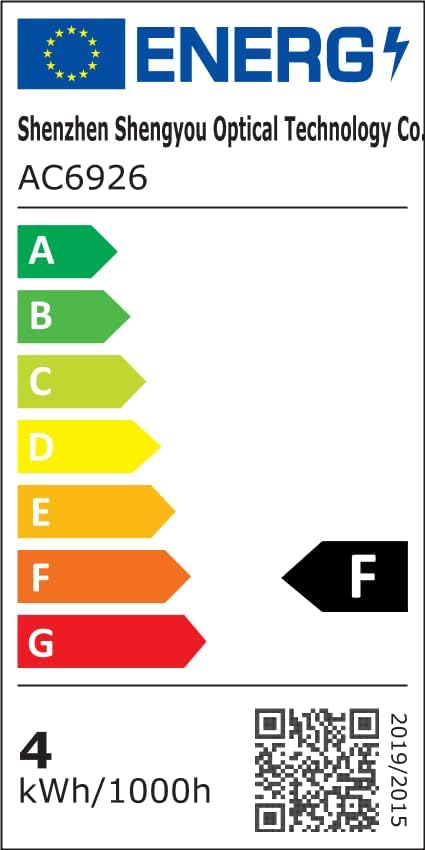
Informazioni sull'efficienza energetica:
Garanzia e supporto
FLITI is committed to providing high-quality products and customer satisfaction. For any questions, concerns, or support needs regarding your Galaxy Projector, please contact the manufacturer directly.
- Produttore: FLITTI
- Piani di protezione: Extended protection plans are available for purchase separately. Please refer to your retailer for details on 3-Year or 4-Year protection plans.
- Resi: Questo prodotto è idoneo per una politica di reso/sostituzione di 30 giorni.


