1. Introduzione
The ACT AC7049 Dual Monitor Docking Station transforms your laptop into a complete workstation. This versatile 11-in-1 docking station allows you to connect up to two Full HD displays (max. 2048 x 1152 resolution) to your laptop via HDMI, using a single USB-C/A cable. It expands your laptop's connectivity with a Gigabit LAN port, microphone and headphone jacks, and six additional USB ports. Featuring DisplayLink® technology, it ensures advanced screen display on both MacOS and Windows computers.
2. Caratteristiche principali
- Supporto per doppio monitor: Connect up to two external displays with HDMI ports, supporting resolutions up to 2048x1152@60Hz.
- Compatibilità universale: Works with laptops featuring a USB-C or USB-A 3.2 Gen1 (USB 3.0) port, compatible with MacOS and Windows thanks to DisplayLink technology.
- Ampia connettività: Includes 2x HDMI, 1x Gigabit Ethernet, 3x USB-A 3.2 Gen 1 (one with fast charging), 4x USB-A 2.0, and 3.5mm audio jacks for microphone and headphones.
- Posizionamento flessibile: Designed for both vertical and horizontal placement to optimize desk space and port accessibility.
- Porta di ricarica USB: Dedicated USB port for charging smartphones and tablets.
3. Contenuto della confezione
Si prega di controllare la confezione per verificare la presenza dei seguenti elementi:
- ACT AC7049 Docking Station
- USB-C/A 3.2 Gen1 Connection Cable (USB-A to USB-C)
- Adattatore di alimentazione
- Stand verticale
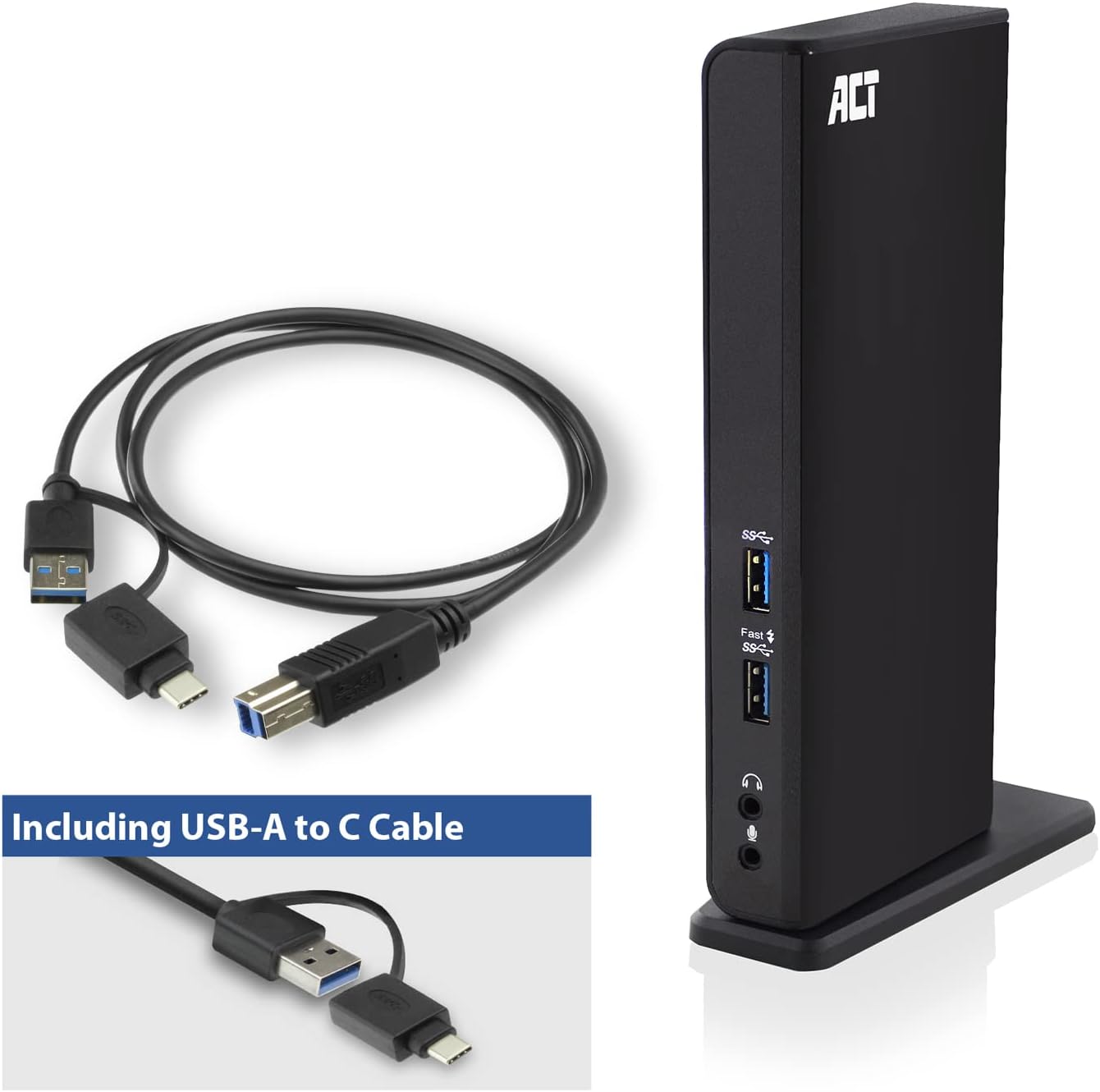
Image: The ACT AC7049 Docking Station shown with its included USB-A to USB-C connection cable and power adapter, highlighting the components provided in the package.
4. Guida all'installazione
4.1. Collegamento dell'adattatore di alimentazione
- Connect the power adapter to the DC 5V input port on the back of the AC7049 docking station.
- Plug the power adapter into a wall outlet. The docking station will power on.
4.2. Collegamento al computer portatile
- Use the provided USB-C/A 3.2 Gen1 connection cable. Connect the USB-B end to the corresponding port on the docking station.
- Connect the other end (USB-A or USB-C, depending on your laptop's port) to an available USB 3.2 Gen1 (USB 3.0) or USB-C port on your laptop.
4.3. Installazione del driver (DisplayLink)
The AC7049 utilizes DisplayLink technology for extended monitor functionality. Drivers are typically installed automatically on most operating systems. If not, please follow these steps:
- Visita il sito ufficiale DisplayLink webposto (www.displaylink.com/downloads) to download the latest drivers for your operating system (Windows or MacOS).
- Install the downloaded driver package and follow the on-screen instructions.
- Riavviare il computer se richiesto.

Image: The official DisplayLink 'Plug and Display' logo, indicating the technology used for multi-monitor support.
5. Istruzioni per l'uso
5.1. Collegamento di display esterni
- Connect your HDMI monitors to the two HDMI ports on the back of the docking station.
- Once connected, your operating system should detect the new displays. You can configure display settings (extend, mirror, primary display) through your computer's display settings.

Image: A visual representation of the docking station enabling both 'Mirror your content' and 'Extend your content' display modes across a laptop and two external monitors.
5.2. Collegamento delle periferiche USB
- Porte USB anteriori: Two USB-A 3.2 Gen1 ports (one with fast charging capability) are located on the front for easy access to frequently used devices like USB drives, smartphones, or tablets.
- Rear USB Ports: Four USB-A 2.0 ports are located on the back for connecting peripherals such as keyboards, mice, printers, or other less frequently connected devices.
5.3. Connessione di rete
Connect an Ethernet cable from your router or network switch to the Gigabit Ethernet port on the docking station. Your laptop will automatically gain wired network access.
5.4. Collegamenti audio
Connect your headphones and/or microphone to the dedicated 3.5mm audio jacks on the front of the docking station.

Image: An isometric diagram showcasing the comprehensive connectivity of the ACT AC7049, demonstrating how a laptop, two monitors, a keyboard, mouse, network cable, headphones, and a smartphone can all be connected simultaneously.
6. Opzioni di posizionamento
The ACT AC7049 docking station offers flexible placement options to suit your workspace:
- Posizionamento verticale: Use the included stand to position the docking station vertically. This saves desk space and provides easy access to all ports.
- Posizionamento orizzontale: The docking station can also be placed horizontally if preferred.

Image: The ACT AC7049 Docking Station positioned vertically on its stand, highlighting its compact design and accessible ports.
7. Manutenzione
To ensure optimal performance and longevity of your ACT AC7049 Docking Station, follow these maintenance guidelines:
- Pulizia: Utilizzare un panno morbido e asciutto per pulire l'esterno della docking station. Evitare l'uso di detergenti liquidi o spray, poiché potrebbero danneggiare il dispositivo.
- Ventilazione: Assicurarsi che la docking station sia posizionata in un'area ben ventilata per evitare il surriscaldamento. Non ostruire le aperture di ventilazione.
- Magazzinaggio: Quando non viene utilizzata per lunghi periodi, conservare la docking station in un luogo fresco e asciutto, lontano dalla luce solare diretta e da temperature estreme.
- Gestione dei cavi: Mantenere i cavi in ordine e privi di pieghe o piegature eccessive per evitare danni ai cavi e alle porte.
8. Risoluzione Dei Problemi
If you encounter issues with your ACT AC7049 Docking Station, please refer to the following common troubleshooting steps:
- Nessuna uscita di visualizzazione:
- Ensure the docking station is powered on and correctly connected to your laptop.
- Verificare che i cavi HDMI siano collegati saldamente sia alla docking station sia ai monitor.
- Check your laptop's display settings to ensure the external monitors are detected and configured correctly (e.g., extended or mirrored).
- Reinstall or update the DisplayLink drivers from www.displaylink.com/downloads.
- Prova a collegare un monitor alla volta per isolare il problema.
- Dispositivi USB non funzionanti:
- Assicurati che la docking station sia correttamente collegata al tuo laptop e alimentata.
- Prova a collegare il dispositivo USB direttamente al tuo laptop per verificare che funzioni.
- Connect the USB device to a different USB port on the docking station.
- Riavvia il tuo computer portatile.
- Nessuna connessione di rete:
- Verificare che il cavo Ethernet sia collegato saldamente sia alla docking station sia al router/switch.
- Controlla le impostazioni di rete del tuo laptop per assicurarti che la connessione cablata sia abilitata.
- Se possibile, testare il cavo Ethernet con un altro dispositivo.
- Audio non funzionante:
- Ensure headphones/microphone are fully plugged into the correct 3.5mm jacks.
- Check your laptop's sound settings to ensure the docking station's audio output/input is selected as the default device.
9. Specifiche
| Caratteristica | Specificazione |
|---|---|
| Numero di modello | AC7049 |
| Marca | ATTO |
| Colore | Nero |
| Tecnologia di connettività | USB-A, USB-C |
| Uscita video | 2 x HDMI (Max. 2048 x 1152 @ 60Hz) |
| Porte USB | 3 x USB-A 3.2 Gen 1 (5Gbps, 1x Fast Charging), 4 x USB-A 2.0 (480Mbps) |
| Porta di rete | 1 porta Gigabit Ethernet (RJ45) |
| Porte audio | 1 x 3.5mm Headphone Jack, 1 x 3.5mm Microphone Jack |
| Dispositivi compatibili | Laptop, Computer (with USB 3.2 Gen1 / USB 3.0 or USB-C port) |
| Supporto del sistema operativo | Windows, MacOS (via DisplayLink) |
| Dimensioni (L x P x A) | 10.9 x 6 x 18.1 cm (circa) |
| Peso dell'articolo | 317 grammi |
10. Garanzia e supporto
ACT products are designed for reliability and adhere to international standards and EU legislation. The ACT AC7049 Docking Station comes with a manufacturer's warranty, typically ranging from 2 to 5 years. For specific warranty details and support, please refer to the official ACT websito o contattare il rivenditore.
For technical support or further inquiries, please visit the official ACT connectivity websito: www.act-connectivity.com


