Introduzione
Thank you for choosing the Chesto Full HD Beamer. This projector is designed to transform your living space into a cinematic experience with its 9500 lumen brightness and native 1920x1080P resolution, supporting 4K signal input. It features an eye-friendly optical system, built-in speakers, and wireless smartphone connectivity for seamless streaming.
This manual provides detailed instructions for setting up, operating, and maintaining your Chesto Full HD Beamer to ensure optimal performance and longevity.
Contenuto della confezione
Si prega di selezionare la casella per i seguenti elementi:
- 1x Chesto Full HD Beamer
- 1x telecomando
- 1x Manuale di istruzioni (questo documento)
- 1x cavo HDMI
- 1x Cavo di alimentazione
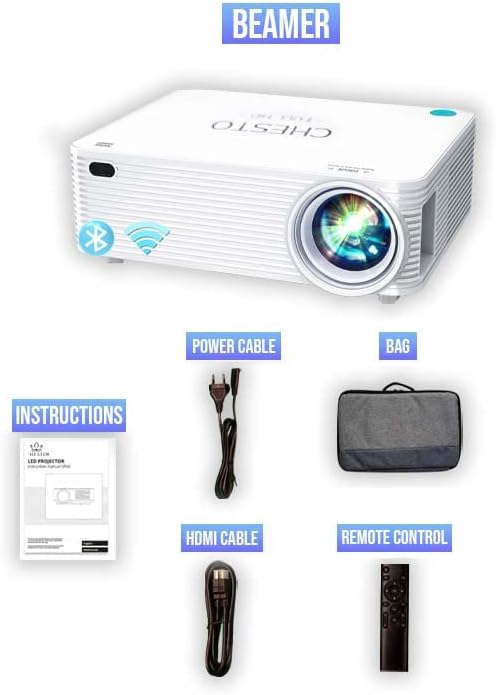
Figure 1: Included accessories with the Chesto Beamer. The image displays the projector, power cable, HDMI cable, remote control, and the instruction manual.
Impostare
- Posizionamento: Position the projector on a stable, flat surface or mount it to the ceiling. Ensure there is adequate ventilation around the projector.
- Collegamento elettrico: Collegare il cavo di alimentazione all'ingresso di alimentazione del proiettore e quindi collegarlo a una presa di corrente.
- Accensione iniziale: Premere il pulsante di accensione sul proiettore o sul telecomando per accendere il dispositivo.
- Regolazione della messa a fuoco: Ruotare l'anello di messa a fuoco sull'obiettivo del proiettore finché l'immagine proiettata non risulta chiara e nitida.
- Correzione trapezoidale: If the image appears trapezoidal, use the 4-point correction function (refer to the 'Image Adjustment' section) to square the image.
Istruzioni per l'uso
Accensione/spegnimento
- Per accendere, premere il pulsante di accensione sul proiettore o sul telecomando.
- Per spegnere, premere nuovamente il pulsante di accensione. Confermare lo spegnimento se richiesto.
Navigazione nei menu
Use the arrow keys on the remote control or the projector's control panel to navigate through the on-screen menu. Press the 'OK' button to select an option.
Connettività
Wireless Smartphone Streaming
The Chesto Beamer supports wireless streaming from your smartphone (both Android and iOS devices). Ensure your smartphone and the projector are connected to the same Wi-Fi network.
- Select the 'Screen Mirroring' or 'Wireless Display' option from the projector's main menu.
- On your smartphone, enable screen mirroring (e.g., 'Smart View' su Android, 'Screen Mirroring' su iOS).
- Select the projector's name from the list of available devices on your smartphone.
- The smartphone screen will now be projected wirelessly.
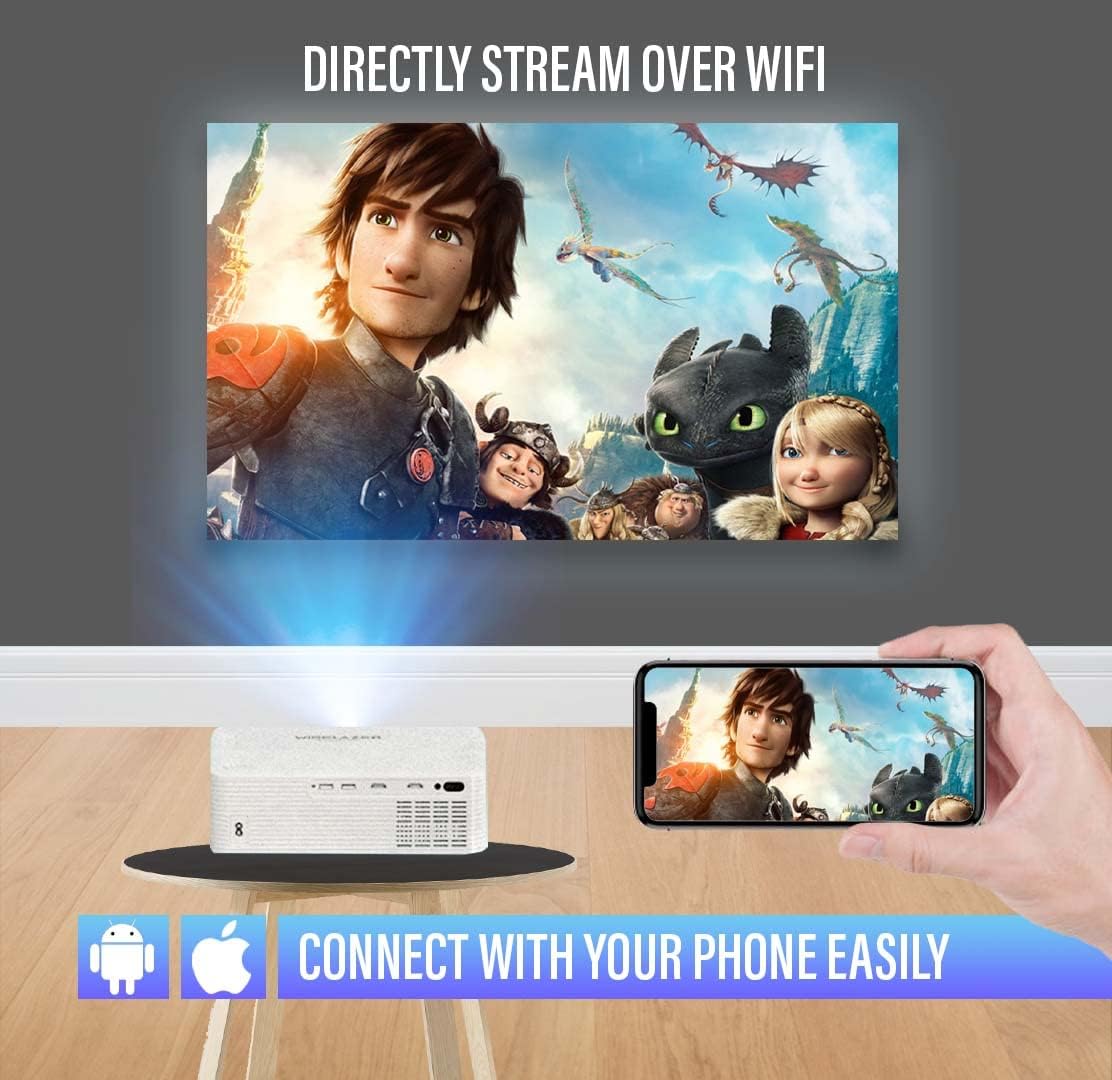
Figure 2: Wireless streaming from a smartphone to the projector. The image illustrates a phone connected to the projector via Wi-Fi, displaying a movie on a large screen.
Connessioni cablate
The projector offers multiple input ports for various devices:
- HDMI (2 porte): Connect Blu-ray players, gaming consoles, laptops, TV sticks, and other HDMI-enabled devices.
- USB (2 porte): Collegare unità USB per la riproduzione di contenuti multimediali o dispositivi esterni.
- 3.5mm Audio Jack (1 port): Collegare altoparlanti esterni o cuffie.
- AV Audio: Collegare i dispositivi più vecchi tramite un cavo AV.
- VGA: Collegare computer o laptop dotati di uscita VGA.

Figure 3: Connectivity options for the Chesto Beamer. The image displays the projector and icons representing various compatible devices and input ports.
Funzione Bluetooth
Connect your Chesto Beamer wirelessly to Bluetooth audio devices such as headphones or external speakers for an enhanced audio experience.
- Assicurati che il tuo dispositivo audio Bluetooth sia in modalità di associazione.
- Sul proiettore, accedere alle impostazioni Bluetooth nel menu.
- Select 'Scan for devices' and choose your audio device from the list to pair.

Figure 4: Bluetooth connectivity for audio devices. The image shows the projector wirelessly connected to headphones and earbuds via Bluetooth.
Regolazione dell'immagine
Messa a fuoco
Adjust the focus ring on the projector lens to achieve a sharp image. The Chesto Beamer features a precise focus lens system ensuring 100% sharp focus from the center to the edges, which is also eye-friendly for prolonged viewing.
Correzione trapezoidale a 4 punti
If the projected image is distorted (e.g., wider at the top or bottom), use the 4-point keystone correction feature to manually adjust each corner of the image until it forms a perfect rectangle.

Figure 5: Adjusting the screen with 4-point correction. The image shows a projected movie scene being adjusted at its corners to achieve a rectangular shape, with a remote control highlighting the adjustment buttons.
Qualità dell'immagine
The Chesto Beamer provides a true native resolution of 1920x1080P, offering significantly more detail than 1080x720P projectors and supporting 4K signal input for unparalleled visual performance.

Figure 6: Resolution comparison. The image visually compares the superior clarity of Chesto's 1920x1080 resolution with 4K Ultra HD support against a lower 1080x720 resolution.

Figure 7: Clear and sharp image projection. The image displays a high-quality, sharp movie projection on a large screen in a living room environment.
Manutenzione
Pulizia della lente
Use a soft, lint-free cloth specifically designed for optical lenses to gently wipe the projector lens. Do not use abrasive cleaners or excessive force, as this may scratch the lens.
Pulizia del corpo del proiettore
Pulire l'esterno del proiettore con un panno morbido e asciutto. Per lo sporco ostinato, leggermente dampen the cloth with water, then wipe dry immediately. Avoid using chemical cleaners.
Ventilazione
Ensure the projector's ventilation openings are clear of dust and obstructions to prevent overheating. The Chesto Beamer is designed to be dustproof, but regular checks are recommended.
Risoluzione dei problemi
Nessuna immagine visualizzata
- Verificare se il proiettore è acceso.
- Ensure the input source is correctly selected (e.g., HDMI1, USB, Screen Mirroring).
- Verificare che il cavo video (HDMI, VGA) sia collegato saldamente sia al proiettore sia al dispositivo sorgente.
- If using wireless streaming, ensure both devices are on the same Wi-Fi network and mirroring is active.
Immagine sfocata
- Regolare l'anello di messa a fuoco sull'obiettivo del proiettore.
- Use the 4-point keystone correction to square the image if it's distorted.
- Assicurarsi che la distanza di proiezione rientri nell'intervallo consigliato.
Nessun suono
- Controllare le impostazioni del volume sia sul proiettore che sul dispositivo sorgente.
- Se si utilizzano altoparlanti esterni, assicurarsi che siano correttamente collegati e accesi.
- If using Bluetooth audio, ensure the device is paired and connected.
- Verificare che l'impostazione dell'uscita audio sul dispositivo sorgente sia corretta.
Il telecomando non funziona
- Sostituire le batterie del telecomando.
- Assicurarsi che non vi siano ostacoli tra il telecomando e il ricevitore IR del proiettore.
Specifiche
| Marca | Chesto |
| Modello | B09ZYGJTGD |
| Risoluzione nativa | 1920 x 1080 (Full HD) |
| Risoluzione massima dello schermo | Full HD (4K signal input supported) |
| Luminosità | 9500 lumen |
| Rapporto di contrasto | 13,000:1 |
| Lamp Vita | 32,000 ore |
| Tecnologia di connettività | HDMI (x2), USB (x2), 3.5mm Audio Jack (x1), AV, VGA, Wi-Fi, Bluetooth |
| Altoparlante incorporato | 5W |
| Fattore di forma | Portatile |
| Applicazioni consigliate | Cinema in casa |
| Caratteristiche speciali | Built-in Wi-Fi, Bluetooth, 4-point keystone correction, Eye-friendly optical system |
Garanzia e supporto
Specific warranty information is not provided in the product details. Please refer to the retailer's return policy or contact Chesto customer support for warranty details and technical assistance.
For further support, please visit the official Chesto websito o contatta il tuo punto vendita.


