Introduzione
Welcome to the Alecto FR-115RD Kids Walkie Talkie Set instruction manual. This guide provides essential information for setting up, operating, maintaining, and troubleshooting your new walkie-talkies. Designed for children, these walkie-talkies offer reliable communication with a range of up to 7 kilometers, featuring an integrated flashlight and an illuminated display.
Cosa c'è nella scatola
- 2 x Alecto FR-115RD Walkie Talkies
- Clip 2 x cinghie
- Manuale di istruzioni (questo documento)
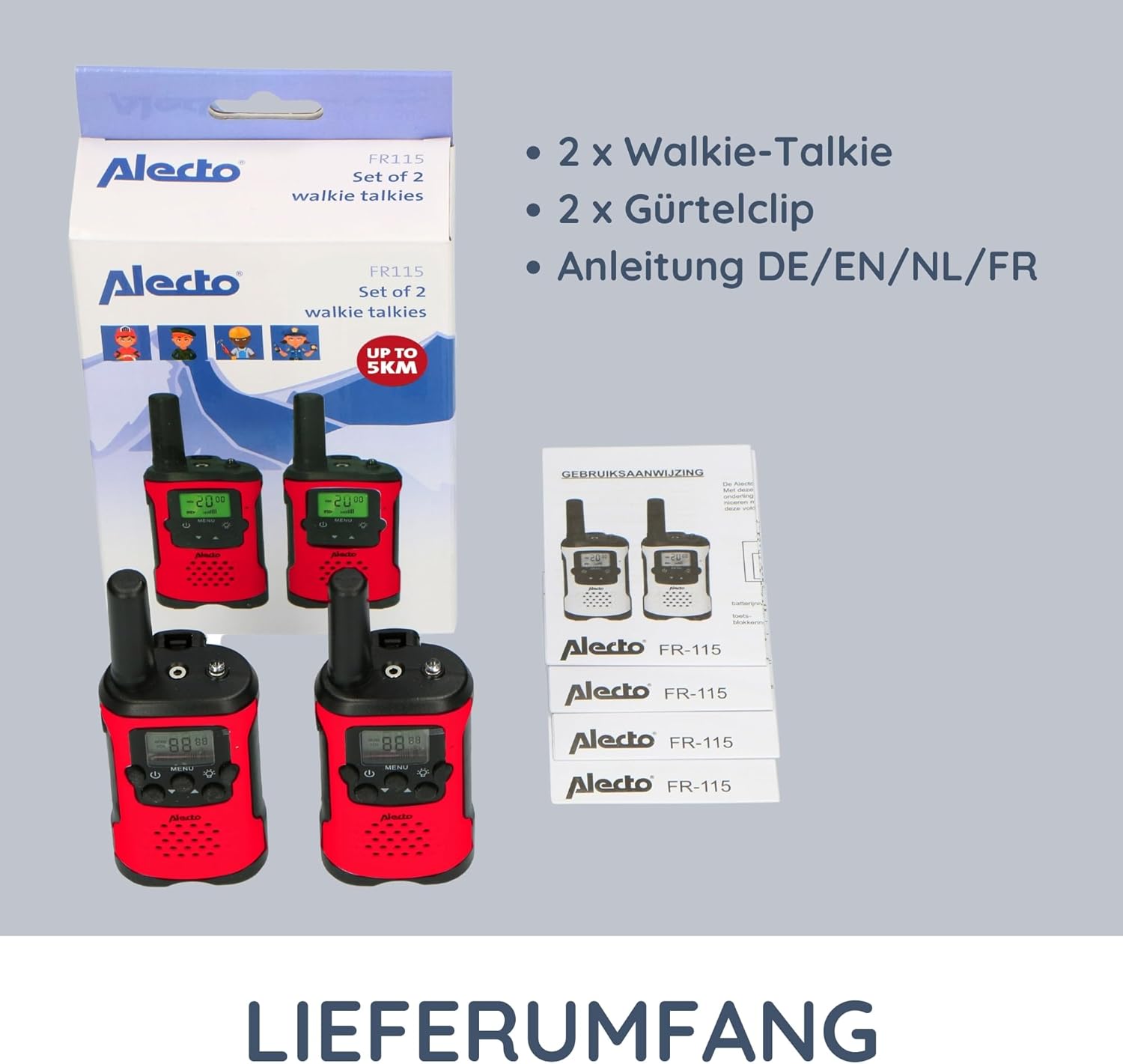
Image: The complete contents of the Alecto FR-115RD package, including the two walkie-talkies, their respective belt clips, and the instruction manual.
Impostare
Installazione della batteria
The Alecto FR-115RD walkie-talkies require 3 AAA batteries each (not included).
- Individuare il coperchio del vano batteria sul retro del walkie-talkie.
- Per aprire, far scorrere o sganciare il coperchio.
- Inserire 3 batterie AAA, assicurandosi della corretta polarità (+ E -).
- Chiudere saldamente il coperchio del vano batterie.
Note: A battery warning indicator will appear on the display when batteries are low.
Fissaggio della clip per cintura
Each walkie-talkie comes with a removable belt clip for convenient carrying.
- Align the belt clip with the slot on the back of the walkie-talkie.
- Far scorrere la clip verso il basso finché non scatta in posizione.
- Per rimuoverlo, premere la linguetta di rilascio (se presente) e far scorrere la clip verso l'alto.
Istruzioni per l'uso
Accensione/spegnimento
Premere e tenere premuto il tasto Pulsante di accensione (usually marked with a power symbol) to turn the walkie-talkie on or off.
Selezione del canale
The FR-115RD features 8 main channels. To change channels:
- Premere il tasto Pulsante MENU. The channel number will flash.
- Utilizzare il Pulsanti su / giù per selezionare il canale desiderato (1-8).
- Premere il tasto Pulsante MENU again to confirm, or wait a few seconds for it to auto-confirm.
For optimal communication, ensure both walkie-talkies are on the same channel.
Sub-Tone (CTCSS) Selection
The device supports 38 CTCSS codes to reduce interference from other users on the same channel.
- Premere il tasto Pulsante MENU twice. The sub-tone code will flash.
- Utilizzare il Pulsanti su / giù to select your desired CTCSS code (0-38).
- Premere il tasto Pulsante MENU di nuovo per confermare.
Both walkie-talkies must have the same channel and CTCSS code for communication.
Trasmissione e ricezione
To transmit (speak): Press and hold the Pulsante Push-to-Talk (PTT) (usually on the side of the device). Speak clearly into the microphone. Release the PTT button to listen.
To receive: Ensure the PTT button is not pressed. The walkie-talkie will automatically receive signals on the selected channel.
Regolazione del volume
Utilizzare il Pulsanti su / giù (when not in menu mode) to adjust the speaker volume.
Torcia elettrica integrata
Premere il tasto Pulsante torcia (usually marked with a light bulb icon) to turn the integrated flashlight on or off. Useful in low-light conditions.
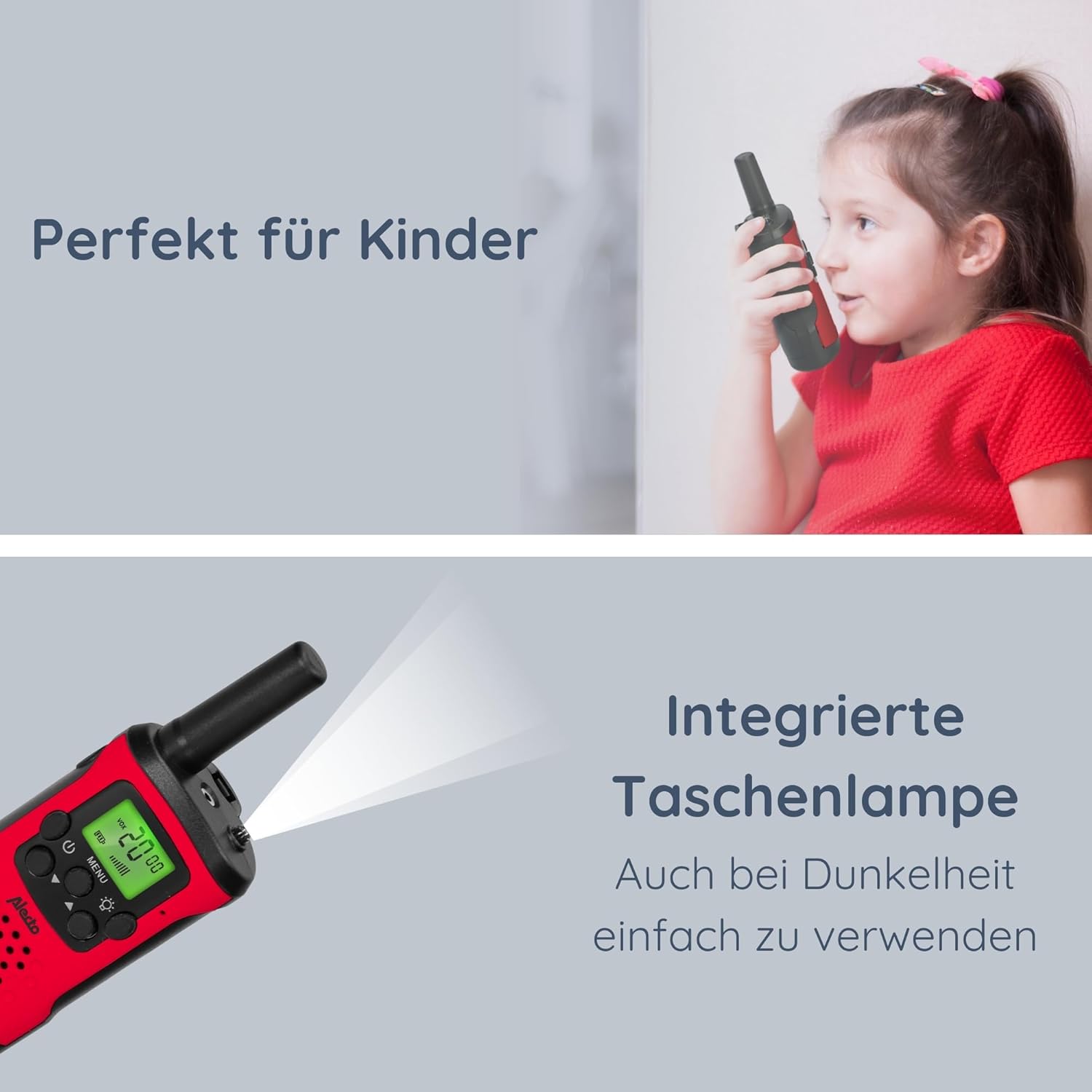
Image: The Alecto FR-115RD walkie-talkie in use by a child, highlighting the integrated flashlight feature for visibility in dark environments.

Image: The illuminated LCD display of the Alecto FR-115RD, showing channel and VOX status, emphasizing its readability and the voice-activated transmission feature.
VOX Function (Voice-Activated Transmission)
The VOX function allows for hands-free transmission. When activated, the walkie-talkie will transmit automatically when it detects your voice.
- Premere il tasto Pulsante MENU three times. "VOX" will appear on the display.
- Utilizzare il Pulsanti su / giù to select the VOX sensitivity level (e.g., 1-3, with 3 being most sensitive) or "OFF" to disable.
- Premere il tasto Pulsante MENU per confermare.
When VOX is active, the walkie-talkie will only transmit when speech is detected.
Uscita cuffie
A 2.5 mm headphone output is available for private listening. Connect compatible headphones (not included) to this port.
Manutenzione
Pulizia
Pulisci i walkie-talkie con un panno morbido eamp panno. Non usare detergenti abrasivi o solventi.
Magazzinaggio
If storing for extended periods, remove the batteries to prevent leakage and damage.
Conservare in un luogo fresco e asciutto, lontano dalla luce solare diretta e dalle temperature estreme.
Resistenza all'acqua
These walkie-talkies are non impermeabileEvitare l'esposizione a pioggia, schizzi o immersioni in acqua.
Risoluzione dei problemi
| Problema | Possibile causa | Soluzione |
|---|---|---|
| Nessun potere | Le batterie sono scariche o installate in modo errato. | Sostituire le batterie o controllare la polarità. |
| Impossibile comunicare con altri walkie-talkie | Canali o codici CTCSS diversi. Fuori portata. | Ensure both units are on the same channel and CTCSS code. Move closer to the other unit. |
| Scarsa qualità del suono / Statico | Segnale debole. Interferenza. Batteria scarica. | Move to an open area. Change channel/CTCSS. Replace batteries. |
| Torcia non funzionante | Low battery. Faulty button. | Sostituisci le batterie. Se il problema persiste, contatta l'assistenza. |
Specifiche
- Modello: FR115
- Marca: Alettone
- Colore: Rosso
- Dimensioni: 3 x 4.9 x 12.9 cm (L x P x A)
- Peso: 224 grams (per set, approximate)
- Fonte di energia: 3 x AAA batteries (per unit)
- Voltage: 4.5 V CC
- Numero di canali: 8 main channels
- Codici CTCSS: 38
- Gamma di frequenza: 446 MHz
- Max. Speaking Range: Fino a 7 chilometri (in condizioni ottimali)
- Caratteristiche speciali: Integrated flashlight, Illuminated LCD display, VOX function, 2.5 mm Headphone output
- Resistenza all'acqua: Non impermeabile
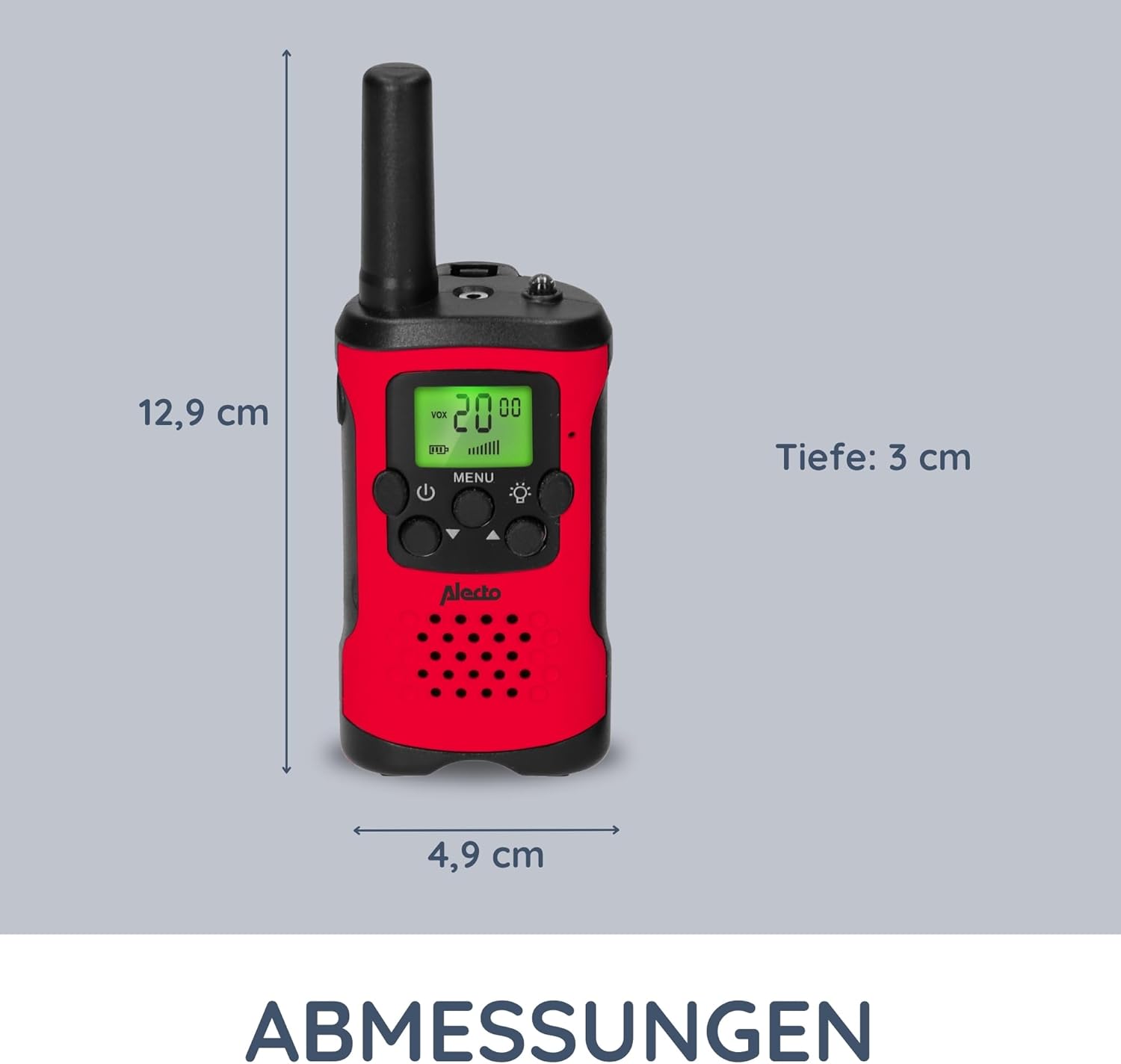
Image: Detailed dimensions of the Alecto FR-115RD walkie-talkie for reference.

Immagine: Oltreview of the main benefits and features of the Alecto FR-115RD walkie-talkies.

Image: Visual representation of the impressive 7-kilometer communication range of the walkie-talkies.
Garanzia e supporto
For warranty information or technical support, please refer to the official Alecto weboppure contatta direttamente il servizio clienti. Conserva la ricevuta d'acquisto come prova d'acquisto.
Alecto Baby is committed to providing reliable products and support. You can find more information and contact details on the Alecto Brand Store.


