Introduzione
The BOYA BY-WM3T2-U1 is an ultracompact and portable 2.4GHz wireless microphone system designed for Android smartphones and other USB-C devices. It offers a plug-and-play experience, automatic pairing, and selectable noise cancellation, making it ideal for video recording, live streaming, vlogging, and online teaching. This manual provides detailed instructions for setting up, operating, and maintaining your wireless microphone system.
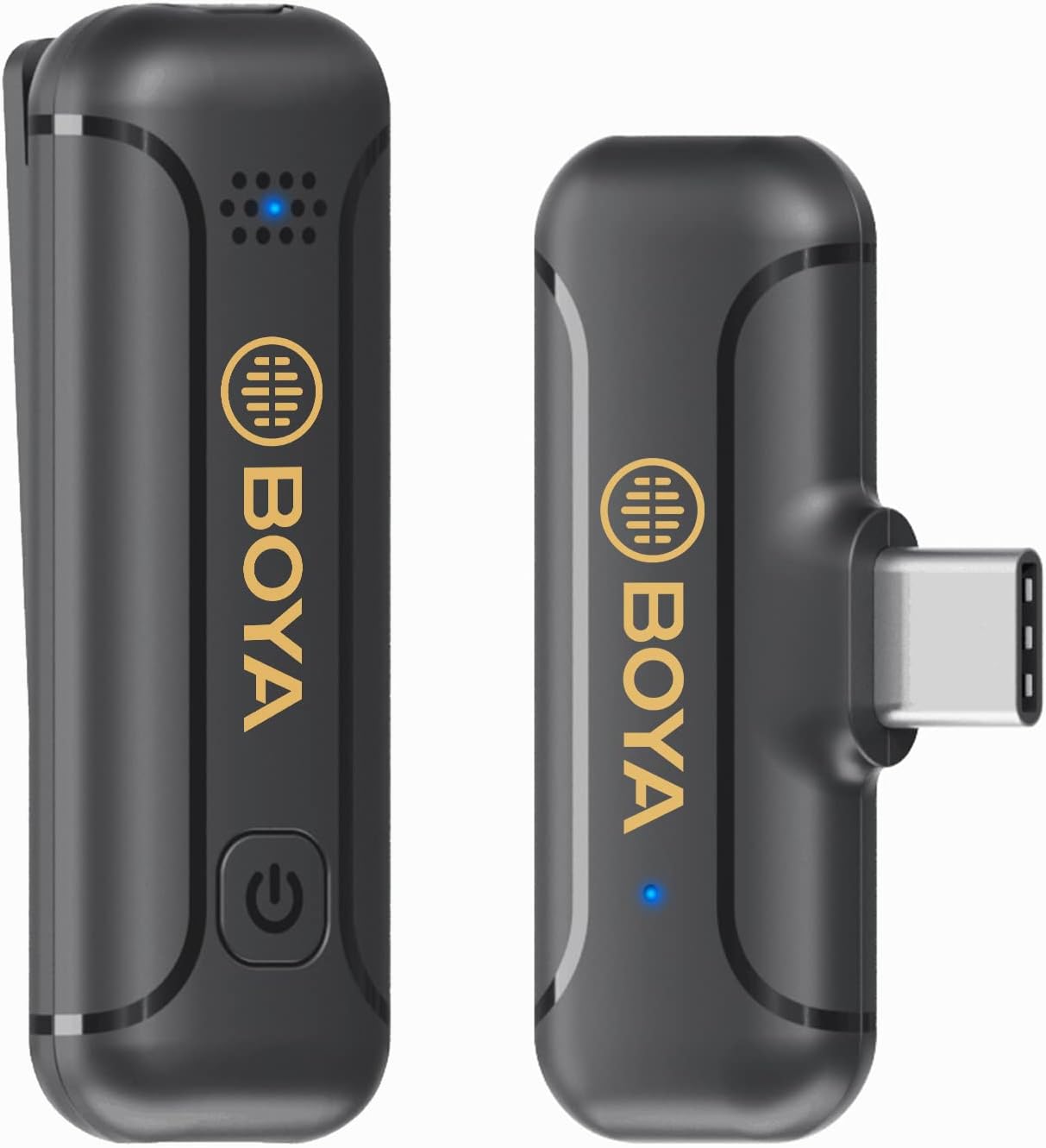
Image: The BOYA BY-WM3T2-U1 wireless microphone system, showing the compact transmitter and receiver units.
Componenti del prodotto
The BOYA BY-WM3T2-U1 package includes the following items:
- BY-WM3T2-U1 Receiver (RXU)
- BY-WM3T2-U1 Transmitter (TX)
- Cavo di ricarica USB-C
- Parabrezza in schiuma
- Scheda di garanzia

Image: All components included in the BOYA BY-WM3T2-U1 package: receiver, transmitter, USB-C charging cable, and foam windscreen.
Struttura del prodotto
Familiarize yourself with the different parts of the transmitter and receiver:
- BY-WM3T2-RXU (Receiver): Features a USB-C connector for direct connection to your device, a USB-C charging port for simultaneous charging, and a status indicator light.
- BY-WM3T2-TX (Transmitter): Includes a built-in microphone, a power/mute button, a status indicator, a USB-C charging port, and a belt clip for easy attachment.

Image: A detailed diagram illustrating the components and ports of both the BY-WM3T2-RXU receiver and the BY-WM3T2-TX transmitter.
Impostare
The BOYA BY-WM3T2-U1 system is designed for quick and easy setup:
- Caricare il trasmettitore: Before first use, ensure the transmitter is fully charged using the provided USB-C charging cable.
- Connetti il ricevitore: Plug the BY-WM3T2-RXU receiver directly into the USB-C port of your Android smartphone, laptop, or other compatible device.
- Accendere il trasmettitore: Press and hold the power button on the BY-WM3T2-TX transmitter until the status indicator light illuminates.
- Associazione automatica: The transmitter and receiver will automatically pair upon power-on. The status indicator lights on both units will confirm a successful connection.
- Collegare il trasmettitore: Clip the transmitter onto your clothing, ensuring the built-in microphone is facing the sound source for optimal audio capture.

Image: Illustration showing the automatic 2.4GHz pairing process between the transmitter and receiver units.
Istruzioni per l'uso
Power On/Off and Mute Function
- Accensione: Press and hold the power button on the transmitter.
- Spegni: Press and hold the power button on the transmitter until the indicator light turns off.
- Disattiva/Attiva audio: Briefly press the power button on the transmitter to mute or unmute the microphone. The status indicator will change to reflect the mute status.
Cancellazione del rumore
The BY-WM3T2-U1 features a built-in noise reduction technology to minimize ambient sounds.
- Attiva la cancellazione del rumore: Double-click the power button on the transmitter. The indicator light may change to confirm activation.
- Disattiva la cancellazione del rumore: Double-click the power button again to turn off the noise reduction mode.
Durata della batteria e ricarica
The transmitter provides up to 10 hours of continuous operation on a full charge.
- Caricare il trasmettitore: Connect the transmitter to a power source using the USB-C charging cable. The status indicator will show charging status.
- Charging the Receiver: The receiver can be charged via its USB-C charging port while connected to your device, allowing for uninterrupted use during long recording sessions or live streams.

Image: Visual representation of the 10-hour battery life of the transmitter.

Image: Detail of the USB-C charging port on the receiver, allowing for convenient power input.

Image: A user demonstrating live broadcasting while simultaneously charging their phone through the receiver's USB-C port.
Campo di funzionamento
The system provides a reliable transmission distance of up to 164 feet (50 meters) in open, obstacle-free environments.

Image: Visual representation of the 164-foot (50-meter) wireless transmission range of the microphone system in an open outdoor setting.
Modello polare omnidirezionale
The built-in microphone features an omnidirectional polar pattern, capturing sound equally from all directions. This makes it versatile for various recording scenarios.

Image: Diagram illustrating the omnidirectional polar pattern of the microphone, showing sound pickup from all directions.

Image: A graphic depicting the 360-degree sound capture capability of the omnidirectional microphone.
Scenari applicabili
The BOYA BY-WM3T2-U1 is suitable for a wide range of wireless audio capturing applications, including:
- Streaming in diretta
- Vloggare
- Interviews
- News Broadcasts
- Insegnamento online

Image: A collage showing different usage scenarios for the microphone, such as live streaming, interviews, news broadcasts, vlogging, and online teaching.
Compatibilità
The receiver (RXU) with its USB-C port is compatible with most devices featuring Type-C connectors, including:
- Smartphone Android
- iPod Pro (USB-C models)
- Mac PCs (with USB-C ports)

Image: An illustration demonstrating the wide compatibility of the microphone system with Android phones, iPod Pro, and Mac PCs via USB-C.
Manutenzione
To ensure the longevity and optimal performance of your BOYA BY-WM3T2-U1 wireless microphone system, follow these maintenance guidelines:
- Pulizia: Utilizzare un panno morbido e asciutto per pulire le unità. Evitare l'uso di prodotti chimici aggressivi o materiali abrasivi.
- Magazzinaggio: Quando non in uso, conservare il sistema microfonico in un luogo fresco e asciutto, lontano dalla luce solare diretta e da temperature estreme.
- Cura della batteria: Turn off the transmitter when not in use to conserve battery life. Avoid fully depleting the battery frequently.
- Maneggiare con cura: Evitare di far cadere le unità o di sottoporle a forti urti.
- Proteggi le porte: Keep the USB-C ports free from dust and debris.
Risoluzione dei problemi
If you encounter issues with your BOYA BY-WM3T2-U1, refer to the following common problems and solutions:
| Problema | Possibile causa | Soluzione |
|---|---|---|
| Nessun suono o volume basso | Transmitter not powered on; Not paired; Muted; Low battery; Incorrect device settings. | Ensure transmitter is on; Check pairing status; Unmute microphone; Charge transmitter; Verify audio input settings on your recording device. |
| Audio intermittente o statico | Out of range; Obstructions; Interference; Low battery. | Move closer to the receiver; Remove obstructions; Avoid strong electromagnetic fields; Charge transmitter. |
| La cancellazione del rumore non è efficace | Feature not activated; Excessive background noise. | Double-click power button to activate noise cancellation; Note that extreme noise may not be fully eliminated. |
| Il dispositivo non riconosce il ricevitore | Receiver not fully inserted; Device compatibility issue. | Ensure receiver is firmly plugged into the USB-C port; Confirm your device supports external USB-C audio input. |
Specifiche
Detailed technical specifications for the BOYA BY-WM3T2-U1 wireless microphone system:
| Caratteristica | Specificazione |
|---|---|
| Numero di modello | BY WM3T2U1 |
| Tecnologia di connettività | 2.4GHz wireless |
| Tipo di connettore | USB di tipo C |
| Modello polare | Omnidirezionale |
| Risposta in frequenza | 16KHz |
| Signal-to-Noise Ratio | 77 dB |
| Campo di funzionamento | Up to 164ft (50m) without obstacle |
| Durata della batteria del trasmettitore | Fino a 10 ore |
| Fonte di alimentazione | Alimentato a batteria (1 batteria ai polimeri di litio inclusa) |
| Peso dell'articolo | 2.39 once (circa 67.7 g) |
| Dimensioni del pacco | 4.72 x 3.82 x 1.34 pollici |
| Dispositivi compatibili | Android Smartphone/USB C Devices |
| Caratteristiche speciali | Battery Indicator Light, Clip, Mute Function, Noise Reduction |
Garanzia e supporto
BOYA provides professional products and dedicated customer service.
- Garanzia: Questo prodotto è coperto da una garanzia di 24 mesi dalla data di acquisto. Si prega di conservare la prova d'acquisto per eventuali reclami in garanzia.
- Assistenza clienti: If you have any questions, concerns, or require technical assistance regarding your BY-WM3T2-U1 wireless microphone, please contact BOYA customer service. Refer to the warranty card or the official BOYA websito per i contatti.


