Introduzione
This manual provides essential information for the safe and efficient use of your SHARP 24EA4E 24-inch HD-Ready LED TV. Please read these instructions thoroughly before operating the television and retain them for future reference. This television is designed for use in living rooms, bedrooms, or guest rooms, offering an elegant design and intuitive operation.
Contenuto della confezione
Before beginning installation, ensure all items listed below are present in your package:
- SHARP 24EA4E LED TV Unit
- Telecomando
- 2 batterie AAA (per il telecomando)
- TV Stand Installation Kit
- Guida rapida

Image: SHARP 24EA4E LED TV with its included stand.
Impostare
1. Installazione fisica
Your television can be placed on a flat surface using the included stand or mounted on a wall using a VESA-compatible bracket (not included). The VESA standard for this model is 100 x 100 mm.
- Installazione del supporto: Carefully attach the TV stand to the bottom of the television using the screws provided in the installation kit. Ensure the stand is securely fastened before placing the TV on a stable surface.
- Montaggio a parete: If wall mounting, refer to the instructions provided with your VESA 100 x 100 mm wall mount bracket. Ensure proper ventilation around the TV.

Immagine: Lato view of the SHARP 24EA4E LED TV, illustrating the stand attachment.
2. Collegamento di dispositivi esterni
The SHARP 24EA4E offers various connection options for your external devices:
- Porte HDMI (x2): Connect Blu-Ray players, game consoles, satellite boxes, or other HDMI-enabled devices.
- Porta USB (x1): For playing media (music, movies, photos) from USB storage devices.
- SCART Input: Per collegare dispositivi più vecchi.
- Satellite Input (DVB-S/S2): Connect your satellite dish.
- RF Input (DVB-T/T2/C): Connect your terrestrial antenna or cable TV.
- Headphone Jack (3.5mm Audio): Per l'ascolto privato.
- CI Port: Per i moduli di accesso condizionale (CAM) per decrittografare i canali crittografati.
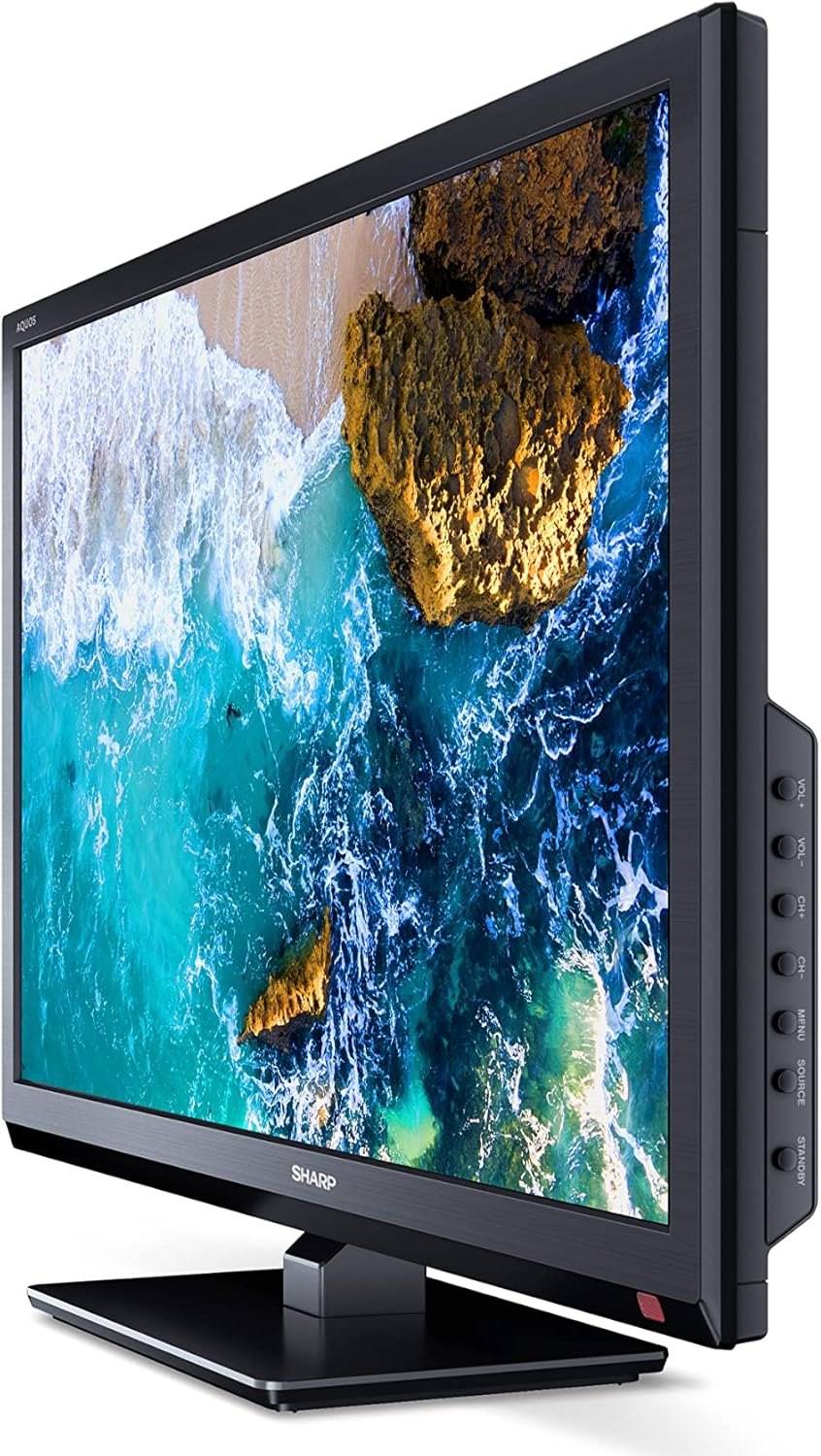
Immagine: Lato view of the SHARP 24EA4E LED TV, highlighting the various input ports.
After connecting all desired devices, plug the TV's power cord into a suitable electrical outlet (220V).
Istruzioni per l'uso
1. First-Time Setup and Channel Scan
Upon first power-on, the TV will guide you through an initial setup process. Follow the on-screen prompts to select your language, country, and perform a channel scan for DVB-T/T2 (terrestrial), DVB-C (cable), or DVB-S/S2 (satellite) signals.
2. Funzioni di controllo remoto
The included infrared remote control allows full operation of your TV. Insert the 2 AAA batteries into the remote control, ensuring correct polarity.
- Pulsante di accensione: Accende o spegne la TV.
- Pulsanti canale (CH+/-): Cambia canale.
- Pulsanti del volume (VOL+/-): Regola il livello del volume.
- Pulsante sorgente: Seleziona le sorgenti di ingresso (HDMI, AV, USB, TV).
- Pulsante Menu: Accede al menu principale del televisore per regolare le impostazioni.
- Pulsanti di navigazione: Utilizzato per navigare nei menu e selezionare le opzioni.
- Pulsante OK: Conferma le selezioni.
- Pulsante di uscita: Exits menus.
- Pulsanti numerici (0-9): Selezione diretta del canale.

Immagine: Lato view of the SHARP 24EA4E LED TV, showing the physical control buttons on the side panel.
3. Riproduzione multimediale tramite USB
Puoi riprodurre vari media files directly from a USB storage device:
- Insert your USB drive into the USB port on the TV.
- Select the USB input source using the remote control's Source button.
- Navigare attraverso il files and folders using the remote control and select the desired media (music, video, or photo) to play.
Manutenzione
To ensure the longevity and optimal performance of your SHARP 24EA4E TV, follow these maintenance guidelines:
- Pulizia dello schermo: Pulire delicatamente lo schermo con un panno morbido e privo di lanugine. Per macchie ostinate, strofinare leggermenteampImmergere il panno in acqua o in un detergente specifico per schermi. Non spruzzare mai liquidi direttamente sullo schermo.
- Pulizia dell'armadio: Per pulire il mobile TV, utilizzare un panno morbido e asciutto. Evitare l'uso di detergenti abrasivi o solventi.
- Ventilazione: Assicurarsi che le aperture di ventilazione sul retro del televisore non siano ostruite per evitare il surriscaldamento.
- Cavo di alimentazione: Controllare regolarmente il cavo di alimentazione per verificare la presenza di eventuali danni. In caso di danni, contattare personale di assistenza qualificato per la sostituzione.
Risoluzione dei problemi
Se riscontri problemi con la tua TV, fai riferimento ai seguenti passaggi comuni per la risoluzione dei problemi:
| Problema | Possibile soluzione |
|---|---|
| Nessun potere | Check if the power cord is securely plugged into both the TV and the wall outlet. Ensure the wall outlet is functional. |
| Nessuna immagine, ma l'audio è presente | Controllare la selezione della sorgente di ingresso. Assicurarsi che i dispositivi esterni siano accesi e collegati correttamente. |
| Nessun suono, ma l'immagine è presente | Check the volume level and mute status. Ensure audio cables are connected correctly for external devices. |
| Qualità dell'immagine scadente | Check antenna/cable connections. Adjust picture settings in the TV menu. For external devices, check their output resolution. |
| Il telecomando non funziona | Sostituisci le batterie AAA. Assicurati che non ci siano ostacoli tra il telecomando e il sensore IR del televisore. |
If the problem persists after trying these solutions, please contact SHARP customer support.
Specifiche
Key technical specifications for the SHARP 24EA4E LED TV:
- Modello: 24EA4E
- Tecnologia di visualizzazione: GUIDATO
- Dimensioni dello schermo: 24 pollici (60 cm di diagonale)
- Risoluzione: 1366 x 768 pixel (HD Ready)
- Proporzioni: 16:9
- Frequenza di aggiornamento: 60 Hz (Active Motion 100)
- Rapporto di contrasto: 100000:1
- Tempo di risposta: 8 millisecondi
- Viewangolo di ing: 178 gradi
- Uscita audio: 2 x 5W speakers, Dolby Digital, Dolby Digital Plus, Surround Sound
- Tecnologia del sintonizzatore: DVB-T/T2 (Terrestrial), DVB-C (Cable), DVB-S/S2 (Satellite) - MPEG4 + HEVC/H.265 (10-bit)
- Connettività: 2 x HDMI, 1 x USB, 1 x SCART, RF Input, Satellite Input, 3.5mm Audio (Headphone Jack), CI Port
- Sistema operativo: Linux
- Consumo energetico: 17 Watts (in SDR mode)
- Voltage: 220V
- Dimensioni (con supporto): 56 cm (L) x 38.5 cm (A) x 14 cm (P)
- Peso: 3.8 kg
- Standard VESA: 100 x 100 millimetri

Image: Diagram showing the dimensions of the SHARP 24EA4E LED TV.
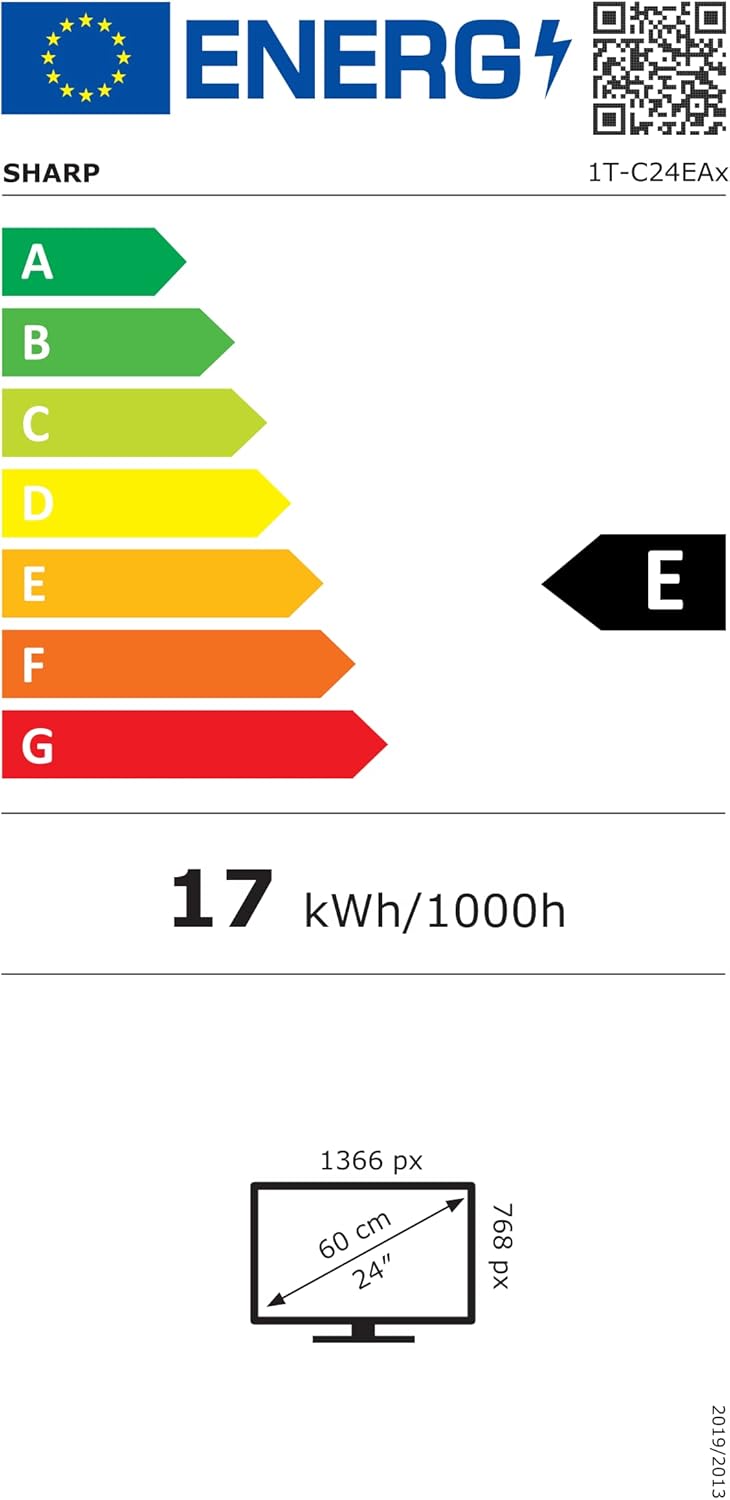
Image: EU Energy Label for the SHARP 24EA4E LED TV, indicating Energy Class E and 17 kWh/1000h consumption.
Per informazioni più dettagliate sul prodotto, consultare il database ufficiale EPREL dell'UE: https://eprel.ec.europa.eu/qr/1242293
Garanzia e supporto
Your SHARP 24EA4E LED TV comes with a manufacturer's warranty. The minimum guaranteed product support is 2 years, and the minimum guaranteed availability of spare parts is 8 years from the date of market introduction.
For warranty claims, technical assistance, or further support, please contact your retailer or visit the official SHARP support websito. Conservare la prova d'acquisto per la convalida della garanzia.


