1. Prodotto finitoview
This manual provides instructions for the VENTION USB C to 2 RCA Audio Cable, designed to convert audio signals from USB-C enabled devices to 2 RCA (left and right channel) outputs. This allows for connection to various audio systems such as speakers, ampdiffusori e configurazioni home theater.

Image 1.1: VENTION USB C to 2 RCA Audio Cable. This image shows the cable with its USB-C connector and two RCA connectors (red and white/black).
2. Caratteristiche principali
- USB-C to 2 RCA Conversion: Converts digital audio from USB-C devices into analog stereo audio for RCA inputs.
- Ampia compatibilità: Supports various USB-C devices including smartphones, tablets, and laptops.
- Versatile Audio Applications: Connects to a range of RCA-enabled audio equipment such as TVs, receivers, amplifiers, DVD players, and speakers.
- Integrated Audio Decoder Chip: Features a built-in JieLi Audio Decoder Chip for improved sound quality and compatibility.
- Costruzione durevole: Equipped with gold-plated connectors for stable, corrosion-resistant connections, an aluminum alloy shell for durability, and an enamelled copper conductor for reliable signal transmission.

Image 2.1: Gold-plated Interface. This image highlights the gold-plated RCA connectors, indicating enhanced durability and signal stability.
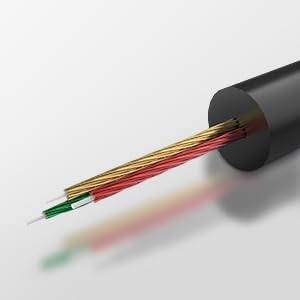
Image 2.2: High-end Audio Decoder Chip. This image provides a visual representation of the internal audio decoding chip within the USB-C connector.
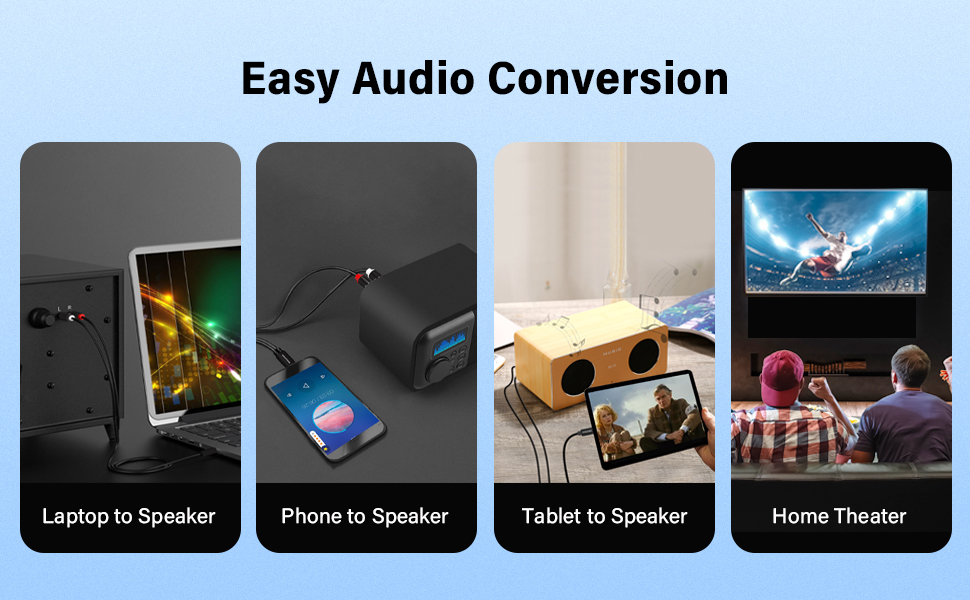
Image 2.3: Multiple Shielding Processes. This image illustrates the internal construction of the cable, showing its multi-layered shielding for signal integrity.
3. Istruzioni per l'installazione
Follow these steps to connect your VENTION USB C to 2 RCA Audio Cable:
- Identificare le porte: Locate the USB-C port on your source device (e.g., smartphone, tablet, laptop) and the RCA input ports (typically red for right channel, white or black for left channel) on your audio receiving device (e.g., speaker, amplifier, TV).
- Connetti USB-C: Insert the USB-C end of the cable firmly into the USB-C port of your source device.
- Connect RCA: Connect the red RCA plug to the right audio input and the white/black RCA plug to the left audio input on your audio receiving device. Ensure both RCA plugs are fully inserted.
- Connessione sicura: Verificare che tutte le connessioni siano sicure e posizionate correttamente.
Video 3.1: VENTION USB C to 2 RCA Audio Cable Usage. This video demonstrates the connection process of the cable to various devices and highlights its features.

Image 3.1: Tablet Connected to Speaker. This image shows a tablet connected to a speaker using the USB C to 2 RCA audio cable.
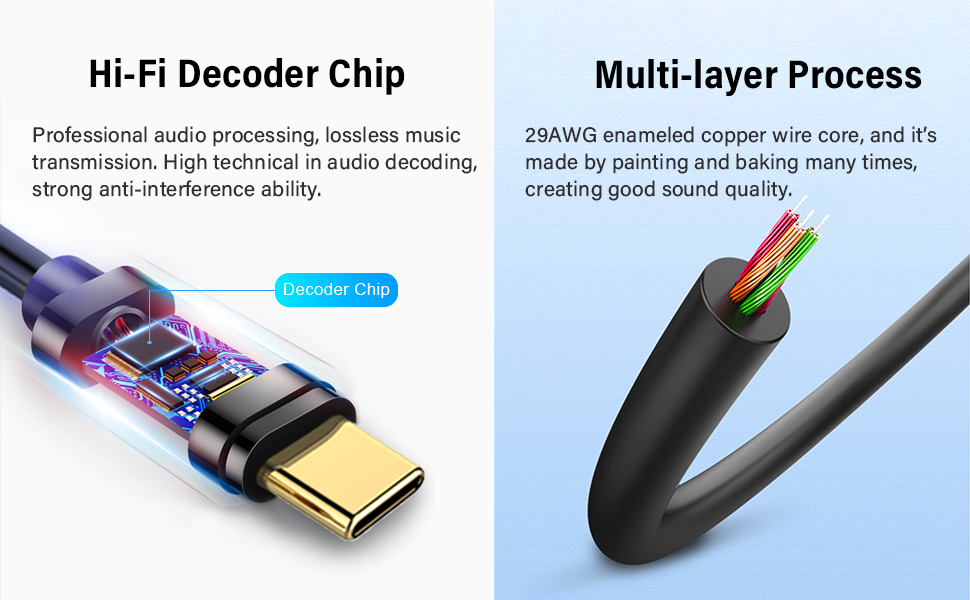
Image 3.2: Phone Connected to Power Amplifier. This image illustrates a smartphone connected to a power amplifier tramite il cavo audio.

Image 3.3: PC Connected to Speaker. This image displays a laptop connected to a speaker, demonstrating the cable's use with computers.
4. Istruzioni per l'uso
Once the cable is connected, it operates as a plug-and-play audio solution:
- Seleziona ingresso: On your audio receiving device, select the appropriate input source (e.g., "AUX," "Line In," or the specific RCA input).
- Riproduci audio: Begin playing audio content from your USB-C source device.
- Regola volume: Adjust the volume levels on both your source device and the audio receiving device to your desired listening level.
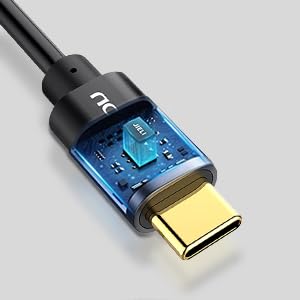
Image 4.1: Hi-Fi Noise Cancelling. This graphic illustrates the cable's ability to reduce noise and deliver clear sound, showing a comparison of fluctuated sound before conversion and clear sound after conversion.
5. Manutenzione
To ensure the longevity and optimal performance of your audio cable, follow these maintenance guidelines:
- Mantenere pulito: Regularly wipe the cable and connectors with a soft, dry cloth to remove dust and debris.
- Evitare di piegarsi: Do not excessively bend or kink the cable, especially near the connectors, as this can damage internal wiring.
- Conservazione corretta: Quando non viene utilizzato, conservare il cavo in un luogo fresco e asciutto, lontano dalla luce solare diretta e da temperature estreme.
- Trattamento delicato: Always insert and remove connectors gently to prevent damage to the cable plugs or device ports.
6. Risoluzione Dei Problemi
If you encounter issues with your VENTION USB C to 2 RCA Audio Cable, refer to the following troubleshooting steps:
| Problema | Soluzione |
|---|---|
| Nessuna uscita audio |
|
| Scarsa qualità del suono (disturbo statico, distorsione) |
|
| USB-C connector feels warm during use |
|
| Source device does not recognize the cable |
|
7. Specifiche
| Caratteristica | Dettaglio |
|---|---|
| Marca | VENZIONE |
| Modello | BGDB |
| Tipo di connettore | USB Type-C to 2 RCA |
| Tipo di cavo | Cavo audio |
| Lunghezza | 2 m (6.5 piedi) |
| Colore | Nero |
| Materiale conduttore | Enamelled Copper |
| Materiale del guscio | Lega di alluminio |
| Interface Process | Placcato in oro |
| Caratteristica speciale | Built-in JieLi Audio Decoder Chip |
| Dispositivi compatibili | Laptop, Television, Tablet, Smartphone, Speaker, Amplifier, DVD Player, Car Stereo |
| Peso dell'articolo | 1.76 once (0.05 chilogrammi) |
| Certificazione | CE |
8. Garanzia e supporto
VENTION products typically come with a standard manufacturer's warranty. For specific warranty terms and conditions, please refer to the product packaging or the official VENTION websito.
For technical assistance, customer service, or to report any issues, please visit the official VENTION websito o contattare direttamente il team di assistenza clienti.
VENTION Official Store: Visita il negozio


