1. Introduzione
This manual provides essential information for the proper setup, operation, and maintenance of your Revopoint Dual Axis Turntable. This device is designed to enhance 3D scanning accuracy by providing controlled rotation and tilt for small to medium-sized objects, ensuring comprehensive data capture from various angles. Please read this manual thoroughly before using the product.
2. Prodotto finitoview
The Revopoint Dual Axis Turntable offers precise control over object positioning during 3D scanning. Its key features include:
- Scansione accurata: Facilitates capturing every angle of an object without manual repositioning of the object or scanner.
- Funzionamento flessibile: Adjustable rotation speeds from 18 to 90 seconds per rotation, with control over rotation direction and a tilt range of ±30°.
- Controllo completo: Operable via an integrated button or through Bluetooth connectivity with the Revo Scan or Revo Assistant application for advanced settings.
- Dimensioni compatte: Features a 200 mm diameter platform capable of supporting a maximum load of 5 kg.
- Compatibilità: Designed to work seamlessly with all Revopoint 3D scanners, including POP3, INSPIRE, MINI, and RANGE Series.

Figure 2.1: Revopoint Dual Axis Turntable with an object for scanning.

Figure 2.2: The turntable in its flat, horizontal position.

Figure 2.3: The turntable adjusted to a tilted position.
3. Impostazione
To set up your Revopoint Dual Axis Turntable:
- Disimballare i componenti: Carefully remove the turntable and its power adapter from the packaging.
- Collegamento elettrico: Connect the power adapter to the turntable and plug it into a suitable power outlet. The device will power on automatically.
- Posizionamento: Place the turntable on a stable, level surface suitable for 3D scanning operations.
- Connessione Bluetooth opzionale: For advanced control, download the Revo Scan or Revo Assistant application on your smartphone or computer. Enable Bluetooth on your device and pair it with the turntable. Refer to the application's instructions for detailed pairing procedures.

Figure 3.1: Turntable and included power adapter.
4. Funzionamento
The Dual Axis Turntable can be operated using its onboard controls or via a connected application.
4.1 Funzionamento manuale
Use the physical buttons and dials on the turntable for basic control:
- Controllo della rotazione: A button or dial typically controls the rotation start/stop and direction.
- Regolazione dell'inclinazione: A separate dial or mechanism allows for manual adjustment of the turntable's tilt angle.
4.2 App-Controlled Operation (Bluetooth)
For precise control over speed, direction, and tilt, connect the turntable to the Revo Scan or Revo Assistant app:
- Regolazione della velocità: Within the app, you can set the rotation speed between 18 to 90 seconds per full rotation.
- Controllo della direzione: Select clockwise or counter-clockwise rotation.
- Angolo di inclinazione: Precisely adjust the tilt angle of the turntable up to ±30° from horizontal.
- Automated Sequences: The app may offer features to program complex scanning sequences involving multiple rotations and tilt changes.

Figura 4.1: Esample of 3D scanning an object using the turntable's rotation and tilt capabilities.
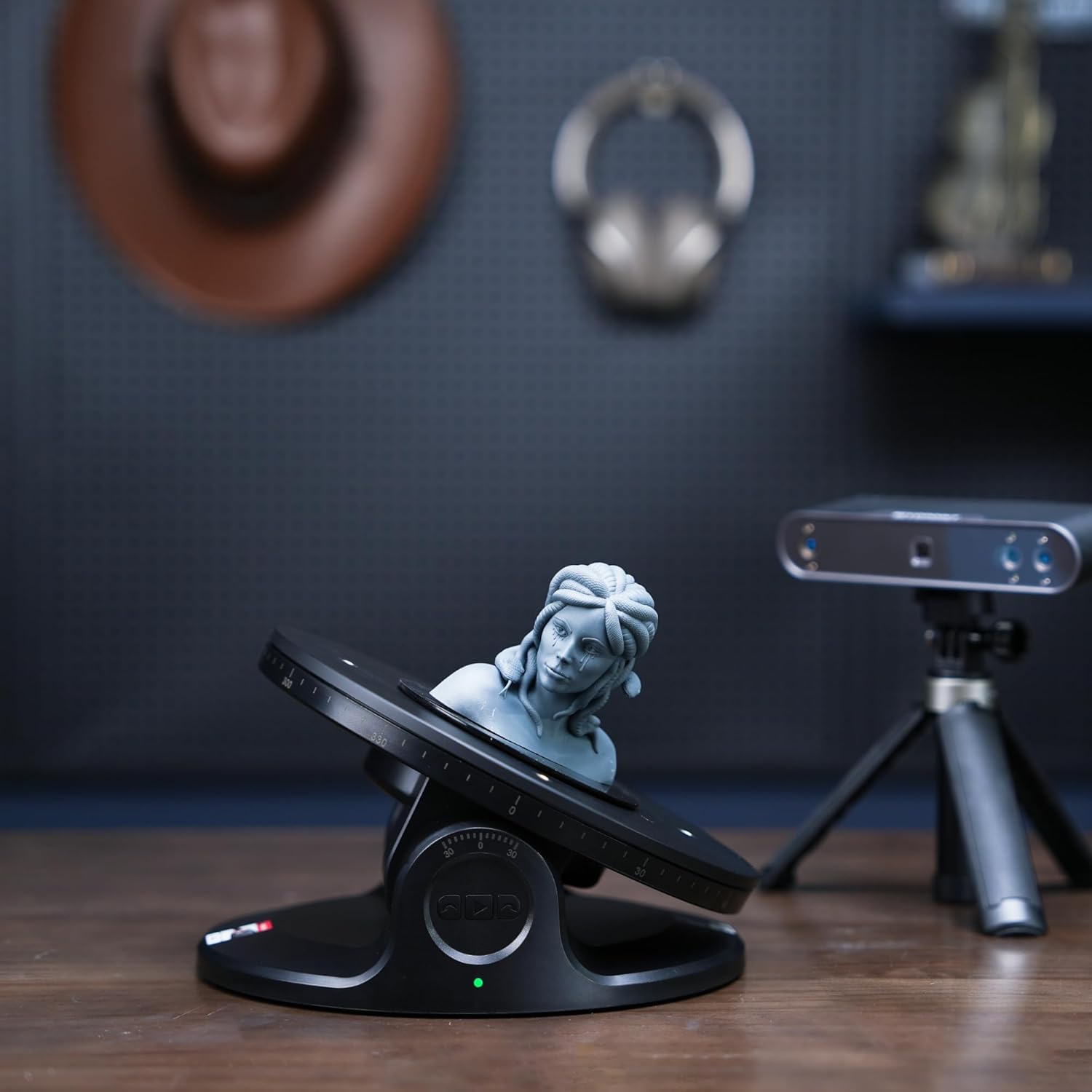
Figure 4.2: Turntable with an object positioned at an angle for detailed scanning.
5. Manutenzione
To ensure the longevity and optimal performance of your Revopoint Dual Axis Turntable:
- Pulizia: Regularly wipe the turntable surface and body with a soft, dry cloth. Avoid using abrasive cleaners or solvents.
- Magazzinaggio: When not in use, store the turntable in a clean, dry environment away from direct sunlight and extreme temperatures.
- Capacità di carico: Do not exceed the maximum load capacity of 5 kg to prevent damage to the motor and mechanism.
6. Risoluzione Dei Problemi
If you encounter issues with your Revopoint Dual Axis Turntable, refer to the following common problems and solutions:
- Turntable Not Powering On: Ensure the power adapter is securely connected to both the turntable and a functional power outlet.
- Problemi di connettività Bluetooth:
- Verify Bluetooth is enabled on your control device (smartphone/computer).
- Ensure the turntable is within the Bluetooth range.
- Restart both the turntable and your control device.
- If using a specific application (e.g., Revo Scan, Revo Assistant), ensure it is updated to the latest version. Some devices, like certain Pixel phone models, may experience specific compatibility issues with advanced app features; try an alternative device if available.
- If Bluetooth remains non-functional, contact customer support.
- Inconsistent Rotation/Tilt:
- Check that the object placed on the turntable does not exceed the 5 kg weight limit.
- Assicurarsi che il giradischi sia posizionato su una superficie stabile e piana.
- If using app control, verify that the desired speed and angle settings are correctly applied.
7. Specifiche
| Caratteristica | Specificazione |
|---|---|
| Numero di modello | DUAL-AXIS-TURNTABLE |
| Produttore | Punto di riscatto |
| Peso dell'articolo | 1.7 libbre |
| Dimensioni del prodotto | 7.78 x 7.78 x 3.34 pollici |
| Platform Diameter | 200 millimetri |
| Capacità di carico massima | 5 kg |
| Rotation Speed Range | 18 to 90 seconds per rotation |
| Gamma dell'angolo di inclinazione | ±30° |
| Connettività | Bluetooth |

Figure 7.1: Dimensions of the Revopoint Dual Axis Turntable.
8. Garanzia e supporto
Revopoint is committed to providing reliable products and customer satisfaction.
- Garanzia: Questo prodotto è coperto da una garanzia di 2 anni. Si prega di conservare la prova d'acquisto per eventuali reclami in garanzia.
- Resi e cambi: A 30-day return or exchange policy is typically offered. Refer to your purchase agreement for specific terms.
- Assistenza clienti: For technical assistance or inquiries, 24/7 online support is available. Visit the official Revopoint websito o contattare i canali del servizio clienti per ulteriore assistenza.


