1. Introduzione
This manual provides detailed instructions for the proper use and maintenance of your Obbug Bluetooth Headset, Model YYK-530. Please read this manual thoroughly before using the product to ensure optimal performance and longevity.
2. Contenuto della confezione
Verifica che tutti gli articoli siano presenti nel tuo pacco:
- 1 x Obbug Bluetooth Headset
- 1 x Custodia di ricarica
- 1 x Cavo di ricarica tipo-C USB
- 1 x Ear Hat (replacement ear tip)
- 1 x Manuale utente
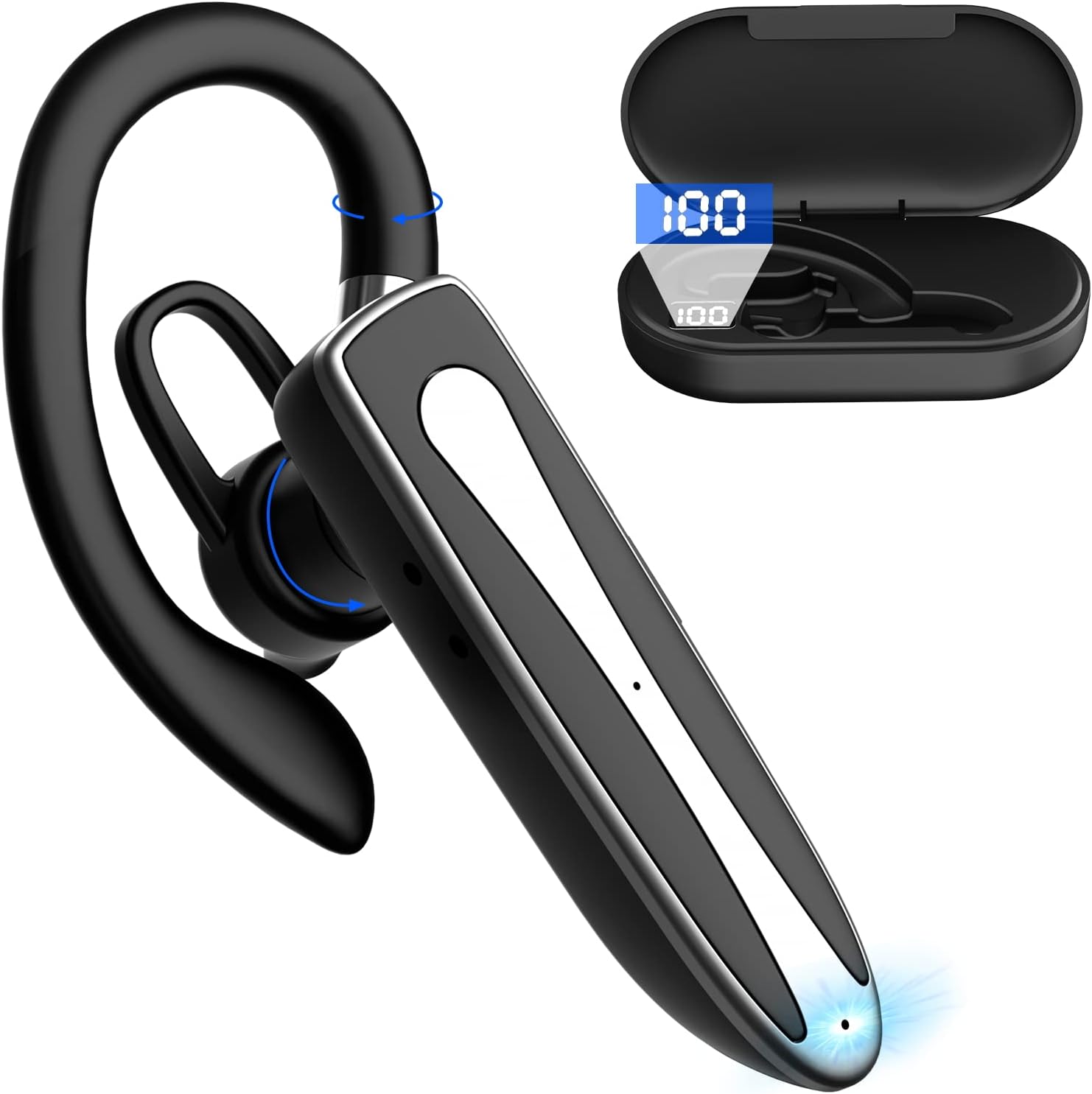
Image 2.1: Obbug Bluetooth Headset YYK-530 and its charging case.
3. Caratteristiche del prodotto
- Tecnologia Bluetooth 5.1: Provides stable connection and clear audio.
- Durata prolungata della batteria: Fino a 80 ore di utilizzo continuo con la custodia di ricarica.
- Design confortevole e regolabile: Flexible earhook and rotatable boom mic for left or right ear wear.
- CVC8.0 Noise Reduction: Migliora la chiarezza delle chiamate riducendo il rumore di fondo.
- Ampia compatibilità: Connects with most Bluetooth-enabled devices including smartphones, tablets, and computers.
- Chiamate in vivavoce: Integrated microphone for convenient communication.

Image 3.1: Illustration of CVC8.0 Noise Reduction for clear audio.
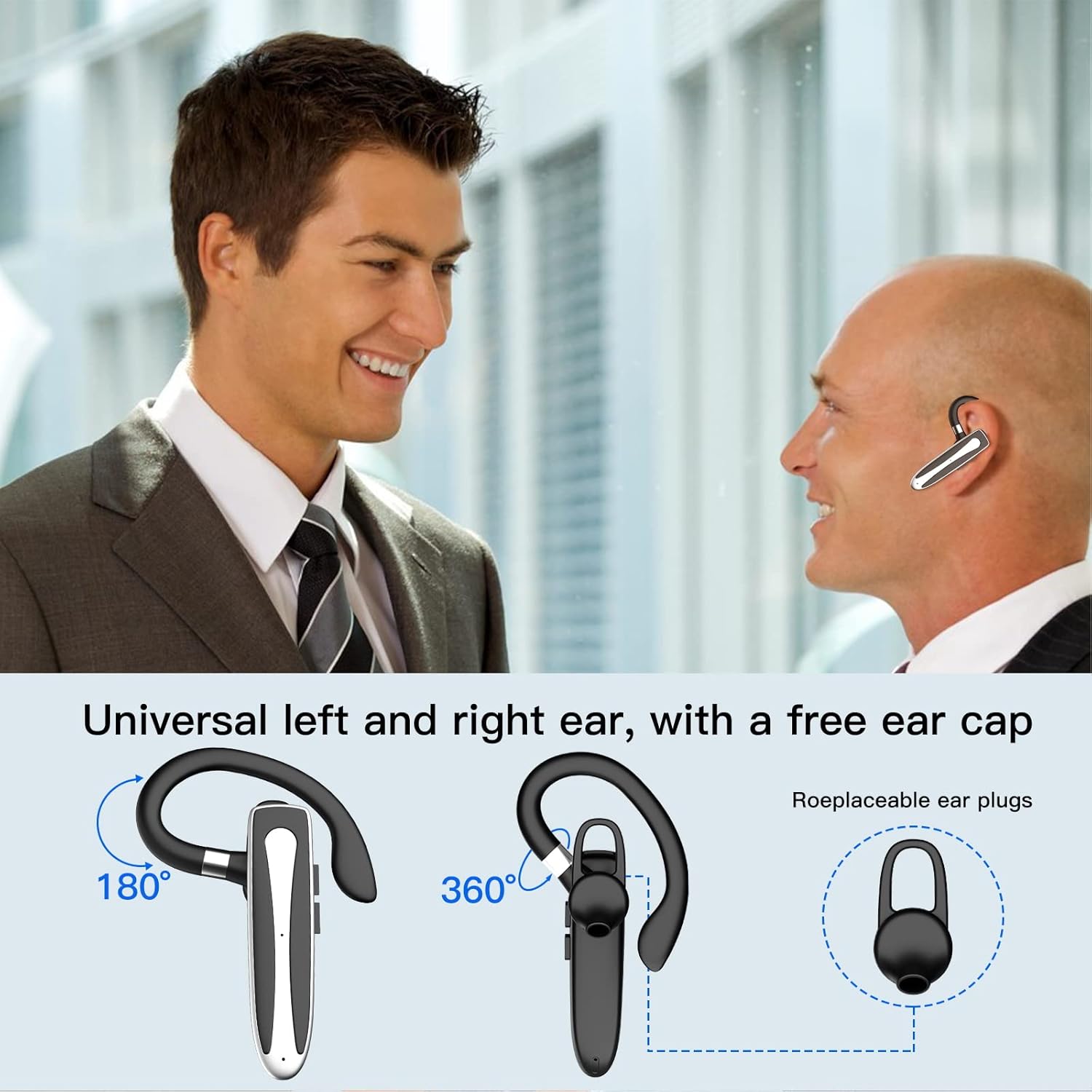
Image 3.2: Diagram illustrating the dual microphone noise reduction processing.
4. Impostazione
4.1 Ricarica dell'auricolare e della custodia
Before first use, fully charge the headset and its charging case.
- Inserire l'auricolare nella custodia di ricarica.
- Collegare il cavo USB Type-C alla porta di ricarica sulla custodia e a una fonte di alimentazione (ad esempio, un adattatore da parete USB, una porta USB del computer).
- The charging indicator on the case will show charging status. A full charge typically takes 1.5 hours.

Image 4.1: The Type-C charging port on the charging case.

Image 4.2: Battery life and charging time information for the headset and case.
4.2 Associazione con un dispositivo
L'auricolare utilizza la tecnologia Bluetooth 5.1 per la connessione wireless.
- Accensione: Take the headset out of the charging case, or press and hold the Multi-function Button until the indicator light flashes blue and red, indicating pairing mode.
- Attiva Bluetooth: Sul tuo dispositivo (smartphone, tablet, ecc.), vai alle impostazioni Bluetooth e attiva il Bluetooth.
- Seleziona dispositivo: In the list of available devices, select "YYK-530".
- Conferma connessione: Once connected, the headset indicator light will flash blue slowly, and your device will show "Connected".

Image 4.3: Illustration of optimal Bluetooth connection distance (within 10 meters).
4.3 Connessione a due dispositivi contemporaneamente
The headset supports connecting to two Bluetooth devices at the same time.
- Connect the headset to the first device (e.g., Phone A) as described in Section 4.2.
- Turn off Bluetooth on the first device. The headset will re-enter pairing mode.
- Connect the headset to the second device (e.g., Phone B) as described in Section 4.2.
- Turn on Bluetooth on the first device. The headset should automatically reconnect to both devices.
You can now answer calls or play music from either connected device.

Image 4.4: Step-by-step guide for connecting the headset to two devices.
4.4 Indossare l'auricolare
The headset is designed for comfortable wear on either the left or right ear.
- The earhook can rotate 360° vertically and 360° horizontally to fit your preferred angle.
- The retractable earhook can be adjusted to fit the shape of your ear.

Image 4.5: The headset's adjustable design for left or right ear wearing.
5. Istruzioni per l'uso
5.1 Accensione/spegnimento
- Accensione: Take the headset out of the charging case, or press and hold the Multi-function Button for approximately 3 seconds until the indicator light flashes blue.
- Spegni: Place the headset back into the charging case, or press and hold the Multi-function Button for approximately 5 seconds until the indicator light flashes red and then turns off.
5.2 Gestione delle chiamate
- Rispondi/Termina chiamata: Premere una volta il pulsante multifunzione.
- Rifiuta chiamata: Tenere premuto il pulsante multifunzione per circa 2 secondi.
- Ricomponi l'ultimo numero: Premere due volte il pulsante multifunzione.
5.3 Riproduzione di musica
- Riproduci/Pausa: Premere una volta il pulsante multifunzione.
- Traccia successiva: Tieni premuto il pulsante Volume su.
- Traccia precedente: Premere e tenere premuto il pulsante Volume Giù.
5.4 Controllo del volume
- Aumenta volume: Premere il pulsante Volume su.
- Diminuisci volume: Premere il pulsante Volume giù.
5.5 Attivazione dell'assistente vocale
Activate your device's voice assistant (Siri, Google Assistant) directly from the headset.
- Attiva l'assistente vocale: Premere tre volte il pulsante multifunzione.

Image 5.1: The headset supports activation of Siri and Google Assistant.
6. Manutenzione
- Pulisci regolarmente l'auricolare e la custodia di ricarica con un panno morbido e asciutto.
- Evitare di esporre il dispositivo a temperature estreme, umidità o sostanze corrosive.
- Quando non vengono utilizzate, conservare le cuffie nella custodia di ricarica per proteggerle e mantenerle cariche.
- Non tentare di smontare o riparare da soli il dispositivo. Contatta il servizio clienti per assistenza.
7. Risoluzione Dei Problemi
7.1 L'auricolare non si accende
- Assicurati che le cuffie siano completamente cariche. Riponile nella custodia di ricarica e collegala a una fonte di alimentazione.
- Press and hold the Multi-function Button for 3-5 seconds to power on.
7.2 Impossibile associare il dispositivo
- Ensure the headset is in pairing mode (indicator flashes blue and red).
- Disattiva il Bluetooth sul tuo dispositivo e riattivalo.
- Ensure the headset is within 10 meters of your device and there are no significant obstacles.
- Cancella l'elenco di associazione Bluetooth sul tuo dispositivo e riprova ad associarlo.
7.3 Nessun suono o scarsa qualità del suono
- Regola il volume sia sull'auricolare che sul dispositivo connesso.
- Assicurati che l'auricolare sia collegato correttamente al dispositivo.
- Avvicinati al tuo dispositivo per assicurarti di essere nel raggio d'azione del Bluetooth.
- Verificare eventuali interferenze da parte di altri dispositivi wireless.
8. Specifiche
| Caratteristica | Specificazione |
|---|---|
| Nome del modello | YYK-530 |
| Marca | Obbug |
| Tecnologia di connettività | Wireless (Bluetooth) |
| Versione Bluetooth | 5.1 |
| Portata Bluetooth | Fino a 33 piedi (10 metri) |
| Controllo del rumore | Sound Isolation (CVC8.0 Noise Reduction) |
| Forma dell'auricolare | Gancio per l'orecchio |
| Durata della batteria (auricolare) | 5 ore (circa) |
| Durata della batteria (con custodia di ricarica) | Up to 80 Hours (approx.) |
| Tempo di ricarica | 1.5 ore |
| Porta di ricarica | USB di tipo C |
| Livello di resistenza all'acqua | Impermeabile |
| Peso dell'articolo | 4.9 once (0.14 chilogrammi) |
| Gamma di frequenza | 20Hz - 20,000Hz |
| Dispositivi compatibili | Cellphones, Desktops, Laptops, Telephones |

Image 8.1: The headset is compatible with a wide range of Bluetooth-enabled devices.
9. Garanzia e assistenza clienti
The Obbug Bluetooth Headset comes with a 1-month replacement warranty.
For any questions, issues, or support needs, please contact our customer service. We offer 24-hour customer service to assist you.
Per i dettagli di contatto specifici, fare riferimento alla documentazione di acquisto.


