Introduzione
Welcome to the Fire-Boltt Ninja Call Pro Plus Smart Watch user manual. This guide provides essential information to help you set up, operate, and maintain your new smartwatch. The Fire-Boltt Ninja Call Pro Plus features a 1.83-inch HD display, Bluetooth calling, AI voice assistance, and extensive health and fitness tracking capabilities.
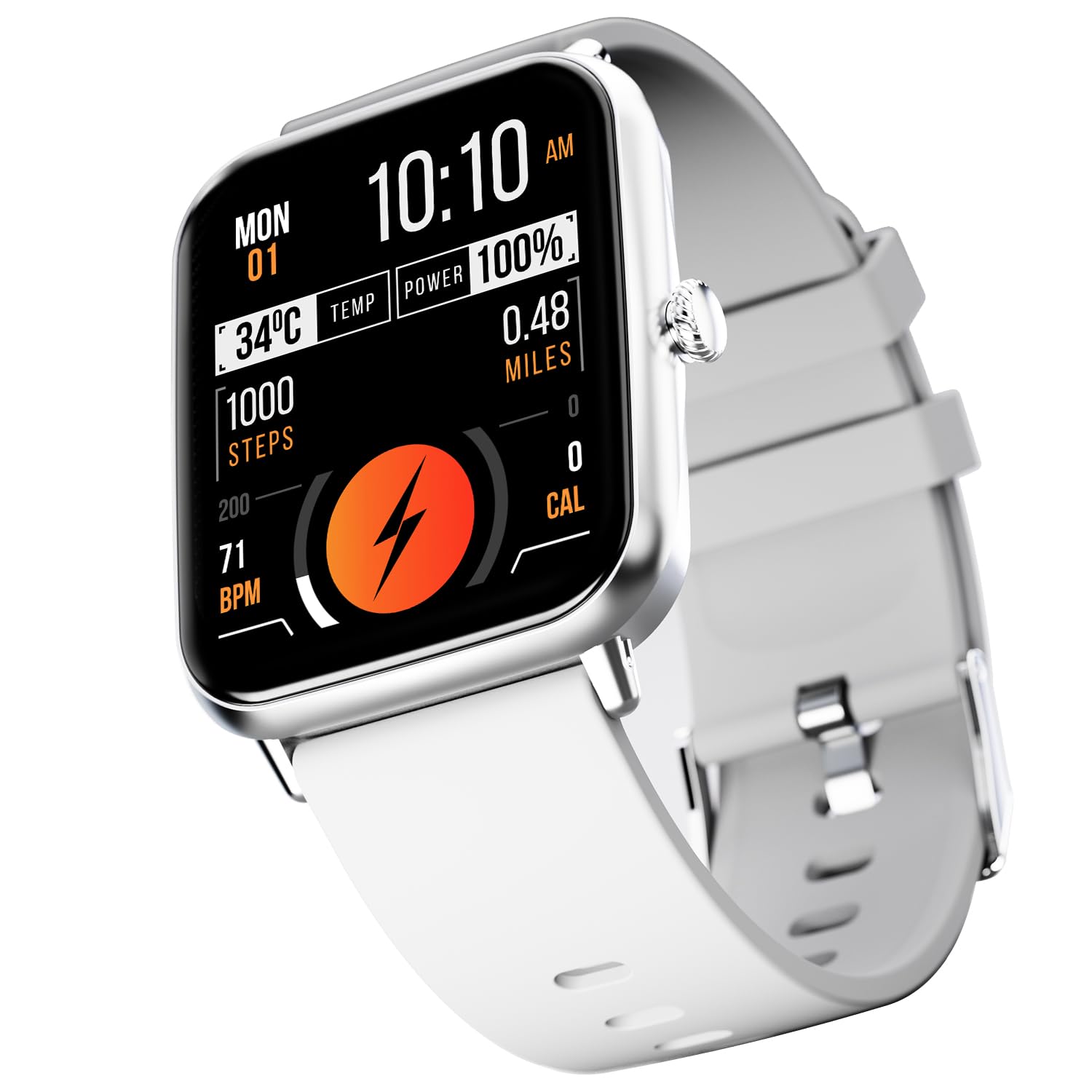
Figure 1: Fire-Boltt Ninja Call Pro Plus Smart Watch
Cosa c'è nella scatola
Upon unboxing your Fire-Boltt Ninja Call Pro Plus Smart Watch, please ensure all the following items are present:
- Fire-Boltt Ninja Call Pro Plus Smart Watch
- Cavo di ricarica
- Manuale dell'utente (questo documento)
Guida all'installazione
1. Ricarica dello Smart Watch
Before initial use, fully charge your smartwatch. Connect the provided charging cable to the watch's charging port and a 3.7V to 5V adapter or a laptop USB port. A full charge typically takes approximately 2 hours. For a minimum 20% charge, allow 30-40 minutes.
2. Accensione/Spegnimento
- Per accendere: Press and hold the side button until the Fire-Boltt logo appears.
- Per spegnere: Tieni premuto il pulsante laterale, quindi seleziona l'opzione "Spegni" sullo schermo.
3. Installazione e associazione dell'app
To unlock all features, download the companion application on your smartphone. Cercare the official Fire-Boltt app in your device's app store (Google Play Store for Android, Apple App Store for iOS). Once installed:
- Apri l'app e crea un account o accedi.
- Assicurati che il Bluetooth sia abilitato sul tuo smartphone.
- Follow the in-app instructions to search for and pair your Fire-Boltt Ninja Call Pro Plus Smart Watch.
- Conferma la richiesta di associazione sia sul telefono che sull'orologio.
Istruzioni per l'uso
Visualizzazione e navigazione
The smartwatch features a 46.48mm (1.83-inch) HD display with 280 NITS peak brightness for clear visibility. Navigate the watch by swiping across the touchscreen and using the physical crown button for selection or returning to the home screen.

Figure 2: High-Resolution Display
Chiamata Bluetooth
The Fire-Boltt Ninja Call Pro Plus allows you to make and receive calls directly from your wrist. Ensure your watch is connected to your smartphone via Bluetooth.
- Effettuare le chiamate: Accedi al tastierino numerico o all'elenco dei contatti sull'orologio per avviare una chiamata.
- Ricevere chiamate: Rispondi o rifiuta le chiamate in arrivo direttamente dallo schermo dell'orologio.
- Controllo del volume: While connected to Bluetooth calling, you can control the call volume through your watch.

Figura 3: Funzione di chiamata Bluetooth
AI Voice Assistant
Utilize the built-in AI Voice Assistant for hands-free control. Simply speak your commands to the smartwatch to perform various tasks, such as checking the weather or setting reminders.

Figura 4: Interfaccia dell'assistente vocale AI
Modalità Sportive
The watch supports over 120 sports modes to track various physical activities. Select your desired sport from the watch menu to monitor metrics such as steps, distance, and calories burned.

Figura 5: Monitoraggio della modalità Sport
Monitoraggio della salute
Tieni sotto controllo la tua salute con i sensori integrati:
- Monitoraggio della frequenza cardiaca: Provides 24/7 dynamic heart rate monitoring.
- Monitoraggio SpO2: Misura i livelli di saturazione dell'ossigeno nel sangue.
- Monitoraggio del sonno: Tracks your sleep patterns, including light and deep sleep.
- Track Your Cycle: Offers menstrual cycle tracking for women.

Figure 6: Advanced Health Suite Overview
Notifiche intelligenti
Receive notifications for calls, messages, and social media apps directly on your watch. Ensure the companion app is running in the background on your phone and notification permissions are granted.

Figure 7: Smart Notifications Display
Altre caratteristiche
- Aggiornamenti meteorologici: Ottieni informazioni meteo in tempo reale.
- Controllo della telecamera: Controlla da remoto la fotocamera del tuo telefono.
- Controllo della musica: Manage music playback on your smartphone (cannot store music on the watch).
- Sveglie, cronometro, timer: Strumenti essenziali per la gestione del tempo.
- Promemoria per bere acqua: Ti incoraggia a rimanere idratato.
- Promemoria sedentario: Ti avvisa di muoverti dopo periodi di inattività.
- Giochi incorporati: Divertiti con giochi semplici direttamente sul tuo orologio.
- Quadranti multipli: Customize your watch face from a selection of options.

Figure 8: Weather, Camera, and Music Control
Manutenzione
Resistenza all'acqua e alla polvere
The Fire-Boltt Ninja Call Pro Plus has an IP67 rating, meaning it is resistant to dust, sweat, and splashes. It is not recommended for swimming or prolonged submersion in water.

Figure 9: IP67 Rating Indication
Pulizia
Pulire regolarmente l'orologio e il cinturino con un panno morbido e asciutto. Se necessario, utilizzare un panno leggermenteamp panno e asciugare accuratamente. Evitare l'uso di prodotti chimici aggressivi o materiali abrasivi.
Durata della batteria
The watch's battery provides approximately 8 days of use without Bluetooth calling and about 5 days with Bluetooth calling enabled. Standby time is up to 15 days. Actual battery life may vary based on usage.
Risoluzione dei problemi
Se riscontri problemi con il tuo smartwatch, fai riferimento alle seguenti soluzioni comuni:
- L'orologio non si accende: Ensure the watch is fully charged. Connect it to the charging cable for at least 30-40 minutes.
- Impossibile associare il telefono: Assicurati che il Bluetooth sia abilitato sul telefono e sull'orologio. Riavvia entrambi i dispositivi e riprova ad associarli tramite l'app complementare.
- Notifiche non visualizzate: Check notification permissions in your phone's settings for the companion app. Ensure the app is running in the background.
- Dati sanitari inesatti: Assicurati che l'orologio sia ben aderente al polso, né troppo stretto né troppo largo. Pulisci i sensori sul retro dell'orologio.
- Bluetooth calling audio issues: If audio does not switch cleanly between phone and watch, try disconnecting and reconnecting Bluetooth, or restart both devices.
- Screen unresponsive or freezing: Perform a soft reset by pressing and holding the side button until the watch restarts.
Specifiche
| Caratteristica | Specificazione |
|---|---|
| Numero di modello | BSW053 |
| Dimensioni dello schermo | 1.83 pollici (46.48 mm) |
| Risoluzione | 240 x 280 pixel |
| Luminosità massima | 280 NIT |
| Connettività | Bluetooth |
| Capacità della batteria | 230 milioneamp Ore |
| Tempo di ricarica | Circa 2 ore |
| Durata della batteria (uso normale) | 5-8 giorni |
| Tempo di standby | Fino a 15 giorni |
| Resistenza all'acqua | IP67 Rating (Dust, Sweat & Splash Resistant) |
| Peso dell'articolo | 46 grammi (1.62 once) |
| Dimensioni del prodotto | 1.69 x 1.96 x 1.3 pollici |
| Sistema operativo | Android Wear 1.4 (compatibile con Android/iOS) |
| Capacità di archiviazione della memoria | 128 MB |
Garanzia e supporto
For warranty information and customer support, please refer to the documentation included with your purchase or visit the official Fire-Boltt websito. Conservare la prova d'acquisto per eventuali reclami in garanzia.


