1. Introduzione
This manual provides detailed instructions for the safe and efficient operation of your WiMiUS P61 Mini Projector. Please read this manual thoroughly before using the product and retain it for future reference.

Image 1.1: The WiMiUS P61 Mini Projector, a compact and portable device with a handle.
2. Istruzioni di sicurezza
- Non guardare direttamente nell'obiettivo del proiettore quando lamp è acceso.
- Garantire un'adeguata ventilazione attorno al proiettore per evitare il surriscaldamento.
- Evitare di posizionare il proiettore in luoghi instabili o vicino all'acqua.
- Utilizzare solo l'adattatore di alimentazione fornito con il proiettore.
- Non tentare di smontare o riparare il proiettore da soli. Contattare personale di assistenza qualificato.
- Keep the projector away from extreme temperatures, dust, and humidity.
3. Contenuto della confezione
Si prega di verificare che tutti gli elementi siano presenti:
- Mini proiettore WiMiUS P61
- Telecomando
- Adattatore di alimentazione
- Cavo HDMI
- Manuale d'uso
4. Prodotto finitoview
4.1. Componenti del proiettore

Immagine 4.1: Passoview of the WiMiUS P61 Projector highlighting its key features such as 1080P support, 8500 Lumens, Bluetooth 5.2, and 5G/2.4G WiFi.
The WiMiUS P61 is a compact and portable projector designed for ease of use. It features a lens, ventilation grilles, and various input/output ports.

Image 4.2: The WiMiUS P61 Projector being held, illustrating its portable design and compact size.
4.3. Porte di ingresso/uscita

Image 4.3: The projector's connectivity options, including HDMI, USB, AV, and 3.5mm audio, compatible with various devices like smartphones, laptops, TV sticks, and gaming consoles.
- Porta HDMI: Connect to laptops, gaming consoles (PS4/PS5, Switch), TV sticks, and other HDMI-enabled devices.
- Porta USB: Collegare unità USB per la riproduzione multimediale.
- Porta AV: Collegati ai dispositivi più vecchi tramite un cavo AV.
- Jack audio da 3.5 mm: Collegare cuffie o altoparlanti esterni.
- Potenza in ingresso: Collegare l'adattatore di alimentazione.
5. Impostazione
5.1. Collegamento elettrico
- Collegare l'adattatore di alimentazione alla porta di ingresso dell'alimentazione del proiettore.
- Collegare l'adattatore di corrente a una presa a muro.
- La spia di alimentazione sul proiettore si illuminerà.
5.2. Posizionamento
Position the projector on a stable, flat surface. For optimal image quality, ensure the projector is placed directly in front of the projection screen or wall. The projector includes a standard tripod screw mount for flexible positioning.

Image 5.1: Illustration of projection distance for a 100-inch screen, showing the WiMiUS P61 requires approximately 2.5 meters.
The projector supports various projection methods: front, rear, front ceiling, and rear ceiling. Adjust the projection mode in the settings menu according to your installation.
5.3. Regolazione della messa a fuoco
The WiMiUS P61 features electric focus for precise image clarity.
- Accendi il proiettore.
- Use the focus buttons on the remote control to adjust the image sharpness.
- Adjust until the projected image is clear and crisp.
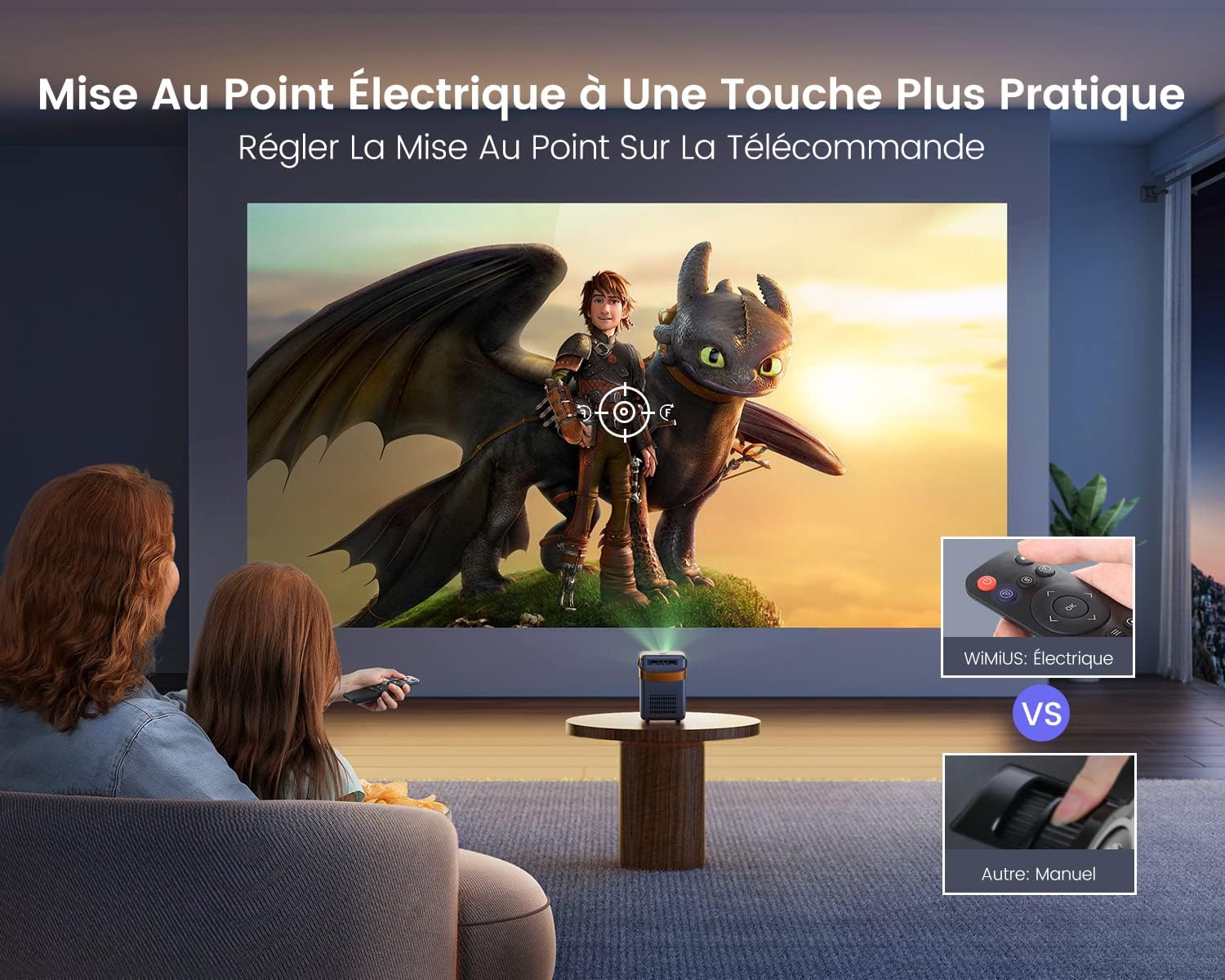
Image 5.2: The remote control allows for convenient electric focus adjustment, providing a clearer image compared to manual focus.

Image 5.3: Demonstrates the rapid 0.1-second electric focus adjustment feature of the WiMiUS P61 Projector.
6. Istruzioni per l'uso
6.1. Accensione/spegnimento
- Per attivare: Premere il pulsante di alimentazione sul proiettore o sul telecomando.
- Per spegnere: Premere nuovamente il pulsante di accensione. Il proiettore entrerà in modalità standby.
6.2. Selezione della sorgente di ingresso
Use the "Source" button on the remote control to cycle through available input sources (HDMI, USB, AV, Screen Mirroring).
6.3. Connettività wireless (WiFi e Bluetooth)
6.3.1. Connessione Wi-Fi
The projector supports dual-band 2.4G and 5G WiFi for stable and fast connections.

Image 6.1: The projector supports both 2.4G and 5G WiFi for ultra-fast wireless connectivity.

Image 6.2: Demonstrates the high-speed 5G WiFi connection for smooth content streaming.
- Navigate to the WiFi settings in the projector's menu.
- Seleziona la rete WiFi desiderata e inserisci la password.
- Once connected, you can use screen mirroring or access network features.
6.3.2. Connessione Bluetooth
The projector features integrated Bluetooth 5.2 for connecting external audio devices.

Image 6.3: The projector's Bluetooth 5.2 allows connection to various audio devices like Bluetooth speakers, headphones, and earbuds for enhanced sound.

Image 6.4: The projector connected via Bluetooth 5.2 to a soundbar for immersive audio.
- Accedere alle impostazioni Bluetooth nel menu del proiettore.
- Abilita il Bluetooth e cerca i dispositivi disponibili.
- Seleziona l'altoparlante o le cuffie Bluetooth da associare.
Note on Audio Output: If you connect external audio devices via Bluetooth or the 3.5mm audio jack, the projector's internal speakers will typically be muted. If you wish to use the projector's speakers while an external device is connected, you may need to adjust the volume settings or disconnect the external device.
6.4. Mirroring dello schermo
The WiMiUS P61 supports screen mirroring for both Android and iOS devices.
- Per dispositivi Android: Use the Miracast function. Ensure your Android device and the projector are connected to the same WiFi network, or connect directly via the projector's Miracast feature without a router.
- Per dispositivi iOS (iPhone/iPad): Connect your iOS device and the projector to the same WiFi network. Then, use the screen mirroring function on your iOS device to project the screen.
6.5. Collegamento di dispositivi esterni
- HDMI: Connect an HDMI cable from your device (e.g., laptop, game console, TV stick) to the projector's HDMI port. Select HDMI as the input source.
- USB: Insert a USB drive into the USB port. The projector will typically prompt you to select media files per la riproduzione.
- AV: Connect an AV cable from your device to the projector's AV port. Select AV as the input source.

Image 6.5: The WiMiUS P61 Projector displaying content from various streaming applications, suitable for home entertainment.
7. Menu Impostazioni
Access the settings menu using the remote control to adjust various parameters:
- Impostazioni immagine: Adjust brightness, contrast, color temperature, and aspect ratio (16:9 or 4:3).
- Impostazioni audio: Adjust volume, bass, treble, and balance.
- Impostazioni di rete: Configure WiFi connections and check network information.
- Modalità di proiezione: Select front, rear, front ceiling, or rear ceiling projection.
- Lingua: Cambia la lingua del sistema.
- Aggiornamento software: Update the projector's firmware via network or USB.
- Sveglia: Imposta un timer per lo spegnimento automatico.
Settings are typically saved automatically after adjustment.
8. Manutenzione
8.1. Pulizia
- Lente: Utilizzare un panno morbido e privo di lanugine, specificamente progettato per lenti ottiche. Non utilizzare detergenti abrasivi.
- Casing: Wipe the projector's exterior with a soft, dry cloth. Do not use liquid or aerosol cleaners.
- Ventilazione: Periodically check and clean the ventilation grilles to ensure proper airflow and prevent dust buildup.
8.2. Conservazione
When not in use for extended periods, store the projector in a cool, dry place, away from direct sunlight and excessive dust. Use the original packaging or a protective case if available.
9. Risoluzione Dei Problemi
| Problema | Possibile causa | Soluzione |
|---|---|---|
| Nessuna immagine visualizzata | Alimentazione non collegata; Sorgente di ingresso errata; Dispositivo non collegato correttamente. | Check power cable; Select correct input source; Ensure HDMI/USB/AV cables are securely connected. |
| L'immagine è sfocata | Messa a fuoco non regolata; proiettore troppo lontano/vicino allo schermo. | Adjust focus using the remote control; Reposition the projector. |
| Nessun suono | Volume too low; Muted; Incorrect audio output selected; External device volume low. | Increase projector volume; Unmute; Check audio settings; Increase volume on connected device. |
| Connessione Wi-Fi instabile | Distance from router; Interference; Incorrect password. | Move projector closer to router; Reduce interference; Re-enter WiFi password. |
| Il mirroring dello schermo non funziona | Not on same WiFi network; Device compatibility; Network issues. | Ensure both devices are on the same WiFi; Check device's screen mirroring function; Restart devices. |
| Macchie di polvere sull'immagine | Dust between lens components. | This issue may require professional cleaning. Contact customer support. |
10. Specifiche
| Caratteristica | Dettaglio |
|---|---|
| Marca | WiMiUS |
| Numero di modello | Proiettore P61 |
| Colore | Nero |
| Risoluzione dello schermo (nativa) | Risoluzione: 1280 x 720p |
| Max Display Resolution Supported | 1920 x 1080p (Full HD) |
| Luminosità | 8500 lumen |
| Rapporto di contrasto | 10000:1 |
| Tecnologia di connettività | HDMI, USB, AV, 3.5mm Audio, Wi-Fi (2.4G/5G), Bluetooth 5.2 |
| Dimensione massima dello schermo | 300 pollici |
| Dimensioni (L x P x A) | Dimensioni: 14 cm x 10.2 cm x 15.5 cm |
| Caratteristiche speciali | Portable, Electric Focus |

Image 10.1: Detailed dimensions of the WiMiUS P61 Projector, highlighting its compact and portable design.
11. Garanzia e supporto
Information regarding warranty coverage and customer support was not available in the provided product details. Please refer to the product packaging or contact the retailer/manufacturer directly for warranty terms and technical assistance.


