1. Introduzione
This manual provides detailed instructions for the proper use and maintenance of your Deli WD-100MS Scientific Calculator. Please read this manual thoroughly to ensure optimal performance and longevity of your device. The Deli WD-100MS is an engineering scientific calculator equipped with 300 functions, a 2-line LED display, and an ergonomic design for efficient calculations.

Figura 1: Davanti view of the Deli WD-100MS Scientific Calculator, showcasing its display and key layout.
2. Impostazione
2.1 Disimballaggio
Carefully remove the calculator from its packaging. Ensure all components, including the calculator and its protective case, are present and undamaged.
2.2 Installazione della batteria
The Deli WD-100MS is battery-powered. Refer to the battery compartment located on the back of the calculator for installation or replacement. Ensure batteries are inserted with correct polarity.
2.3 Fissaggio della custodia protettiva
The calculator comes with a removable slide-on hard case. To attach, align the calculator with the case and slide it firmly until it clicks into place. This case protects the calculator from physical damage during transport and storage.
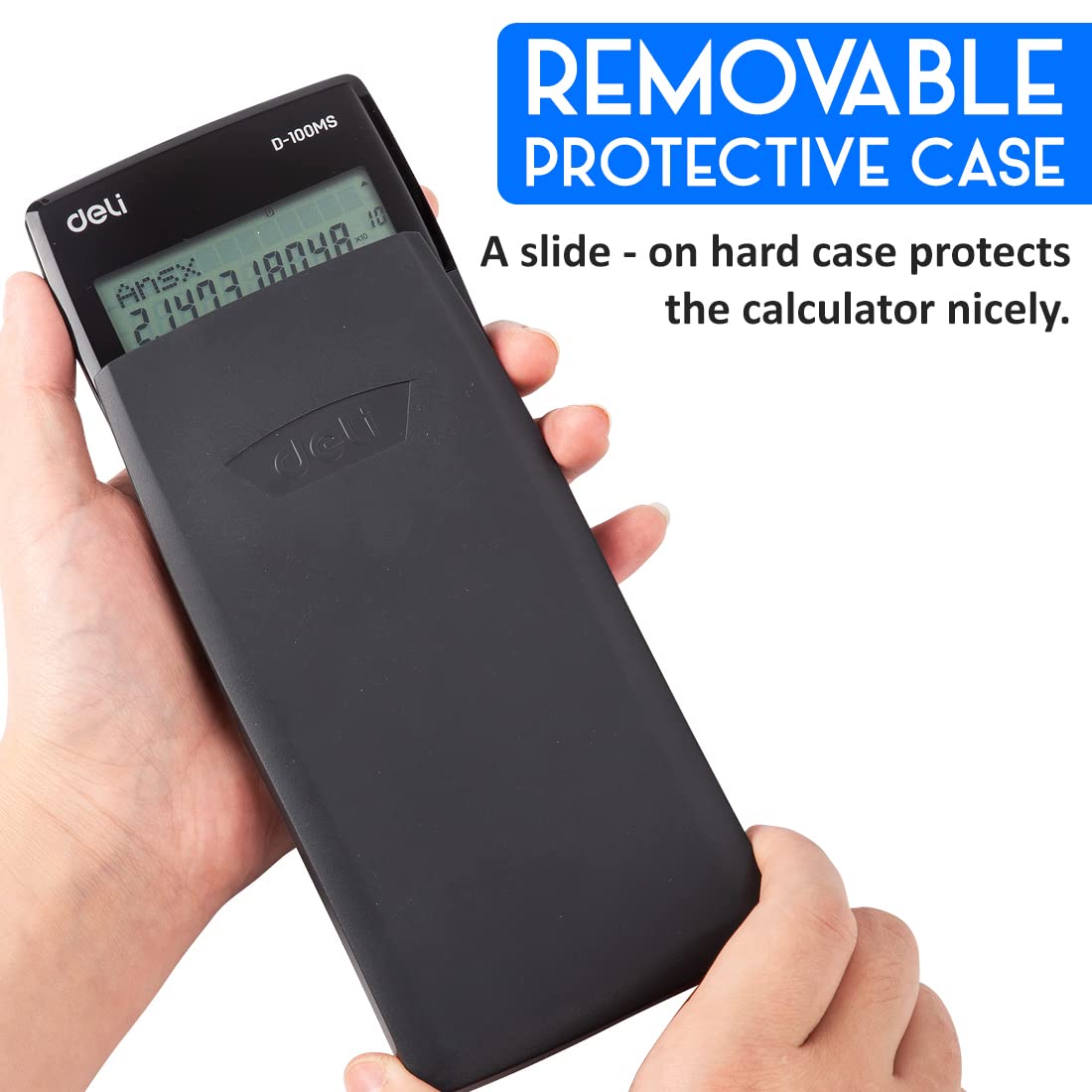
Figura 2: The Deli WD-100MS Scientific Calculator being inserted into its removable protective case.
3. Istruzioni per l'uso
3.1 Accensione/spegnimento
- Per accendere la calcolatrice, premere il tasto [SOPRA] pulsante.
- Per spegnere la calcolatrice, premere [CAMBIO] Poi [CA] (SPENTO).
3.2 Funzionalità di visualizzazione
The calculator features a large, clear 2-line LCD display. The upper line shows the calculation expression, and the lower line displays the result. This high-quality display ensures clear and crisp reading of calculations.
3.3 Operazioni di base
Perform standard arithmetic operations (+, -, ×, ÷) using the dedicated keys. Input numbers and operators sequentially.
3.4 Funzioni avanzate (300 funzioni)
The Deli WD-100MS is equipped with 300 functions, including:
- Fractional and Arithmetical Functions: For complex numerical calculations.
- Common and Natural Logarithms / Antilogarithms: Utilizzo [tronco d'albero] E [ln] chiavi.
- Hyperbolic / Inverse Hyperbolic Functions: Accesso tramite [hyp] chiave.
- Funzioni trigonometriche: Sine ([peccato]), Cosine ([così]), Tangent ([abbronzatura]) and their inverses.
- Calcoli statistici: Access statistical modes via [MODALITÀ].
- Multi-replay Function: Allows quick recall and editing of previously executed formulas for re-execution. Use the directional [RIGIOCARE] chiavi.

Figura 3: Dettagliato view of the calculator's keyboard, showing keys for 300 functions, including logarithms and hyperbolic functions.

Figura 4: Illustration of the multi-replay function, enabling users to recall and edit previous calculations.
3.5 Funzioni chiave oltreview
- [SHIFT]: Accesses the secondary function printed above certain keys (usually in yellow).
- [ALPHA]: Accesses the alpha characters or variables printed above certain keys (usually in red).
- [MODE CLR]: Changes calculation modes or clears settings.
- [DEL]: Deletes the last entered character.
- [CA]: Clears all calculations and returns to the initial state.
4. Manutenzione
4.1 Pulizia
Per pulire la calcolatrice, utilizzare un panno morbido e asciutto. Per lo sporco ostinato, utilizzare un panno leggermente dampen the cloth with water and wipe gently. Avoid using harsh chemicals or abrasive cleaners, as these can damage the display or casing.
4.2 Sostituzione della batteria
When the display becomes dim or calculations are erratic, it's time to replace the battery. Open the battery compartment on the back, remove the old battery, and insert a new one of the same type, observing polarity. Dispose of old batteries responsibly.
4.3 Conservazione
Store the calculator in its protective case when not in use to prevent scratches and damage. Avoid exposing the calculator to extreme temperatures, humidity, or direct sunlight for prolonged periods.
4.4 Caratteristiche di durata
The Deli WD-100MS is designed with durability in mind, featuring an acrylic screen cover for protection and an anti-break construction to withstand regular use.
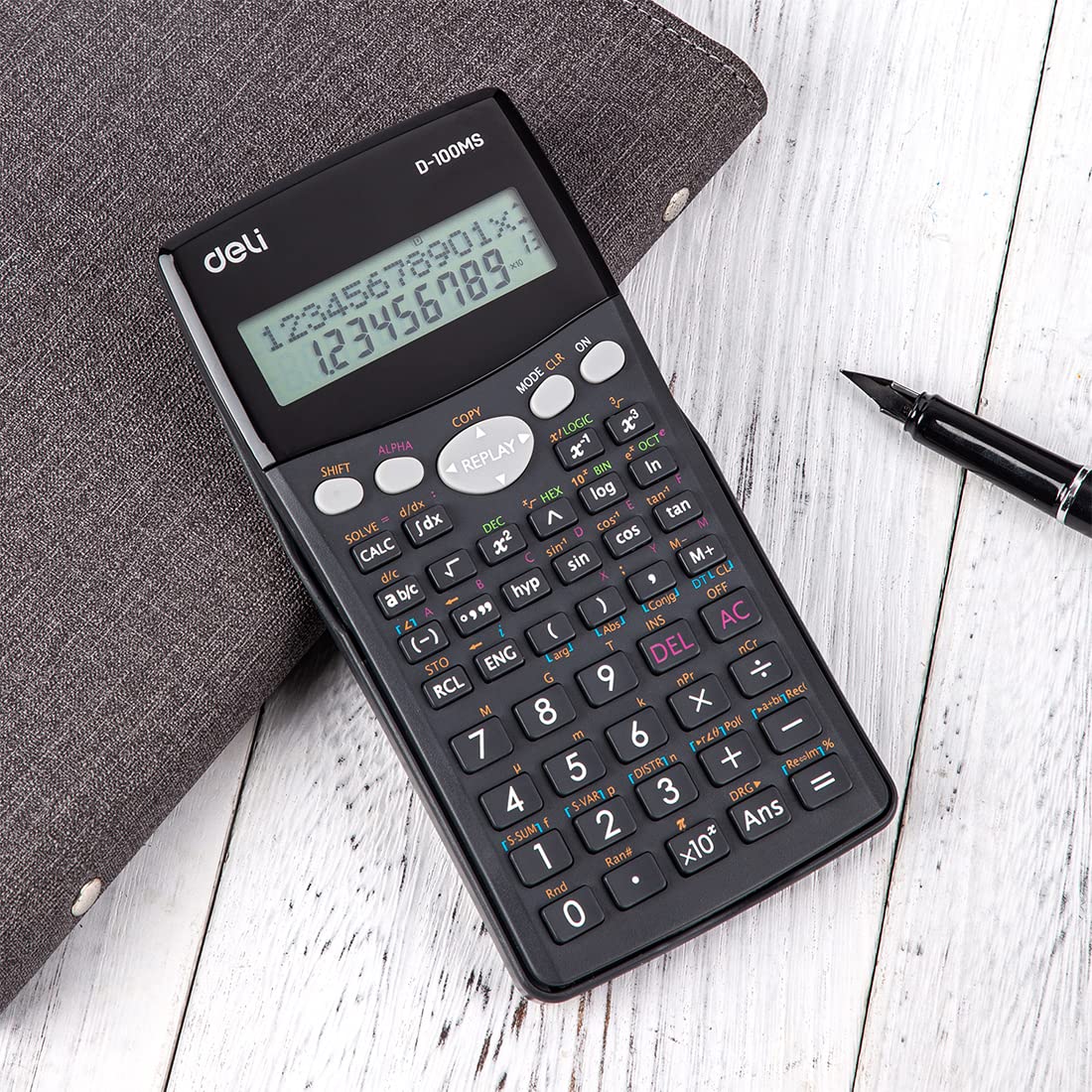
Figura 5: Visual representation of the calculator's anti-break design, emphasizing its robust construction.
5. Risoluzione Dei Problemi
5.1 Problemi di visualizzazione
- Visualizzazione attenuata: Sostituire la batteria.
- Nessuna visualizzazione: Ensure the calculator is turned on. If still off, replace the battery.
- Incorrect Characters: Premere [CA] to clear the display and try again. If the issue persists, perform a full reset.
5.2 Calculation Errors
- Errore di sintassi: Check your input for incorrect syntax (e.g., missing parentheses, invalid operations).
- Math Error: Occurs when the result of a calculation exceeds the calculator's capacity or involves an undefined mathematical operation (e.g., division by zero, square root of a negative number).
- Risultati errati: Verify the calculation mode (e.g., DEG, RAD, GRAD) and ensure all previous calculations are cleared.
5.3 Reimpostazione della calcolatrice
If the calculator behaves erratically or you wish to clear all memory and settings, perform a full reset. Press [CAMBIO] Poi [MODE CLR], then select the appropriate reset option (e.g., 'All').
6. Specifiche
| Caratteristica | Specificazione |
|---|---|
| Marca | gastronomia |
| Numero di modello | DLW39231B |
| Tipo di calcolatrice | Ingegneria/Scientifico |
| Numero di funzioni | 300 |
| Tipo di visualizzazione | Display LCD a 2 righe |
| Dimensioni dello schermo | 14 centimetri |
| Fonte di alimentazione | Alimentato a batteria |
| Materiale | Plastica |
| Colore | Nero |
| Peso dell'articolo | 150 grammi |
| Dimensioni articolo (LxPxA) | 20 x 160 x 80 millimetri |
| Paese di origine | Cina |

Figura 6: Dimensions of the Deli WD-100MS Scientific Calculator (16 cm height, 8 cm width, 2 cm thickness).
7. Garanzia e supporto
7.1 Informazioni sulla garanzia
The Deli WD-100MS Scientific Calculator comes with a comprehensive Garanzia di 3 anno dalla data di acquisto. La presente garanzia copre i difetti di fabbricazione in condizioni di normale utilizzo. Si prega di conservare la prova d'acquisto per eventuali reclami in garanzia.
7.2 Assistenza clienti
For any questions, technical assistance, or warranty claims, please contact Deli customer support. Refer to the product packaging or the official Deli websito per le informazioni di contatto più aggiornate.
You can also visit the official Deli Store for more product information: Deli Store on Amazon


