1. Introduzione
This user manual provides essential information for the safe and efficient operation, maintenance, and troubleshooting of your Generac GB2000 Portable Power Station. Please read this manual thoroughly before using the device.
The Generac GB2000 is a 2106Wh portable power station designed to provide clean, emission-free power for various applications, including home use, camping, RVs, and outdoor activities. It features a lithium-ion battery, wireless charging, and multiple output ports.
2. Informazioni sulla sicurezza
Per evitare lesioni o danni all'unità, attenersi sempre alle seguenti linee guida di sicurezza:
- Non smontare, riparare o modificare l'unità.
- Tenere l'unità lontana dal fuoco, da fonti di calore e dalla luce solare diretta.
- Evitare l'esposizione all'acqua o ad altri liquidi.
- Non utilizzare l'unità se è danneggiata o è caduta.
- Assicurare una ventilazione adeguata durante l'uso e la ricarica.
- Tenere fuori dalla portata dei bambini.
3. Componenti e caratteristiche del prodotto
The Generac GB2000 Portable Power Station is designed for versatility and ease of use. Below is an overview dei suoi componenti e caratteristiche principali.

Figura 3.1: Pannello frontale sopraview of Generac GB2000. This image highlights the multi-color display, LED ON/OFF button, diffused LED light, parallel ports, 12V car port, DC output ON/OFF button, USB-A output receptacles, USB-C output receptacles, AC output ON/OFF button, and NEMA 1-15R AC receptacles.
- Multi-Color 4.7" Display: Provides real-time information on battery level, remaining runtime, and output/input wattage.
- AC Outlets (3x NEMA 1-15R): Per alimentare elettrodomestici standard.
- Porte USB-A (2x): Per caricare dispositivi compatibili con USB-A.
- Porte USB-C (2x): Per caricare dispositivi compatibili con USB-C.
- Presa per auto da 12 V: For powering 12V DC devices or charging from a vehicle.
- Base di ricarica wireless (15 W): È possibile caricare comodamente gli smartphone compatibili posizionandoli sulla parte superiore dell'unità.
- Porte parallele: Allows connection of two GB2000 units for increased power output (Parallel Kit sold separately).
- Design durevole: Lightweight and compact with an ergonomic handle for easy transport.
4. Configurazione e ricarica iniziale
Before first use, fully charge your Generac GB2000 Portable Power Station.
4.1 Disimballaggio
Carefully remove the power station and all accessories from the packaging. Verify that all components listed in the packing list are present and undamaged.
4.2 metodi di ricarica
The GB2000 offers multiple charging options:
- Presa a muro (CA): Connect the provided AC charging cable to the AC input port on the unit and then to a standard wall outlet. The unit can achieve 0 to 80% charge in approximately 3.3 hours.
- Solar Panel (DC): Connect compatible solar panels (sold separately) to the DC input port. Ensure the solar panels are positioned for maximum sunlight exposure.
- Caricabatteria da auto (CC): Use the provided car charging cable to charge the unit from your vehicle's 12V cigarette lighter port.
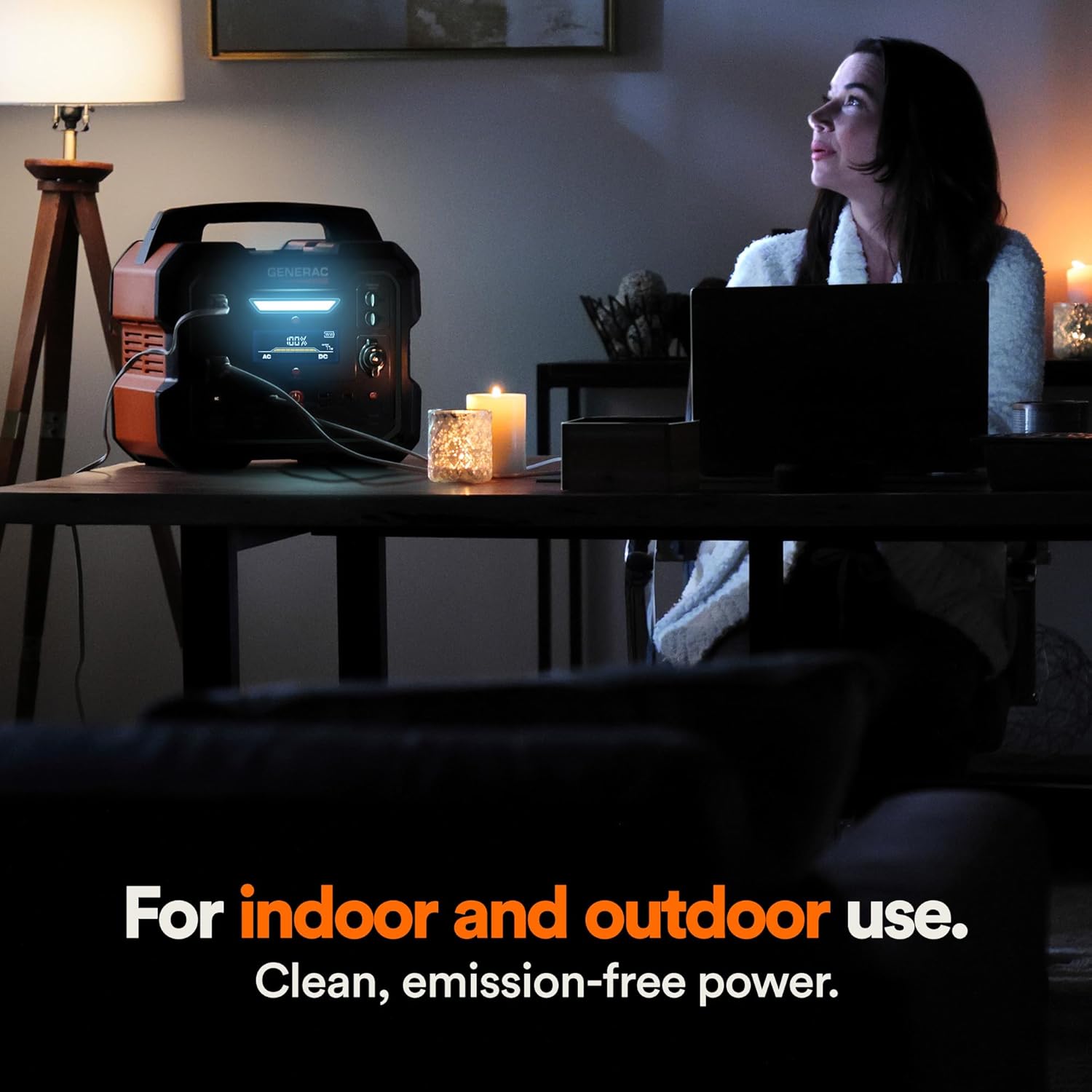
Figure 4.1: Fast Solar Recharging. The Generac GB2000 can be recharged using solar panels (sold separately) for efficient power supply in outdoor environments.
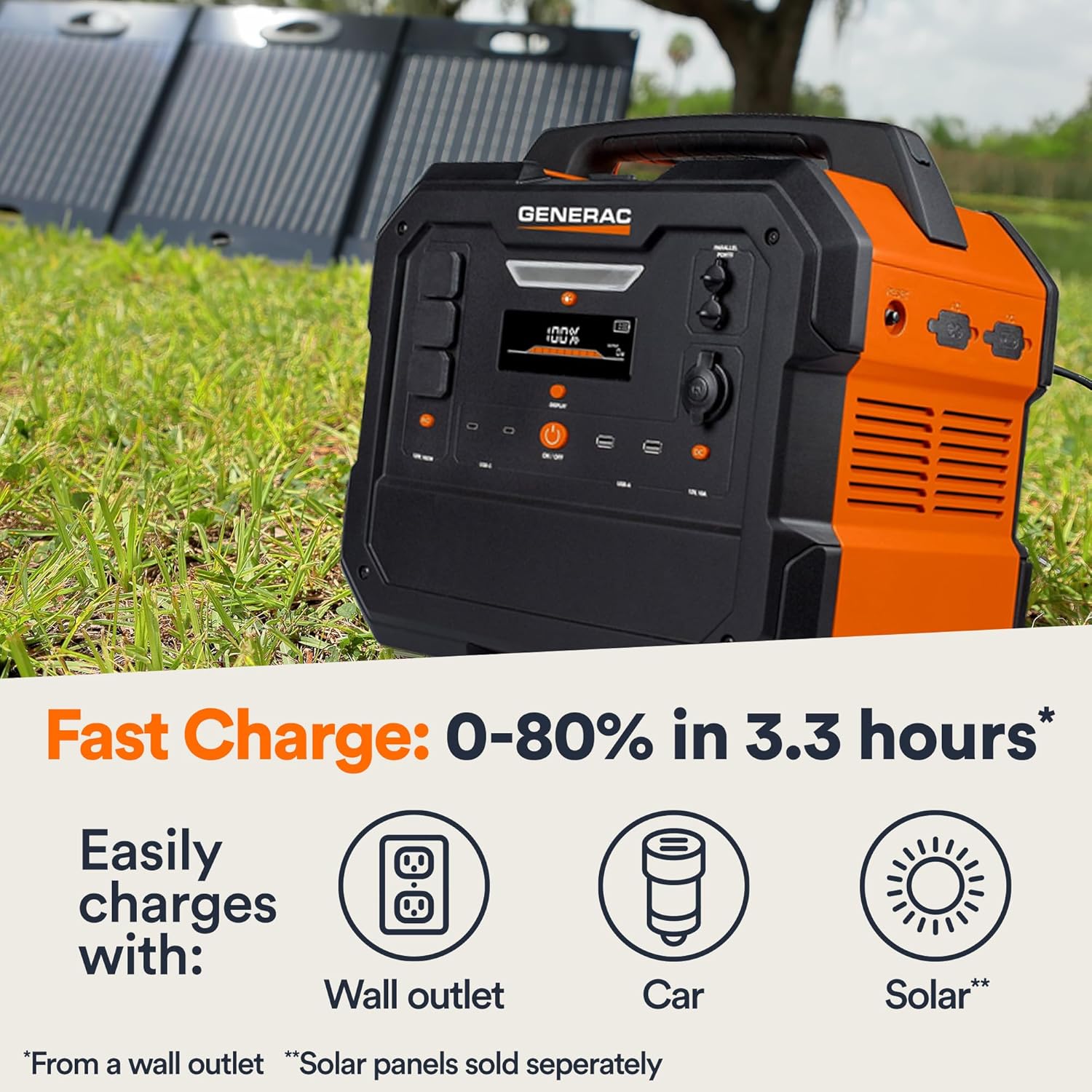
Figure 4.2: Rear Input Ports. This image shows the AC and DC input ports on the back of the Generac GB2000 for various charging methods.
5. Istruzioni per l'uso
5.1 Accensione/Spegnimento
Press and hold the main ACCESO/SPENTO button located on the front panel to power on or power off the unit. The display will illuminate upon activation.
5.2 Utilizzo delle porte di uscita
To use specific output ports (AC, DC, USB), press the corresponding ON/OFF button for that section. The indicator light next to the button will illuminate when active.
- Uscita CA: Connect your devices to the NEMA 1-15R outlets. Ensure the total wattage of connected devices does not exceed 1600W continuous output or 3200W surge.
- Uscita CC: Use the 12V car port for compatible DC devices.
- Uscita USB: Plug your USB-A or USB-C cables into the respective ports for charging smartphones, tablets, and other USB-powered devices.
- Ricarica wireless: Posiziona il tuo dispositivo compatibile con Qi sul tappetino di ricarica wireless posto sulla parte superiore dell'unità.

Figure 5.1: Indoor Use of Generac GB2000. The power station provides clean, emission-free power, making it safe for indoor use to power essential devices like laptops and lighting.
5.3 Powering Electric Vehicles (EVs)
The Generac GB2000 can provide emergency power to electric vehicles. While not a primary charging solution, it can offer enough charge to reach a charging station.
5.4 Runtime and Capacity
The GB2000 has a 2106Wh capacity. The actual runtime depends on the power consumption of connected devices. Refer to the table below for estimated runtimes for common appliances:
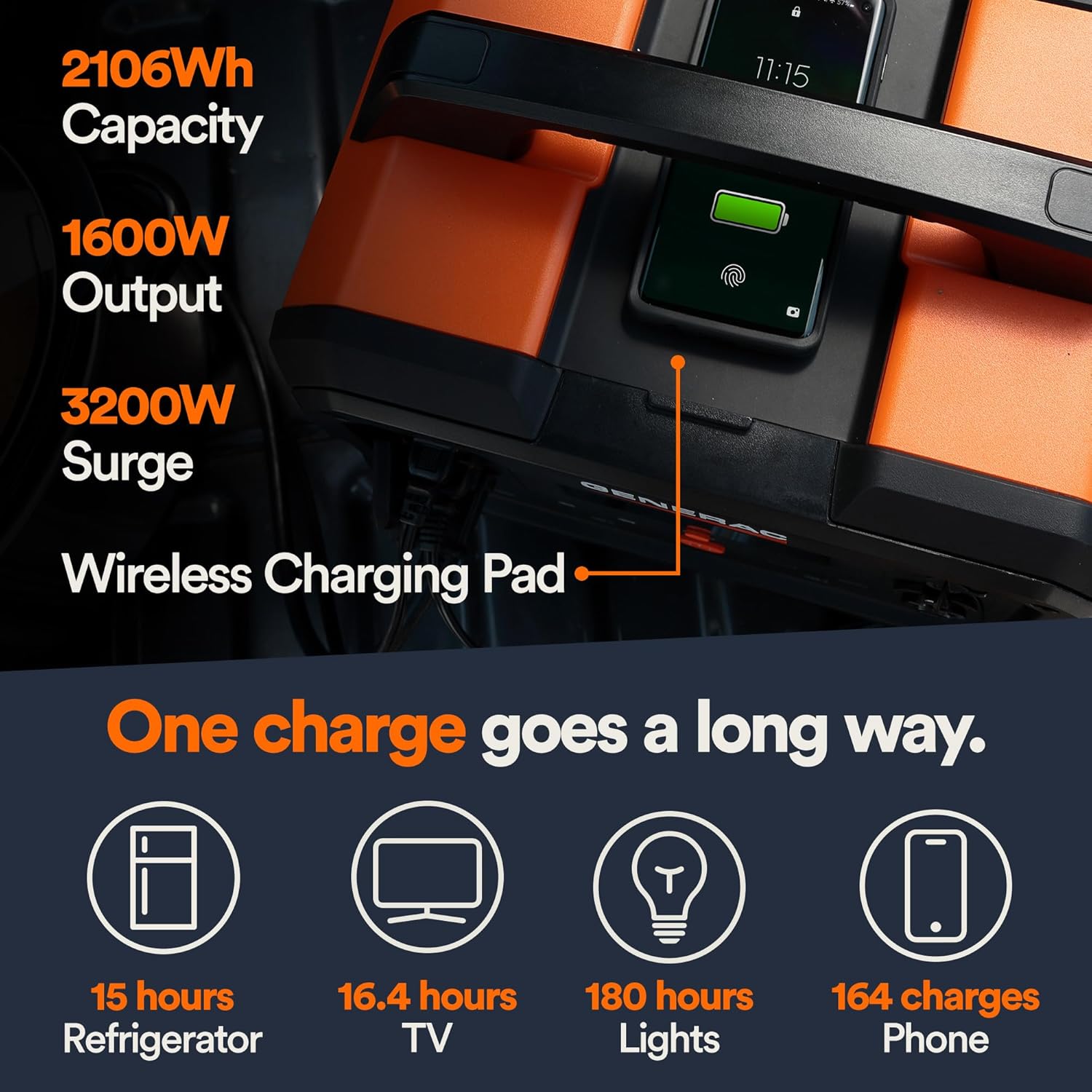
Figure 5.2: Estimated Device Runtimes. This table provides approximate usage durations for various household, jobsite, and recreation devices when powered by the Generac GB1000 and GB2000 models.
| Dispositivo | Running Watts (Approx.) | Estimated Runtime (GB2000) |
|---|---|---|
| Leggero | 10W | 180 ore |
| Dispositivo di ventilazione a pressione positiva (CPAP) | 40W | 45 ore |
| Frigorifero | 120W | 15 ore |
| Microonde | 1200W | 1.5 ore |
| TV da 50 pollici | 110W | 16.4 ore |
| Phone (164 charges) | 11 Wh | 164 cariche |
6. Manutenzione e conservazione
6.1 Pulizia
Pulire l'unità con un panno asciutto e morbido. Non utilizzare detergenti abrasivi o solventi.
6.2 Conservazione
Store the Generac GB2000 in a cool, dry place, away from direct sunlight and extreme temperatures. For long-term storage, charge the unit to 50-80% every 3-6 months to maintain battery health.
7. Risoluzione Dei Problemi
| Problema | Possibile causa | Soluzione |
|---|---|---|
| L'unità non si accende | Low battery; Main ON/OFF button not pressed long enough. | Charge the unit; Press and hold the ON/OFF button for 3 seconds. |
| L'uscita CA non funziona | Uscita CA non abilitata; protezione da sovraccarico attivata. | Premere il pulsante AC ON/OFF; ridurre il carico, quindi riavviare l'uscita AC. |
| Ricarica wireless non funzionante | Device not Qi-compatible; Device not properly aligned. | Ensure device is Qi-compatible; Reposition device on the charging pad. |
| Surriscaldamento dell'unità | Scarsa ventilazione; Carico eccessivo. | Assicurare un flusso d'aria libero attorno all'unità; ridurre il carico collegato. |
If issues persist, please contact Generac customer support.
8. Specifiche tecniche
| Specificazione | Valore |
|---|---|
| Nome del modello | GB2000 |
| Numero modello articolo | 8026 |
| Tipo di batteria | Ioni di litio |
| Capacità | 2106 Wh |
| Uscita CA continua | 1600W |
| Peak AC Output (Surge) | 3200W |
| Uscita di ricarica wireless | 15W |
| Dimensioni (L x P x A) | 16.8" x 10.4" x 15.1" |
| Peso | 48.8 libbre |
| Recharge Time (0-80% Wall Outlet) | 3.3 ore |
9. Accessori disponibili
Enhance the functionality of your Generac GB2000 with these optional accessories:

Figure 9.1: Parallel Kit. Connect two Generac Power Stations together for increased power output.
- Kit parallelo: Connects two Generac power stations to double the output capacity.
- Charge Enhancer: Provides up to 50% faster charging.
- Pannelli solari: For quick and efficient recharging using solar energy.
10. Garanzia e supporto
For warranty information and customer support, please refer to the official Generac website or contact their customer service line. Keep your purchase receipt for warranty claims.
Generac offers protection plans for extended coverage:
- Piano di protezione biennale
- Piano di protezione biennale
- Protezione completa: un unico piano copre tutti gli acquisti idonei passati e futuri.


