Introduzione
This manual provides detailed instructions for the installation, operation, and maintenance of your Weiser Aura Satin Nickel Bluetooth Door Lock with Re-Key Kit. Please read all instructions carefully before installation and use to ensure proper function and safety.
Informazioni sulla sicurezza
- Do not attempt to disassemble or modify the lock. This may cause damage to the product, void the warranty, and compromise security.
- Use only the specified battery type (4x AA alkaline batteries). Do not mix old and new batteries or different types of batteries.
- Keep all keys and access codes in a secure location.
- Per ottenere prestazioni ottimali della serratura, assicurarsi che il telaio della porta e la porta siano in buone condizioni e correttamente allineati.
Contenuto della confezione
Verificare che tutti i componenti siano presenti prima di iniziare l'installazione:
- Weiser Aura Bluetooth Smart Lock (Exterior Keypad and Interior Assembly)
- Chiavistello a catenaccio
- Strike Plate and Reinforcement Screws
- Piastra di montaggio
- SmartKey Re-Key Kit (including SmartKey tool and new keys)
- Installation Hardware (screws, bolts)
- Manuale dell'utente (questo documento)

Image: Weiser Aura Smart Lock showing both the exterior keypad and the interior assembly.

Image: Front packaging of the Weiser SmartKey Re-Key Kit, displaying keys and branding.
Configurazione e installazione
Follow these steps for proper installation of your Weiser Aura Smart Lock. For visual guidance, refer to the provided installation videos.
1. Preparare la porta
- Ensure your door has standard preparations for a deadbolt.
- Check door thickness (typically 1 3/8" to 2 1/4" or 35mm to 55mm).
- Verify backset distance (60mm or 70mm).
2. Installare il chiavistello a catenaccio
- Insert the deadbolt latch into the edge of the door.
- Ensure the word "TOP" on the latch is oriented upwards.
- Secure the latch with screws.
3. Install the Exterior Keypad
- Route the cable from the exterior keypad through the cross bore hole in the door.
- Align the keypad with the deadbolt latch.
4. Installare il gruppo interno
- Attach the mounting plate to the interior side of the door, routing the cable through the plate.
- Collegare il cavo dalla tastiera esterna al gruppo interno.
- Fissare il gruppo interno alla piastra di montaggio.
- Install 4x AA alkaline batteries (not included) into the interior assembly.
5. Installare la piastra di battuta
- Installare la piastra di battuta sul telaio della porta, allineandola con il chiavistello.
- Fissare con viti.
6. Re-Keying with SmartKey Technology
The included SmartKey Re-Key Kit allows you to re-key your lock to an existing key. This process is quick and does not require a locksmith.

Image: Back packaging of the Weiser SmartKey Re-Key Kit, showing visual instructions for re-keying.
Video di installazione:
Weiser Aura Bluetooth Keypad Smart Lock Overview
Video: Questo video fornisce una panoramicaview of the Weiser Aura Bluetooth Keypad Smart Lock, demonstrating its features and benefits in daily use.
How to Install SMONET Smart Lock (General Guide)
Video: A general installation guide for a smart lock, illustrating common steps for preparing the door, installing the deadbolt, exterior keypad, and interior assembly.
Installing eufy Smart Lock C30 Keyless Entry Door Lock (General Guide)
Video: Another general installation guide for a keyless entry door lock, showing the process from door preparation to final assembly and testing.
Weiser SmartKey Tutorial - Re-Key Your Lock In Seconds
Video: A tutorial demonstrating how to use the Weiser SmartKey technology to re-key your lock quickly and easily.
Istruzioni per l'uso
The Weiser Aura Smart Lock offers multiple ways to control access to your home:
1. Weiser App Control (Bluetooth)
- Download the Weiser App on your smartphone.
- Pair your smartphone with the lock via Bluetooth (within approximately 100 feet).
- Blocca/Sblocca: Use the app to remotely lock or unlock your door.
- Gestione codici utente: Create, modify, or delete up to 250 customizable user codes for family, friends, or service providers.
- Orari: Set specific times or days for user codes to be active.
- Notifiche attività: Receive alerts on your smartphone when the lock is accessed.
- Registri eventi: View a history of lock activity, including who accessed the lock and when.
2. Funzionamento della tastiera
- Blocco con un solo tocco: Press the lock button on the keypad to lock the door from the outside.
- Sblocco: Enter a valid user code on the keypad, then press the lock button to unlock.
3. Funzione di blocco automatico
- The lock can be configured to automatically lock after a user-selectable time delay (e.g., 30 seconds, 60 seconds, 3 minutes, 5 minutes, 10 minutes). This feature enhances security by ensuring the door is always locked after entry or exit.
4. Manual Key Override
- In case of battery depletion or electronic malfunction, the lock can always be operated manually using the physical key.
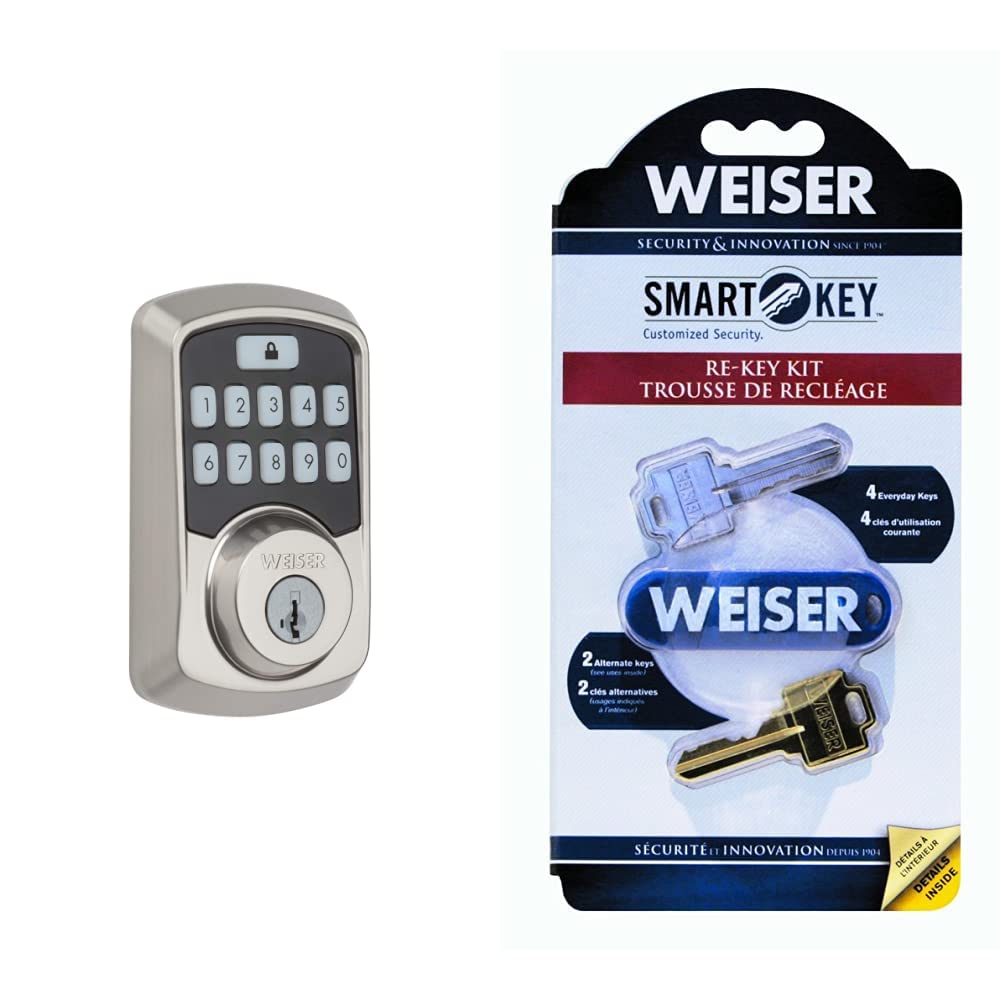
Image: Close-up of the Weiser Aura Smart Lock exterior keypad, showing the numbered buttons and the lock icon.
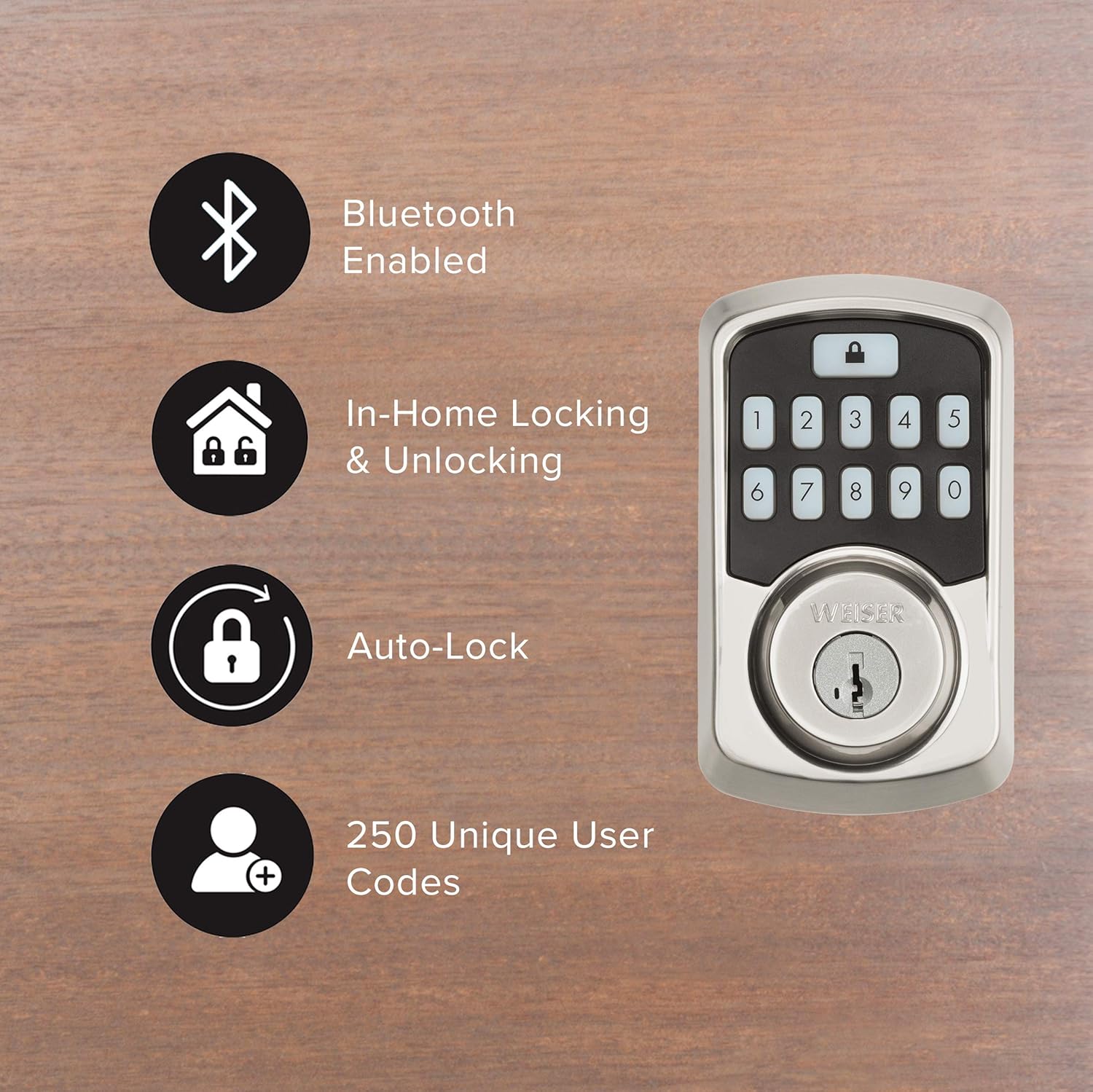
Image: Graphic illustrating key features of the Weiser Aura Smart Lock, including Bluetooth connectivity, in-home locking/unlocking, auto-lock, and support for 250 unique user codes.
Manutenzione
1. Sostituzione della batteria
- The lock will provide a low battery warning through the app and an indicator light on the interior assembly.
- Per sostituire le batterie, rimuovere il coperchio della batteria sul gruppo interno.
- Sostituisci tutte e quattro le batterie alcaline AA con batterie nuove. Assicurati che la polarità sia corretta.
- Riposizionare il coperchio della batteria.
2. Pulizia
- Pulisci le superfici esterne della serratura con un panno morbido eamp stoffa.
- Evitare l'uso di detergenti abrasivi, solventi o prodotti chimici aggressivi, poiché potrebbero danneggiare la finitura e i componenti elettronici.
Risoluzione dei problemi
- Il lucchetto non risponde: Check battery levels. Replace batteries if low. Ensure Bluetooth connection is active if using the app.
- La tastiera non si illumina: Check battery levels. Ensure the keypad is clean and free from debris.
- Il catenaccio non si estende/retrae completamente: Check for obstructions in the door frame or strike plate. Ensure the door is properly aligned.
- Forgotten user code: Reset or manage user codes through the Weiser App.
- Lock history/event logs: Access these features directly through the Weiser App for detailed information on lock usage and alerts.
Specifiche
| Marca | Bianco |
| Numero di modello | 9GED18500-001 |
| Colore | Nichel satinato |
| Stile | Door Lock + Re-Key Kit |
| Materiale | Zinco |
| Tipo di blocco | Tastiera |
| Caratteristiche speciali | Keyless, Bluetooth, SmartKey Technology |
| Certificazione di sicurezza | BHMA Grade 2, 128-bit Encryption Security, 20-minute fire rating (UL) |
| Fonte di alimentazione | 4x batterie AA (non incluse) |
Garanzia e supporto
For warranty information, please refer to the documentation included with your product or visit the official Weiser website. For technical support, troubleshooting assistance, or to inquire about replacement parts, please contact Weiser customer service through their official channels.