1. Introduzione
The MAUL MTL 600 is a commercial desktop calculator designed for professional use, offering precision and reliability. It features a large 12-digit, 2-line display that shows both the calculation path and the result simultaneously. This manual provides essential information for setting up, operating, maintaining, and troubleshooting your calculator.

Immagine 1.1: anteriore view of the MAUL MTL 600 Commercial Calculator, displaying its 12-digit, 2-line screen and key layout.
2. Impostazione
2.1. Fonte di alimentazione
The MAUL MTL 600 calculator operates on both solar power and battery power. It is designed to be energy-saving, utilizing solar panels when sufficient light is available. If the ambient light is too low, the calculator automatically switches to battery power.
2.2. Installazione/sostituzione della batteria
The calculator includes one LR1130 battery. While the calculator primarily uses solar power, the battery provides backup power in low-light conditions. To replace the battery:
- Assicurarsi che la calcolatrice sia spenta.
- Individuare il vano batterie sul retro della calcolatrice.
- Aprire il coperchio del vano.
- Remove the old LR1130 battery and insert a new one, observing the correct polarity (+/-).
- Chiudere saldamente il coperchio del vano batterie.
2.3. Accensione/spegnimento
- Per accendere la calcolatrice, premere il tasto ON pulsante.
- The calculator features an automatic shutdown function to conserve energy when not in use for a period.
- To clear all calculations and reset the calculator, press the AC pulsante.
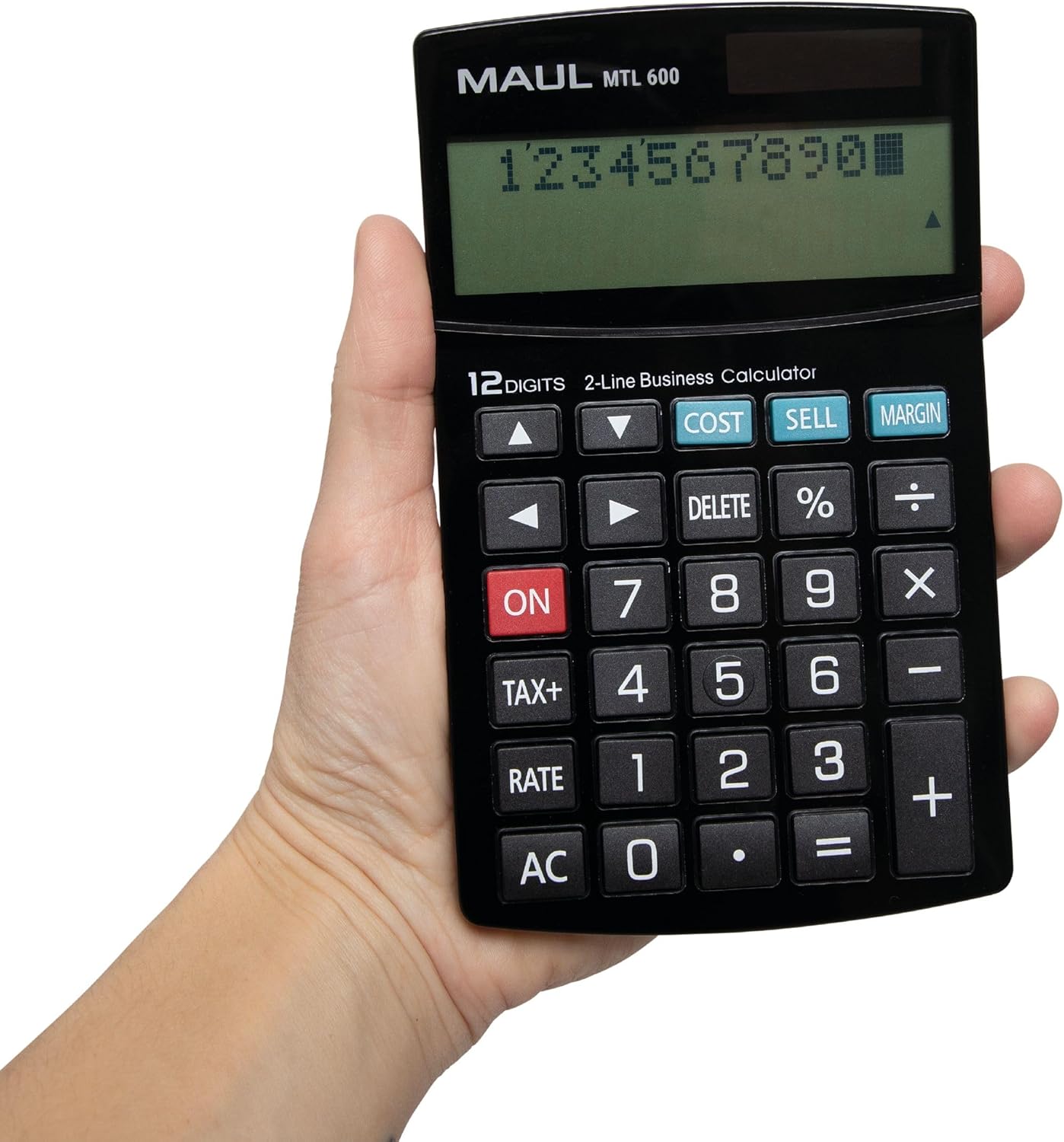
Image 2.1: The MAUL MTL 600 calculator held in a hand, illustrating its ergonomic and portable design.
3. Istruzioni per l'uso
3.1. Caratteristiche dello schermo
The calculator is equipped with a 12-digit, 2-line LCD display. The upper line shows the calculation path (input), while the lower line displays the current result. This allows for easy verification of entered values and operations.
3.2. Operazioni aritmetiche di base
Perform standard calculations using the number keys (0-9, .), and operation keys (+, -, ×, ÷, =).
- Aggiunta (+): Premere il tasto + chiave.
- Sottrazione (-): Premere il tasto - chiave.
- Moltiplicazione (×): Premere il tasto × chiave.
- Divisione (÷): Premere il tasto ÷ chiave.
- Uguale (=): Premere il tasto = tasto per visualizzare il risultato.
3.3. Funzioni speciali
- Tax Calculation (TAX+): Utilizzare il IMPOSTE+ button to calculate prices with or without tax. This function simplifies tax-related computations.
- Profit Margin Calculation (COST, SELL, MARGIN): Il dedicato COSTO, VENDERE, E MARGINE keys allow for quick calculation of profit margins, sales prices, or purchase prices.
- percentualetage (%): Utilizzare il % chiave per percenttage calcoli.
- Correction Function (Arrow Keys, DELETE):
- The arrow keys (▲, ▼, ◄, ►) allow you to navigate through the entered calculation path.
- IL ELIMINARE button removes the last entered digit or operation, enabling corrections without re-entering the entire calculation.
- Cancella voce (CE): IL CE button (often combined with AC or a separate key) clears the last entered number without affecting previous calculations.

Immagine 3.1: Un primo piano view of the MAUL MTL 600 calculator's 2-line display and its clearly labeled function keys, including COST, SELL, and MARGIN.
4. Manutenzione
4.1. Pulizia
The MAUL MTL 600 features sturdy plastic buttons and a durable casing that are easy to clean. To maintain optimal performance and appearance:
- Use a soft, dry cloth to wipe the calculator's surface regularly.
- Per sporco ostinato, leggermente dampen the cloth with water or a mild, non-abrasive cleaning solution. Avoid harsh chemicals or solvents.
- Do not allow liquids to enter the calculator's interior or around the keys.
4.2. Conservazione
Store the calculator in a cool, dry place away from direct sunlight and extreme temperatures to prolong its lifespan.
5. Risoluzione Dei Problemi
If you encounter issues with your MAUL MTL 600 calculator, refer to the following common problems and solutions:
| Problema | Possibile causa | Soluzione |
|---|---|---|
| Il display è vuoto o poco luminoso. | Luce insufficiente per l'energia solare o batteria scarica. | Move the calculator to a brighter area. If the problem persists, replace the LR1130 battery. |
| La calcolatrice si spegne inaspettatamente. | Automatic shutdown function activated due to inactivity. | This is normal behavior to conserve energy. Press ON per ricominciare. |
| Risultati di calcolo errati. | Sequenza di input o di operazione errata. | Verify the entered numbers and operations on the 2-line display. Use the arrow keys and ELIMINARE button to correct errors. Press AC to clear all and start over. |
| I tasti non rispondono. | Dirt or debris under keys, or internal issue. | Clean the calculator surface and around the keys. If the issue persists after cleaning and battery replacement, contact customer support. |
6. Specifiche
Detailed technical specifications for the MAUL MTL 600 Commercial Calculator:
- Modello: MTL 600
- Numero di parte del produttore: 7269090
- Marca: BOCCA
- Display: 12-digit, 2-line LCD
- Fonte di energia: Solar and Battery (1 x LR1130 included)
- Funzioni: Tax calculation (TAX+), Profit margin calculation (COST, SELL, MARGIN), Percentage (%), Correction function (arrow keys, DELETE), Basic arithmetic.
- Materiale: Plastica
- Colore: Nero
- Dimensioni (L x P x A): Dimensioni: 17 cm x 10.3 cm x 2.6 cm
- Spegnimento automatico: SÌ
- Garanzia: 5 anni

Image 6.1: Diagram illustrating the dimensions of the MAUL MTL 600 calculator, measuring 17 cm in length and 10.3 cm in width.
7. Garanzia e supporto
7.1. Informazioni sulla garanzia
The MAUL MTL 600 Commercial Calculator comes with a Garanzia di 5 anno, ensuring precision and reliability. This warranty covers manufacturing defects under normal use conditions.
7.2. Assistenza clienti
For any questions, technical assistance, or warranty claims, please contact MAUL customer service. Refer to the product packaging or the official MAUL websito per le informazioni di contatto più aggiornate.


