1. Introduzione
This manual provides comprehensive instructions for the installation, operation, and maintenance of your SJOYBRING JOY-W005 Double Din Car Stereo. This unit features Wireless Apple CarPlay & Android Auto, Bluetooth connectivity, 4.2-Channel Audio Output, Mirror Link, a 7-inch Touchscreen, and includes a Backup Camera. Please read this manual thoroughly before use to ensure proper functionality and safety.
2. Informazioni sulla sicurezza
Always prioritize safety. Improper installation or operation can lead to accidents or damage. Observe the following:
- Prima dell'installazione, assicurarsi che l'alimentazione del veicolo sia scollegata.
- It is recommended to have the unit installed by a professional car audio technician.
- Non utilizzare l'unità in modo da distrarti dalla guida.
- Volume di lavorotage: 12V. Max power output: 60W*4.
- Garantire un'adeguata ventilazione attorno all'unità.
3. Contenuto della confezione
Verificare che tutti gli articoli siano presenti nel pacco:

Immagine 3.1: Illustration of included package contents.
- Unità principale
- Posteriore View Telecamera
- Cavo della fotocamera di backup
- Cablaggio elettrico
- Telecomando
- Staffe di montaggio
- Viti (vari tipi)
- Manuale dell'utente (questo documento)
4. Prodotto finitoview
The SJOYBRING JOY-W005 is a versatile car stereo designed to enhance your driving experience with modern connectivity and audio features.

Immagine 4.1: SJOYBRING JOY-W005 Head Unit and Accessories.
Caratteristiche principali:
- Apple CarPlay e Android Auto wireless: Seamless smartphone integration via Wi-Fi and Bluetooth for navigation, calls, and music.
- 4.2-Channel Audio Output: Enhanced sound quality with dedicated outputs for front, rear, and two subwoofers.
- Upgraded Bluetooth System: Stable and clear calls/music streaming with independent Bluetooth module and antenna.
- Collegamento specchio: Display your iOS/Android phone screen on the 7-inch HD touchscreen via USB.
- Touchscreen HD da 7 pollici: 1024 x 600 resolution for clear visuals and 1920 x 1080P video playback.
- Telecamera di retromarcia inclusa: HD night vision, 170° ultra-wide viewing angle, IP68 waterproof design for safer parking.
- Radio AM/FM: Standard radio functionality.
5. Configurazione e installazione
5.1 Controlli pre-installazione
Before beginning installation, ensure your vehicle's dashboard opening size is compatible with the stereo. The unit supports common double din sizes:
- 170 x 97mm (6.69 x 3.81 inches) - Common for US and European car series.
- 178 x 100mm (7 x 3.93 inches) - Common for Asian car series.
- 189 x 117mm (7.44 x 4.61 inches) - Other common sizes.
If your dash size does not match, an additional suitable dash kit may be required. Some cars may also need a wire harness adapter and a radio antenna adapter.
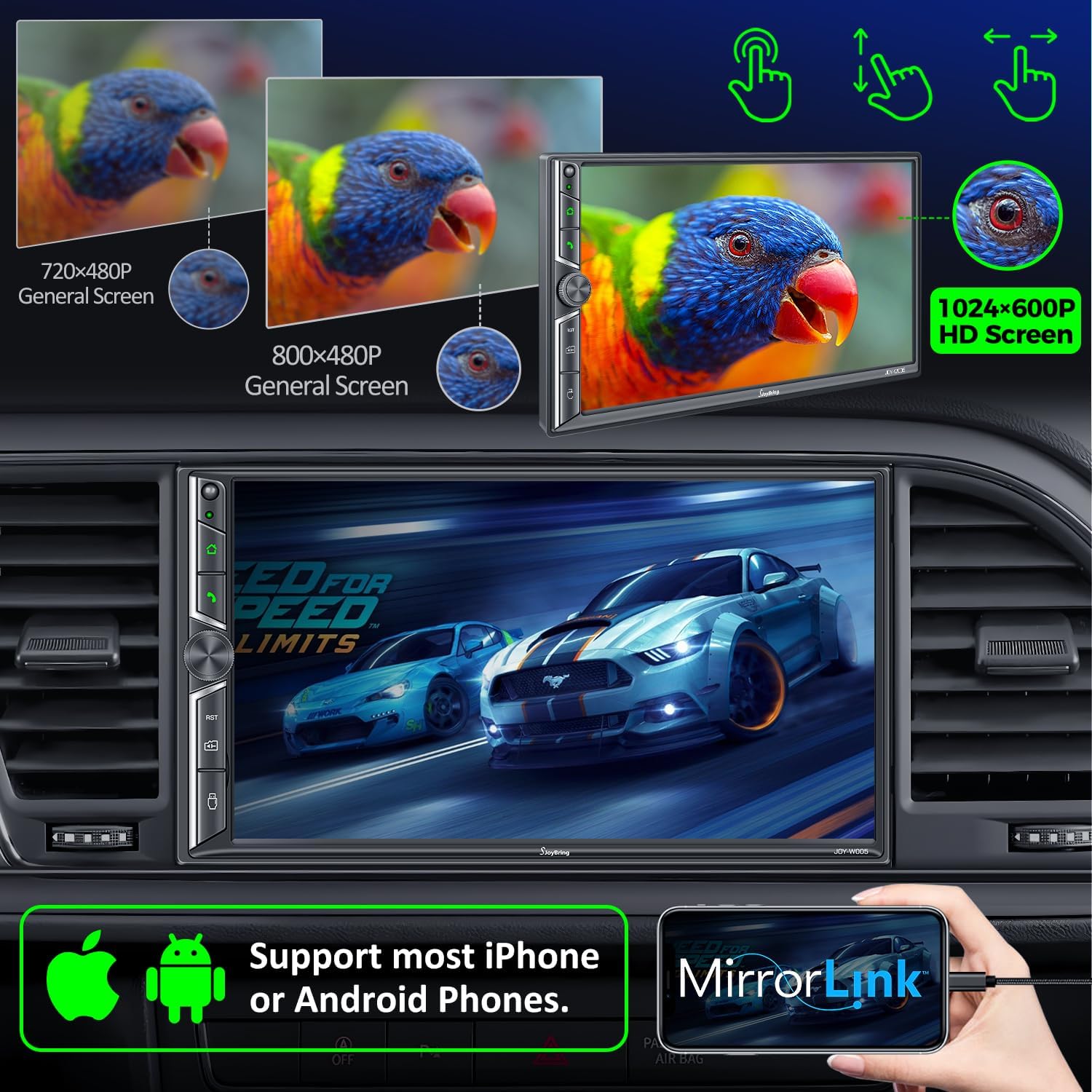
Immagine 5.1: Dash Size Compatibility and Wiring Diagrams.
5.2 Schema elettrico
Refer to the following diagram for proper wiring connections. It is crucial to connect wires correctly to avoid damage to the unit or vehicle.
| Colore del filo | Funzione |
|---|---|
| Giallo | +12V Constant Power Supply |
| Nero | Terra (-) |
| Rosso | Interruttore di accensione +12V (ACC) |
| Arancia | Illumina la luce |
| Blu | Power on Antenna/Amppiù vivace |
| Grigio/Nero | Right Front Speaker - |
| Bianco/Nero | Left Front Speaker - |
| Verde/Nero | Left Rear Speaker - |
| Viola/Nero | Right Rear Speaker - |
| Marrone | Brake Detect |
| Rosa | Back Car Control (Reverse Trigger) |
| Grigio | Steering Wheel Control (1) |
| Verde | Steering Wheel Control (2) |
| Nero | Ground (Steering Wheel Control) |
| Rosa/Nero | Davanti View Alimentatore per fotocamera |
5.3 Posteriore View Installazione della telecamera
La visione notturna HD posteriore inclusa view camera automatically displays the image when the vehicle shifts into reverse. Connect the camera's video output to the unit's "R-CAM" input and its power to the vehicle's reverse light circuit.
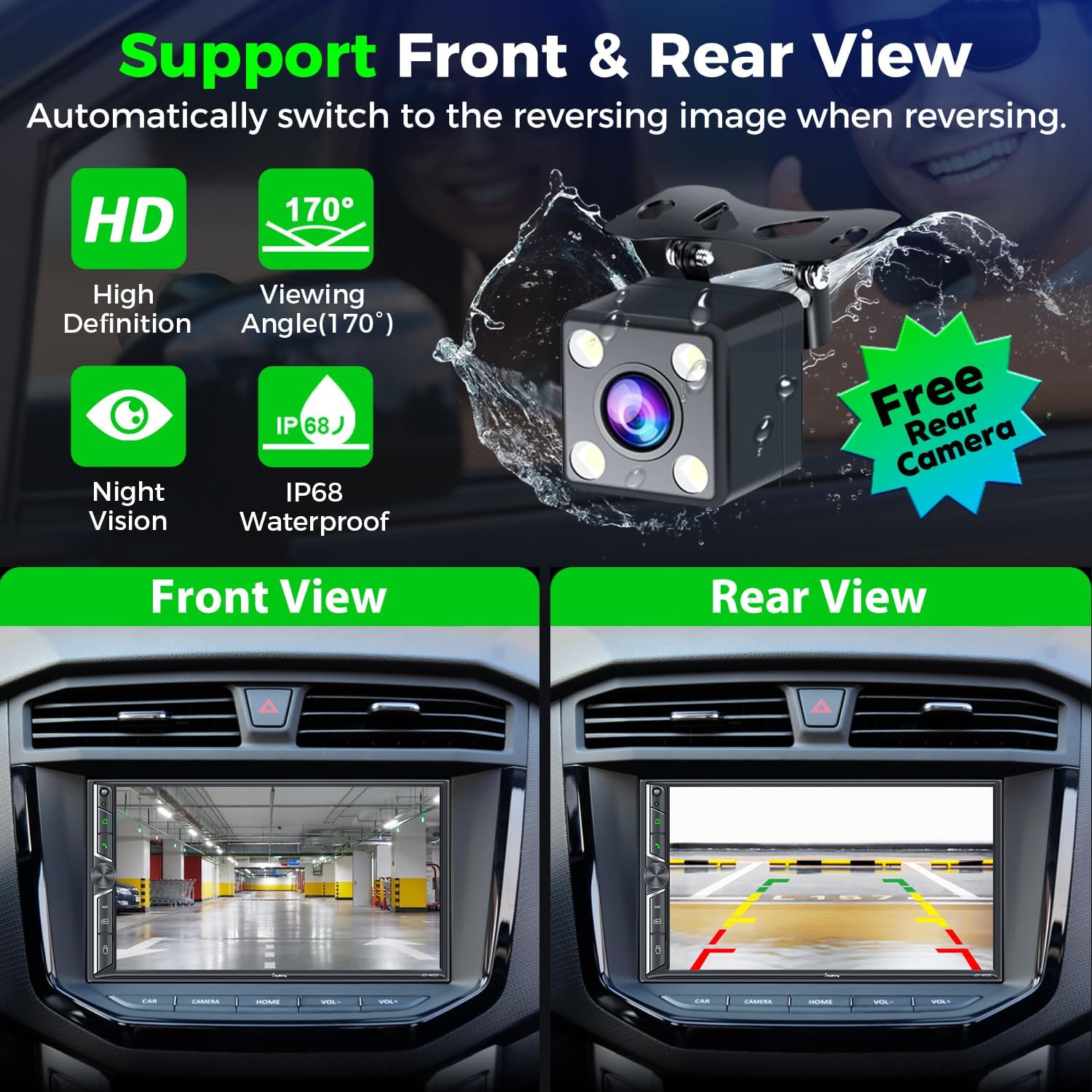
Immagine 5.2: Posteriore View Camera Functionality.
6. Istruzioni per l'uso
6.1 Apple CarPlay e Android Auto wireless
Connect your smartphone to the car radio via Wi-Fi and Bluetooth to activate Wireless Apple CarPlay or Android Auto. This allows you to access navigation, make calls, play music, and use voice assistants (Siri, Google Assistant) safely while driving.

Immagine 6.1: Wireless CarPlay & Android Auto Interface.
Sistema Bluetooth 6.2
The upgraded Bluetooth system provides a stable connection for hands-free calls and music streaming. Pair your device through the unit's Bluetooth settings. The independent Bluetooth module and antenna ensure clear communication.

Immagine 6.2: Bluetooth Call and Music Interface.
6.3 Collegamento specchio
Connect your iOS or Android smartphone via USB to mirror its screen onto the 7-inch display. This allows you to view content like Google Maps, Spotify, or YouTube directly on the car stereo (Note: Not compatible with iOS 18.0 and above).

Immagine 6.3: Mirror Link Functionality.
6.4 Audio Output & Equalizer
The unit supports 4.2-channel audio output, including front (FR/FL), rear (RR/RL) speaker outputs, and two subwoofer outputs (SW1/SW2). Utilize the built-in EQ bands and professional DSP to customize your sound experience.

Immagine 6.4: 4.2-Channel Audio Output and EQ Setup.
Radio AM/FM 6.5
Access your favorite radio stations using the integrated AM/FM tuner. Scan for stations and save presets for quick access.

Immagine 6.5: AM/FM Radio Interface.
6.6 Controllo del volante (SWC)
If your vehicle supports it, connect the steering wheel control wires to the unit. This allows you to control basic functions like volume, track skipping, and call management directly from your steering wheel.

Immagine 6.6: Steering Wheel Control Setup.
6.7 7 Colors LED Buttons
The physical buttons on the unit feature 7-color LED backlighting, which can be customized to match your vehicle's interior lighting or personal preference.

Immagine 6.7: Customizable LED Button Colors.
7. Manutenzione
- Mantenere pulito il touchscreen utilizzando un panno morbido e privo di lanugine. Evitare detergenti abrasivi.
- Garantire un'adeguata ventilazione intorno all'unità per evitare il surriscaldamento.
- Controllare regolarmente i collegamenti elettrici per verificarne la sicurezza.
- Evitare di esporre l'unità a temperature estreme o alla luce solare diretta per periodi prolungati.
8. Risoluzione Dei Problemi
Problemi comuni e soluzioni:
- Nessun potere: Check power connections (Yellow, Red, Black wires). Ensure the fuse is intact.
- Nessun suono: Verify speaker connections. Check audio settings (volume, mute, fader/balance). Ensure external amplifier (se utilizzato) è acceso.
- Problemi di connessione Bluetooth: Ensure Bluetooth is enabled on both the unit and your phone. Try unpairing and re-pairing the device. Check for interference.
- CarPlay/Android Auto non si connette: Ensure Wi-Fi and Bluetooth are on. For wired connection, use a high-quality USB data cable. Check phone compatibility (iOS 18.0+ not supported for Mirror Link).
- La telecamera di backup non viene visualizzata: Check camera power and video connections. Ensure the "Back Car Control" (Pink) wire is correctly connected to the reverse light trigger.
- Screen Unresponsive/Lagging: Perform a soft reset (refer to the unit's reset button, usually a small pinhole). If persistent, contact customer support.
9. Specifiche
| Caratteristica | Dettaglio |
|---|---|
| Dimensioni del prodotto | 3.94 x 7.01 x 3.23 pollici |
| Peso dell'articolo | 2.72 libbre |
| Numero di modello | JOY-W005 |
| Produttore | GIOCARE |
| Tecnologia di connettività | Bluetooth, Wi-Fi, USB |
| Tipo di controllore | iOS, Android |
| Caratteristiche speciali | Touchscreen, Android Auto, Apple CarPlay, AM Tuner, Built-In Wi-Fi |
| Dispositivi compatibili | Smartphone, Altoparlante |
| Tipo di connettore | USB, jack da 3.5 mm |
| Modalità di uscita audio | Stereo |
| Configurazione del canale audio surround | 4 Channel (4.2-channel with 2 subwoofer outputs) |
| Codifica video | H.264, H.265/HEVC, MPEG-4 |
| Colore | Nero |
| Volume di lavorotage | 12V |
| Potenza massima in uscita | 60W*4 |
10. Garanzia e supporto
For warranty information and technical support, please refer to the contact details provided with your purchase or visit the official SJOYBRING website. You can also refer to the full User Manual PDF for more detailed instructions:


