Prodotto finitoview
The ALLmeter Digital Angle Finder is a versatile and high-precision electronic gauge designed for accurate angle measurement in various applications. It features a wide measurement range, multiple units, and a clear backlit LCD display for ease of use in different lighting conditions. Its robust design includes a magnetic V-slot base and a built-in bubble level, making it an indispensable tool for professionals and DIY enthusiasts.

Image: The ALLmeter Digital Angle Finder, showing its main unit, two AAA batteries, a mini screwdriver, and a black carry bag.
Caratteristiche principali:
- Alta precisione: Measures 0-360° with 0.1° accuracy at 0° and 90°, and 0.2° at other angles.
- Unità multiple: Supports degrees (°), percent (%), millimeters per meter (mm/m), and inches per foot (in/ft).
- Display LCD retroilluminato: Ensures clear readability in both bright and low-light environments.
- Magnetic V-Slot Base: Allows secure attachment to various metal surfaces, including curved ones.
- Livella a bolla integrata: Provides traditional leveling capabilities without requiring power.
- Automatic Inverted Display: Screen orientation adjusts automatically when the device is upside down.
- Funzione HOLD: Blocca la misurazione corrente sul display.
- Funzione zero: Enables setting a relative zero angle on any reference surface.
- Spegnimento automatico: Conserva la durata della batteria spegnendosi dopo 3 minuti di inattività.
- Design durevole: Constructed from premium ABS material with an IP52 waterproof rating.
Contenuto della confezione
Dopo aver aperto la confezione, verificare che tutti gli articoli siano presenti e in buone condizioni:
- 1 x ALLmeter Digital Angle Finder
- 2 batterie AAA
- 1 x Borsa per il trasporto
- 1 x Mini cacciavite
- 1 x Manuale utente (questo documento)
Impostare
1. Installazione della batteria
- Individuare il coperchio del vano batteria sul retro del dispositivo.
- Use the provided mini screwdriver to loosen the screw on the battery compartment cover.
- Togliere il coperchio.
- Inserire due batterie AAA, assicurandosi che la polarità sia corretta (+/-) come indicato all'interno del vano.
- Riposizionare il coperchio del vano batterie e serrare la vite.
The device is now ready for use. A low battery indicator will appear on the display when the batteries need replacement.
Istruzioni per l'uso
Componenti del dispositivo:

Image: A detailed diagram highlighting the Horizontal Bubbles, VA LCD display, ZERO Button / ON/OFF, MODE Button, HOLD Button, Magnetic V-groove, and screw. Key specifications like 4x90° Measuring Range, ±0.1°/±0.2° Accuracy, 0.05° Resolution, and IP52 Waterproof rating are also shown.
- ZERO Button / ON/OFF: Press to turn the device on or off. Press briefly to set the relative zero angle.
- Pulsante MODE: Press to cycle through the four measurement units (degrees, percent, mm/m, in/ft).
- Pulsante ATTESA: Press to freeze the current measurement on the display. Press again to release.
- Display LCD VA: Shows angle readings, unit indicators, battery status, and other information.
- Bolle orizzontali: Traditional spirit level vials for quick visual leveling.
- Magnetic V-groove Base: Allows secure attachment to flat or curved metal surfaces.
Modalità di misurazione:
Il dispositivo supporta due modalità di misurazione principali:

Image: Two diagrams illustrating the measurement modes. Mode 1 shows Absolute angle measurement, using a level surface as a reference. Mode 2 shows Relative angle measurement, where the ZERO button is pressed to set a new reference surface.
- Misurazione dell'angolo assoluto:
In this mode, the device measures the angle relative to a true horizontal or vertical plane. Simply place the device on the surface you wish to measure. The display will show the angle relative to gravity.
- Relative Angle Measurement (Zero Function):
This mode allows you to set any surface as a temporary zero reference. Place the device on your desired reference surface, then briefly press the ZERO button. The display will show "0.00°" and subsequent measurements will be relative to this new zero point. This is useful for measuring the difference in angles between two surfaces.
Modifica delle unità di misura:
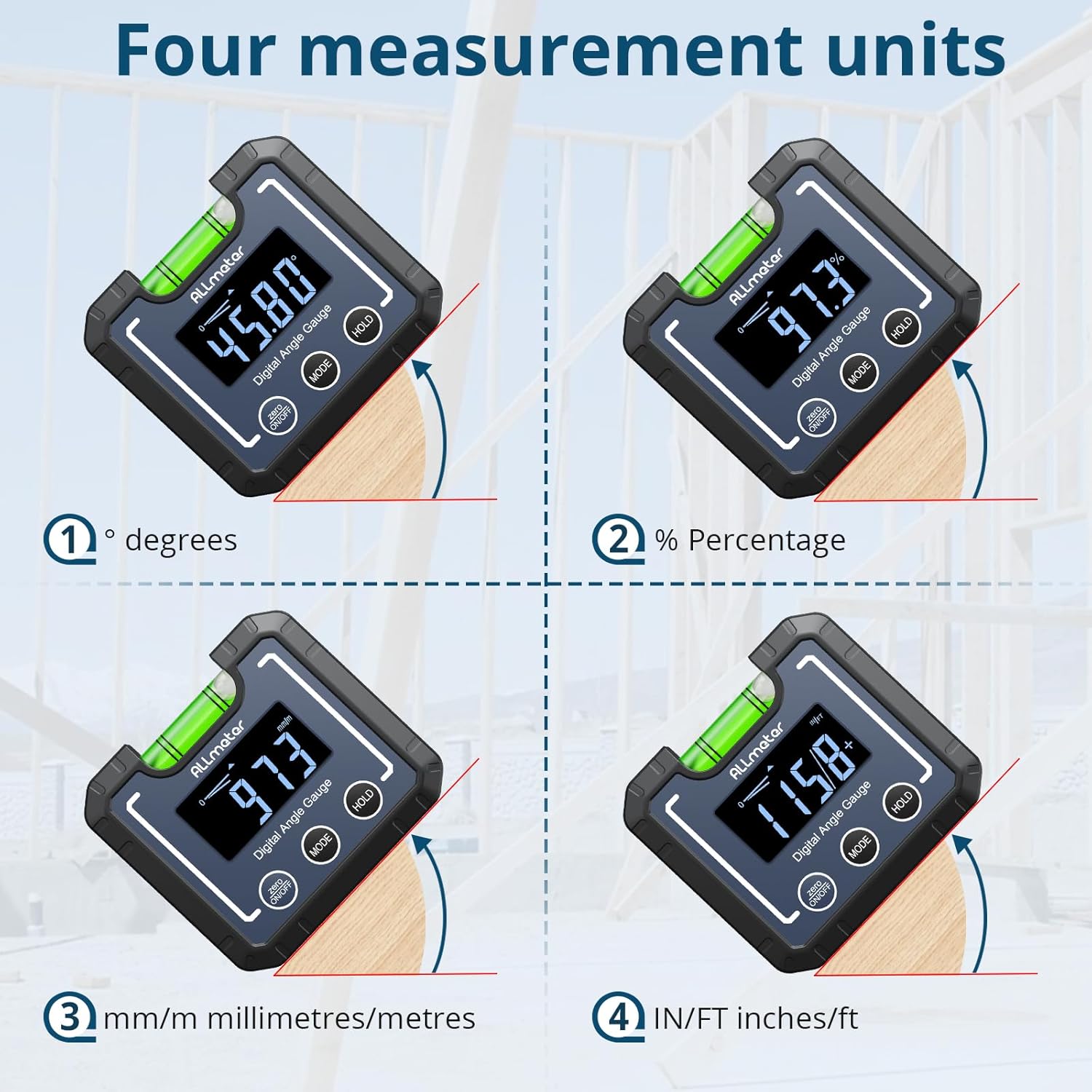
Image: Four separate displays of the angle finder, each showing a different measurement unit: degrees (°), percentage (%), millimeters per meter (mm/m), and inches per foot (in/ft).
Premere il tasto MODALITÀ button repeatedly to cycle through the available measurement units: degrees (°), percent (%), mm/m, and in/ft. The active unit will be indicated on the LCD display.
Funzione HOLD:
Per congelare la misurazione corrente sul display, premere il tasto PRESA button. This is useful for recording readings in difficult-to-view positions. Press the PRESA button again to release the measurement and return to live readings.
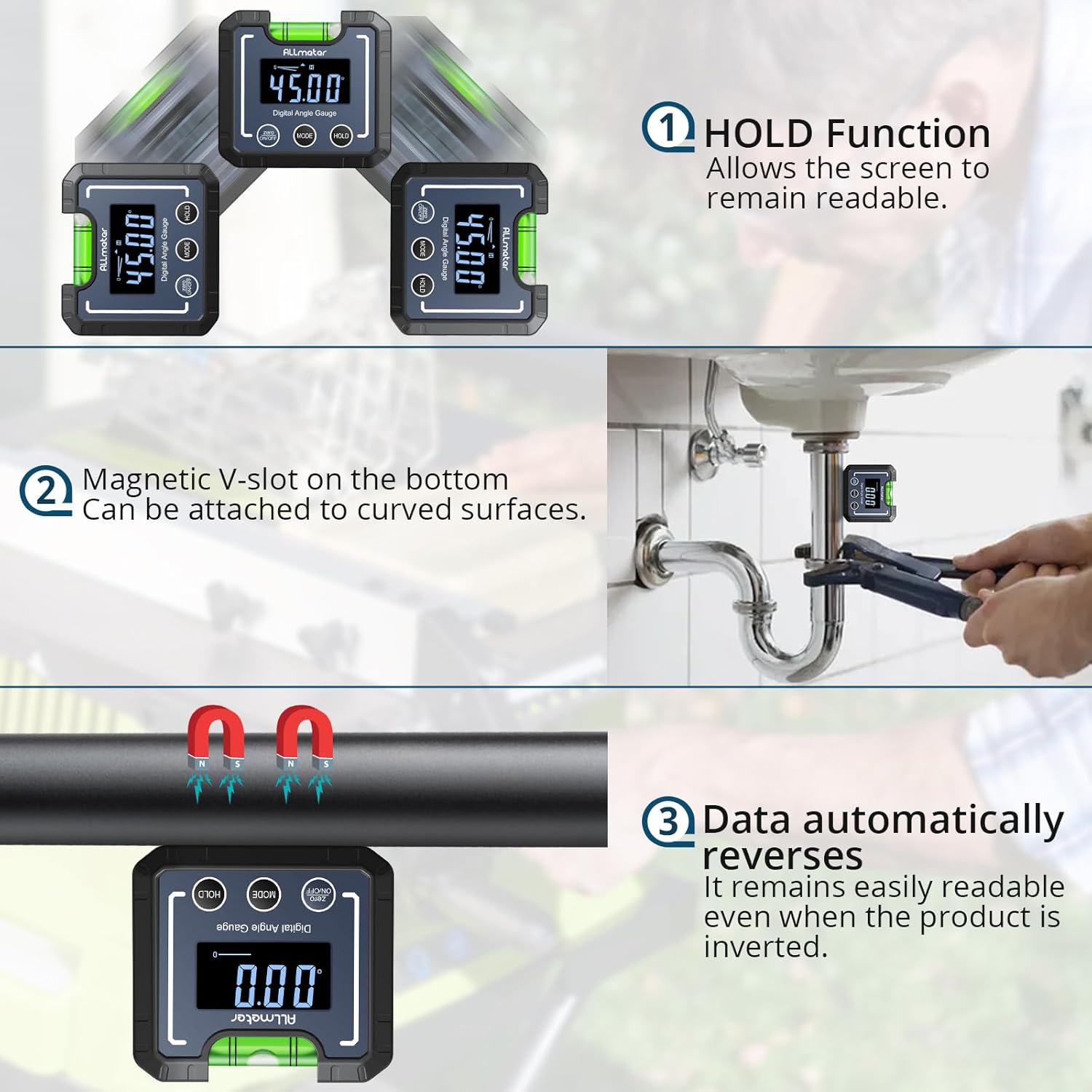
Image: Three key features are illustrated: 1) The HOLD function, showing the display frozen. 2) The Magnetic V-slot on the bottom, demonstrating its ability to attach to curved surfaces like pipes. 3) The data automatically reversing, ensuring readability even when the product is inverted.
Automatic Inverted Display:
The display automatically inverts its orientation when the device is turned upside down, ensuring that the readings are always upright and easy to read, regardless of the device's position.
Magnetic V-Slot Base and Horizontal Bubble:
The integrated magnetic V-slot base allows the angle finder to securely attach to various metal surfaces, including pipes and saw blades, for hands-free operation. The built-in horizontal bubble vial provides a quick visual reference for leveling, even when the device is powered off.
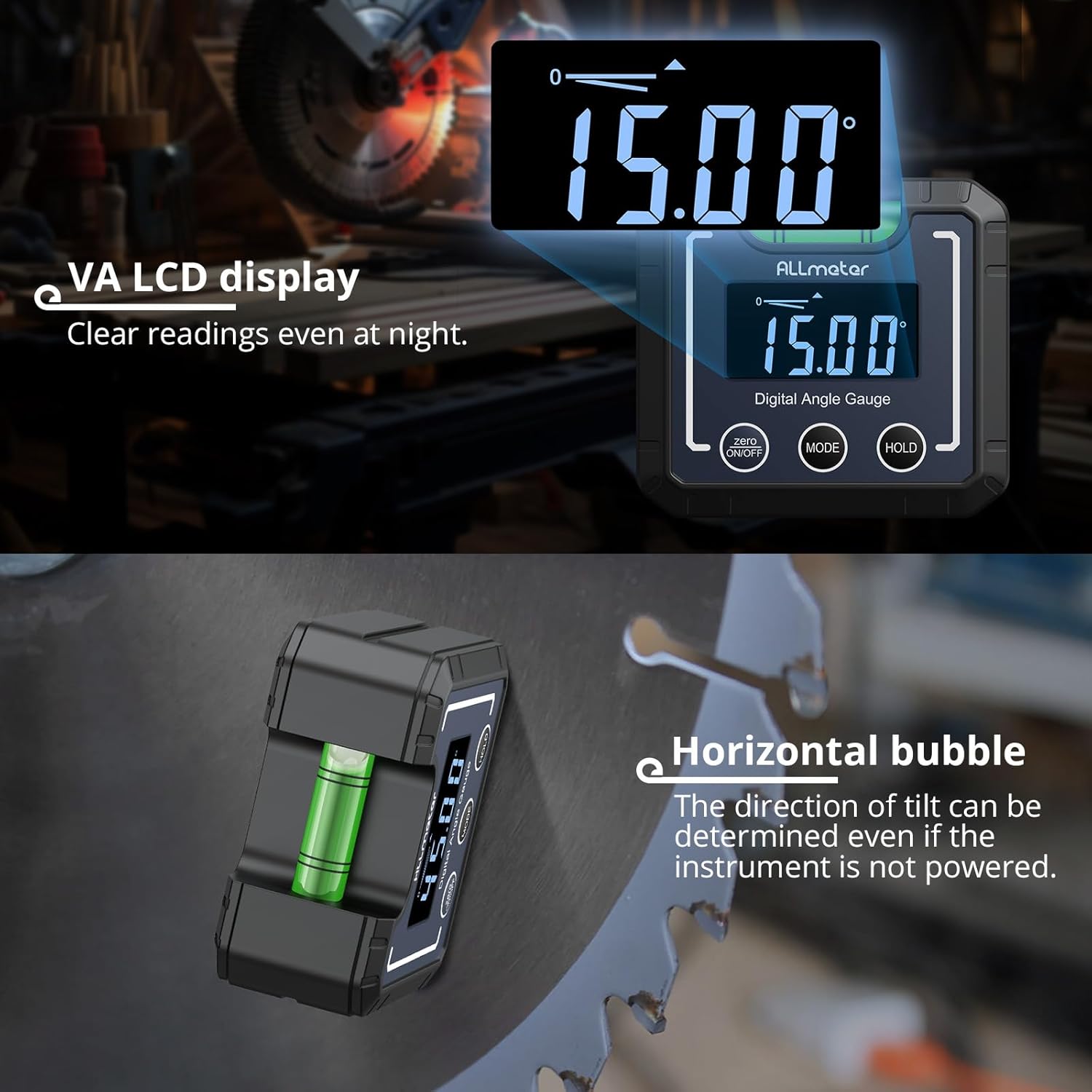
Image: The angle finder's VA LCD display is shown, emphasizing its clear readability even at night. Below it, the horizontal bubble is highlighted, indicating that the direction of tilt can be determined even when the instrument is not powered.
Spegnimento automatico:
To conserve battery life, the device will automatically power off after 3 minutes of inactivity. Press the ZERO / ACCESO/SPENTO pulsante per riaccenderlo.
Manutenzione
Pulizia:
Pulire il dispositivo con un panno morbido e asciutto. Per lo sporco ostinato, utilizzare un panno leggermenteamp cloth can be used. Do not use abrasive cleaners, solvents, or immerse the device in water.
Magazzinaggio:
When not in use for extended periods, remove the batteries to prevent leakage. Store the device in its provided carry bag in a cool, dry place, away from direct sunlight and extreme temperatures.
Grado di impermeabilità (IP52):

Image: The angle finder is shown on a wet wooden surface, emphasizing its IP52 waterproof and dustproof rating, which ensures uninterrupted operation even in light rain. The groove lines on both sides of the device are also highlighted as convenient markers for measurements.
The ALLmeter Digital Angle Finder has an IP52 rating, meaning it is protected from limited dust ingress and from water spray less than 15 degrees from vertical. While it can withstand light rain, it is not designed for immersion in water or heavy water exposure.
Risoluzione dei problemi
| Problema | Possibile causa | Soluzione |
|---|---|---|
| Il dispositivo non si accende. | Le batterie sono scariche o installate in modo errato. | Controllare la polarità delle batterie. Sostituirle con nuove batterie AAA. |
| "Erro" displayed on screen. | Device tilted more than 30° from the measurement surface. | Place the device on a flat, stable surface. Ensure the angle being measured is within the operational range. |
| Letture imprecise. | Device not properly calibrated (zeroed) or unstable surface. | Perform the zero function on a known level surface. Ensure the device is stable during measurement. |
| Il display è scuro o tremolante. | Batteria scarica. | Sostituire le batterie. |
Specifiche

Image: A table detailing the specifications of the ALLmeter Digital Angle Finder, including Measuring range, Unit of measurement, Precision of Digital Display, Resolution, Waterproof rating, Material, and Power source.
| Caratteristica | Dettaglio |
|---|---|
| Campo di misura | 0-360° (4 x 90°) |
| Precisione | ±0.1° at 0° and 90°, ±0.2° at other angles |
| Risoluzione | 0.05° |
| Unità di misura | Degrees (°), Percent (%), mm/m, in/ft |
| Grado di impermeabilità | Grado di protezione IP52 |
| Materiale | addominali |
| Fonte di alimentazione | 2 batterie AAA |
| Dimensioni del prodotto | 2.76 x 1.18 x 2.36 pollici |
| Peso | 3.53 once |
| Numero di modello | TUTTI006 |
Garanzia e supporto
Informazioni sulla garanzia:
This product is covered by a standard manufacturer's warranty. For specific details regarding warranty duration and terms, please refer to the warranty card included in your product packaging or contact the manufacturer directly.
Assistenza clienti:
For technical assistance, troubleshooting, or inquiries regarding your ALLmeter Digital Angle Finder, please contact ALLmeter customer support. You can typically find contact information on the manufacturer's official websito o tramite il rivenditore presso il quale è stato acquistato il prodotto.
Manufacturer: Allmeter
Per maggiori informazioni, visita il ALLmeter Store on Amazon.

