1. Introduzione
This manual provides essential instructions for the installation, operation, and maintenance of your Wiser Outdoor IP Camera, model CCT724319. Designed for outdoor surveillance, this camera integrates into the Wiser smart home ecosystem to enhance your property's security.
Caratteristiche principali:
- Outdoor DC power surveillance capability.
- Integrated Micro USB port for power supply.
- Supports 2.4 GHz Wi-Fi connectivity (IEEE 802.11 b/g/).
- Features video motion detection for enhanced security alerts.
- Designed for outdoor use with durable plastic material.
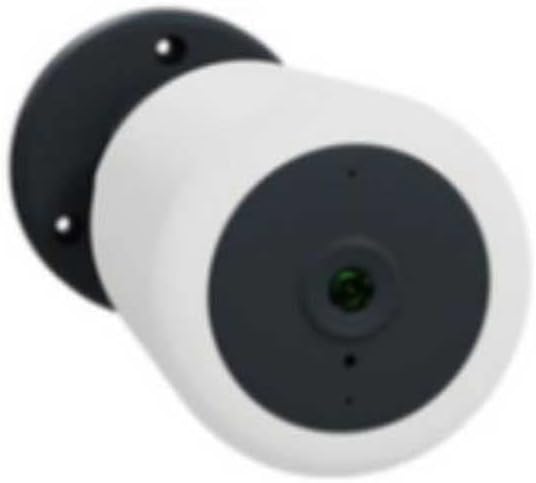
Figure 1: Wiser Outdoor IP Camera CCT724319. This image shows the camera's white cylindrical body, a dark grey front panel housing the lens, and a black mounting base with two screw holes for secure installation.
2. Contenuto della confezione
Si prega di controllare la confezione per verificare la presenza dei seguenti elementi:
- 1 x Wiser Outdoor IP Camera (Model CCT724319)
- Mounting screws and anchors (typically included, though not explicitly listed)
- Power adapter (for Micro USB port, typically included)
- Quick Start Guide (not explicitly listed, but standard)
3. Configurazione e installazione
3.1. Montaggio della fotocamera
- Scegli una posizione: Select an outdoor location that provides the desired surveillance coverage and has access to a power outlet. Ensure the Wi-Fi signal is strong at the chosen spot.
- Segnare i fori di perforazione: Use the camera's mounting base as a template to mark the positions for drilling on the wall or surface.
- Fori di perforazione: Drill pilot holes at the marked positions. Insert wall anchors if necessary for secure mounting.
- Fissare la fotocamera: Align the camera's mounting base with the drilled holes and secure it using the provided screws.
3.2. Accensione
- Connect the power adapter to the camera's Micro USB port.
- Collegare l'adattatore di alimentazione a una presa di corrente esterna adatta.
- The camera will power on, and an indicator light (if present) will show its status.
3.3. Connessione Wi-Fi e configurazione dell'app
- Download the Wiser App: Cercare "Wiser Home" or "Wiser by Schneider Electric" in your smartphone's app store (iOS or Android) and download it.
- Creare un account: Apri l'app e segui le istruzioni sullo schermo per creare un nuovo account utente o per effettuare l'accesso se ne hai già uno.
- Aggiungi dispositivo: In the app, select the option to add a new device. Choose "Camera" or "Security Camera" from the list.
- Segui le istruzioni nell'app: The app will guide you through connecting the camera to your 2.4 GHz Wi-Fi network. This typically involves scanning a QR code on the camera or entering your Wi-Fi credentials.
- Configurazione completa: Una volta connessa, puoi dare un nome alla tua telecamera e regolare le impostazioni iniziali all'interno dell'app.
4. Utilizzo della fotocamera
4.1. Vivere View e Registrazione
- Open the Wiser app and select your camera to view il feed dal vivo.
- The app allows you to manually record video, take snapshots, and access recorded footage.
4.2. Rilevamento del movimento
- The camera features video motion detection. You can configure sensitivity levels and detection zones within the Wiser app.
- When motion is detected, the camera can trigger recordings and send notifications to your smartphone.
4.3. Supporto multi-dispositivo
The Wiser system supports connecting multiple devices. You can manage up to 4 devices per output (e.g., per gateway or specific Wiser hub) through the app, allowing for comprehensive home surveillance.
4.4. Camera Selector Switch (if applicable)
If your Wiser system includes a camera selector switch, refer to its specific manual for operation. This feature allows switching between different camera feeds within a multi-camera setup.
5. Cura e manutenzione
- Pulizia: Pulire delicatamente l'obiettivo e il corpo della fotocamera con un panno morbido e asciutto.amp panno. Evitare detergenti abrasivi o solventi.
- Aggiornamenti del firmware: Regularly check the Wiser app for available firmware updates to ensure optimal performance and security.
- Ispezione dei cavi: Periodically inspect the power cable and connections for any signs of wear or damage, especially in outdoor environments.
- Protezione ambientale: While designed for outdoor use, ensure the camera is not directly exposed to extreme weather conditions beyond its operating limits.
6. Risoluzione Dei Problemi
Problemi comuni e soluzioni:
- Nessun potere:
- Assicurarsi che l'adattatore di alimentazione sia collegato saldamente alla fotocamera e alla presa di corrente.
- Controllare se la presa di corrente funziona.
- Disconnessione Wi-Fi:
- Verify your Wi-Fi router is working and the internet connection is stable.
- Ensure the camera is within range of your 2.4 GHz Wi-Fi network.
- Riavvia la telecamera e il router Wi-Fi.
- If issues persist, try re-pairing the camera with the Wiser app.
- Il rilevamento del movimento non funziona:
- Check the motion detection settings in the Wiser app (sensitivity, detection zones).
- Assicurarsi che non vi siano ostacoli che bloccano la telecamera view.
- Verify that notifications are enabled on your smartphone and in the app.
- Scarsa qualità video:
- Pulisci l'obiettivo della fotocamera.
- Assicuratevi che il segnale Wi-Fi sia forte.
- Controlla la velocità di caricamento della tua connessione Internet.
7. Specifiche del prodotto
| Marca | Più saggio |
| Numero di modello | Codice CCT724319 |
| Produttore | APC Schneider Electric |
| Uso consigliato | Sicurezza esterna |
| Tecnologia di connettività | Wired, Wireless (Wi-Fi 2.4 GHz) |
| Fonte di alimentazione | DC Power (via Micro USB port), also listed as Battery Powered (may refer to compatibility with external battery packs or a general power category) |
| Consumo energetico | 12 Watt |
| Materiale | Plastica |
| Colore | Bianco |
| Dimensioni articolo (L x P x A) | Dimensioni: 50 x 50 x 28 cm |
| Peso | 428 grammi |
| Caratteristica speciale | Uso esterno |
| Infrared Type | Infrarossi |
| Batterie incluse/richieste | NO |
| Paese di origine | Spagna |
8. Garanzia e supporto
For warranty information, please refer to the documentation provided with your purchase or contact your retailer. The manufacturer of this product is APC Schneider Electric.
Spare parts availability information is currently unavailable. For technical support or further assistance, please visit the official Wiser or Schneider Electric websito o contattare il servizio clienti.


